
🚀 Exploring Qwen2: A Powerful Open LLM – Installation, Testing with Alpaca + Screencast!
Qwen2 is the latest open-source large language model (LLM) developed by Alibaba’s DAMO Academy. It represents a significant advancement in multilingual understanding and generative tasks. In this guide, we’ll walk you through what Qwen2 is, how to install and run it using Ollama and Alpaca, and test its capabilities. Whether you’re a developer, researcher, or just curious about AI, this post is for you!
🧠 What is Qwen2?
Qwen2 is a family of language models released by Alibaba in 2024. It’s designed to compete with models like LLaMA, Mistral, and GPT-style models. Qwen2 supports both base and instruction-tuned versions and comes in various sizes (from 0.5B to 72B), optimized for multilingual and code generation tasks.
Screencast Walkthrough
🎥 Watch the Screencast (Setup + Demo)
📷 Screenshots
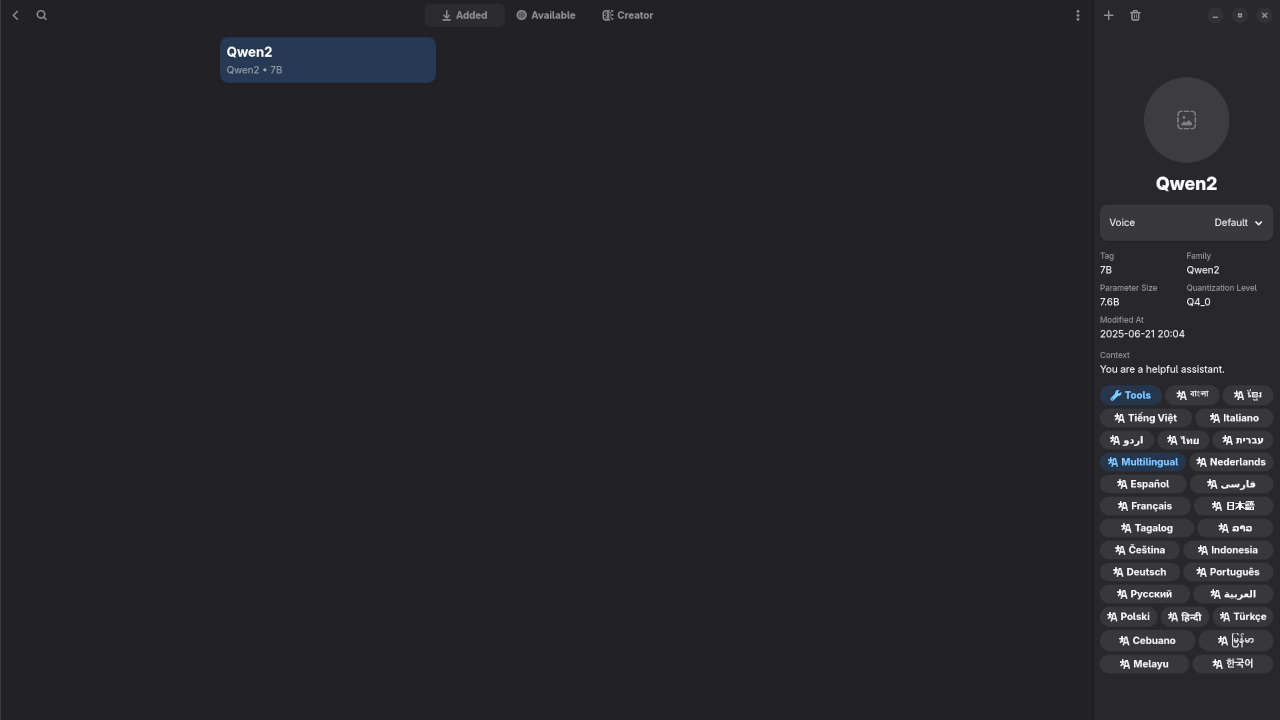
- 📷 1. Qwen2 in Ollama
Screenshot of Ollama terminal after pulling Qwen2 - 📷 2. Alpaca GUI Interface
Screenshot of the web interface showing a sample chat with Qwen2 - 📷 3. JSON Output Format If Not Using GUI
Sample output for API responses if using Alpaca backend
⚙️ How to Install Qwen2 (Using Ollama + Alpaca)
Prerequisites
- macOS, Linux, or WSL on Windows
- Ollama installed
- Alpaca GUI from GitHub
Step-by-step Instructions
- Install Ollama
curl -fsSL https://ollama.com/install.sh | sh - Start Ollama and Pull Qwen2
ollama pull qwen2:instruct - Run the Model
ollama run qwen2:instruct - Install Alpaca
flatpak install flathub com.jeffser.Alpaca
🧪 Testing Qwen2 with Alpaca
Once everything is running, use the Alpaca web interface to chat with Qwen2. Try the following prompts:
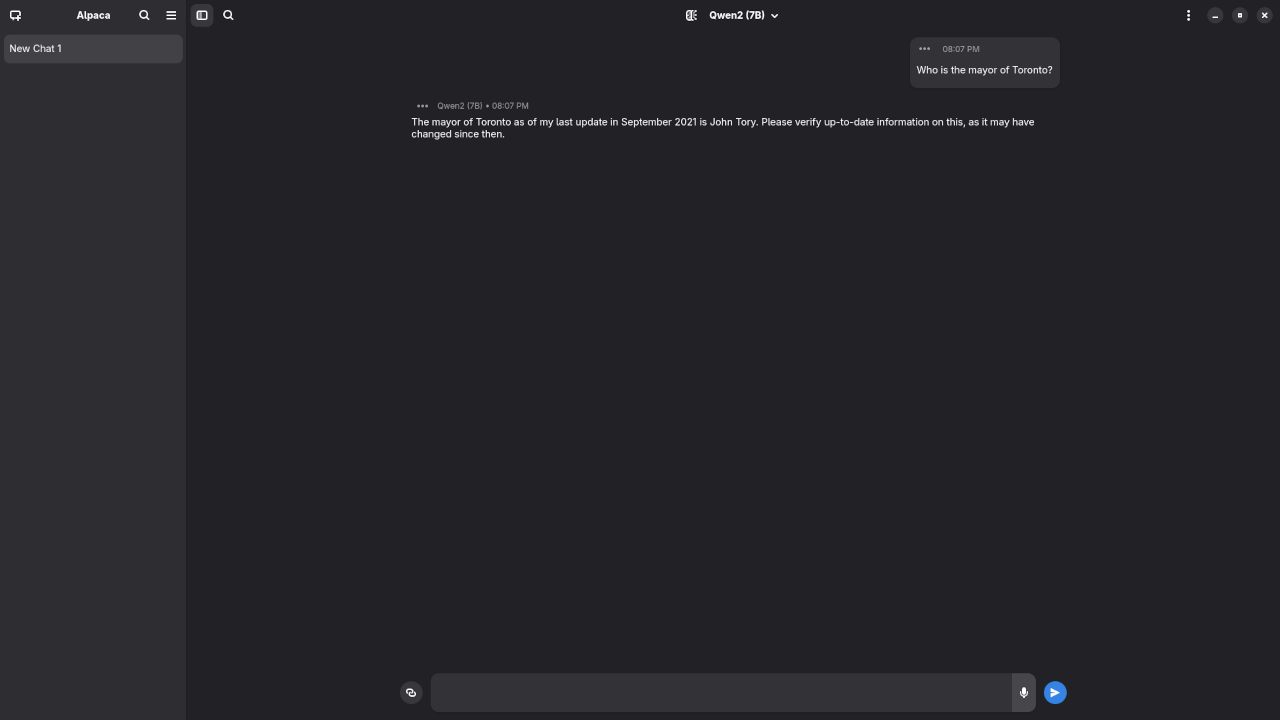
Who is the mayor of Toronto?
Produced inaccurate outdated answer to Olivia Chow as the mayor of Toronto.
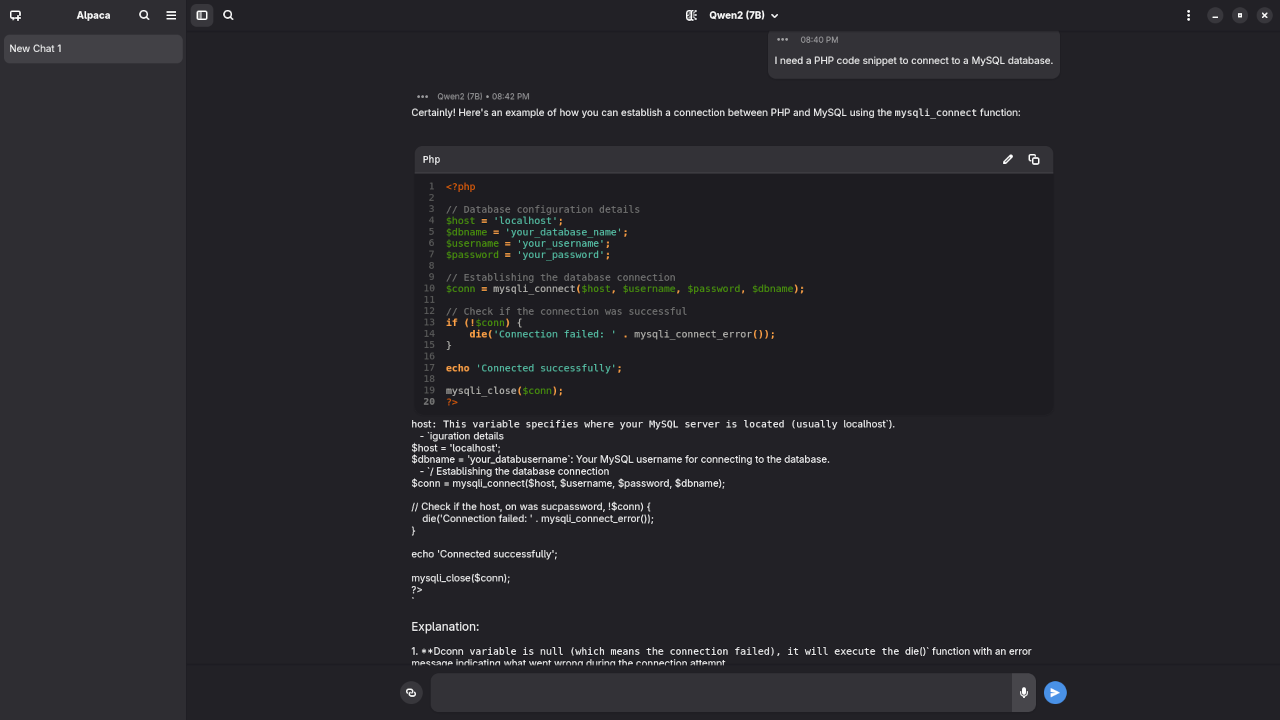
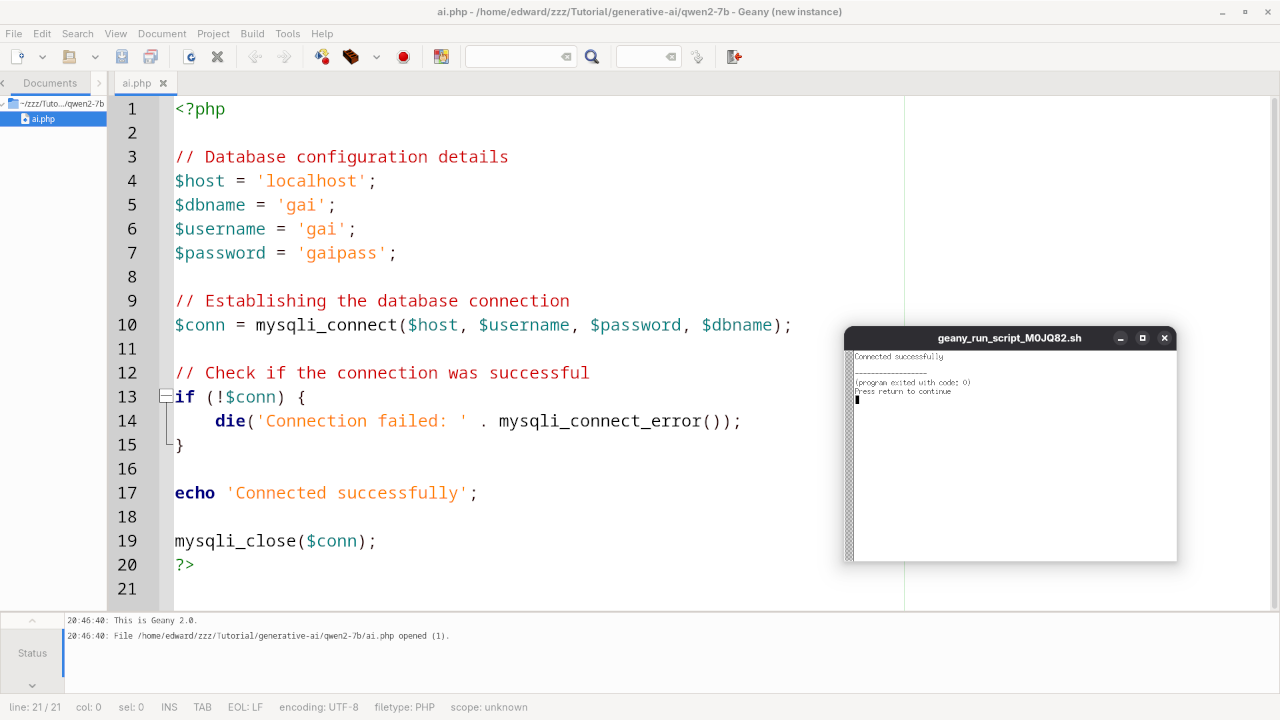
I need a PHP code snippet to connect to a MySQL database.
Produced accurate syntax PHP code snippet to connect to a MySQL database.
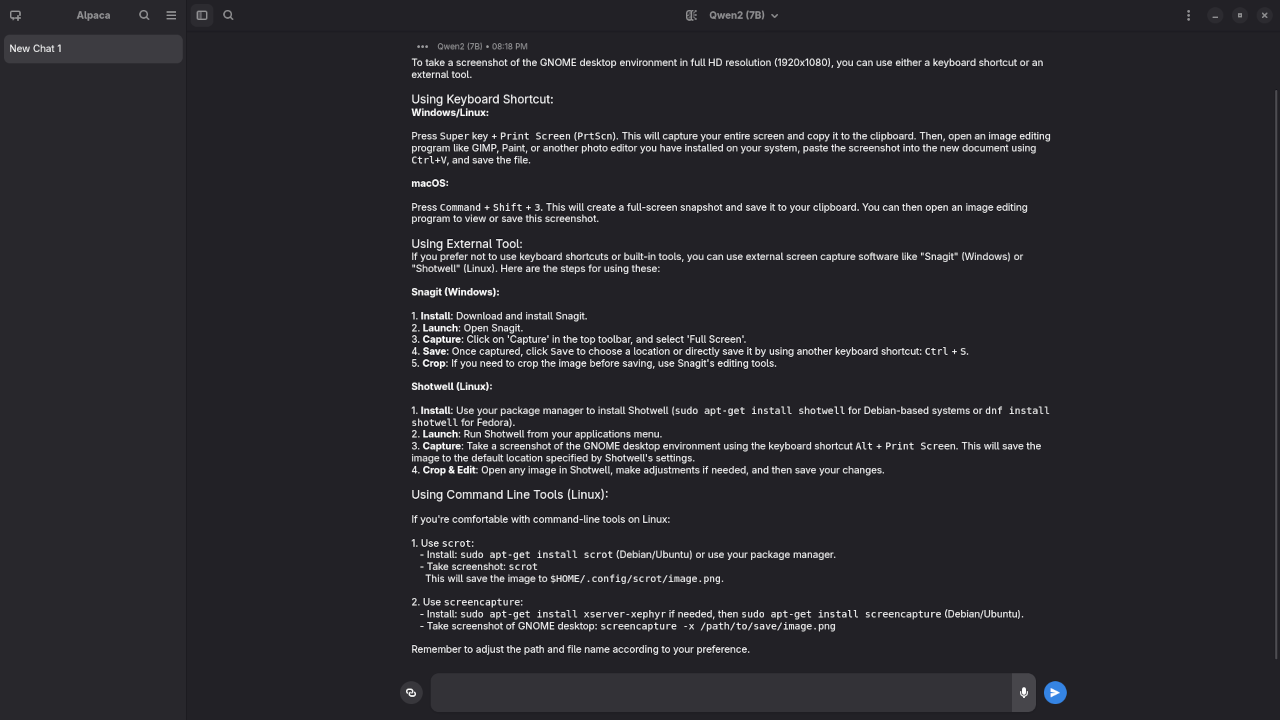
I need a 1080p screenshot of the gnome desktop environment.
Produced elaborate answer to generate a 1080p screenshot of Gnome desktop environment because it is a text-based AI lacking ability.
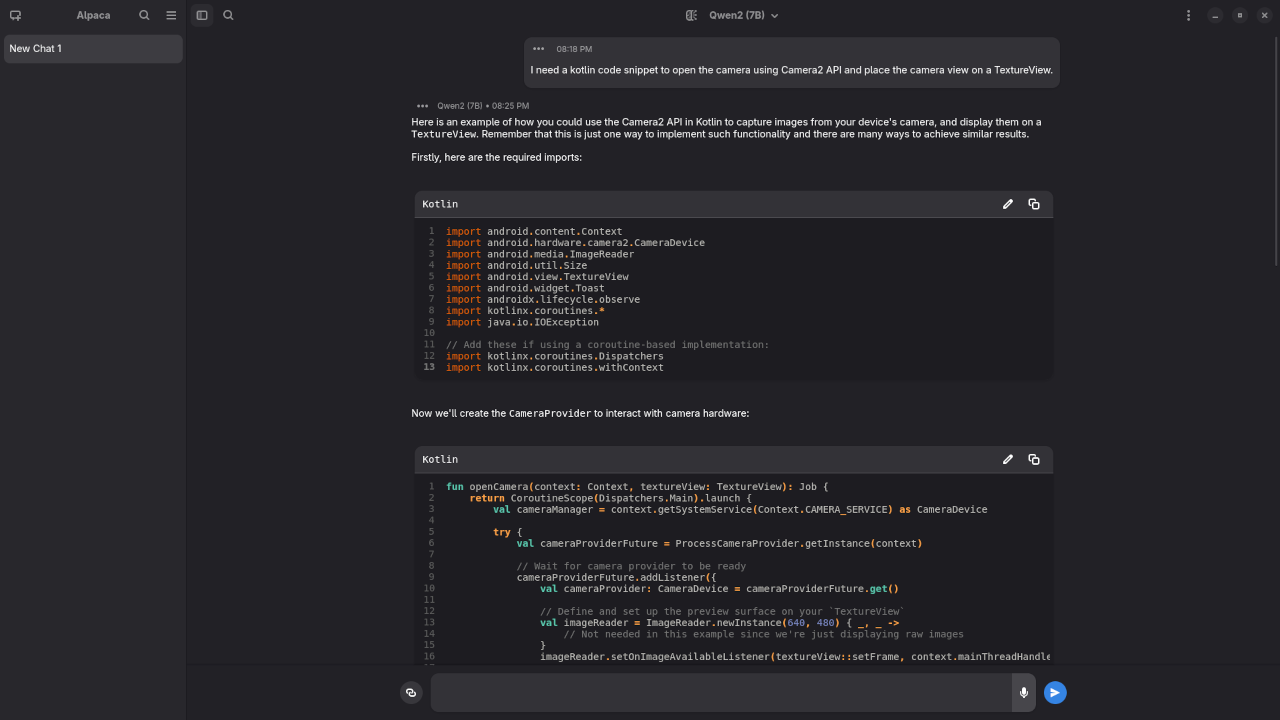
I need a kotlin code snippet to open the camera using Camera2 API and place the camera view on a TextureView.
Produced incomplete Kotlin code snippet to open the camera using Camera2 API.
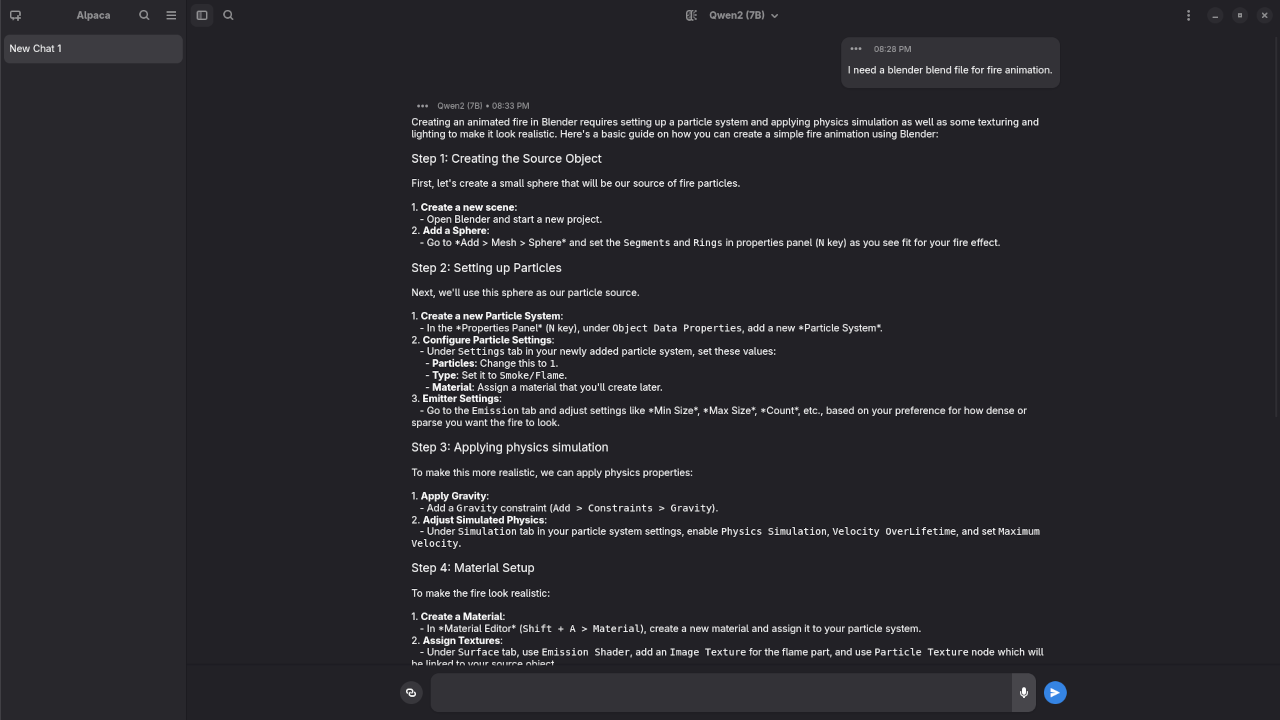
I need a blender blend file for fire animation.
Produced elaborate answer to generate a fire animation, but not a Blender Blend file because it is a text-based AI lacking ability.
You’ll notice that Qwen2 is particularly strong at multilingual tasks, logical reasoning, and step-by-step explanation – a perfect playground for developers and researchers alike.
🙋 Need Help Installing Qwen2?
If you run into any issues or would like personalized help setting up Qwen2 with Ollama and Alpaca, I’m happy to assist!
👉 Contact me here anytime or Click here to request help or leave a comment below and I’ll get back to you ASAP.
Let’s make AI more accessible – together. 💡
💡 Final Thoughts
Qwen2 represents a new era of high-performing, multilingual open-source language models. With support from tools like Ollama and Alpaca, it’s easier than ever to test and integrate these models into your projects.
If you found this guide useful, don’t forget to like the screencast and subscribe to stay updated on more LLM tutorials!
🔧 Resources
- 🔗 Qwen2 GitHub (Model Card)
- 🔗 Ollama Documentation
- 🔗 Any Web UI of your choice, I will be using Github description, “Alpaca is an Ollama client where you can manage and chat with multiple models”.
🚀 Recommended Resources
Disclosure: Some of the links above are referral links. I may earn a commission if you make a purchase at no extra cost to you.