

How to File a High Quality Bug Report With Real World Examples
Bug reports are one of the most valuable contributions users and developers can make to software projects.
A well written bug report helps developers understand issues quickly reduces repeated questions
and greatly increases the likelihood of a fast and accurate fix.
In this article you will learn best practices for filing effective bug reports followed by
real world examples from Apache NetBeans and Inkscape that show how clear reporting leads to successful resolutions.
Why Writing a Good Bug Report Matters
A vague statement such as the application crashed is rarely helpful.
Developers need specific and reproducible information in order to diagnose and resolve problems.
High quality bug reports improve software stability and strengthen collaboration between users and maintainers.
Best Practices for Filing a Bug Report
Check for Existing Bug Reports
Before creating a new issue search the projects issue tracker to see if the problem has already been reported.
This avoids duplication and may reveal existing workarounds or fixes.
Example from Apache NetBeans
Outdated Jcraft JSCH Library Causes Incorrect Credentials For Remote Git Repository
View issue
Include System Specifications
System information helps developers determine whether a bug is platform specific.
Always include details such as operating system application version and architecture when available.
Explain What Happened and What Should Have Happened
Clearly separate the actual behavior from the expected behavior.
This allows developers to understand the problem without making assumptions.
Example
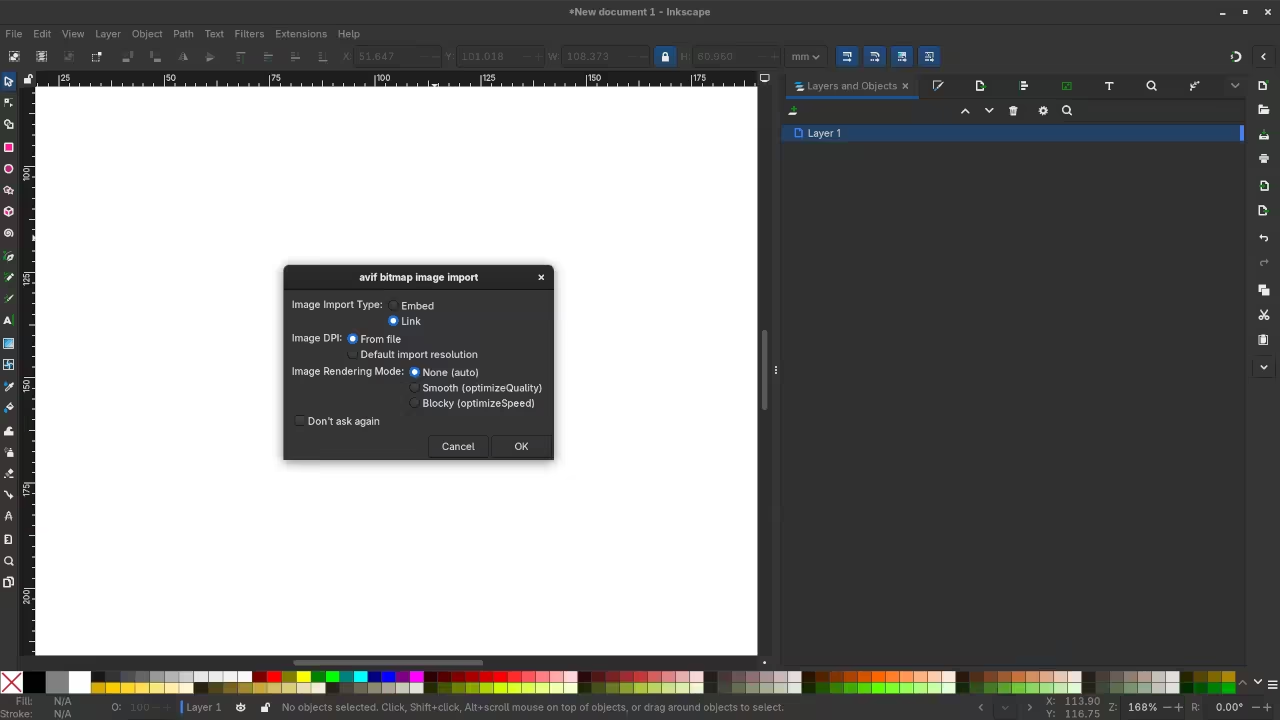
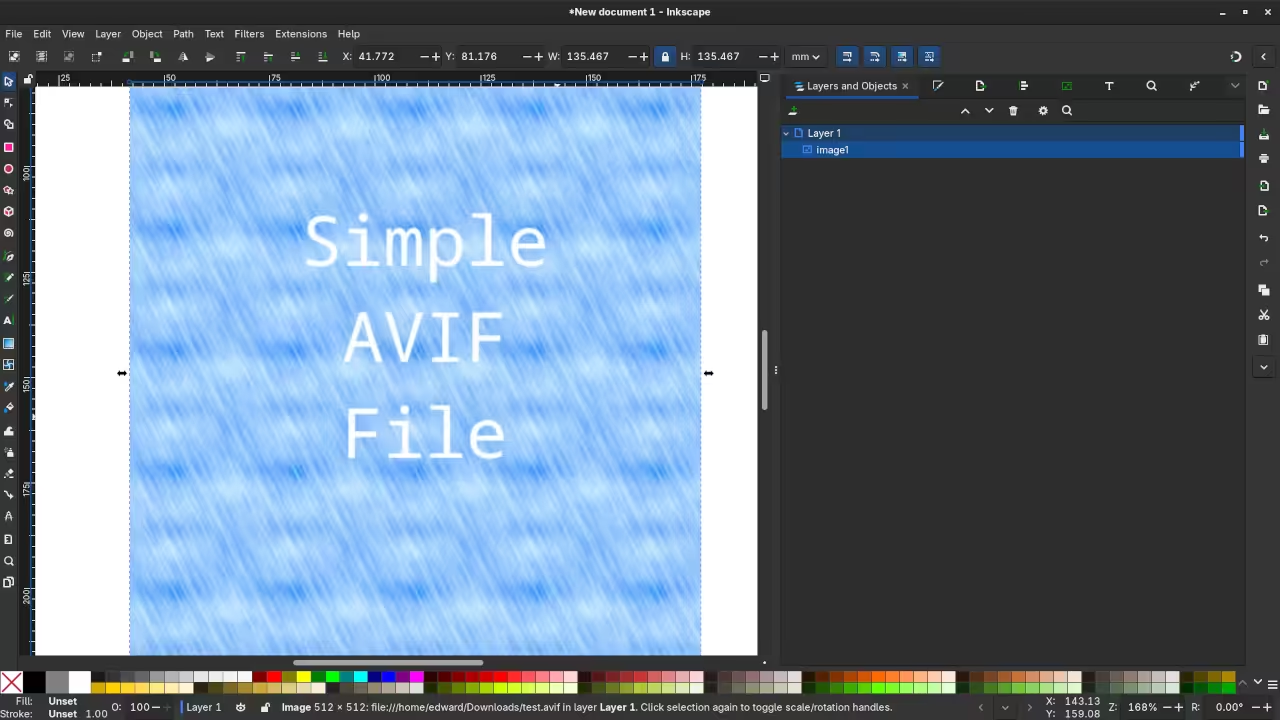
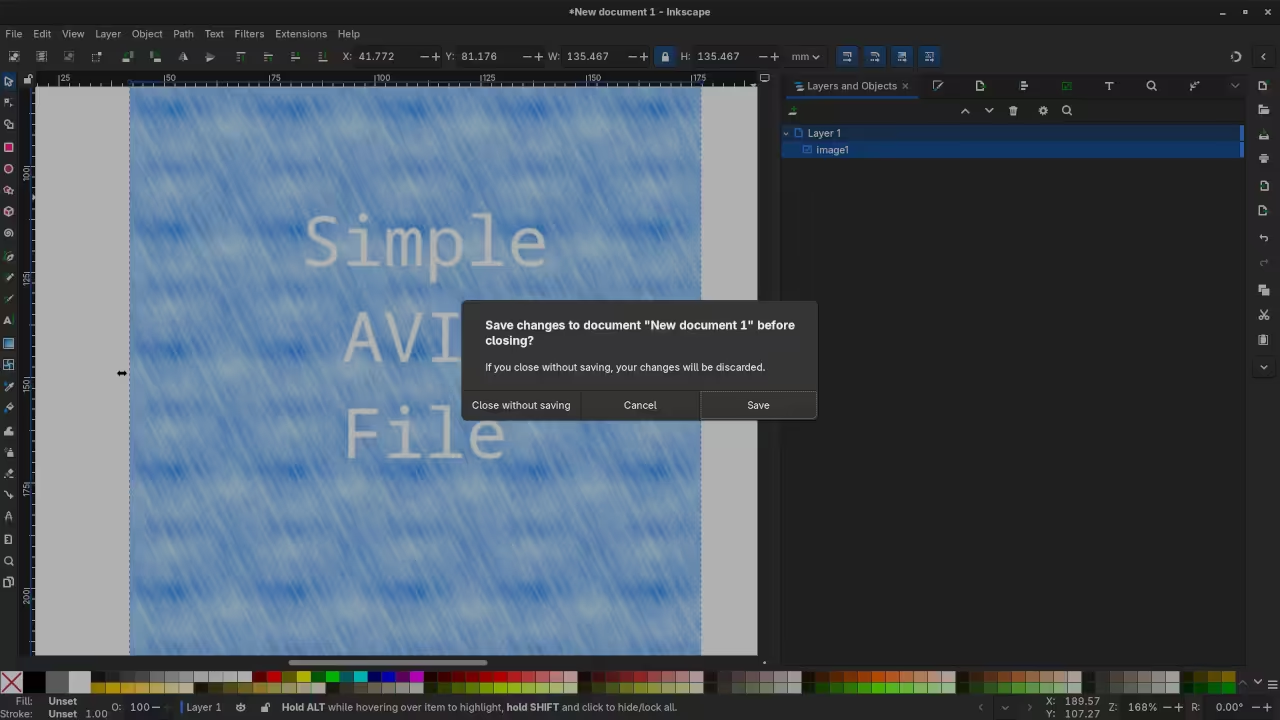
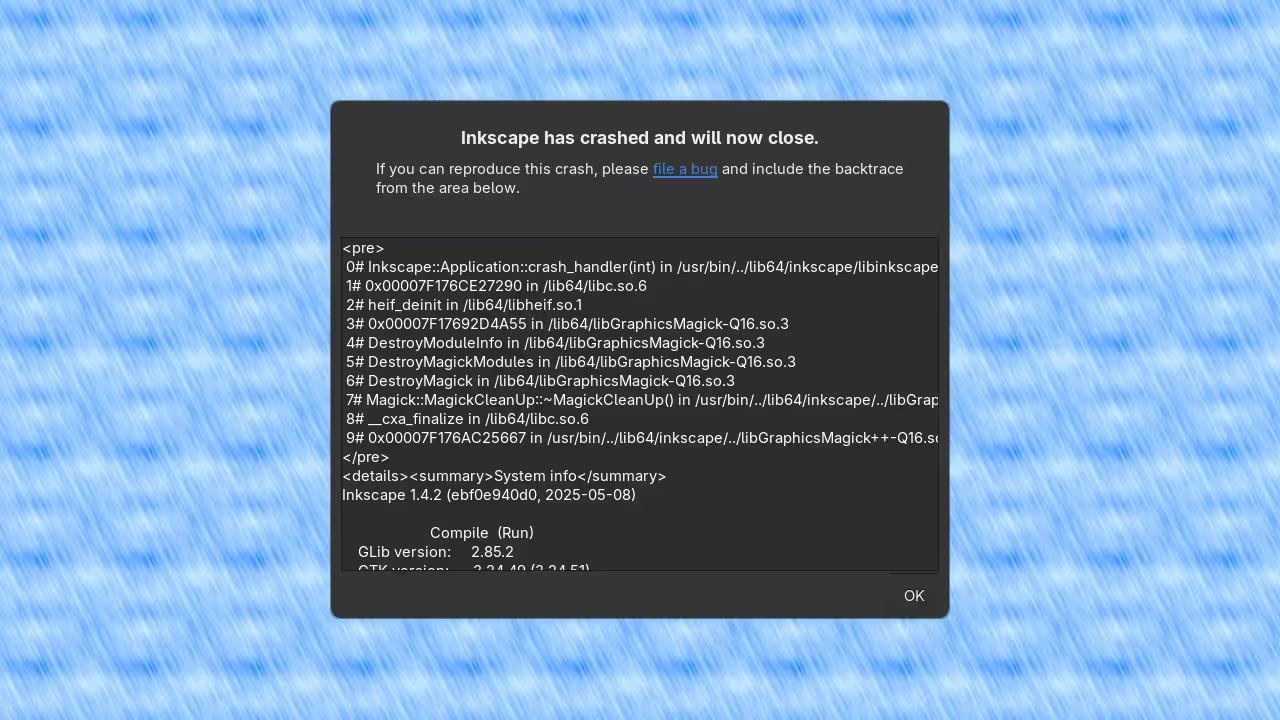
What happened Inkscape crashes when the application is closed after opening an AVIF file
What should have happened Inkscape should close normally without crashing
Provide Clear Steps to Reproduce the Issue
Reproducible steps are essential.
Use a simple numbered list that allows anyone to recreate the issue on their system.
Example steps
Launch Inkscape
Open an AVIF image file
Close the file
Exit the application
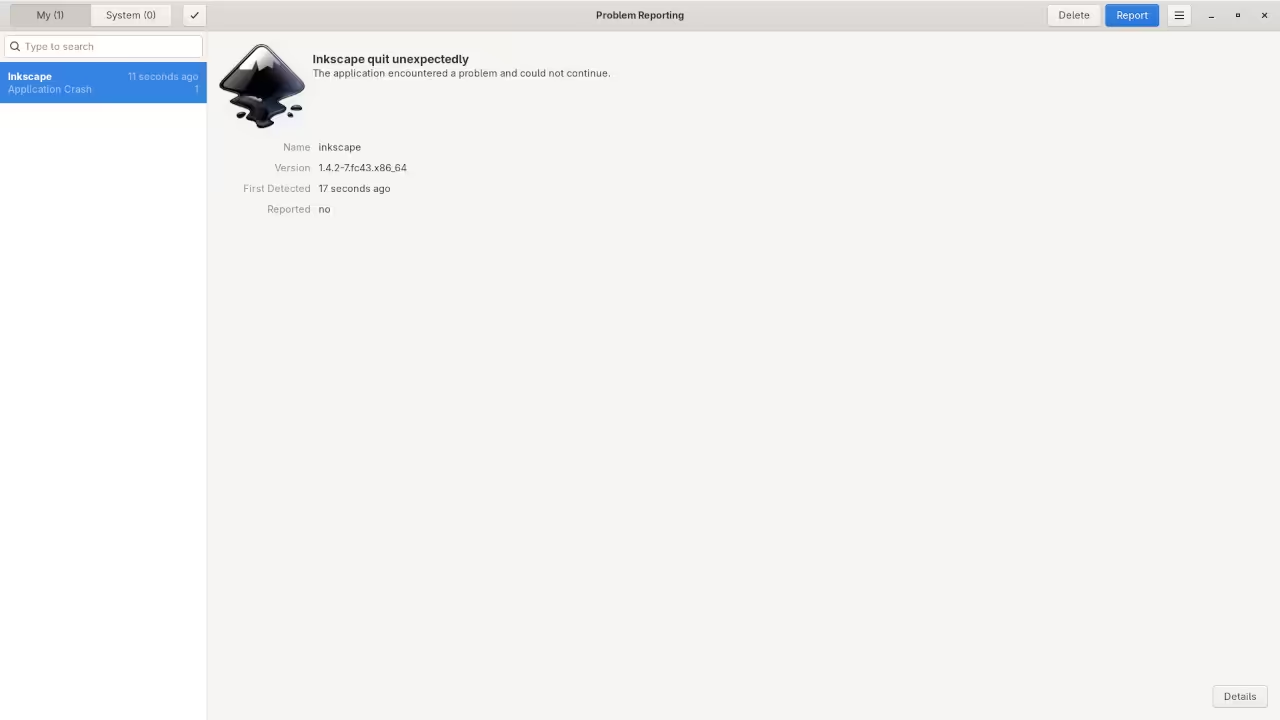
Attach Logs Screenshots or Screen Recordings
Visual evidence and logs can drastically reduce debugging time.
Screenshots crash logs and short screen recordings often reveal details that text alone cannot capture.
Demonstrated Example Inkscape AVIF Crash
Issue title Inkscape Crashes After Closing AVIF File
View issue
When an AVIF file was opened and Inkscape was later closed the application would crash.
This behavior was consistent and easy to reproduce which made investigation straightforward.
The root cause was identified as a Magick and libheif deinitialization order problem.
The fix was implemented and merged successfully.
Resolution merge request
View merge request
Final Tips for Writing Better Bug Reports
Focus on observable facts use precise language and follow the projects issue template when available.
Updating a report with new findings is often just as valuable as the initial submission.
📸 Screenshots & Screencast
Learn More and Work With Me
Programming Books
Level up your technical knowledge with my Programming Books on Amazon.
These books focus on real world development debugging strategies and practical workflows.
Online Programming Courses
Learn at your own pace with my Online Programming Courses.
Each course emphasizes hands on learning practical debugging and modern development tools.
One on One Programming Tutoring
Need personalized help with a specific project language or debugging challenge.
I am available for One on One Programming Tutorials tailored to your goals.
Professional Consultation Services
I provide professional consultation services including evaluating whether tools such as Inkscape
are the right fit for your workflow performance needs and long term goals.
🚀 Recommended Resources
Disclosure: Some of the links above are referral links. I may earn a commission if you make a purchase at no extra cost to you.