
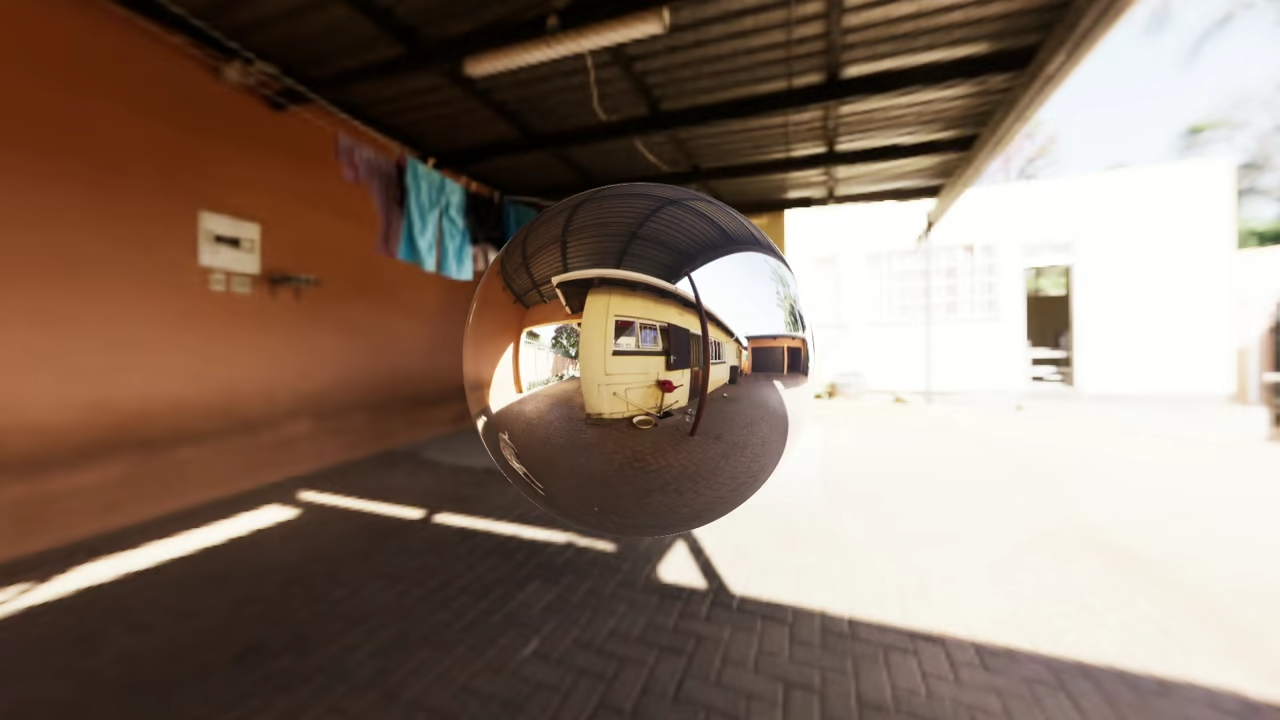
Building a Simple HTML5 HDR Image Viewer with Three.js
High Dynamic Range images make it possible to display realistic lighting and environments on the web.
In this beginner friendly article you will learn how to view an HDR image using HTML5 and Three.js.
We will use the Courtyard EXR image included with Blender 4.5 LTS and convert it into formats that work well in web browsers.
What Is an HDR Image
An HDR image stores a wider range of brightness values than standard images like JPG or PNG.
This allows scenes to look more realistic when used for environment lighting reflections and backgrounds.
On the web HDR images are rendered using WebGL and libraries like Three.js.
Why Use Three.js
Three.js is a JavaScript library that simplifies WebGL.
It provides loaders for HDR formats camera controls and rendering utilities.
This makes it ideal for beginners who want to experiment with modern web graphics without writing low level WebGL code.
The Courtyard EXR from Blender 4.5 LTS
Blender ships with several environment textures including the Courtyard image.
It is stored in the OpenEXR format which is excellent for offline rendering but not ideal for direct use in browsers.
For the web we convert it into more efficient formats.
HDR Formats and Browser Support
HDR images can be stored in several formats.
Some work better on the web than others.
- HDR Radiance format is widely supported in Three.js and easy for beginners
- EXR OpenEXR is high quality but large and slow in browsers
- KTX is an older GPU texture container with limited modern use
- KTX2 is the best choice for the web with good compression and performance
For learning and simple demos HDR files are fine.
For real websites KTX2 is recommended.
Beginner Friendly Conversion Workflow
We will convert the Courtyard EXR into HDR and then into KTX2.
This is a normal part of web graphics development and not an advanced topic.
Step 1 Convert EXR to HDR
Install OpenImageIO which is free and open source.
Then run the following command in the folder containing the EXR file.
oiiotool courtyard.exr -o courtyard.hdr You now have a courtyard.hdr file that can be used directly with Three.js.
Step 2 Convert HDR to KTX2
Download the KTX Software tools from Khronos.
Use the toktx command to create a web optimized KTX2 file.
toktx --genmipmap --target_type RGBA --assign_oetf linear courtyard.ktx2 courtyard.hdr This produces a compact GPU friendly texture suitable for production websites.
Simple HTML5 HDR Viewer Example
The following example loads an HDR image and displays it as a background.
It uses only a single HTML file and works well for beginners.
<script type="module">
// Use the short names defined in the importmap above
import * as THREE from 'three';
import { RGBELoader } from 'three/addons/loaders/RGBELoader.js';
import { OrbitControls } from 'three/addons/controls/OrbitControls.js';
const scene = new THREE.Scene();
const camera = new THREE.PerspectiveCamera(
75,
window.innerWidth / window.innerHeight,
0.1,
1000
);
camera.position.set(0, 0, 3); // Moved back slightly to see the object
const renderer = new THREE.WebGLRenderer({ antialias: true });
renderer.setSize(window.innerWidth, window.innerHeight);
renderer.setPixelRatio(window.devicePixelRatio);
// HDR setup
renderer.toneMapping = THREE.ACESFilmicToneMapping;
renderer.toneMappingExposure = 1.0;
document.body.appendChild(renderer.domElement);
const controls = new OrbitControls(camera, renderer.domElement);
controls.enableDamping = true; // Makes movement feel smoother
// Add a sphere to see the HDR reflections
const geometry = new THREE.SphereGeometry(1, 64, 64);
const material = new THREE.MeshStandardMaterial({
metalness: 1,
roughness: 0
});
const sphere = new THREE.Mesh(geometry, material);
scene.add(sphere);
// Load HDR
new RGBELoader().load('courtyard.hdr', (texture) => {
texture.mapping = THREE.EquirectangularReflectionMapping;
scene.background = texture;
scene.environment = texture;
}, undefined, (err) => {
console.error("Make sure courtyard.hdr is in the same folder and you are using a local server.", err);
});
function animate() {
requestAnimationFrame(animate);
controls.update();
renderer.render(scene, camera);
}
animate();
// Handle window resizing
window.addEventListener('resize', () => {
camera.aspect = window.innerWidth / window.innerHeight;
camera.updateProjectionMatrix();
renderer.setSize(window.innerWidth, window.innerHeight);
});
</script>
Consolidated Demo
Screenshot
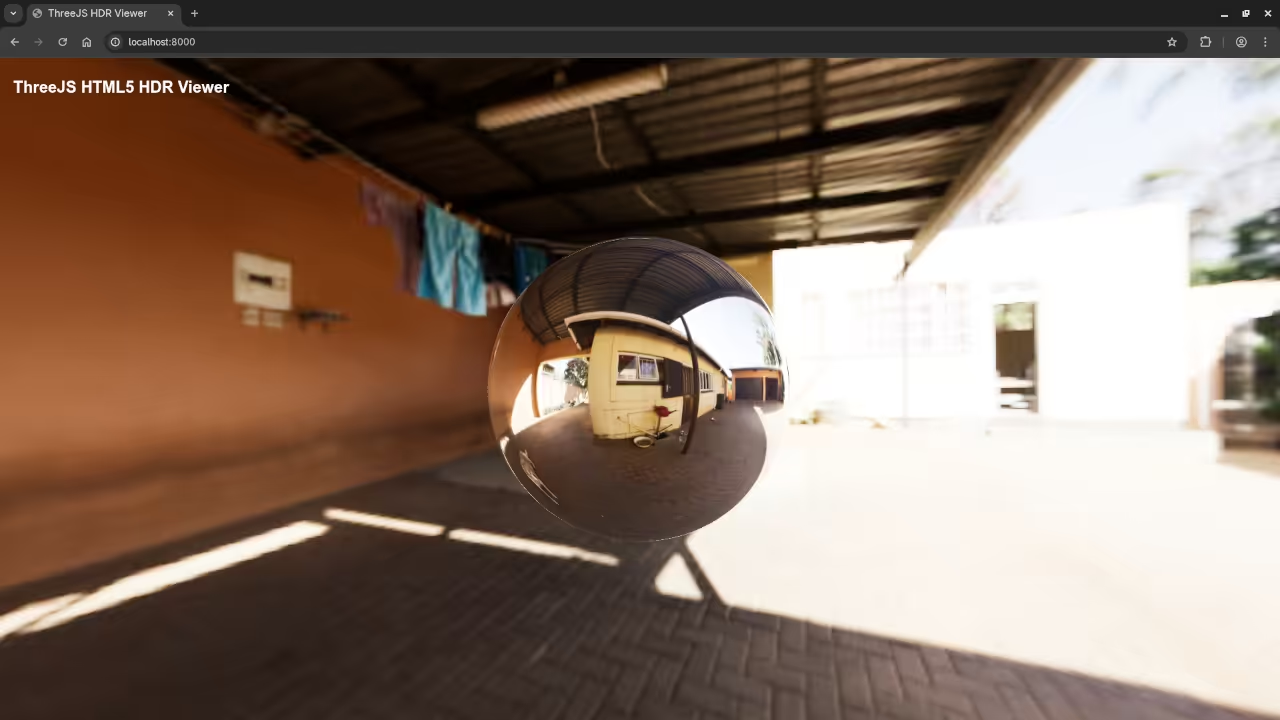
Live Screencast
Learning Resources
If you want to deepen your JavaScript knowledge check out the following resources.
Learning JavaScript book available on Amazon
Learning JavaScript online course
https://ojamboshop.com/product/learning-javascript
One on one programming tutorials including JavaScript
Conclusion
Using Three.js to display HDR images in the browser is an excellent way to learn modern web graphics.
While EXR files are perfect for Blender they should be converted for the web.
HDR is ideal for learning and KTX2 is the best choice for real world deployment.
With the workflow shown here beginners can confidently move from Blender assets to efficient HTML5 experiences.
🚀 Recommended Resources
Disclosure: Some of the links above are referral links. I may earn a commission if you make a purchase at no extra cost to you.