
ComfyUI on AMD Instinct MI60 Fedora 43 ROCm 6.4 vs Fedora 42 ROCm 6.3 Comparison
This beginner level article compares running ComfyUI with PyTorch on an AMD Instinct MI60 GPU using two Fedora Linux environments. The same hardware is used while testing Fedora Linux Workstation 43 with ROCm 6.4 and Fedora Linux Workstation 42 with ROCm 6.3. The goal is to help new users understand setup differences performance expectations and upgrade risks.
Test System Specifications
Hardware
- CPU AMD Ryzen 5 5600GT 6 cores 12 threads 3.6 GHz
- System Memory 32GB DDR4 with 24GB usable due to iGPU and zram usage
- dGPU AMD Instinct MI60 with 32GB HBM2
Software Environments
- Fedora Linux Workstation 43 GNOME 49 Wayland host system
- Fedora Linux Workstation 42 GNOME 48 Wayland running inside Distrobox
- ComfyUI with PyTorch and ROCm
What Is ComfyUI and Is It Open Source
ComfyUI is an open source node based interface for Stable Diffusion and related image generation workflows. It allows users to visually connect processing steps without writing code.
License GNU General Public License GPL v3.0. This ensures transparency community collaboration and the ability to modify and share the software.
- Modifications: You can modify and share the software, but you must make the source code of your changes publicly available.
- Commercial Use: You can use ComfyUI for commercial purposes, but if you distribute a modified version, it must also be under the GPL-3.0.
Model Used z image turbo License and Restrictions
The Z-Image-Turbo model (often used in image generation tests) is a lightweight, 6-billion parameter model optimized for fast, photorealistic results. In 2025, Z-Image-Turbo is notably released under the Apache License 2.0.
- Commercial Use: Highly permissive for commercial applications.
- Redistribution: Allows you to redistribute the model weights and derivative works.
- Patent Rights: Includes an express grant of patent rights from contributors.
Usage Restrictions
While the Apache license is permissive, users are generally bound by ethical safety standards. Standard industry restrictions include:
- Illegal Content: Do not generate or distribute illegal material.
- Harmful Usage: Do not use the model for harassment, misinformation, or creating malware.
- Privacy & Rights: Do not violate individual privacy or impersonate others without consent.
Reusing Model Weights with extra model paths
To avoid downloading large model files multiple times ComfyUI supports shared model paths. The extra model paths yaml file was configured with a base path so both Fedora environments use the same models.
base_path: /home/username/ai-models AMD Instinct MI60 Compute Capabilities
- FP64 7.4 TFLOPS
- FP32 14.7 TFLOPS slower but reliable
- FP16 29.5 TFLOPS
- BF16 fastest and recommended
- FP8 avoid due to limited support
- INT8 59 TOPS
- Q8 supported for maximum efficiency
- Q6 to Q4 supported for higher speed with possible artifacts
Why INT8 Can Be Slower for Video Models
Although INT8 offers high theoretical performance the MI60 lacks modern matrix acceleration. For video generation and complex diffusion pipelines INT8 can increase memory movement and reduce effective throughput compared to FP16 or BF16.
Fedora 42 ROCm 6.3 vs Fedora 43 ROCm 6.4
Fedora 42 with ROCm 6.3
- AMD Instinct MI60 officially supported
- Stable PyTorch behavior
- Predictable ComfyUI performance
Fedora 43 with ROCm 6.4
- MI60 no longer officially supported
- Still functional with workarounds
- Higher risk of future breakage
Beginner Setup Installing Distrobox on Fedora
Distrobox allows running another Linux distribution inside your current system while sharing your home directory GPU and graphical applications. It is ideal for testing Fedora 42 while keeping Fedora 43 as the main system.
sudo dnf install distrobox podman -y Creating a Fedora 42 Distrobox Container
distrobox create --name fedora42 --image fedora:42
distrobox enter fedora42 Installing ComfyUI Inside Fedora 42
sudo dnf install git python3 python3 pip python3 venv -y
git clone https://github.com/comfyanonymous/ComfyUI.git
cd ComfyUI
python3 -m venv venv
source venv/bin/activate
pip install -r requirements.txt PyTorch Installation Difference Host vs Distrobox
Fedora 43 Host PyTorch from Fedora Repositories
On the Fedora 43 host PyTorch was installed directly from Fedora repositories. This integrates cleanly with system libraries and updates through dnf.
dnf search torch
sudo dnf install python3-torch python3-torchvision python3-torchaudio -y Fedora 42 Distrobox PyTorch via Python Environment
Inside Fedora 42 PyTorch was installed in a Python virtual environment to maintain compatibility with ROCm 6.3 and allow precise version control.
Starting ComfyUI
python main.py Open a browser at http://127.0.0.1:8188
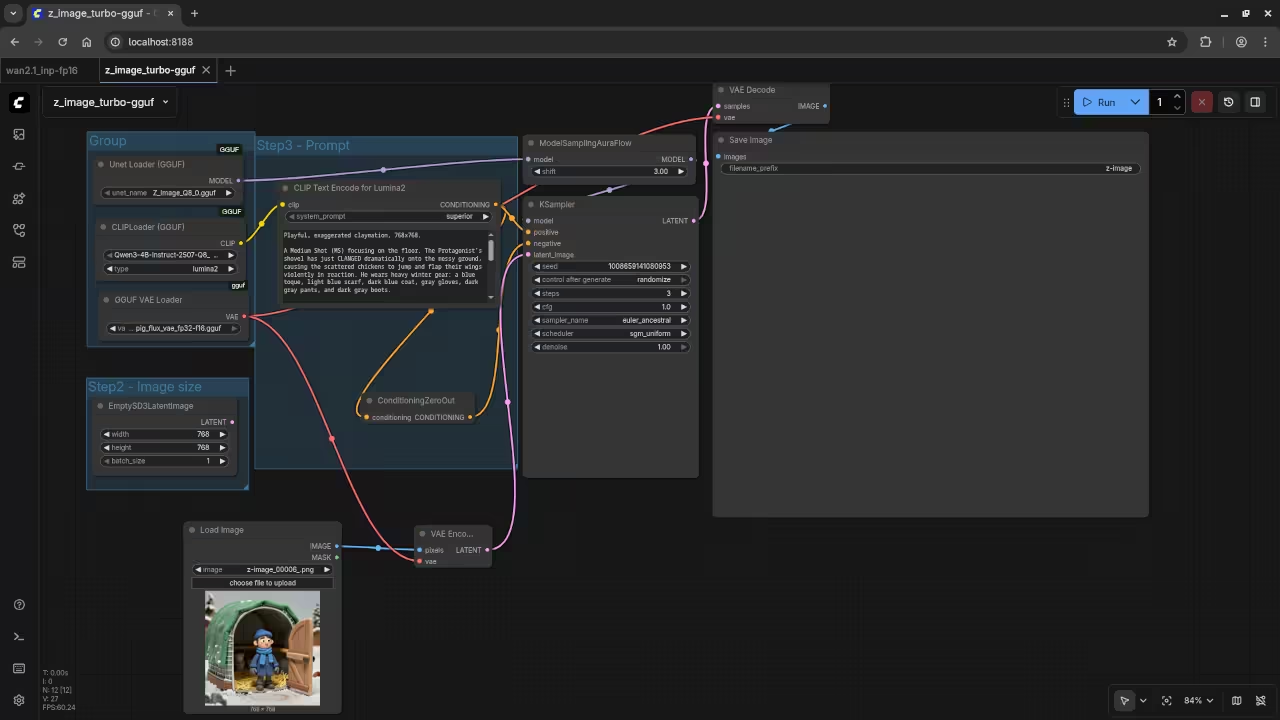
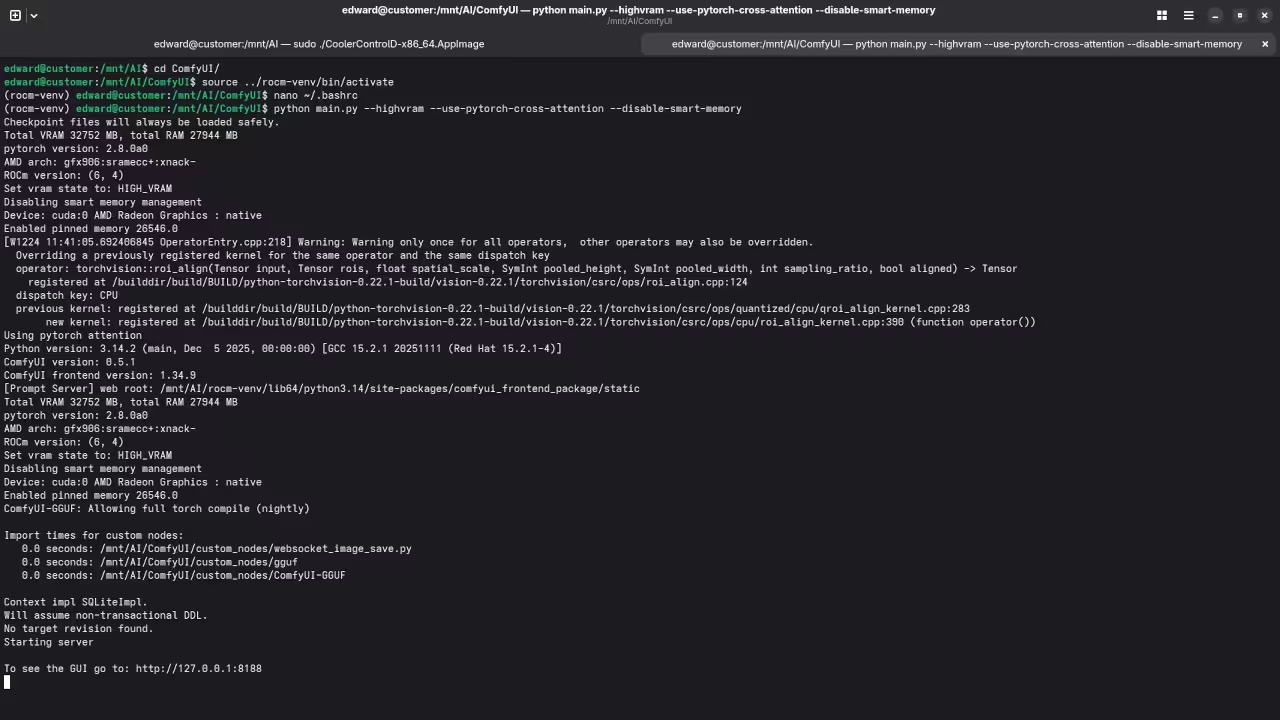
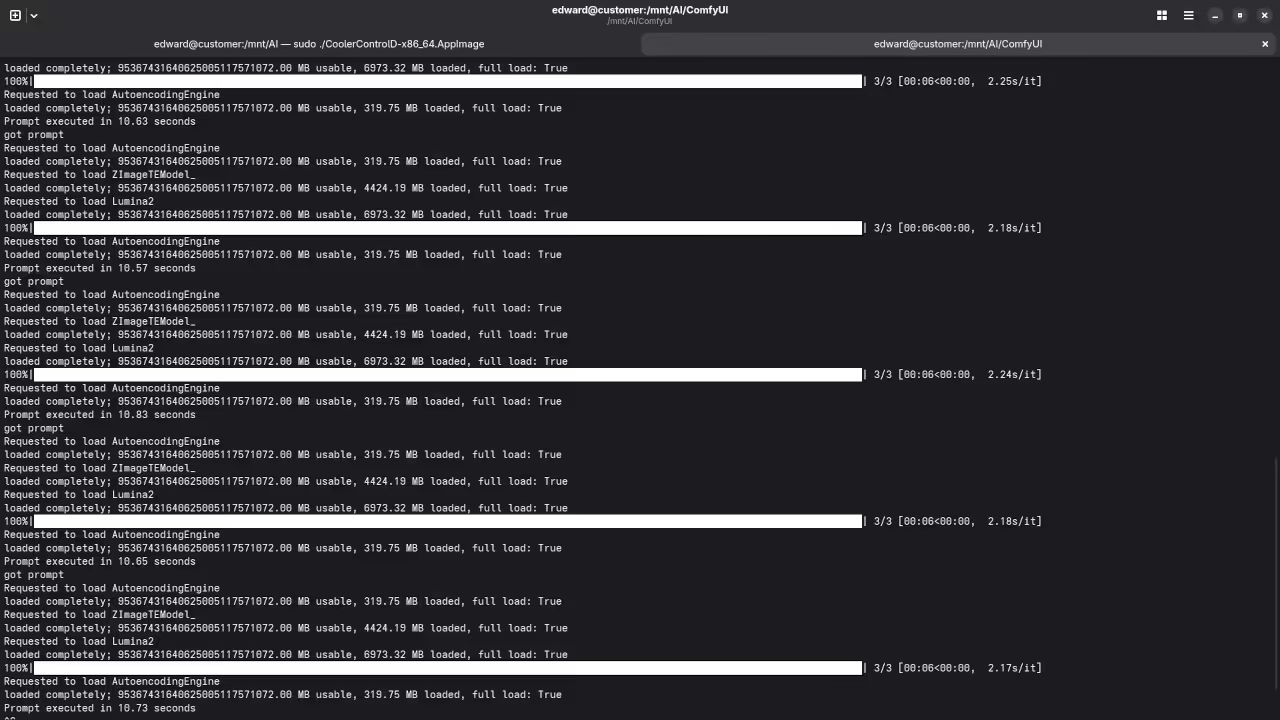
Screenshots and Screencast
Here’s where you’ll find a visual walkthrough of setting up v1-5-pruned-emaonly-fp16.safetensors using ComfyUI on your local system:
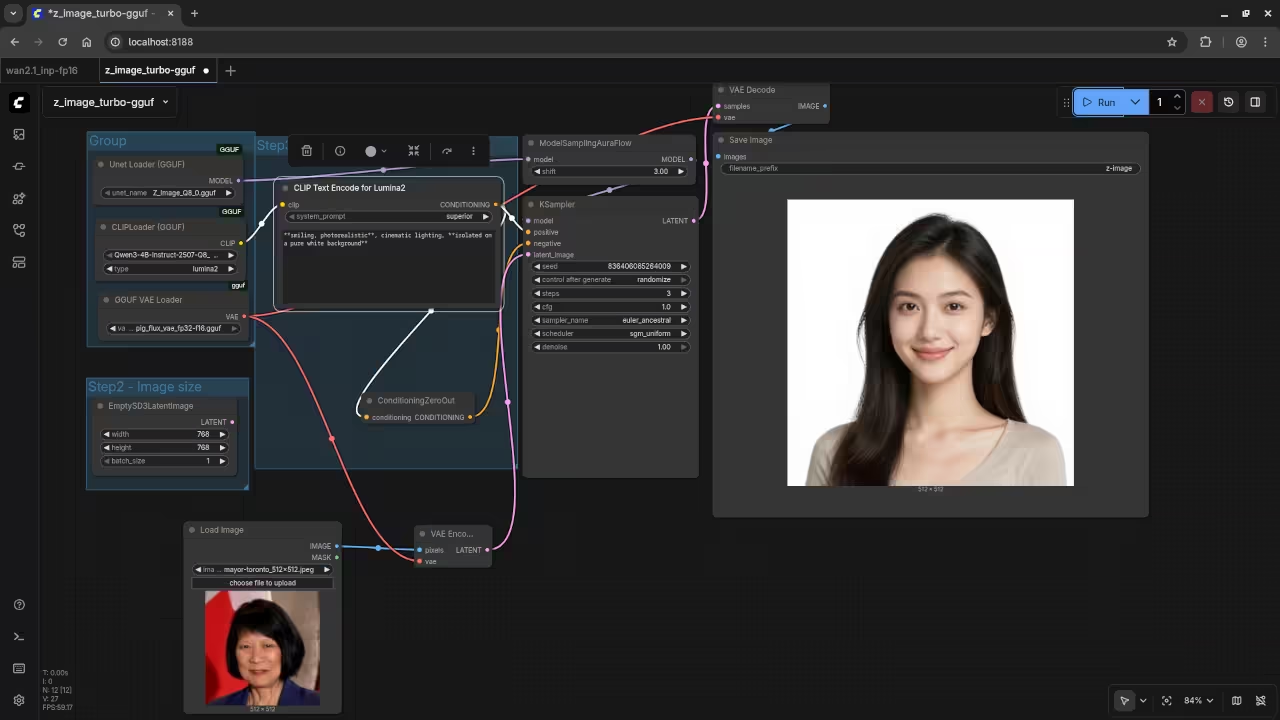
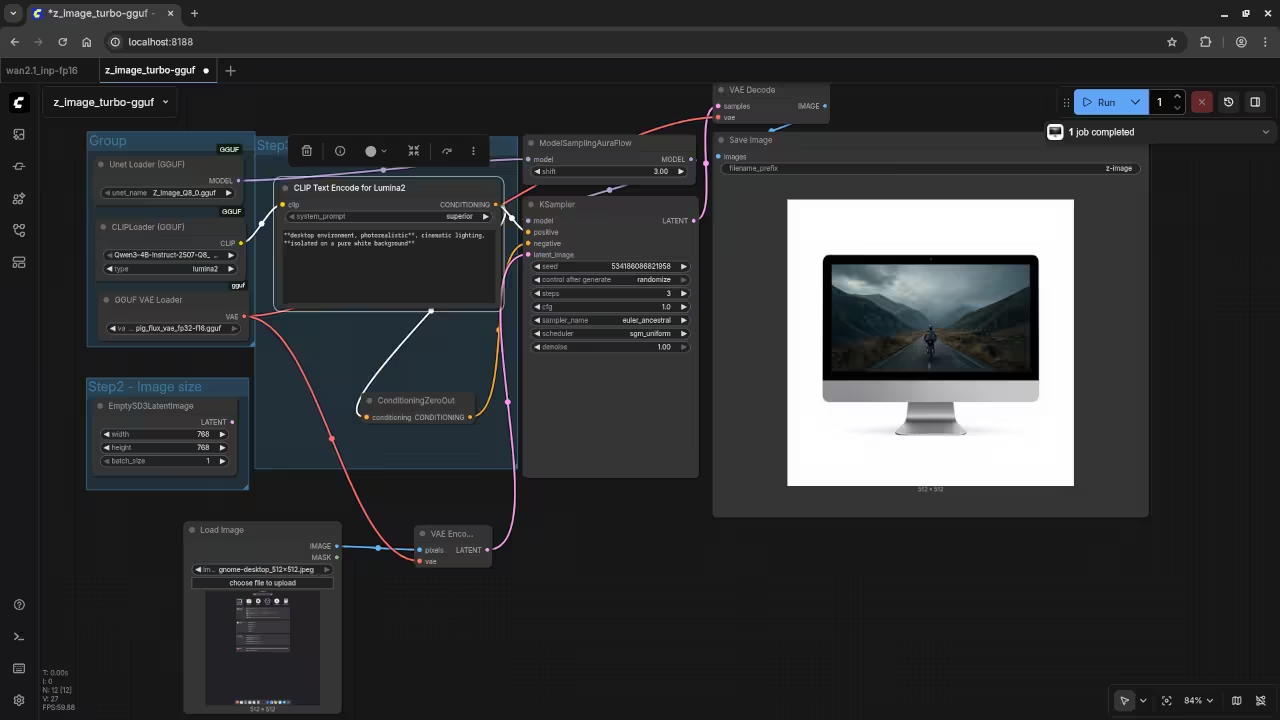
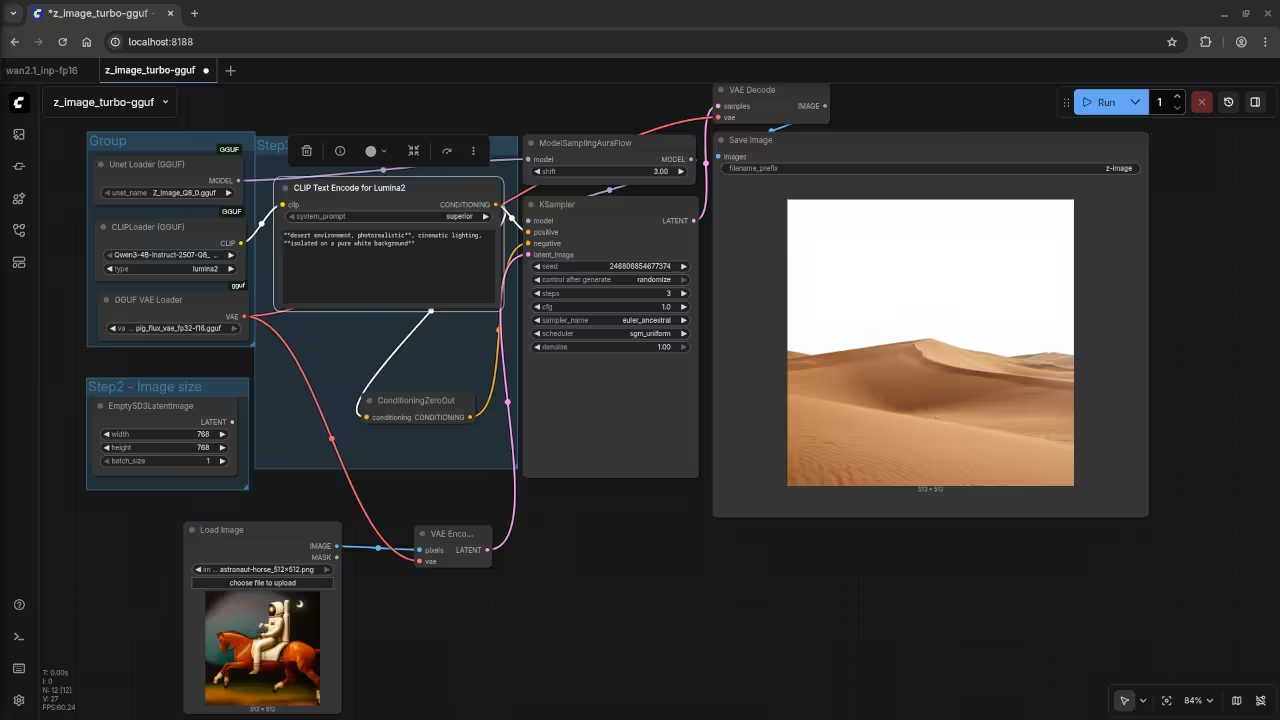
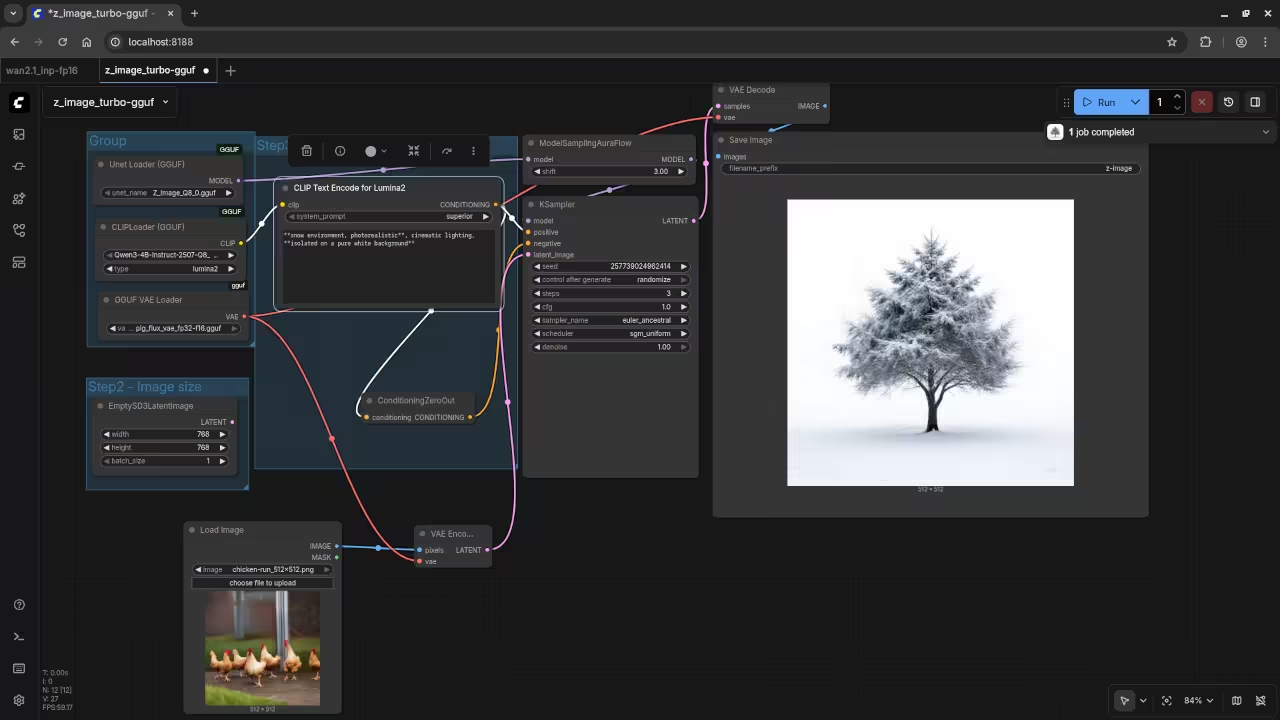
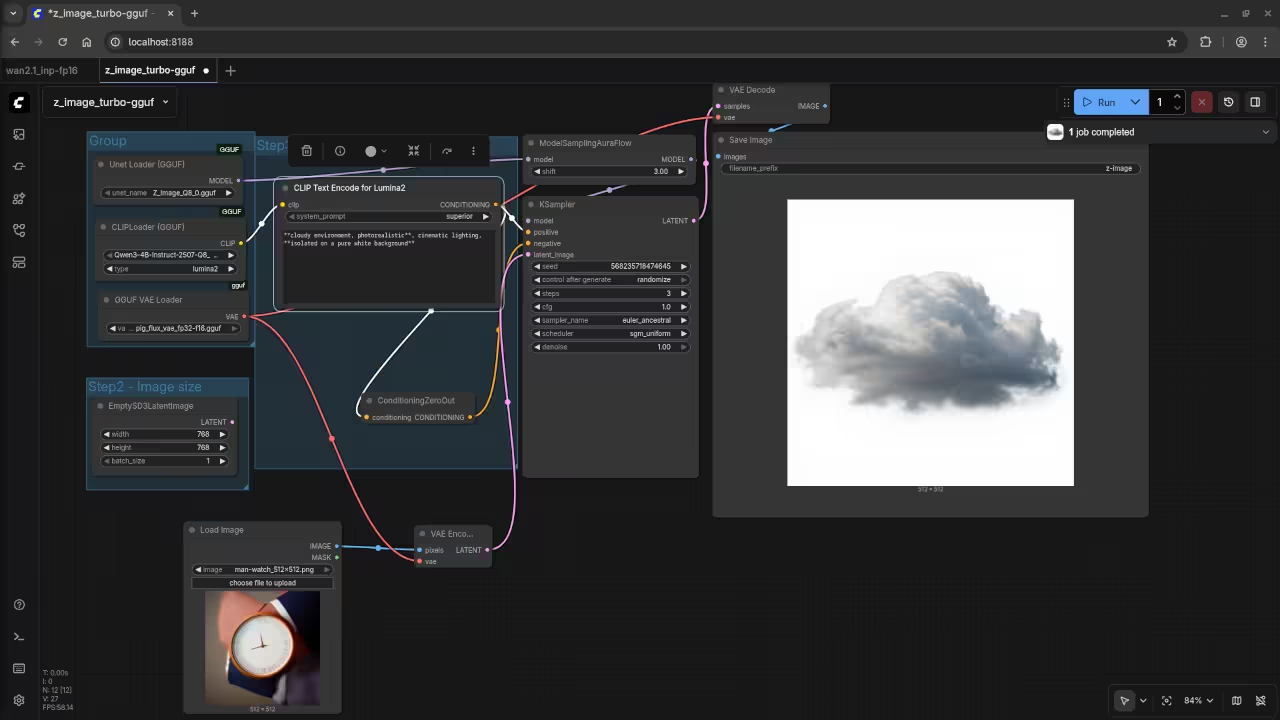
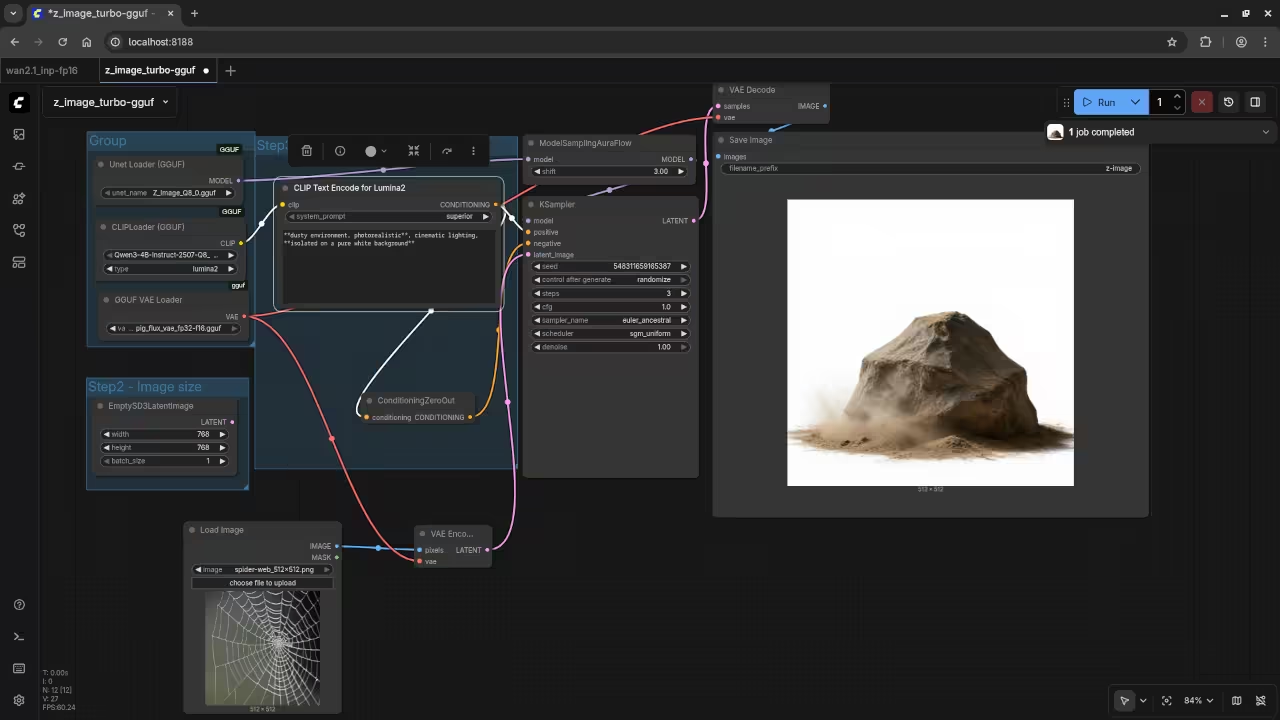
Results:
A photograph of the mayor of Toronto
De-aged mayor of Toronto.
A screenshot of the gnome desktop environment.
Reimagined a screenshot of an older version of the Gnome desktop environment.
A photograph of an astronaut riding a horse.
Accurately drew a desert for a photograph but without an astronaut riding a horse.
A picture of a chicken run.
Accurately drew snow for a picture but without a chicken run.
A picture of a man wearing a watch.
Accurately drew cloud for a picture but without a man wearing a watch.
A picture of a spider web on sockets.
Accurately drew dust for a picture but without a spider web on sockets.
Learning Resources and Services
Book Learning Python available on Amazon
Online course Learning Python
https://ojamboshop.com/product/learning-python
One on one online Python tutoring
ComfyUI and z image turbo installation or migration services
https://ojamboservices.com/contact
Conclusion
Fedora 42 with ROCm 6.3 remains the safest choice for the AMD Instinct MI60. Fedora 43 with ROCm 6.4 offers newer system features but no longer provides official GPU support. Beginners should prioritize stability while advanced users may explore Fedora 43 with caution.
🚀 Recommended Resources
Disclosure: Some of the links above are referral links. I may earn a commission if you make a purchase at no extra cost to you.