

The Analytics Trap Is Costing You Everything
Every website owner is bleeding money into analytics platforms that sell their user data to the highest bidder. You install a tracking script and suddenly your visitors become someone else revenue source. The privacy laws are tightening and your current analytics stack is becoming a legal liability.
What if you could reclaim complete control over your data while gaining deeper insights than any commercial platform offers? OpenPanel delivers exactly that breakthrough.
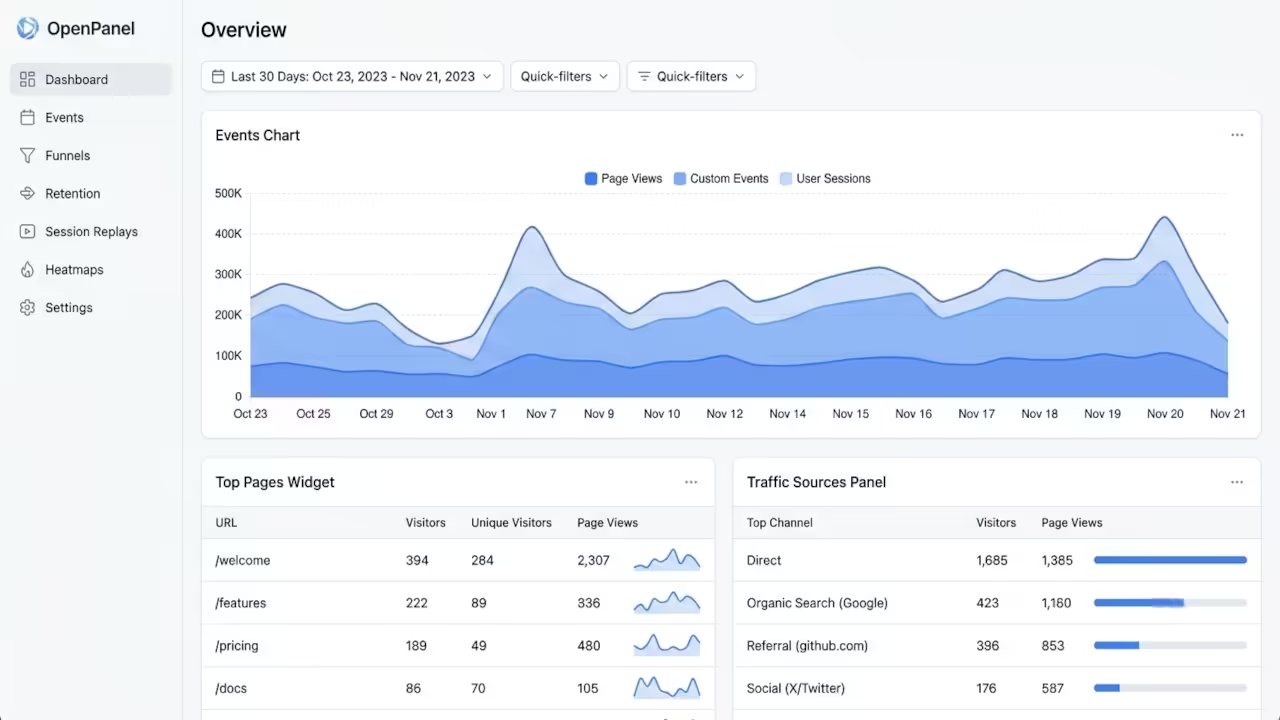
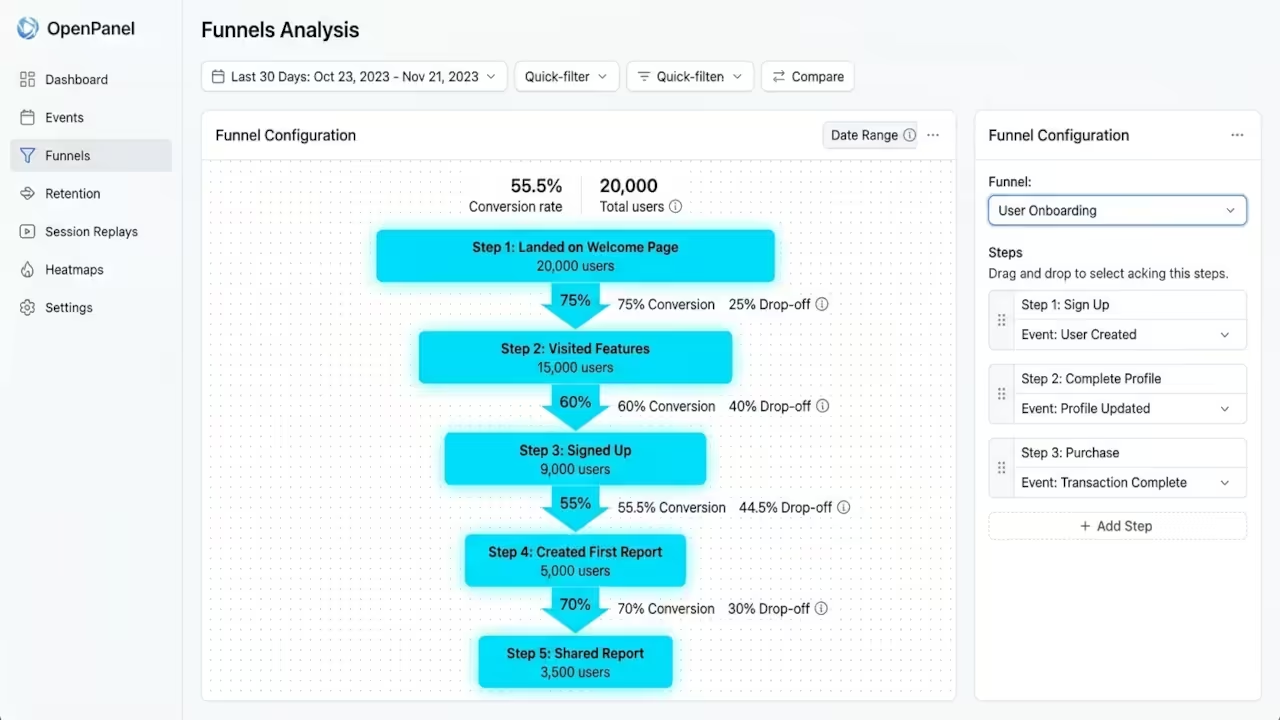
OpenPanel is an open-source analytics platform that puts you back in the driver seat. It combines web analytics and product analytics into a single unified dashboard. You get funnels, cohorts, user profiles, and session replay without ever compromising visitor privacy.
The cookieless tracking architecture means GDPR compliance is built in from day one. No more lengthy privacy policies or consent banners that destroy your conversion rates.
Installation Process
The installation process is remarkably straightforward for anyone comfortable with Docker. You clone the self-hosting branch from the official repository and run a single setup script. The script handles Docker installation, Node setup, and pnpm configuration automatically.
Within minutes your entire analytics infrastructure is running locally with zero external dependencies. This is the kind of self-sovereignty that the modern tech landscape desperately needs.
Experience
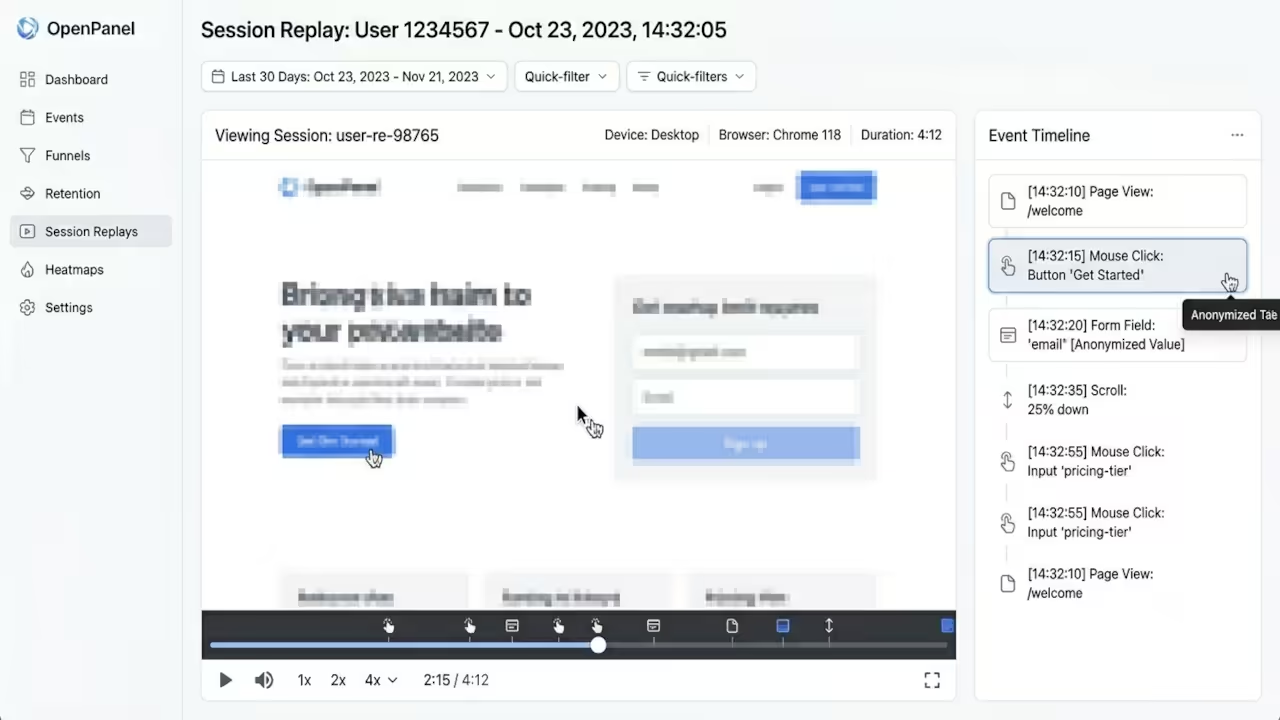
There is a profound sense of relief when you finally see your analytics data living on your own hardware. The dashboard loads instantly because there is no cross-border data transfer slowing things down. You can trace individual user journeys through session replay and connect them directly to funnel drop-offs.
The real breakthrough moment comes when you realize you own every single data point. No vendor lock-in, no surprise pricing changes, no data harvesting. Your analytics infrastructure becomes a true asset rather than a monthly expense.
Technical Configuration
The self-hosting setup requires Docker and Node as prerequisites. The setup script will install these automatically if they are not already present on your system. Here is the core installation sequence that gets everything running:
git clone -b self-hosting https://github.com/Openpanel-dev/openpanel.git
cd openpanel/self-hosting
./setup.sh
The insider detail that most tutorials miss is the environment variable configuration for OAuth login. If you need Google or GitHub authentication for your team dashboard, you must set the OAuth environment variables in both the API and Dashboard services before first launch. This prevents authentication errors that are notoriously difficult to debug after initial deployment.
The docker-compose file handles service orchestration including the database, API backend, and frontend dashboard automatically.
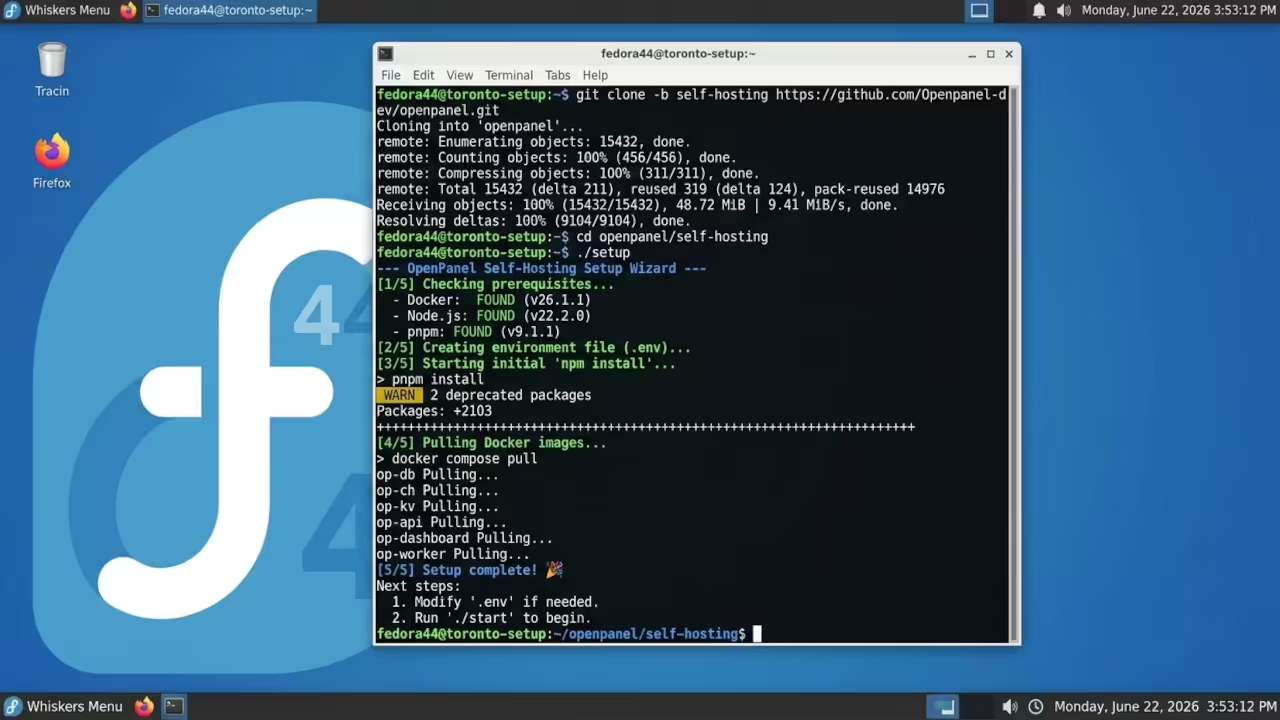
For systems with limited storage like my setup, the Docker volumes can be directed to an external drive or optimized partition. This keeps your main system drive from filling up with analytics event data over time. The session replay feature stores recordings locally and you can configure retention policies to automatically purge old sessions.
Analytics Platform Comparison
| Parameter | Description | Value |
|---|---|---|
| Privacy Model | Cookieless tracking | Built-in native compliance |
| Self-Hosting | Free unlimited events | No vendor restrictions |
| Session Replay | Built-in with controls | Privacy-first recording |
| Product Analytics | Funnels cohorts retention | Full feature set included |
| Cloud Pricing | 2.50 per month starts | No hidden tier costs |
| Tech Stack | Docker Node TypeScript | Lightweight deployment |
| GDPR Compliance | Built-in native | Zero configuration required |
| Parameter | Description | Value |
Master the Professional Stack
Every serious infrastructure decision deserves architectural blueprints that have been battle-tested in production environments. The books and consultation services linked below provide the theoretical foundation and custom implementation guidance for scaling self-hosted analytics across complex deployments.
- Books (Technical & Creative): https://www.amazon.com/stores/Edward-Ojambo/author/B0D94QM76N
- Blueprints (DIY Woodworking Projects): https://ojamboshop.com
- Tutorials (Continuous Learning): https://ojambo.com/contact
- Consultations (Custom Apps & Architecture): https://ojamboservices.com/contact
🚀 Recommended Resources
Disclosure: Some of the links above are referral links. I may earn a commission if you make a purchase at no extra cost to you.