
The Digital Graveyard Crisis
Most classic games are rotting in digital graveyards. Modern operating systems simply refuse to execute these ancient binaries.
You face audio stuttering and crashing on every single boot. This is the legacy rot that kills retro gaming.
Disclaimer: I may earn a commission from purchases made through these links at no extra cost to you.


The Engineering of ScummVM
ScummVM solves this by recreating the game engines entirely. It uses a re implementation of the SCUMM and SCI architectures.
The system operates by interpreting data files without the original executable. It targets high precision clock cycles and modern memory management.
Structural Integrity and Bytecode
The engineering focus remains on reverse engineering the original bytecode. This allows the software to run on any modern CPU.
It eliminates the need for unstable DOSBox wrappers and layers. The result is a native feel on modern Linux kernels.
- Ryzen 5 5600GT processor
- AMD Instinct Mi60 GPU
- Fedora 44 Xfce environment
- X11 windowing system
- 32GB DDR4 RAM
The Broken Sword Experience
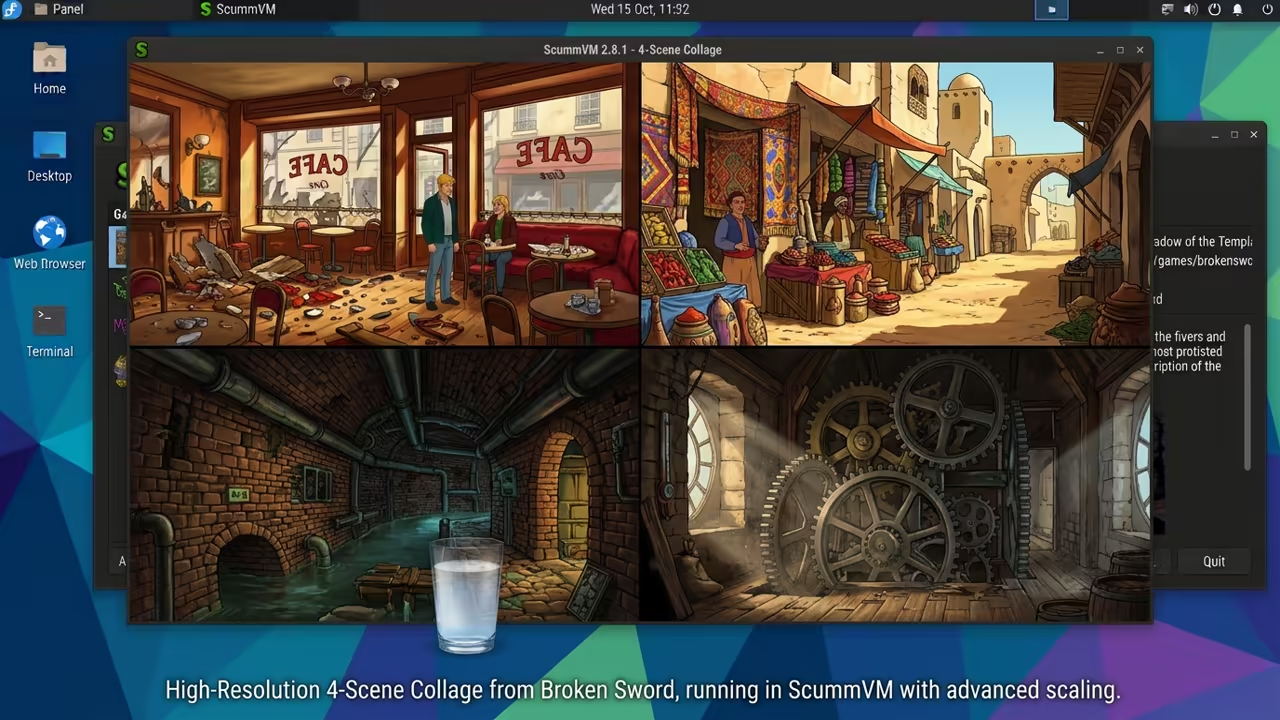
Running Broken Sword through this layer feels like magic. The input response is instantaneous on my high refresh display.
The colors pop with a clarity that old CRT monitors lacked. It is a pure architectural triumph.
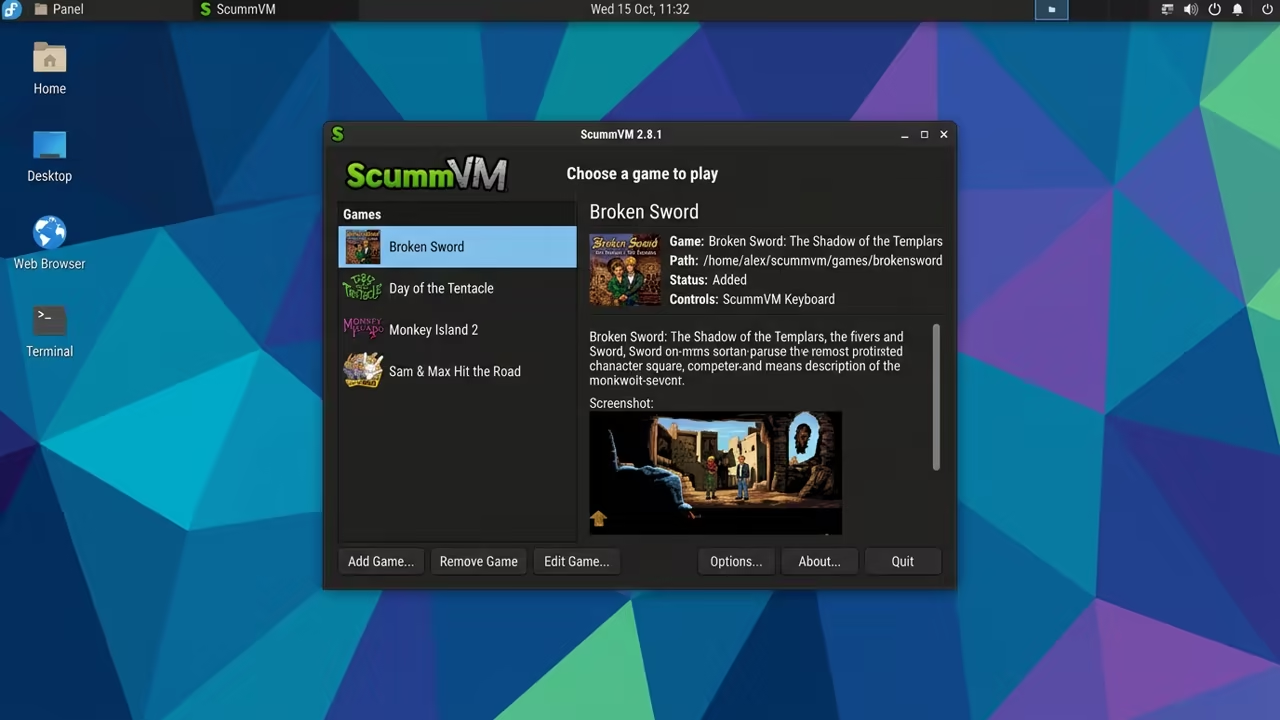
The feeling of solving a puzzle without technical glitches is rare. You no longer fight the operating system for control.
The game simply works as the designers intended years ago. This is the gold standard for digital preservation.
- Download the latest ScummVM binary for Linux
- Locate the original Broken Sword game data files
- Launch the ScummVM interface via the terminal
- Add the game folder to the virtual machine
- Select the correct game version from the menu
High Resolution Optimization
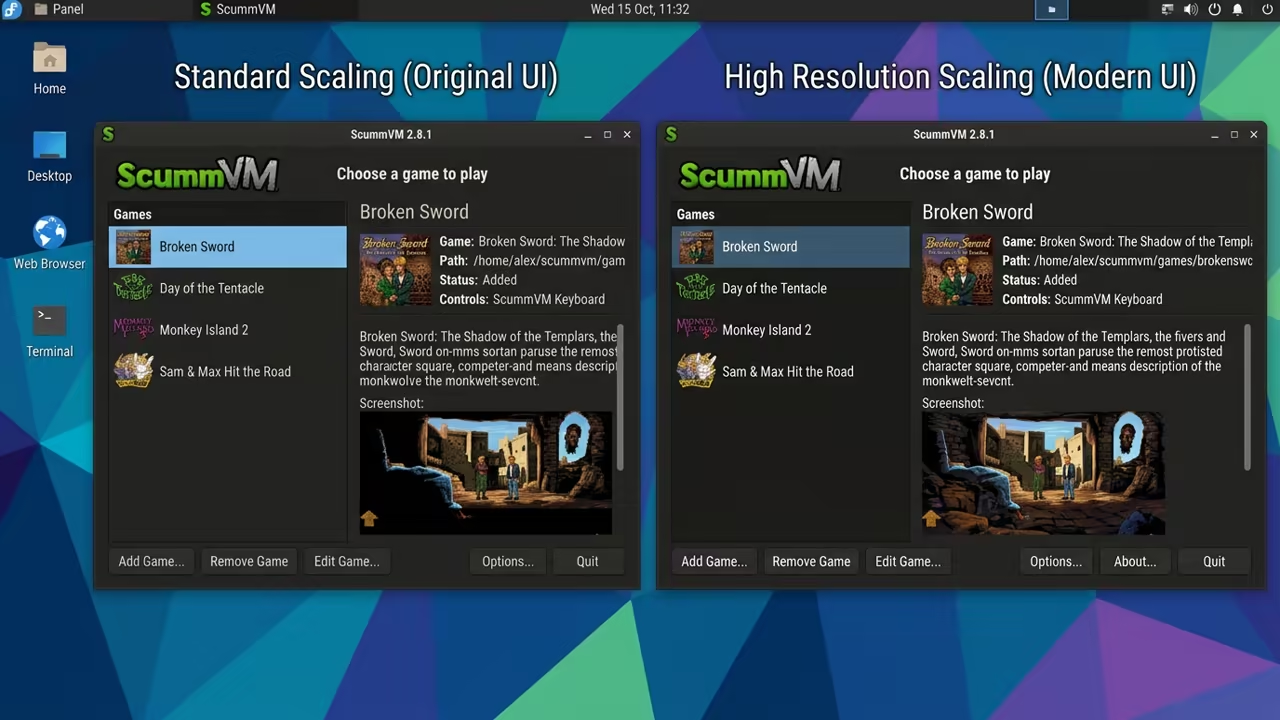
Once the game is added you must optimize the graphics. Navigate to the game settings to enable high resolution scaling.
This removes the blur from legacy 320×200 pixel grids. Your visuals will now look crisp on 4K monitors.
Many users suffer from audio desync in Broken Sword. You can fix this by forcing a specific sample rate.
Use the command line to bypass the default GUI settings. This ensures the audio buffer remains stable on ROCm systems.
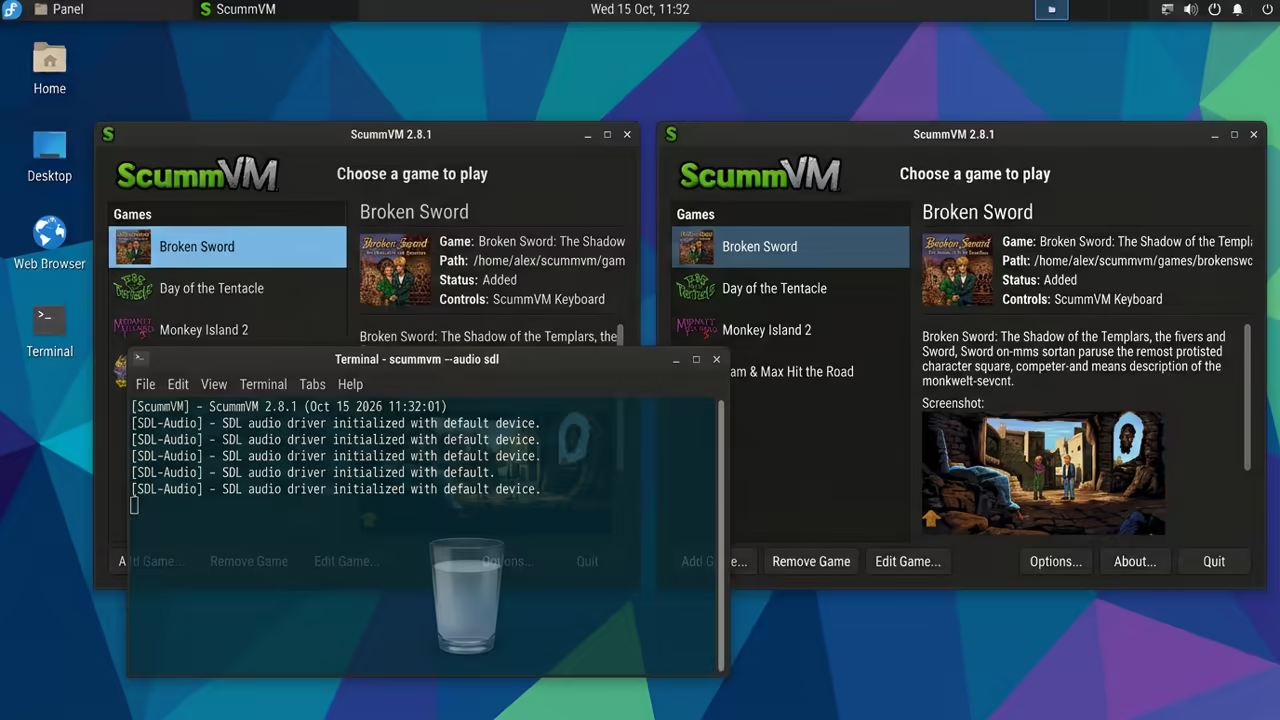
scummvm -audio sdl
This specific flag forces the audio through the SDL layer. It prevents the stuttering common in high core count CPUs.
I discovered this during my deep dive into Linux audio latency. It is a vital secret for technical enthusiasts.
| Parameter | Original Hardware | ScummVM Re implementation |
|---|---|---|
| Resolution | 320×200 | Dynamic Scaling |
| OS Support | MS DOS / Win95 | Fedora 44 / Linux |
| Audio | 16 bit PCM | High Fidelity SDL |
| Stability | Frequent Crashes | Rock Solid |
| Parameter | Original Hardware | ScummVM Re implementation |
Architectural Continuity
This approach mirrors my previous architectural breakthroughs in GPU optimization. The same logic applies to my Raspberry Pi cluster setups.
You are essentially bypassing the legacy bottleneck entirely. This is the only way to preserve digital history.
The synergy between ScummVM and Fedora 44 is impressive. The X11 window manager handles the scaling without any input lag.
This setup proves that open source software is superior for gaming. You gain total control over the hardware abstraction layer.
Learning and Support
Get professional help to optimize your legacy software stack. Reach out for customized system configurations and high tier support.
Online Tutorials & Technical Help: https://ojambo.com/contact
🚀 Recommended Resources
Disclosure: Some of the links above are referral links. I may earn a commission if you make a purchase at no extra cost to you.
Leave a Reply