

Regular Expressions In JavaScript
A regular expression is a sequence of characters that specifies a text match pattern.
There are two ways to create regular expressions in JavaScript. The first is literal notation and the second is RegExp constructor.
A regular expression pattern can consist of simple characters or a combination of simple and special characters.
Regular Expressions
Glossary:
Patterns
Characters specifying a text match.
Anchors
Specify position of the match.
Flags
Modify behavior of regular expression.
Methods
Perform operations on strings.
Regular Expression Methods
| Name | Description | Example |
|---|---|---|
| String.exec() | Array containing the results of matches | str.exec(/world/); |
| String.match() | Array containing the results of substring | str.match(/world/); |
| String.replace() | Replaces specific substring with another substring | str.replace(/world/, “earth”); |
| String.search() | Position of occurrence of substring | str.search(/world/); |
| String.test() | Test whether regex matches the string | str.test(/world/); |
| Name | Description | Example |
Regular Expression Flags
| Name | Description | Example |
|---|---|---|
| g | Global flag, finds all matches in the string | str.replace(/world/g, “earth”); |
| i | Ignore case flag, makes the match case-insensitive | str.replace(/World/i, “earth”); |
| m | Multiline flag | str.replace(/world/m, “earth”); |
| u | Unicode flag, handles Unicode characters correctly | str.replace(/world/u, “earth”); |
| Name | Description | Example |
Regular Expression Anchors
| Name | Description | Example |
|---|---|---|
| ^ | Matches the start of the string | str.replace(/^world/, “earth”); |
| $ | Matches the end of the string | str.replace(/world$/, “earth”); |
| m | Multiline flag | str.replace(/world/m, “earth”); |
| \b | Matches a word boundary | str.replace(/\bworld/, “earth”); |
| \B | Matches a non-word boundary | str.replace(/\Bworld/, “earth”); |
| Name | Description | Example |
Regular Expression Pattern
| Name | Description | Example |
|---|---|---|
| . | Matches any single character | str.replace(/wo.+d/, “earth”); |
| \d | Matches any digit | str.replace(/d+/, “n”); |
| \s | Matches any whitespace character | str.replace(/\s+/g, “”); |
| * | Matches zero or more occurrences of the preceding element | str.replace(/worl*/, “worke”); |
| + | Matches one or more occurrences of the preceding element | str.replace(/\s+/g, “”); |
| ? | Makes the preceding element optional | str.replace(/wor?l/, “worke”); |
| {n} | Matches exactly n occurrences of the preceding element | str.replace(/\d{3}/, “three”); |
| {n,m} | Matches at least n and at most m occurrences of the preceding element | str.replace(/\d{3,4}/, “three of four”); |
| Name | Description | Example |
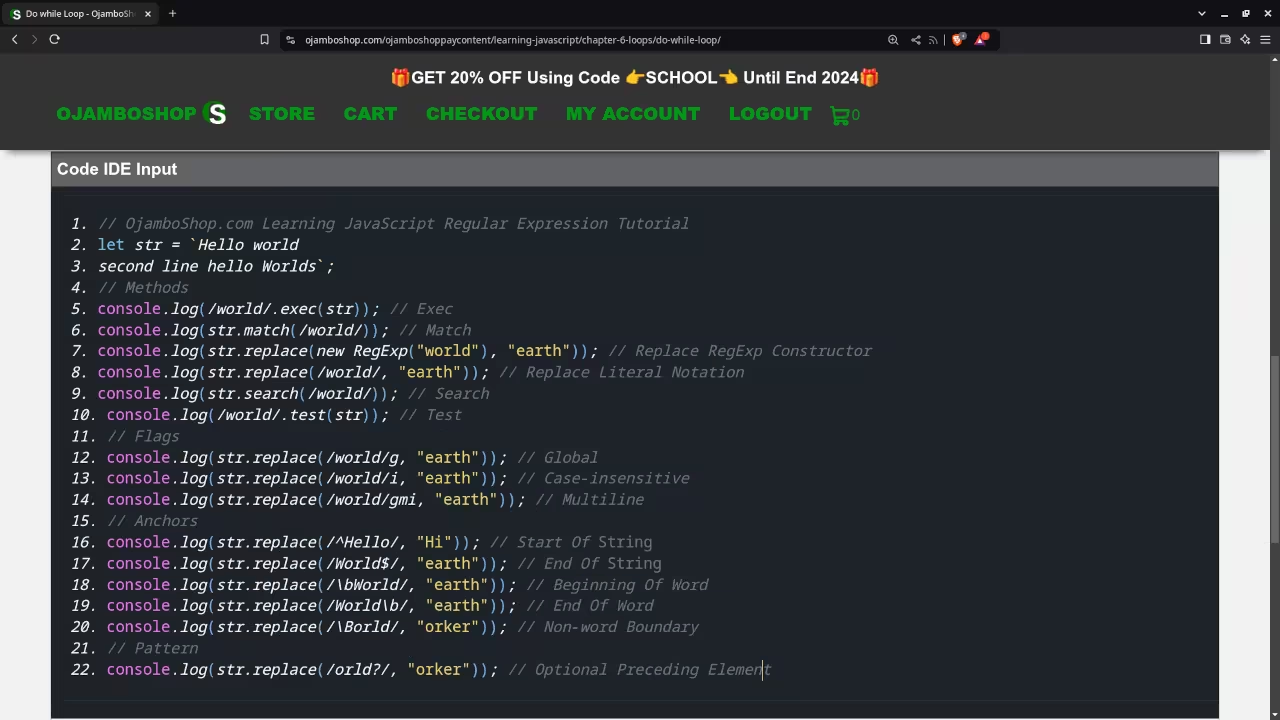
JavaScript Regular Expression Snippet
// OjamboShop.com Learning JavaScript Regular Expression Tutorial
let str = `Hello world
second line hello Worlds`;
// Methods
console.log(/world/.exec(str)); // Exec
console.log(str.match(/world/)); // Match
console.log(str.replace(new RegExp("world"), "earth")); // Replace RegExp Constructor
console.log(str.replace(/world/, "earth")); // Replace Literal Notation
console.log(str.search(/world/)); // Search
console.log(/world/.test(str)); // Test
// Flags
console.log(str.replace(/world/g, "earth")); // Global
console.log(str.replace(/world/i, "earth")); // Case-insensitive
console.log(str.replace(/world/gmi, "earth")); // Multiline
// Anchors
console.log(str.replace(/^Hello/, "Hi")); // Start Of String
console.log(str.replace(/World$/, "earth")); // End Of String
console.log(str.replace(/\bWorld/, "earth")); // Beginning Of Word
console.log(str.replace(/World\b/, "earth")); // End Of Word
console.log(str.replace(/\Borld/, "orker")); // Non-word Boundary
// Pattern
console.log(str.replace(/orld?/, "orker")); // Optional Preceding Element
Usage
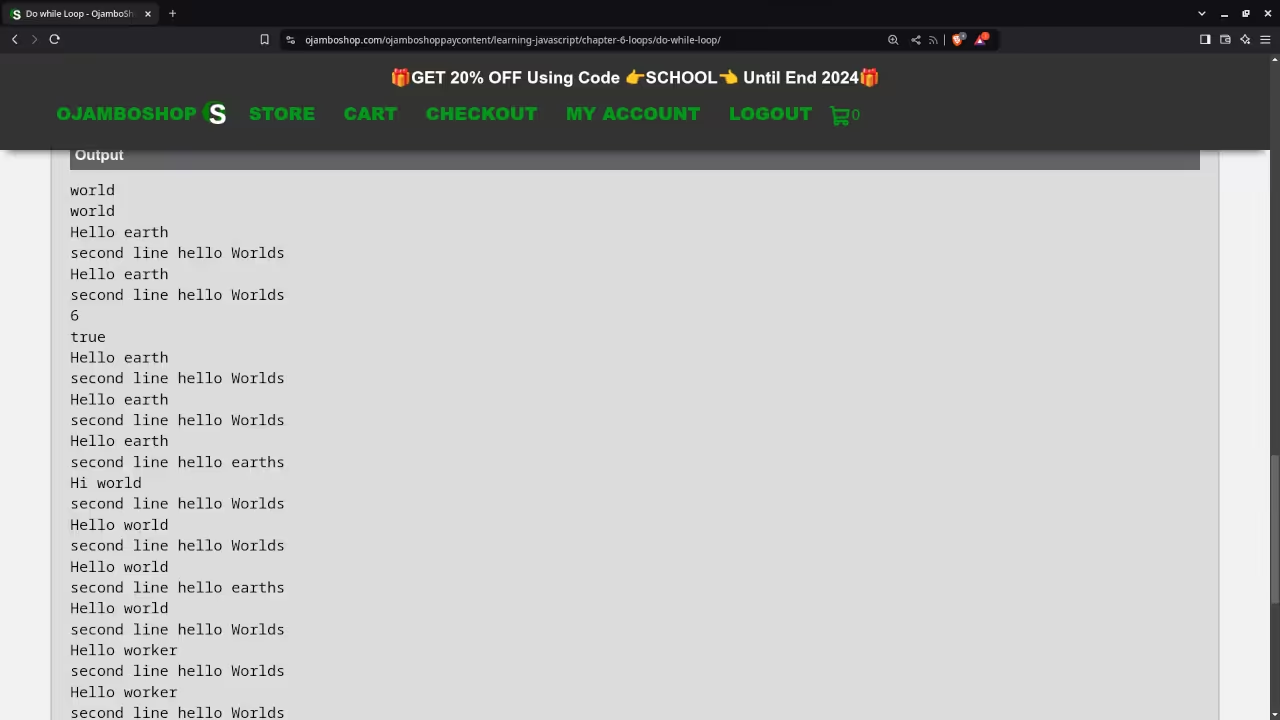
You can use any IDE or text editor and the web browser to compile and execute JavaScript code. For this tutorial, the OjamboShop.com Learning JavaScript Course Web IDE was used to input and compile JavaScript code for the regular expressions.
Open Source
JavaScript follows the ECMAScript standard and is licensed under the W3C Software License by web browser vendors and runtime environment vendors. This allows commercial use, modification, distribution, and allows making derivatives proprietary.
Learn Programming Courses:
Courses are optimized for your web browser on any device.
Limited Time Offer:
OjamboShop.com is offering 20% off coupon code SCHOOL for Learning JavaScript Course until End Day 2024.
Learn Programming Ebooks:
Ebooks can be downloaded to your reader of choice.
Conclusion:
JavaScript makes it easy to use regular expressions. Use one of several built-in regular expression methods to find a substring within a string.
Take this opportunity to learn the JavaScript programming language by making a one-time purchase at Learning JavaScript Course. A web browser is the only thing needed to learn JavaScript in 2024 at your leisure. All the developer tools are provided right in your web browser.
If you prefer to download ebook versions for your reader then you may purchase at Learning JavaScript Ebook
References:
- Learning JavaScript Course on OjamboShop.com
- Learning Python Course on OjamboShop.com
- Learning PHP Course on OjamboShop.com
- Learning JavaScript Ebook on Amazon
- Learning Python Ebook on Amazon
- Learning PHP Ebook on Amazon
- OjamboServices.com For Custom Websites, Applications & Tutorials
🚀 Recommended Resources
Disclosure: Some of the links above are referral links. I may earn a commission if you make a purchase at no extra cost to you.