
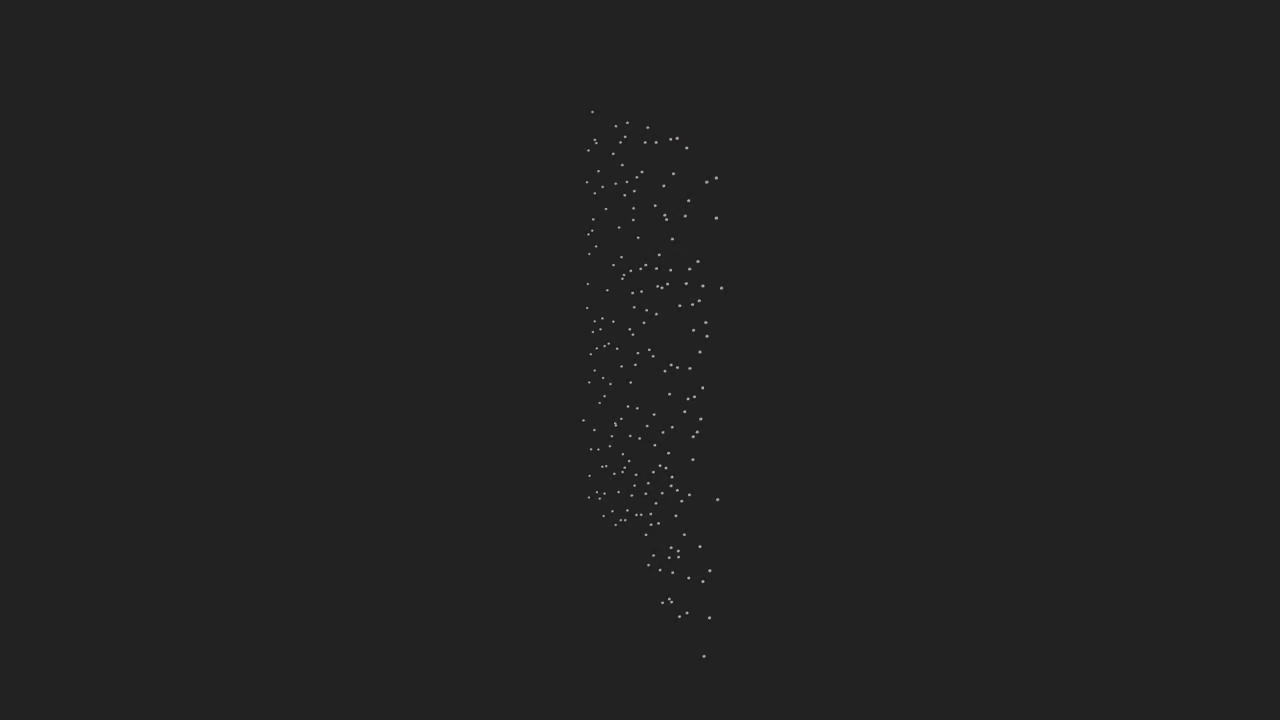
Create a Animated Snow Animation in Blender with Python and Display It in the Browser
This beginner friendly tutorial shows how to generate a simple Animated Snow animation using the Blender Python API export it as a glTF model light it with the courtyard EXR HDR from Blender 5.0 and display it in a web page with model viewer You will also learn which texture HDR formats have browser support open source alternatives and how to run the Blender Python script from the command line
What you will build
- A particle based snow animation with white transparent colored flakes and small handle objects
- Lighting from Blender 5.0 courtyard EXR
- Export to glb and display in the web with model viewer
Blender Python script and how to run it
# animated_snow.py
import bpy
import sys
import os
import math
from mathutils import Vector, Euler
# -----------------------
# Helper: parse args
# -----------------------
def get_script_args():
argv = sys.argv
if "--" in argv:
return argv[argv.index("--") + 1 :]
return []
args = get_script_args()
out_path = None
for i, a in enumerate(args):
if a in ("--output", "-o") and i + 1 < len(args):
out_path = args[i + 1]
if out_path is None:
out_path = os.path.join(os.path.expanduser("~"), "animated_snow.glb")
# -----------------------
# Clean scene
# -----------------------
bpy.ops.wm.read_factory_settings(use_empty=True)
# -----------------------
# Create emitter (plane)
# -----------------------
bpy.ops.mesh.primitive_plane_add(size=10, location=(0, 5, 0))
emitter = bpy.context.object
emitter.name = "SnowEmitter"
# rotate so normal points downwards if needed
emitter.rotation_euler = Euler((math.radians(90), 0, 0), 'XYZ')
# -----------------------
# Create flake mesh (small icosphere)
# -----------------------
bpy.ops.mesh.primitive_ico_sphere_add(subdivisions=2, radius=0.03, location=(0,0,0))
flake = bpy.context.object
flake.name = "FlakeMesh"
# Create small handle (tiny cylinder) and parent to flake as a child object for instancing demonstration
bpy.ops.mesh.primitive_cylinder_add(radius=0.005, depth=0.02, location=(0, -0.02, 0))
handle = bpy.context.object
handle.name = "FlakeHandle"
# move handle slightly relative to flake and parent
handle.parent = flake
handle.location = (0, -0.02, 0)
# -----------------------
# Create white transparent PBR material for flakes
# -----------------------
mat = bpy.data.materials.new(name="GoldMaterial")
mat.use_nodes = True
nodes = mat.node_tree.nodes
for n in nodes:
nodes.remove(n)
# Principled BSDF setup
out_node = nodes.new(type="ShaderNodeOutputMaterial")
bsdf = nodes.new(type="ShaderNodeBsdfPrincipled")
bsdf.location = (0, 0)
out_node.location = (300, 0)
mat.node_tree.links.new(bsdf.outputs['BSDF'], out_node.inputs['Surface'])
# white transparent color and metallic/roughness
bsdf.inputs['Base Color'].default_value = (0.831, 0.686, 0.215, 1.0) # approximate #D4AF37
bsdf.inputs['Metallic'].default_value = 1.0
bsdf.inputs['Roughness'].default_value = 0.25
# Assign material to flake and handle
if flake.data.materials:
flake.data.materials[0] = mat
else:
flake.data.materials.append(mat)
if handle.data.materials:
handle.data.materials[0] = mat
else:
handle.data.materials.append(mat)
# -----------------------
# Make flake collection for instancing (group)
# -----------------------
flake_collection = bpy.data.collections.new("FlakeCollection")
bpy.context.scene.collection.children.link(flake_collection)
# Unlink flake and handle from scene collection and add to flake_collection
for obj in (flake, handle):
if obj.name in bpy.context.scene.collection.objects:
bpy.context.scene.collection.objects.unlink(obj)
flake_collection.objects.link(obj)
# -----------------------
# Particle system on emitter
# -----------------------
ps = emitter.modifiers.new("SnowParticles", type='PARTICLE_SYSTEM')
psettings = ps.particle_system.settings
psettings.count = 800
psettings.frame_start = 1
psettings.frame_end = 200
psettings.lifetime = 250
psettings.emit_from = 'FACE'
psettings.physics_type = 'NEWTON'
psettings.use_emit_random = True
psettings.normal_factor = 0.0
psettings.factor_random = 0.5
psettings.gravity = 9.81 * 0.1 # lighter fall
# Use collection instancing for particles (object duplication is less flexible for many particles)
psettings.instance_collection = flake_collection
psettings.use_collection_pick_random = True
psettings.particle_size = 1.0
psettings.render_type = 'COLLECTION'
# Add some initial velocity randomness
psettings.velocity_factor_random = 0.5
psettings.tangent_factor = 0.0
# -----------------------
# World HDR (courtyard.exr)
# -----------------------
world = bpy.data.worlds.new("HDRWorld")
bpy.context.scene.world = world
world.use_nodes = True
wnodes = world.node_tree.nodes
wlinks = world.node_tree.links
# Clear default nodes
for n in list(wnodes):
wnodes.remove(n)
bg = wnodes.new(type='ShaderNodeBackground')
bg.location = (200, 0)
out = wnodes.new(type='ShaderNodeOutputWorld')
out.location = (400, 0)
wlinks.new(bg.outputs['Background'], out.inputs['Surface'])
tex_node = wnodes.new(type='ShaderNodeTexEnvironment')
tex_node.location = (0, 0)
# Try to locate courtyard.exr from known Blender data path; otherwise let user replace the path
possible_paths = []
# Common location inside Blender versions: scripts/presets or datafiles; this is not guaranteed
possible_paths.append(os.path.join(bpy.app.binary_path, "..", "share", "blender", "5.0", "datafiles", "studiolights", "world", "courtyard.exr"))
possible_paths.append(os.path.join(os.path.expanduser("~"), "courtyard.exr"))
possible_paths.append("/usr/share/blender/5.0/datafiles/studiolights/world/courtyard.exr")
possible_paths.append(os.path.join(bpy.utils.resource_path('LOCAL'), "datafiles", "studiolights", "world", "courtyard.exr"))
hdr_path = None
for p in possible_paths:
p = os.path.normpath(os.path.abspath(p))
if os.path.exists(p):
hdr_path = p
break
if hdr_path is None:
# Fallback: user must edit path or place file next to script
script_dir = os.path.dirname(os.path.realpath(__file__)) if "__file__" in globals() else os.getcwd()
candidate = os.path.join(script_dir, "courtyard.exr")
hdr_path = candidate if os.path.exists(candidate) else None
if hdr_path:
tex_node.image = bpy.data.images.load(hdr_path)
# set strength lower if too bright
bg.inputs['Strength'].default_value = 1.0
else:
print("WARNING: courtyard.exr not found automatically. Please set tex_node.image to your EXR/HDR path.")
# leave environment neutral grey
bg.inputs['Color'].default_value = (0.05, 0.05, 0.06, 1)
wlinks.new(tex_node.outputs['Color'], bg.inputs['Color'])
# -----------------------
# Scene camera and light (optional)
# -----------------------
bpy.ops.object.camera_add(location=(0, -8, 2), rotation=(math.radians(75), 0, 0))
cam = bpy.context.object
cam.name = "Camera"
bpy.context.scene.camera = cam
# add a low-intensity sun to help rim lighting (not necessary if HDR present)
bpy.ops.object.light_add(type='SUN', location=(5, -5, 5))
sun = bpy.context.object
sun.data.energy = 1.0
# -----------------------
# Timeline and baking cache
# -----------------------
bpy.context.scene.frame_start = 1
bpy.context.scene.frame_end = 250
bpy.context.scene.frame_set(1)
# Bake particles (use cache if available)
try:
psys = emitter.particle_systems[0]
cache = psys.point_cache
# clear then bake
bpy.ops.ptcache.free_bakes_all()
# baking via API is limited; ensure frames evaluated when exporting, or optionally do manual cache bake in UI
except Exception as e:
print("Could not access particle cache for baking:", e)
# -----------------------
# Export as glTF/glb
# -----------------------
# Select objects to export: emitter (with particle modifier), and collections used for instancing
for o in bpy.context.scene.objects:
o.select_set(False)
# Export requires the instanced collection objects to be present in the scene; ensure flake_collection objects are linked somewhere (they already are)
# Select emitter so the particle system is included
emitter.select_set(True)
# Also ensure camera is included for preview
cam.select_set(True)
export_dir = os.path.dirname(out_path)
if export_dir and not os.path.exists(export_dir):
os.makedirs(export_dir, exist_ok=True)
print("Exporting to:", out_path)
bpy.ops.export_scene.gltf(
filepath=out_path,
export_format='GLB', # binary
export_selected=True,
export_apply=True,
export_animations=True,
export_frames=True,
export_extras=False,
export_materials='EXPORT',
)
print("Done.")
Save the script as animated_snow.py in your project folder Then run Blender headless with the example command below Replace paths as needed
/path/to/blender --background --python /path/to/animated_snow.py -- --output /path/to/output/animated_snow.glb The double dash separates Blenders arguments from script arguments Inside the script parse sys argv to read the custom output path
What the script does
- Create a plane emitter and a small flake mesh
- Add a particle system that instances the flake
- Create a white transparent PBR material and assign it to the flake and handle objects
- Add small handle objects parented to the flake for visual handles
- Load the courtyard EXR into the World node tree for HDR lighting
- Set timeline bake or cache the particle simulation and export to glb
Key script steps
- Create the emitter mesh and orient it to emit downward
- Create a small flake mesh such as an ico sphere and a tiny cylinder for a handle
- Make a white transparent Principled BSDF material with metallic set to 1 roughness around 0.25 and base color approximate hex D4AF37
- Use a collection for instancing and set the particle system to render the collection
- Configure particle settings count lifetime randomness and lighter gravity for slow falling snow
- Set World node tree to use an Environment Texture node pointing to courtyard EXR and connect to Background
- Optionally add a camera and a low strength sun for rim light
- Bake or free caches as needed then export the selected objects as a GLB binary glTF file
Export and web display
Export to glb for easiest web delivery Use model viewer to embed the exported model enable animation playback and camera controls
<script type="module" src="https://unpkg.com/@google/model-viewer/dist/model-viewer.min.js"></script>
<model-viewer src="animated_snow.glb" alt="Animated Snow animation"
camera-controls autoplay ar
environment-image="neutral"
exposure="1">
</model-viewer>
Replace environment image with a KTX2 prefiltered environment map for best PBR lighting in browsers when available
HDR EXR KTX and KTX2 support in browsers and recommendations
- .hdr RGBE and .exr are common for authoring and provide high dynamic range but are not GPU optimized in browsers by default
- KTX and KTX2 are container formats for GPU ready textures including compressed cubemaps and mipmaps KTX2 with Basis Universal is the most web friendly for environment maps and PBR workflows
- KTX2 with Basis Universal compressions such as UASTC ETC1S provides smaller files and faster GPU sampling when the browser and GPU support the compressed formats
Browser support summary
- .hdr widely used in authoring but not directly GPU optimized in browsers
- .exr excellent precision for authoring not directly supported in browsers without conversion
- .ktx and .ktx2 KTX2 with Basis Universal is the recommended web friendly option for environment maps in modern engines
Open source alternatives and tools
- Basis Universal BasisU for creating compressed KTX2 files
- ktx tools from Khronos for creating and inspecting KTX KTX2
- cmft Cubemap Filtering Tool for prefiltering HDRIs into irradiance maps and specular mipmaps
- tinyexr and stb image for loading EXR HDR files in build pipelines
Recommendation Keep the master HDR as courtyard EXR for Blender authoring then convert to a prefiltered KTX2 environment map using cmft plus ktx tools or the BasisU toolchain for best browser performance
Workflow tips and alternatives
- Convert EXR or HDR to a prefiltered cubemap with mipmaps during your build step
- Use cmft and ktx tools or BasisU to produce KTX2 files with compressed GPU ready data
- If you prefer a simpler hosting route export an equirectangular JPEG or PNG and accept lower dynamic range or let the viewer generate irradiance at runtime
- For maximum compatibility use the neutral environment built into model viewer or supply a low cost equirectangular image
Area for combined screenshots and embedded YouTube live screencast
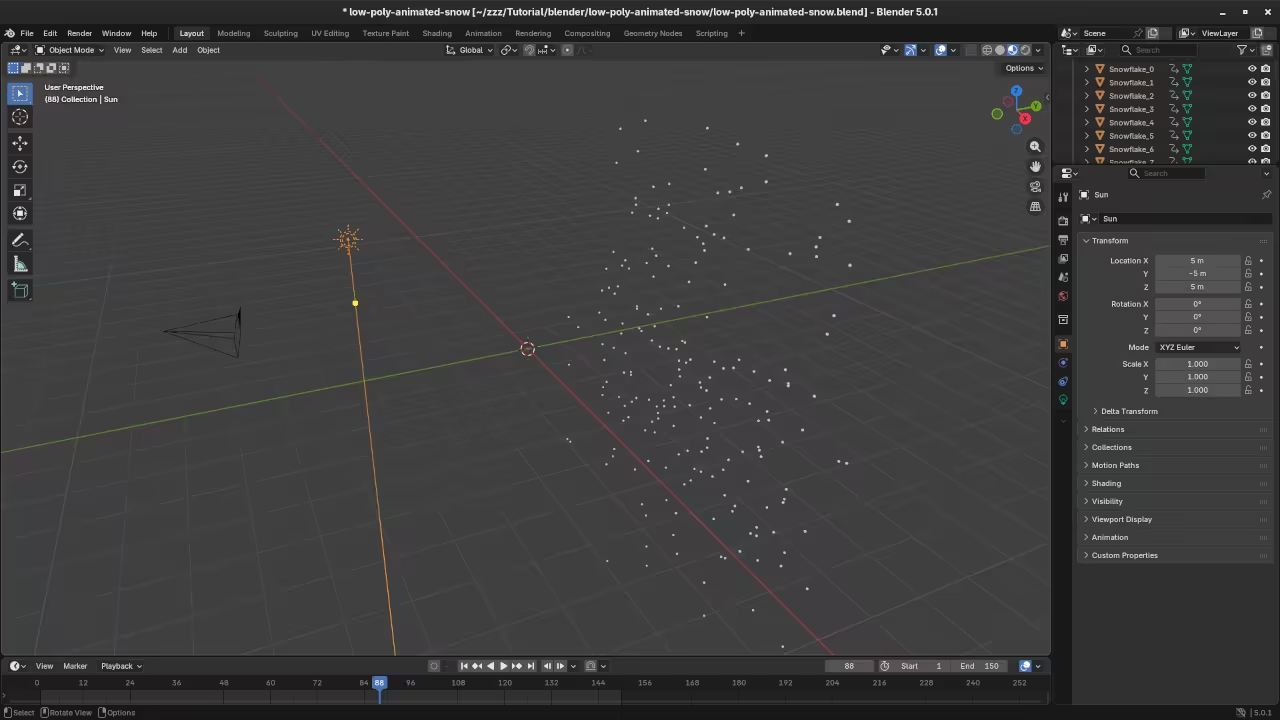
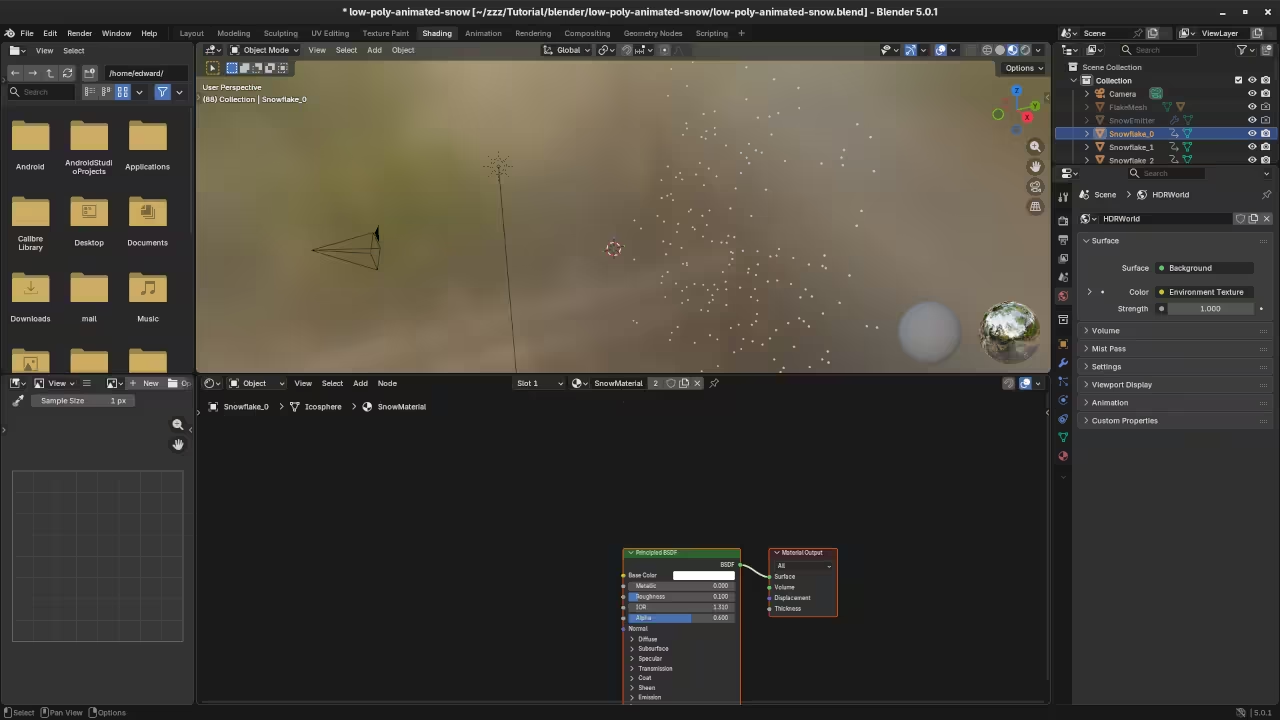
Insert combined screenshots of the Blender viewport node setup particle settings and exported model preview here
📸 Screenshots & Screencast


Books courses and one on one tutoring
- Learning Python link opens in new tab
https://www.amazon.com/Learning-Python-Programming-eBook-Beginners-ebook/dp/B0D8BQ5X99 - Mastering Blender Python API link opens in new tab
https://www.amazon.com/Mastering-Blender-Python-API-Programming-ebook/dp/B0FCCQKFFZ - Learning Python course link opens in new tab
https://ojamboshop.com/product/learning-python - One on one online Python tutorials including Blender contact link opens in new tab
https://ojambo.com/contact
Final notes
- Export as glb for easiest web use
- Convert HDRI EXR to KTX2 Basis for best browser performance
- Run the Blender script headless with the example command above
🚀 Recommended Resources
Disclosure: Some of the links above are referral links. I may earn a commission if you make a purchase at no extra cost to you.