
Introduction
Selecting the right hardware is vital for high performance video production work. This article examines a specific testing system and standard hardware requirements for developers.
Hardware Specifications and Test Environment
The primary test system utilizes an AMD Ryzen 5 5600GT desktop processor. This chip features six physical cores and twelve threads for balanced multitasking. A total of 32GB of DDR4 memory is installed for the environment. Four gigabytes are dedicated to the integrated graphics hardware for display.
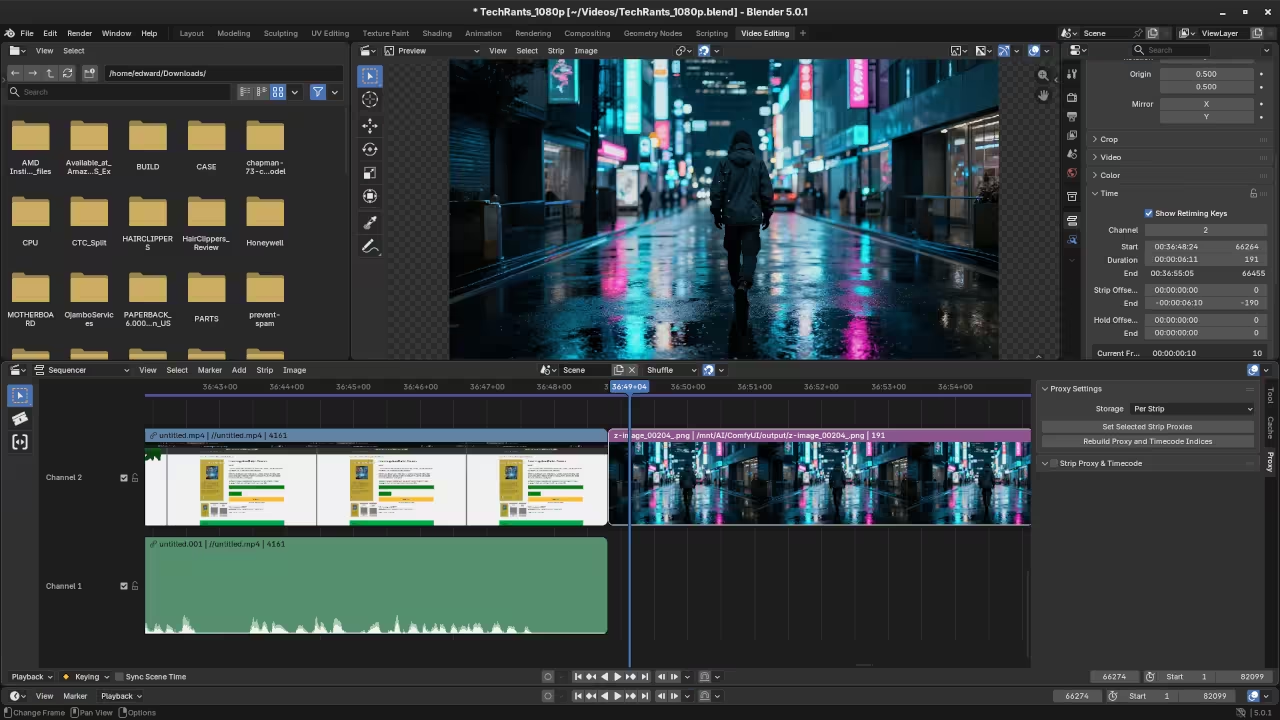
This setup runs Fedora 43 Workstation using the GNOME 49 desktop. The Wayland windowing system provides a modern and responsive user interface experience. Blender 5.0.1 provides a robust Video Sequence Editor for all users. Minimum hardware requirements for this version include a four core processor today.
A minimum of 8GB of system memory is required for basic tasks. The graphics card must support OpenGL 4.3 or the Vulkan 1.3 standard. Recommended specifications for larger projects include an eight core processor for efficiency. 32GB of RAM is highly suggested for editing high resolution video clips.
| Component | Minimum Requirement | Test System Spec |
|---|---|---|
| Processor | 4 Core (SSE4.2) | Ryzen 5 5600GT (6C/12T) |
| Memory | 8GB RAM | 32GB RAM (4GB iGPU) |
| Operating System | glibc 2.28+ | Fedora 43 (Wayland) |
| Component | Minimum Requirement | Test System Spec |
Editing Workflow in Blender VSE
The VSE handles cutting and splicing through simple keyboard shortcut commands. Use the K key to cut a selected strip at the playhead position. Dragging the edges of a strip allows for quick trimming of media. The sequencer provides a visual representation of the entire video project timeline.
Adding a Speed Control effect strip enables advanced retiming of video footage. You can speed up or slow down clips with great precision. Keyframes allow you to animate the speed factor over a specific duration. This creates a professional look for time lapse or slow motion sequences easily.
Transitions such as crossfades blend two different video strips together seamlessly. Select overlapping strips and apply the Cross effect from the menu. The VSE remains a powerful choice for Linux users and developers alike. Its lightweight nature makes it ideal for many different hardware configurations today.
Advanced Command Line Rendering
Command line rendering offers the most efficient way to process final files. This method bypasses the graphical interface to save precious system resources. Open the terminal and navigate to your specific project file directory. Use the command blender -b project.blend -a to start the render.
The -b flag runs Blender in background mode without a window. The -a flag instructs the software to render the entire animation. The Ryzen 5600GT handles these rendering tasks using all available processing threads. Multi threaded performance significantly reduces the time needed for the final export.
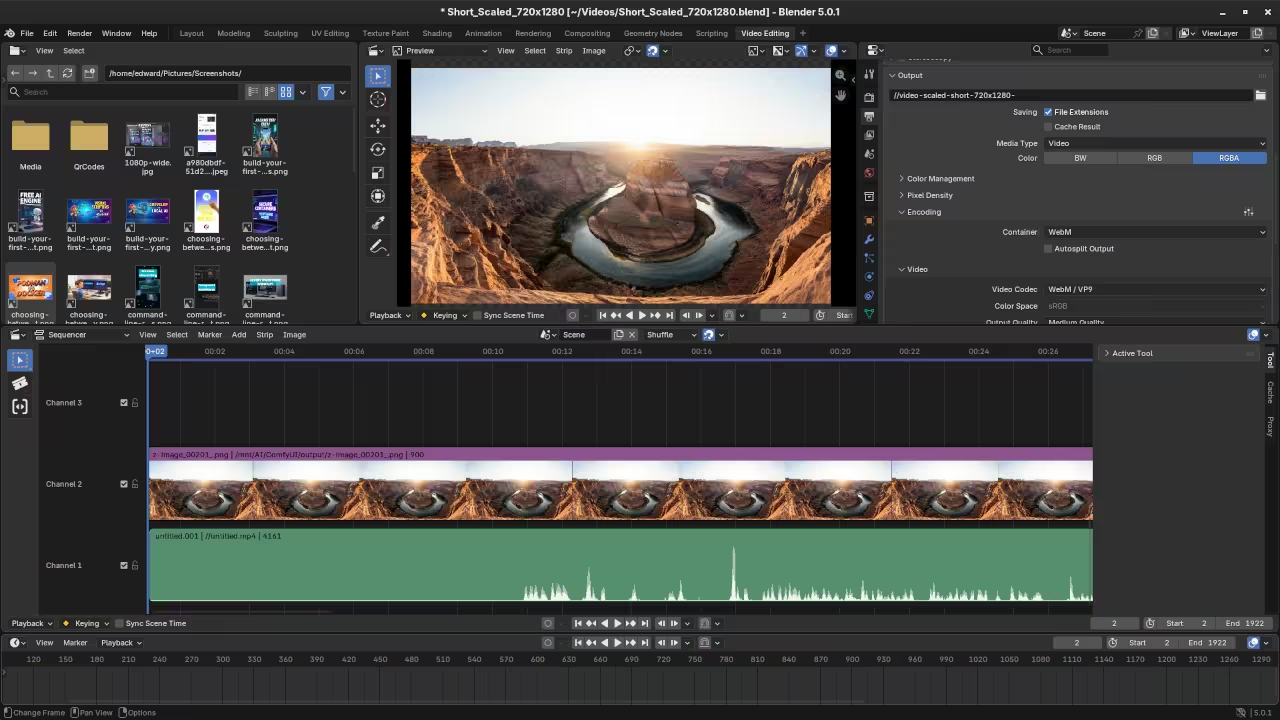
Transparent WebM files require specific output configurations within the blend file. Ensure the video codec is set to support the alpha channel. Selecting the RGBA color option is mandatory for transparency to function correctly. The command line render will honor these saved internal file settings.
Testing the final WebM in a browser confirms the transparency works. This format is widely supported for modern web development projects today. Using the terminal ensures that all system resources go toward the encoding process.
📸 Screenshots & Screencast
Take Your Skills Further
Professional resources are available to help you master these advanced creative tools. Visit the links below to access specialized training and support services.
- Books: https://www.amazon.com/stores/Edward-Ojambo/author/B0D94QM76N
- Courses: https://ojamboshop.com/product-category/course
- Tutorials: https://ojambo.com/contact
- Consultations: https://ojamboservices.com/contact
🚀 Recommended Resources
Disclosure: Some of the links above are referral links. I may earn a commission if you make a purchase at no extra cost to you.