

Modern monitoring tools consume excessive system resources. They introduce input lag and frame pacing issues. This destroys the competitive edge in high-fidelity gaming.
MangoHUD eliminates this performance bottleneck completely. It provides granular telemetry with zero overhead.
I tested this overlay on my Ryzen 5 5600GT. The AMD Instinct Mi60 delivered massive throughput. The data rendered instantly on top of my Vulkan games.
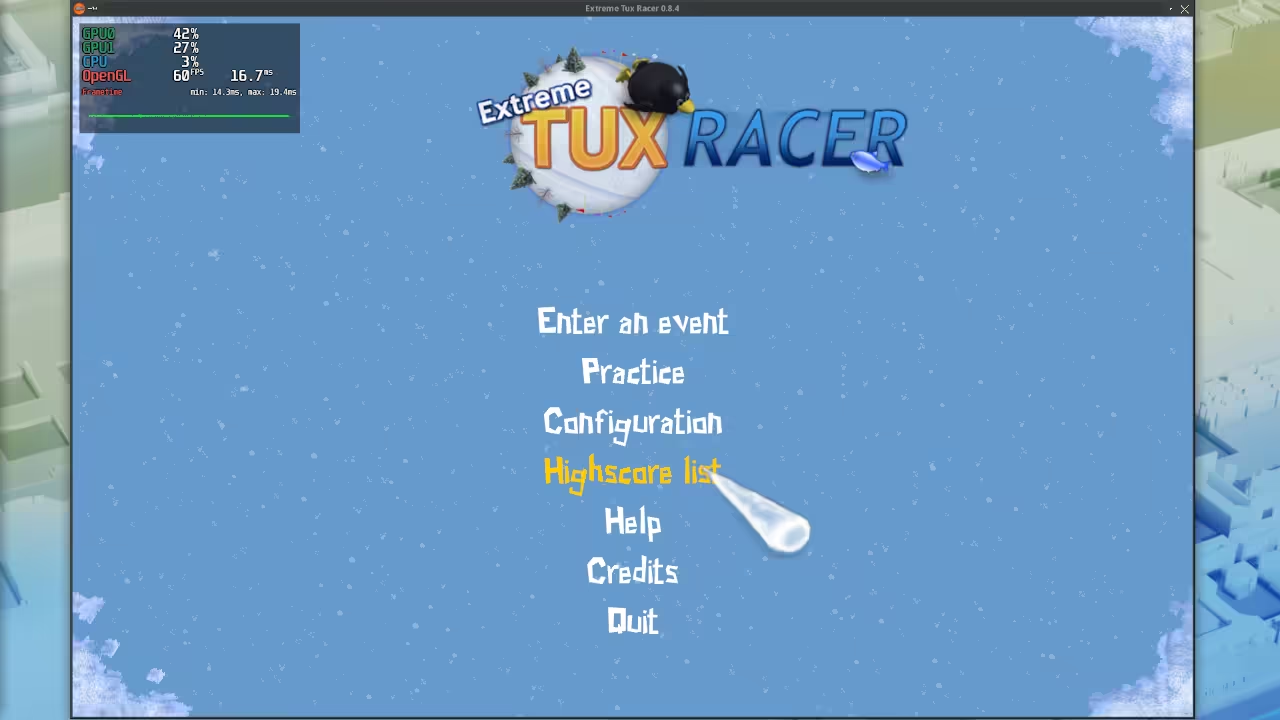
My Fedora 44 desktop remained perfectly stable. The Xfce environment handled the background process effortlessly.
Precision Configuration
You can configure the overlay with extreme precision. Edit the mangohud.conf file in your home directory. Set the show_frame_timing parameter to true.
This reveals micro-stutter before it impacts gameplay. It allows you to tune your driver settings for the Mi60.
config_file = true
show_frame_timing = true
frame_timing_max = 16.6
Seamless Integration
The integration with GameMode is seamless. It automatically activates when a game launches. You do not need to remember manual commands.
The software detects the environment and applies optimizations. It reduces latency on the Raspberry Pi Zero W too.
Extensive Sensor Reporting
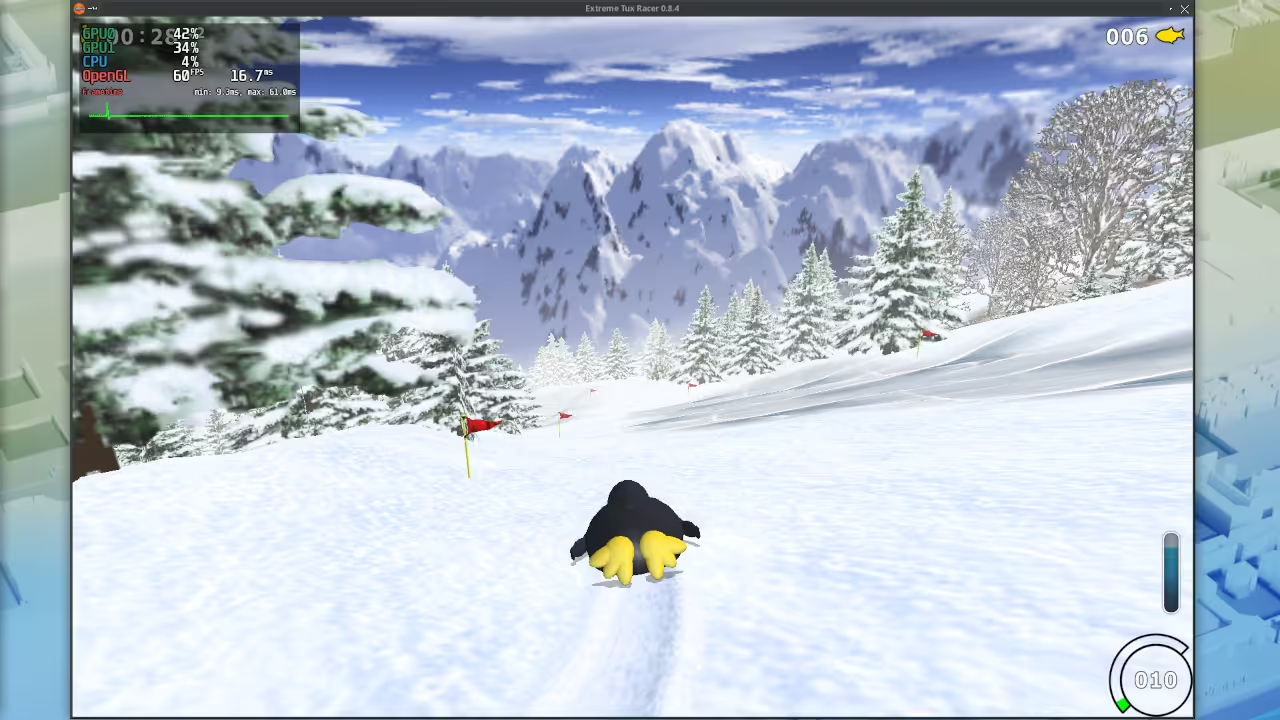
MangoHUD supports extensive sensor reporting. You can monitor the Logitech HD Webcam C525 power draw. It tracks the thermal output of the discrete GPU.
The text rendering is crisp and highly readable. It overlays perfectly on X11 and Wayland sessions.
Comparison Of Monitoring Solutions
| Tool | Platform | API | Overhead | Cost |
|---|---|---|---|---|
| MangoHUD | Linux Native | Vulkan | Zero Lag | Free |
| MSI Afterburner | Windows | DirectX | High Overhead | Free |
| RivaTuner | Windows | DirectX | Moderate | Free |
| Nvidia Inspector | Windows | CUDA | High | Free |
| Tool | Platform | API | Overhead | Cost |
Master The Professional Stack
Access the advanced configuration guides in my technical books. Build your own monitoring station with my woodworking blueprints.
Books (Technical & Creative): https://www.amazon.com/stores/Edward-Ojambo/author/B0D94QM76N
Blueprints (DIY Woodworking Projects): https://ojamboshop.com
Tutorials (Continuous Learning): https://ojambo.com/contact
Consultations (Custom Apps & Architecture): https://ojamboservices.com/contact
🚀 Recommended Resources
Disclosure: Some of the links above are referral links. I may earn a commission if you make a purchase at no extra cost to you.