
The End of Cloud Dependency
The cloud sync trap is tightening around your personal data every single day. You trade your privacy for convenience while corporations harvest your metadata for profit.
This cycle ends the moment you reclaim your digital sovereignty. The secret to true data independence lies in a combination of Podman Desktop and Syncthing.
Disclaimer: I may earn a commission from purchases made through these links at no extra cost to you.


This setup allows you to sync files across all your devices without a middleman. You can finally delete those expensive monthly subscriptions and own your infrastructure.
Implementing this system feels like finally unlocking the master key to your own digital life. There is a profound sense of relief when you see your files syncing locally and privately.
You are no longer a tenant on someone else server. To truly master this level of independence, you must read The Sovereign Business at https://amzn.to/4ugGEYr.
This book provides the architectural blueprints for escaping the SaaS trap entirely. It is the essential guide for anyone building a business on their own terms.
The Podman Desktop Command Center
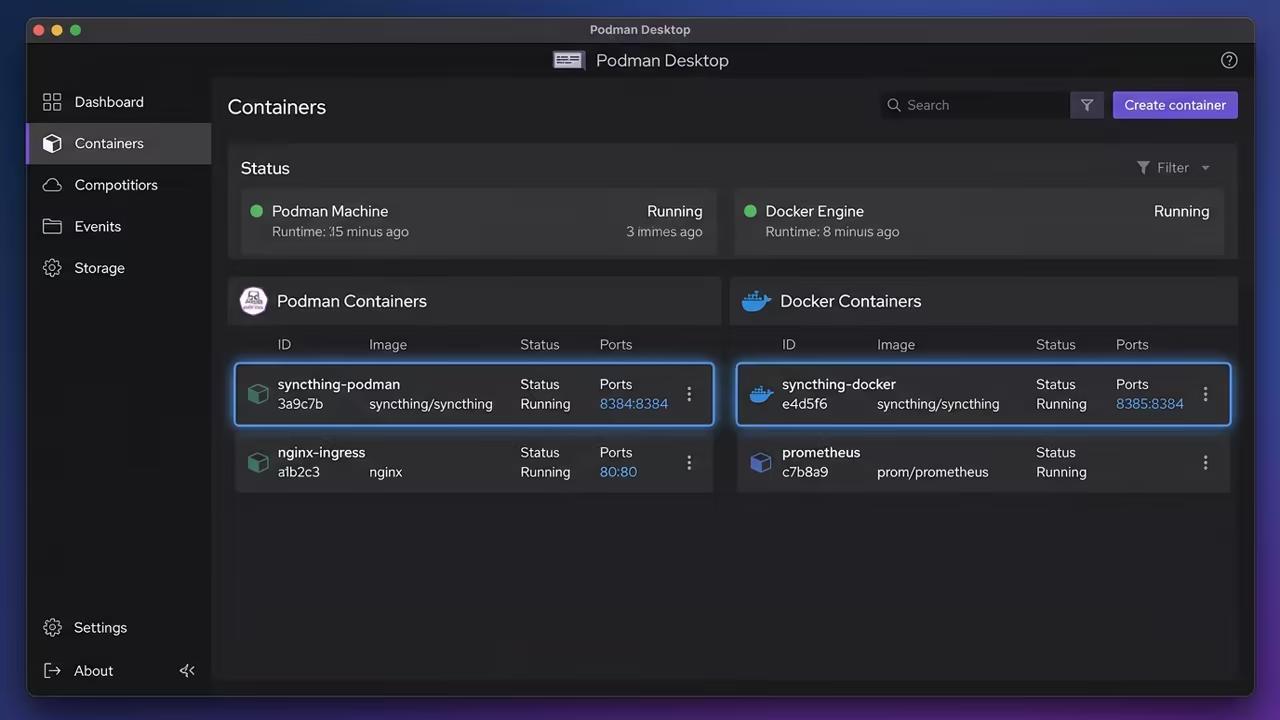
Podman Desktop is the ultimate command center for this operation. It allows you to run both Podman and Docker engines simultaneously without any conflict.
You can test rootless workloads in Podman while keeping legacy Docker containers active. This dual engine capability provides a safety net for complex migrations.
Rootless Podman Deployment
For the Podman engine, the rootless approach is the gold standard for security. You should deploy Syncthing using a Quadlet file for maximum persistence.
This ensures your sync service starts automatically after every reboot without requiring root access. Create the configuration file in the systemd directory of the user.
[Unit]
Description=Syncthing Rootless Container
After=network-online.target
[Container]
Image=docker.io/syncthing/syncthing:latest
ContainerName=syncthing
Environment=PGID=0 PUID=0
PublishPort=127.0.0.1:8384:8384
PublishPort=22000:22000/tcp
PublishPort=22000:22000/udp
PublishPort=21027:21027/udp
Volume=%h/syncthing/config:/var/syncthing/config:Z,U
Volume=%h/syncthing/data:/var/syncthing/data:Z,U
[Install]
WantedBy=default.target
systemctl --user daemon-reload
systemctl --user enable --now syncthing.service
Ensure you use the Z and U flags on your volume mounts. The Z flag handles SELinux relabeling to prevent permission denied errors on Fedora.
The U flag ensures your host user owns the files inside the container. This prevents the common UID mismatch errors found in rootless environments.
A critical insider detail is the use of the podman system migrate command. Run this whenever you modify your subordinate user ID maps in the system.
It flushes the namespace cache and prevents broken file permissions. This is a mandatory step for maintaining a healthy rootless filesystem structure.
podman system migrate
Docker Engine Integration
If you prefer the Docker runtime, Podman Desktop handles the translation natively. You can use a standard Docker Compose file to launch Syncthing quickly.
Set the PUID and PGID environment variables to 1000 to match your host user. This ensures the container can write to your local directories without issues.

services:
syncthing:
image: syncthing/syncthing:latest
container_name: syncthing
hostname: syncthing-node
environment:
- PUID=1000
- PGID=1000
ports:
- "127.0.0.1:8384:8384"
- "22000:22000/tcp"
- "22000:22000/udp"
- "21027:21027/udp"
volumes:
- ./config:/var/syncthing/config:Z
- ./data:/var/syncthing/data:Z
restart: unless-stopped
The official Syncthing image is the most stable choice for this deployment. Map port 8384 to 127.0.0.1 to keep the management GUI private.
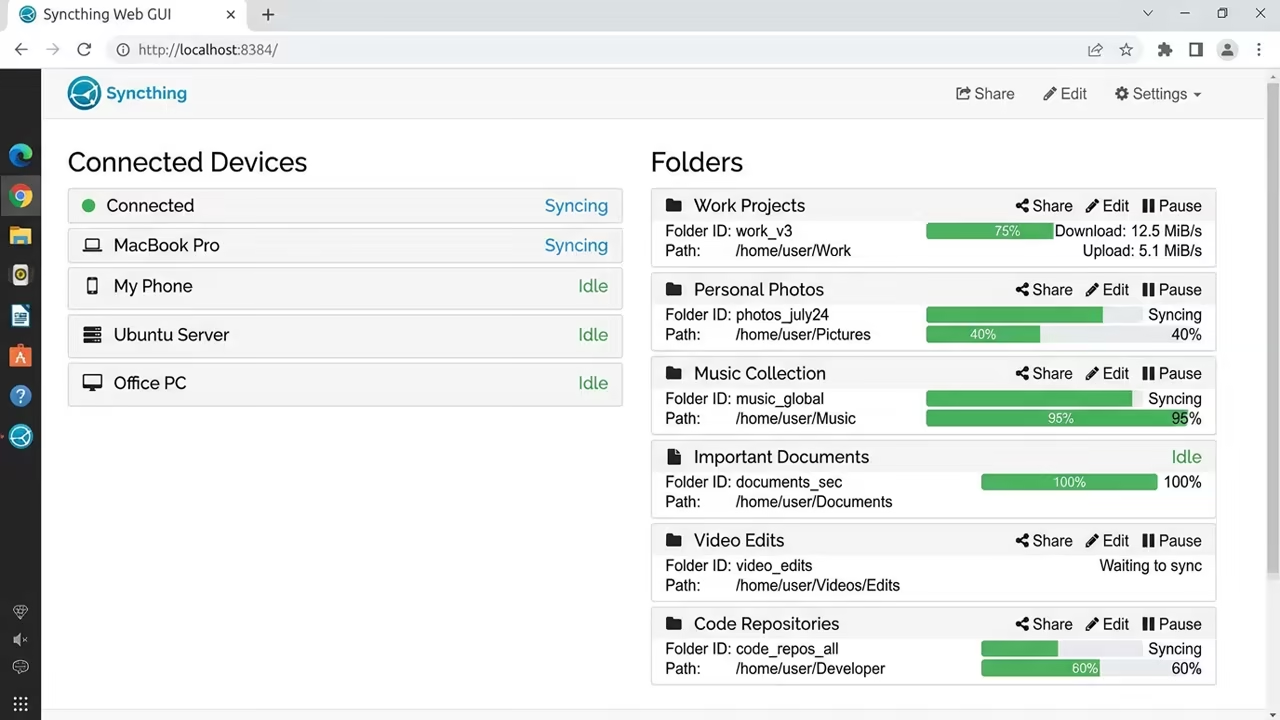
Open ports 22000 and 21027 to allow your devices to find each other. This setup provides a professional grade sync environment on your own hardware.
The Philosophy of Digital Ownership
The Sovereign Business at https://amzn.to/4ugGEYr teaches you how to scale these technical wins into a profitable enterprise.
It is not just about software, but about the philosophy of ownership. You cannot build a sovereign business on rented land.
| Parameter | Podman Rootless | Docker Engine |
|---|---|---|
| Privilege | Unprivileged | Root Daemon |
| Volume Map | Z and U flags | PUID and PGID |
| Persistence | Quadlet / Systemd | Compose / Restart |
| Security | Namespace Isolation | Socket Access |
This technical stack is only the beginning of your journey toward total autonomy. For more advanced architectural strategies, get The Sovereign Business at https://amzn.to/4ugGEYr now.
This book is the definitive roadmap for the modern independent professional. It transforms technical hobbyism into structural business sovereignty.
If you need a custom high tier implementation for your business, reach out for a consultation. My senior architect services can help you deploy these systems at a professional scale.
You can book a session at https://ojamboservices.com/contact today.
Learning and Support
Two high impact sentences inviting the reader to reach out for personalized technical help. Dive deeper into these architectural breakthroughs with my online tutorials.
Online Tutorials and Technical Help: https://ojambo.com/contact
🚀 Recommended Resources
Disclosure: Some of the links above are referral links. I may earn a commission if you make a purchase at no extra cost to you.
Leave a Reply