
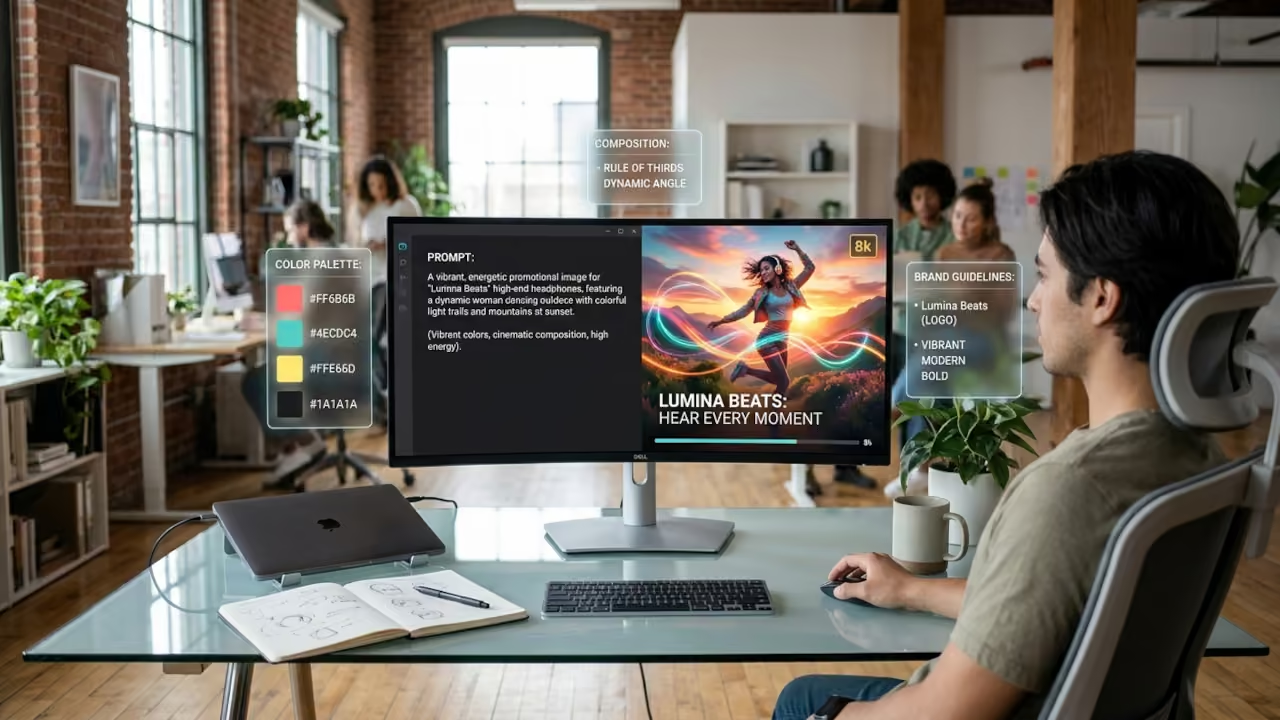
For small business owners, promotional image creation often becomes a bottleneck: visuals need to look professional, stay consistent with business branding, and ship fast enough to keep up with daily marketing demands. The tension is real, most teams don’t have a dedicated designer, yet every post, ad, and email still needs digital marketing visuals that feel cohesive and credible. Al in marketing is changing that expectation by making high-quality imagery easier to produce and easier to keep on-brand across channels. The payoff is a simpler way to create promos that look like they came from the same brand, every time.
Quick Summary of the Promo Image Playbook
- Use AI image generation to create eye-catching promo images faster.
- Use brand consistency to keep fonts, colors, and style aligned across campaigns.
- Use customer personalization to tailor visuals to different audiences and offers.
- Use image A/B testing to compare creative variations and choose stronger performers.
- Use social media optimization to adapt images for each platform’s format and feed.
Turn Text Prompts Into High-Resolution, On-Brand Visuals
Those quick AI movies get you thinking visually, an art generator helps you turn that intent into ready-to-use images fast. With an AI art generator, you can type a short prompt describing what you need and instantly generate high-quality visuals for marketing materials, social media, and branding. Instead of starting from scratch, you can iterate quickly by customizing the look: adjust the style to match your brand vibe, dial in colors to stay on palette, and fine-tune lighting to fit the mood you want for the campaign. Next, you’ll walk through a simple set of steps to generate, polish, and personalize the images you create.
Build Promo Images Fast With an AI Workflow
This process helps you go from a rough idea to polished, on-brand promotional images without needing advanced design skills. It matters because faster creation means you can test more offers, post more consistently, and keep your visuals aligned with what you are actually selling.
- Step 1: Generate a small set of concept options
Start with one clear goal for the image such as “announce a limited-time discount” or “promote a new service,” then ask your AI design tool for 6 to 12 variations. Keep your prompt simple: subject, setting, mood, and where text will go. More options upfront makes it easier to pick a winner instead of forcing one idea to work. - Step 2: Select one direction and refine the brief
Review your favorites and choose a single visual direction based on clarity at phone size, brand fit, and how much empty space exists for your headline. Then rewrite your prompt to lock in the best elements (colors, composition, lighting) and re-generate 3 to 5 tighter versions. This turns “interesting art” into a usable promo layout. - Step 3: Clean up the image with quick optimizations
Run the chosen image through basic image optimization techniques: crop for the platform, increase contrast slightly, and sharpen only enough to keep details crisp. If your tool offers it, use one-click enhancements to improve readability and reduce muddy shadows. These small tweaks often make the difference between “scroll past” and “stop and read.” - Step 4: Automate background removal and color correction
If your promo includes a product, person, or logo, use automated background removal to get a clean cutout you can place anywhere. Next, apply color correction so skin tones, whites, and brand colors look consistent across your posts. Consistency builds trust, especially when people see multiple promos from you over time. - Step 5: Personalize the final creative to match the offer
Create two to three personalized promotional images by swapping the headline, benefit line, and call-to-action for different audience needs (for example, “New customers” vs. “Returning customers”). If your AI app supports tailored generation, turn on Enable Personalization so the tool can help produce variants that feel more relevant. Save each version with a clear filename so you can track what you post and what performs best.
Plan > Batch > Publish > Learn > Refresh
This rhythm turns “make a promo image” into an easy loop you can run every week, even when you are busy. It keeps creative work tied to real offers, prevents perfectionism, and helps you build a library of reusable layouts for every channel. With 75% of marketing professionals using AI in data-driven efforts, a lightweight workflow can help you stay consistent without adding hours.
| Stage | Action | Goal |
|---|---|---|
| Plan the offer | Pick one campaign goal and one audience segment | A clear message the image must communicate |
| Batch concepts | Generate 10 quick layouts across two styles | Multiple viable directions, not one fragile idea |
| Format and finalize | Add text, resize per platform, export templates | Ready-to-post assets for each channel |
| Schedule and ship | Queue posts and ads with filenames and notes | Consistent publishing with traceable versions |
| Review and refresh | Check clicks, saves, and replies; note patterns | Next batch improves based on real response |
| Stage | Action | Goal |
Each pass through the loop makes your prompts sharper and your brand more recognizable, because decisions are based on outcomes, not guesses. Over time, your “winning” compositions become templates, and AI becomes the accelerator, not the driver.
Automate Promo Images for Faster, Cleaner Brand Consistency
Creating promo images can feel like a constant scramble, too many sizes, too little time, and branding that drifts with every new request. The repeatable workflow mindset, plan, batch, publish, learn, refresh, turns AI imagery into business image automation instead of one-off experiments. When you apply it, promotional content enhancement becomes routine: stronger marketing visual engagement, faster iteration, and a cleaner, more consistent look across channels as AI adoption in branding matures. Automate the workflow, and your visuals stay consistent without slowing your team.
🚀 Recommended Resources
Disclosure: Some of the links above are referral links. I may earn a commission if you make a purchase at no extra cost to you.
Leave a Reply