

The Bloat Crisis in Modern Gaming
Modern gaming has become a bloated nightmare of launchers. You spend hours downloading updates for games that eat RAM. This inefficiency kills the pure joy of arcade gaming.
Disclaimer: I may earn a commission from purchases made through these links at no extra cost to you.


The Raw Power of Native C
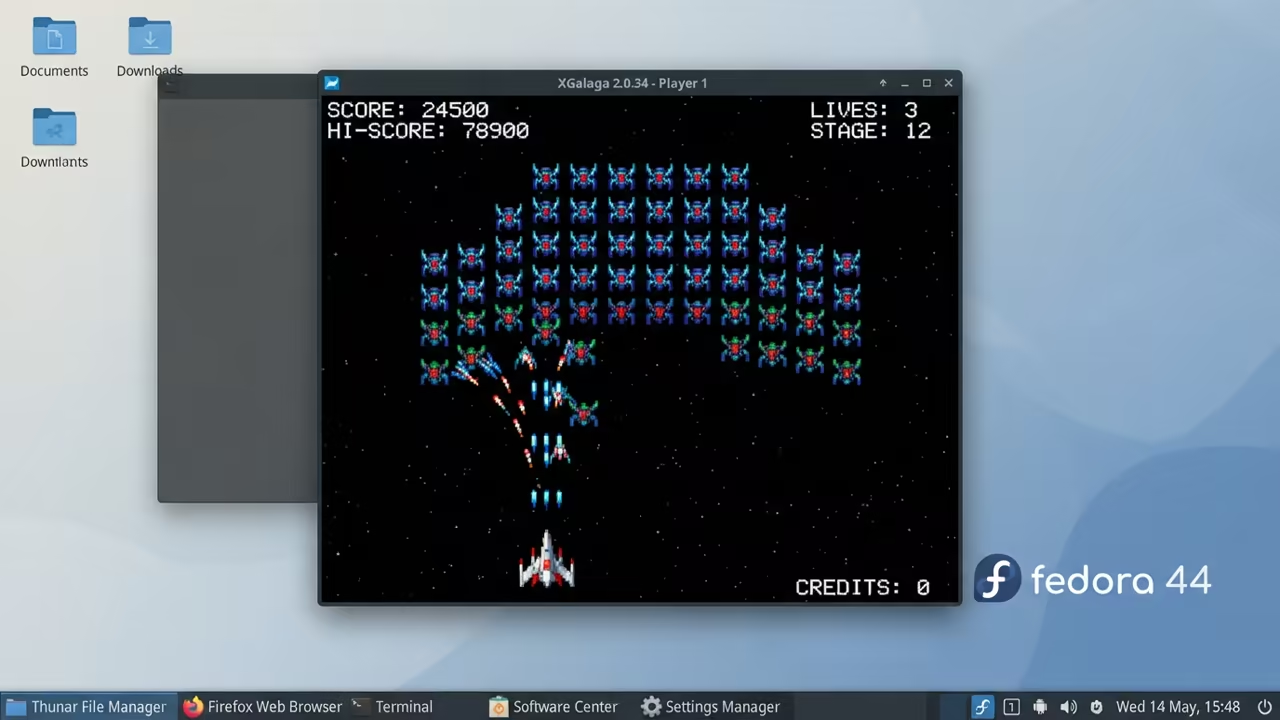
Launching XGalaga feels like a return to the raw power of Unix. The starfighter responds instantly to your mouse movements. You feel the precision of a native C application.
Architectural Efficiency
This game runs directly on the X Window System via XLib. It bypasses the heavy layers of modern game engines. This is the same low level architecture used by senior architects.
The Multi Monitor Trap
Be careful with multi monitor setups on Fedora 44. The legacy X11 server can trap your cursor during play. This creates a boundary conflict that messes up your GUI.
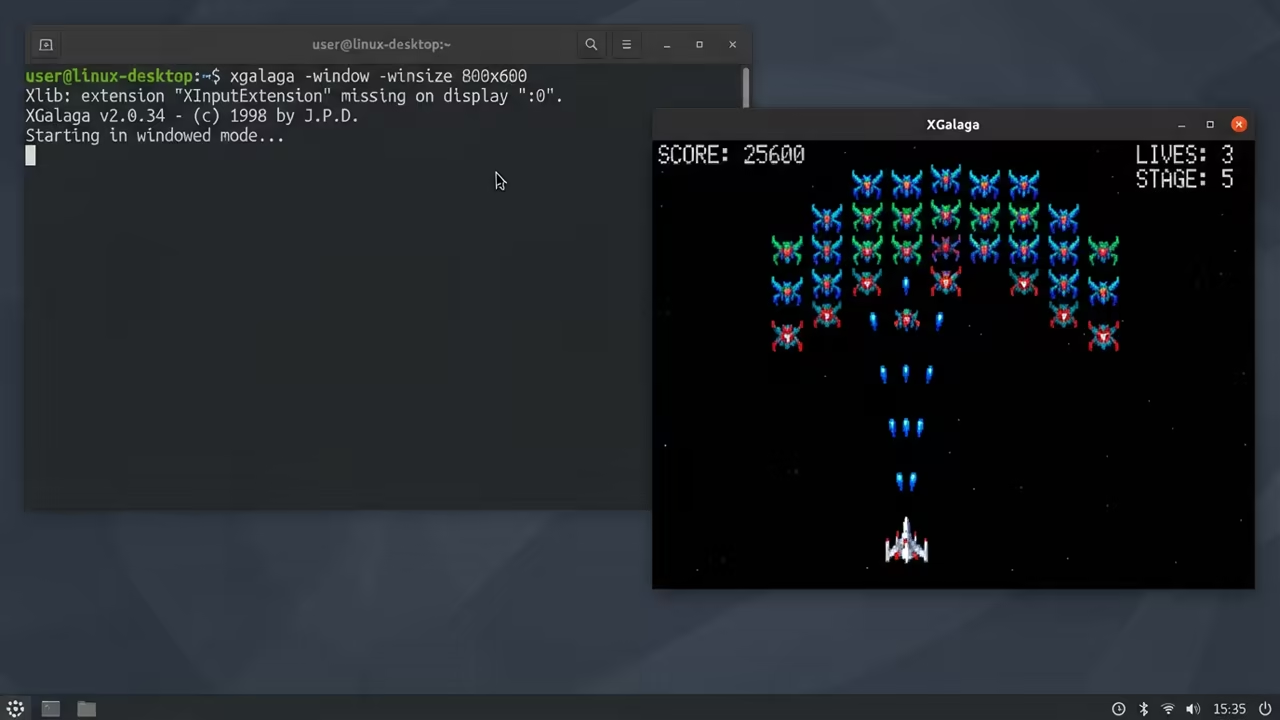
Use flags like minus window and minus winsize to tame it. Running the command below ensures a stable windowed experience.
xgalaga -window -winsize 800x600
Performance Tuning and Buffering
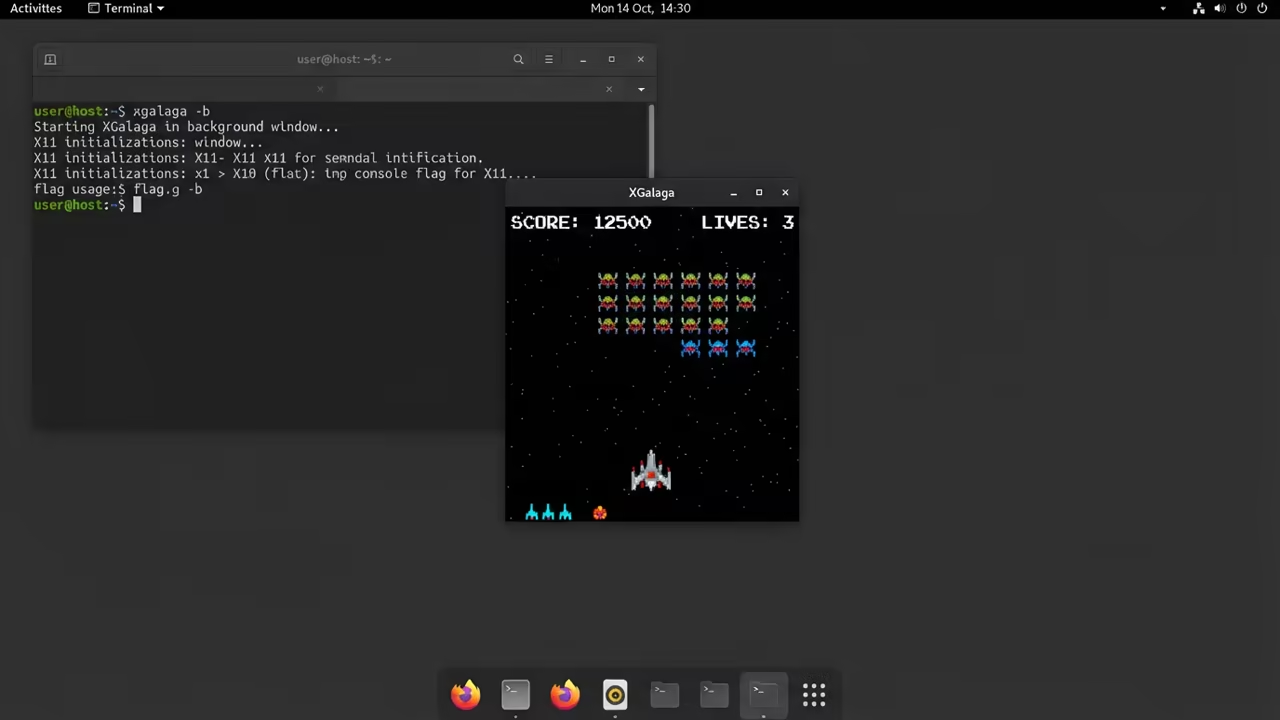
Disable buffering to remove stuttering on old legacy hardware. The minus b flag is a powerful tool for optimization.
xgalaga -b
The Gold Standard of High Performance
This lean approach connects to previous technical deep dives into ROCm optimizations. Architectural breakthroughs happen when we remove the unnecessary software layers. Low level C code remains the gold standard for high performance.
Arcade Native Logic
The manual for this game is a masterpiece of arcade efficiency. It tells the user to stop bothering the developer with questions. You already know how to play Galaga because it is iconic.
| Parameter | XGalaga | XGalaga SDL | Original Galaga |
|---|---|---|---|
| API | XLib | SDL | Hardware |
| Input | Mouse KB | Multi | Joystick |
| Weight | Ultra Light | Light | NA |
| Parameter | XGalaga | XGalaga SDL | Original Galaga |
Advanced Wave Management
You can skip early stages by using the level flag. This allows you to test high wave thresholds immediately.
xgalaga -level 5
Dynamic Input Switching
Switching between mouse and keyboard mid game is a great feature. Pressing m or k on the fly keeps the action moving. This fluid movement avoids the carpal tunnel issues of old.
Professional Systems Scaling
For those scaling high tier technical projects, professional guidance is key. Contact my senior architect consultation services for custom automation and systems. We specialize in removing the bloat from enterprise scale workflows.
Reach out today for professional technical assistance to optimize your systems. Explore our comprehensive library of online tutorials to master the professional stack.
Online Tutorials & Technical Help: https://ojambo.com/contact
🚀 Recommended Resources
Disclosure: Some of the links above are referral links. I may earn a commission if you make a purchase at no extra cost to you.
Leave a Reply