

Setting up a Magento environment often feels like a battle against resource exhaustion and configuration hell. Developers frequently struggle with bloated container engines that consume excessive memory before even starting a single service.
I remember the frustration of watching a legacy PHP stack struggle to boot on a standard Docker setup. Everything changed when I transitioned to a daemonless architecture that prioritizes efficiency and clean separation.
Podman Desktop has emerged as the ultimate tool for developers who need a polished interface without the overhead. It provides a streamlined experience for managing complex multi container stacks like those required for Magento 2.
Unlike traditional alternatives, Podman operates without a persistent background daemon consuming your system resources. This architecture allows for faster container startup times and a much smaller footprint on your workstation.
For Magento specifically, the difference is noticeable when running PHP FPM, MySQL, and Redis simultaneously. You can manage these services through a beautiful graphical interface while maintaining the security of a rootless environment.
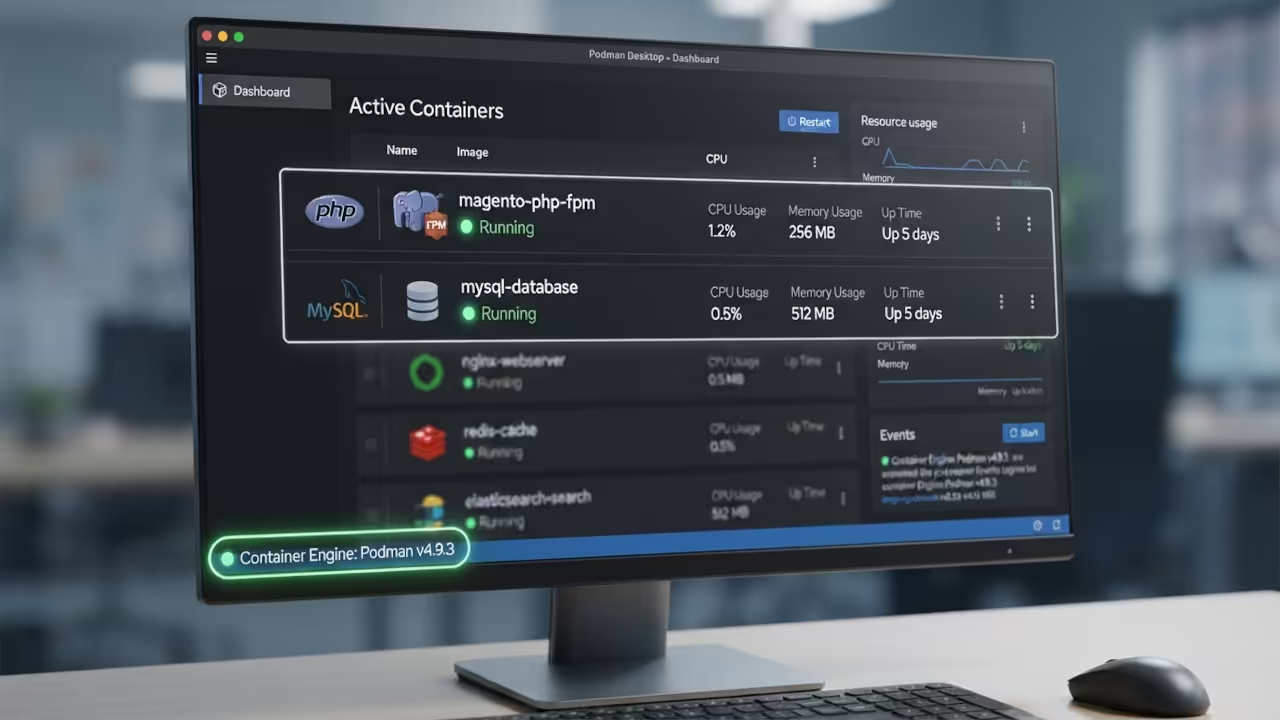
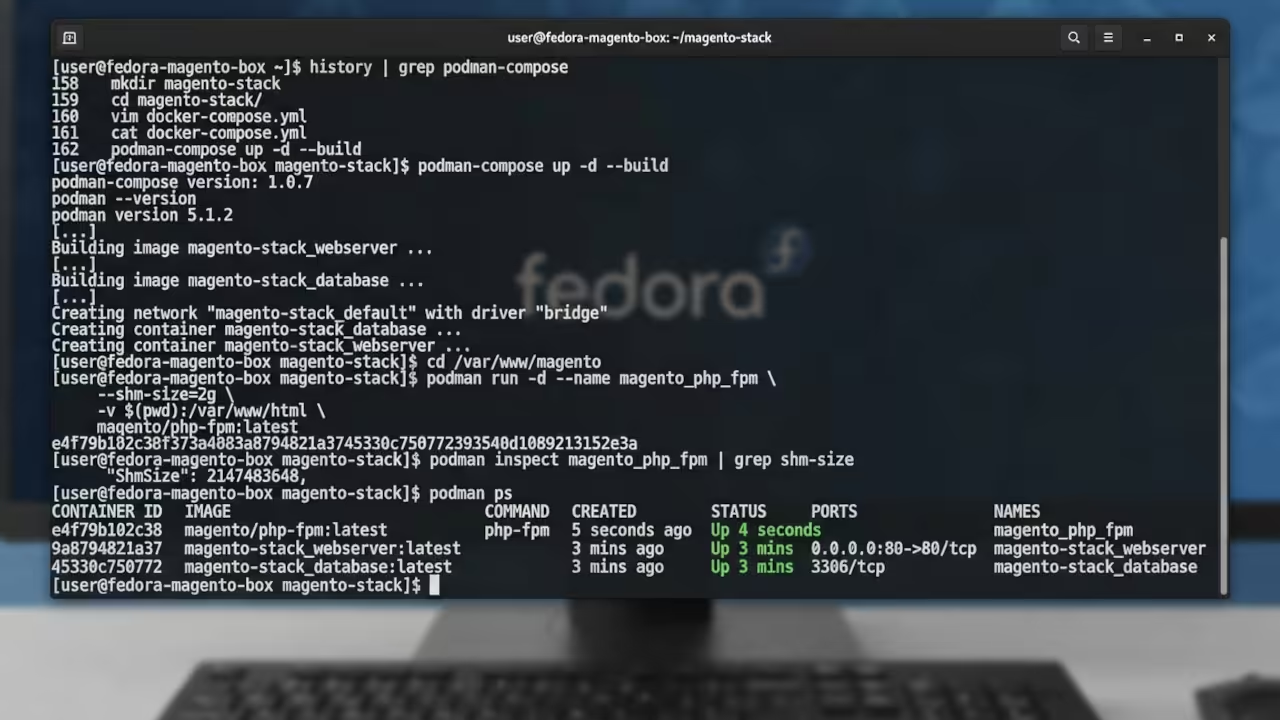
The setup process involves leveraging the podman compose tool to bring your existing configuration to life. You can use your current docker compose.yml files directly because Podman maintains high compatibility with these standards.
To initialize your stack, execute the following command in your terminal:
podman-compose up -d
To ensure your database performs optimally, you must address the shared memory limitations of the container. One insider tip is to explicitly set the shm size to 2g for your MySQL container to prevent crashes.
You should modify your docker compose.yml file to include the following configuration for the database service:
services:
db:
image: mysql:8.0
shm_size: '2g'
environment:
MYSQL_ROOT_PASSWORD: root_password
MYSQL_DATABASE: magento
This small configuration change ensures that Magento can handle high throughput database queries without hitting memory ceilings. It is a detail often missed by those using standard production ready images without customization.
When comparing these technologies, the performance gains become clear for local development workflows. Podman Desktop offers a significant advantage in terms of UI responsiveness and resource management.
For a professional developer, the transition to Podman is about reclaiming system resources. Magento is a heavy application that demands a lean and responsive infrastructure for daily iteration.
If you are struggling with these complex setups, OjamboServices.com provides expert orchestration for high throughput systems. We specialize in optimizing legacy PHP applications like Magento, Zen Cart, Joomla, and Drupal for modern environments.
Our team handles the heavy lifting of containerization and API middleware development for your business. We also build custom applications designed to scale with your specific operational needs and goals.
By partnering with OjamboServices.com, you gain a dedicated architect to navigate the complexities of modern web stacks. We ensure your legacy software remains performant, secure, and fully integrated with your current business goals.
This level of agility is what separates high impact engineers from those slowed down by infrastructure friction. Embracing a daemonless model is the first step toward a more scalable and responsive development lifecycle.
Master the Professional Stack
Books (Technical & Creative): https://www.amazon.com/stores/Edward-Ojambo/author/B0D94QM76N
Blueprints (DIY Woodworking Projects): https://ojamboshop.com
Tutorials (Continuous Learning): https://ojambo.com/contact
Consultations (Custom Apps & Architecture): https://ojamboservices.com/contact
🚀 Recommended Resources
Disclosure: Some of the links above are referral links. I may earn a commission if you make a purchase at no extra cost to you.