
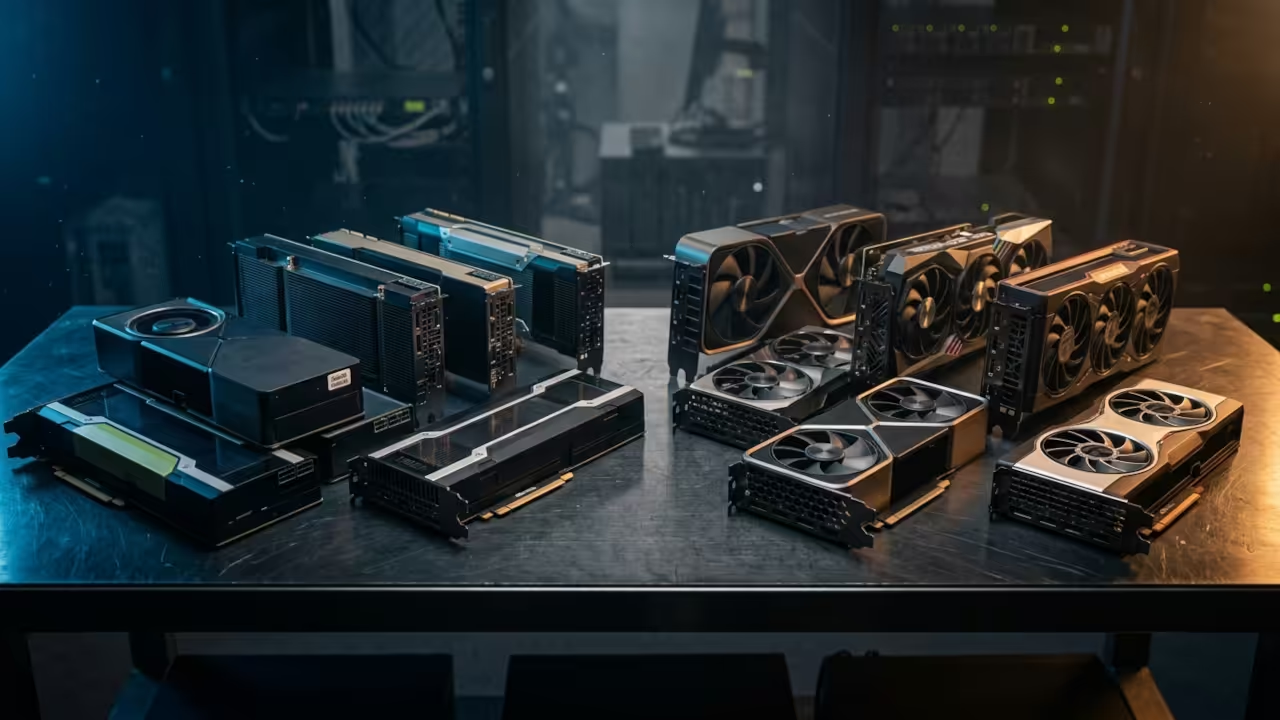
Everyone assumes consumer GPUs are the only practical option for local AI work. That assumption is costing you serious performance and massive amounts of VRAM headroom. Enterprise cards from both AMD and Nvidia offer untapped potential that most enthusiasts completely ignore. The used market has unlocked incredible value for builders who understand these systems.
The AMD Instinct MI60 delivers thirty two gigabytes of HBM2 memory for under three hundred dollars. That memory bandwidth reaches over one terabyte per second while consumer cards struggle to match. The MI60 runs on a seven nanometer Vega architecture with four thousand stream processors. ROCm software support has matured significantly and now handles llama.cpp inference with respectable speeds. You can run quantized models up to thirty two billion parameters with comfortable context. Stable Diffusion also performs well through ROCm compatible pipelines like ComfyUI on Linux. Gaming works through Vulkan drivers on Linux systems though custom cooling solutions are mandatory.
The Experience Of Deploying The MI60 For Local LLM Inference
The experience of deploying an MI60 for local LLM inference changes your entire perspective. Watching a large parameter model stream tokens at nearly seventy per second feels incredible. The VRAM capacity means you never hit the dreaded out of memory errors. You simply load the model and let the compute units handle the workload. This eliminates constant quantization compromises that plague smaller consumer GPU builds.
Nvidia Enterprise Cards On The Used Market
Nvidia enterprise cards on the used market offer a completely different value proposition. The A100 with forty gigabytes of HBM2e memory commands prices between five thousand and eight thousand dollars. It features dedicated Tensor Cores that accelerate BF16 and FP16 workloads dramatically. The A100 lacks native FP8 support since that capability arrived with later generations. However the raw compute throughput and memory bandwidth still dominate many professional workloads. The RTX A6000 provides forty eight gigabytes of GDDR6 memory at prices around three thousand eight hundred dollars. It supports BF16 precision through Ampere Tensor Cores and handles Stable Diffusion generation professionally. The L40S represents the newest generation with native FP8 support and fourth generation Tensor Cores. This card delivers one thousand four hundred sixty six TOPS of FP8 performance.
Consumer GPUs For Gaming And AI
Consumer GPUs like the RTX 4090 and RTX 5090 excel at gaming and deliver strong AI performance. The RTX 4090 offers twenty four gigabytes while the RTX 5090 pushes to thirty two gigabytes. Neither can match the raw VRAM capacity of enterprise cards for loading massive models. Gaming performance on consumer cards remains superior due to dedicated display outputs and optimized drivers. Enterprise cards require workarounds for gaming including headless configurations and external display adapters. The MI60 lacks a display output entirely and relies on Vulkan rendering through compute shaders.
Precision Format Support Across GPU Generations
The precision format support varies significantly across these GPU generations. BF16 became standard with Nvidia Ampere and AMD CDNA architectures for improved LLM training stability. FP8 support arrived with Nvidia Ada Lovelace and offers double the throughput of BF16. The MI60 predates FP8 hardware support and relies on FP16 emulation for lower precision tasks. This limitation matters less for inference workloads where quantized INT4 and INT8 formats dominate.
ROCm Configuration For MI60 Performance
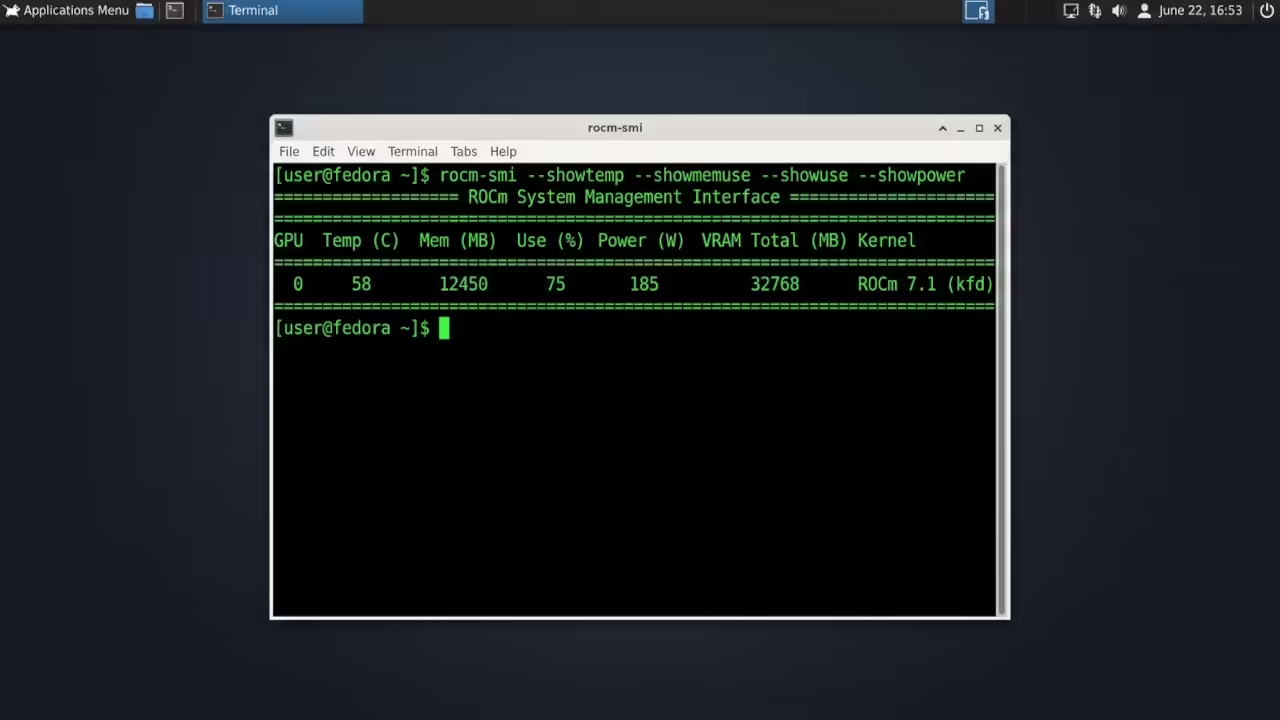
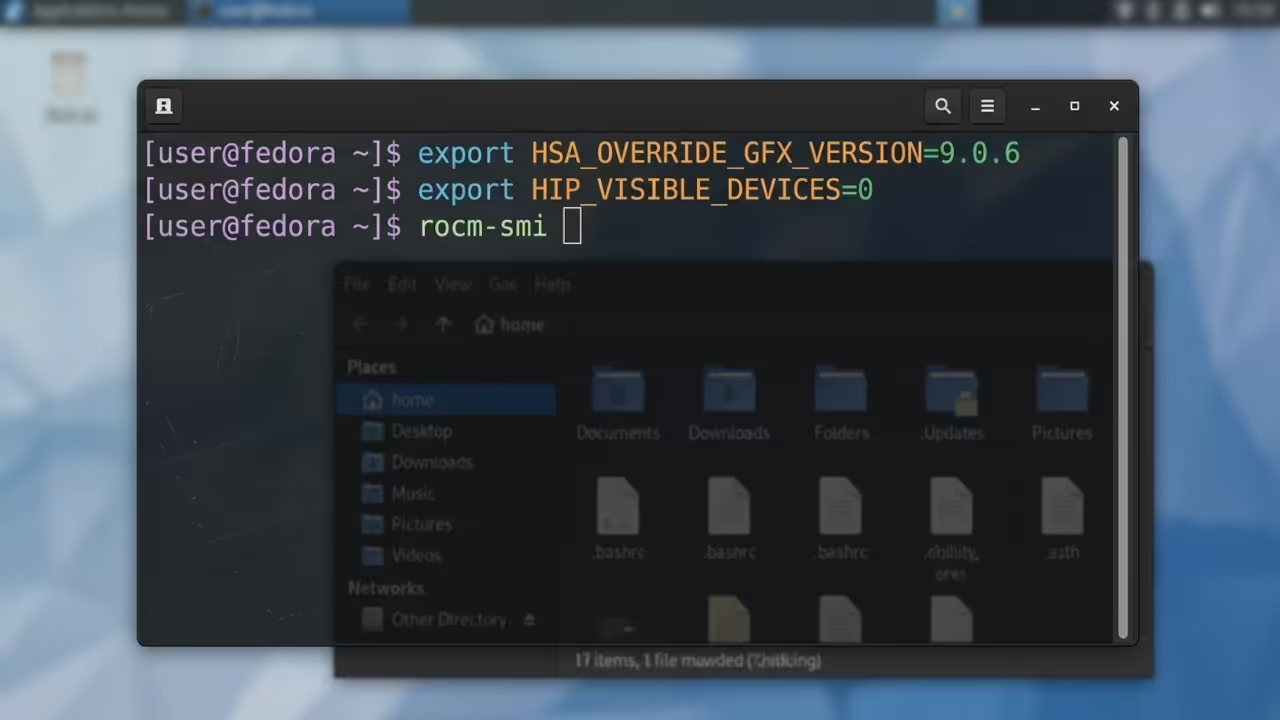
You must configure ROCm properly on Fedora systems to unlock MI60 performance for AI workloads. Setting the HSA_OVERRIDE_GFX_VERSION environment variable ensures compatibility with the gfx906 architecture identifier. Installing the rocm-hip-runtime and rocm-dev packages provides the foundation for llama.cpp pipelines. The following configuration snippet demonstrates the essential environment setup for optimal MI60 operation.
export HSA_OVERRIDE_GFX_VERSION=9.0.6
export HIP_VISIBLE_DEVICES=0
rocm-smi
This configuration forces the ROCm stack to recognize the MI60 hardware correctly. Without this override many ROCm applications fail to initialize the device properly.
Hardware Comparison Strengths And Weaknesses
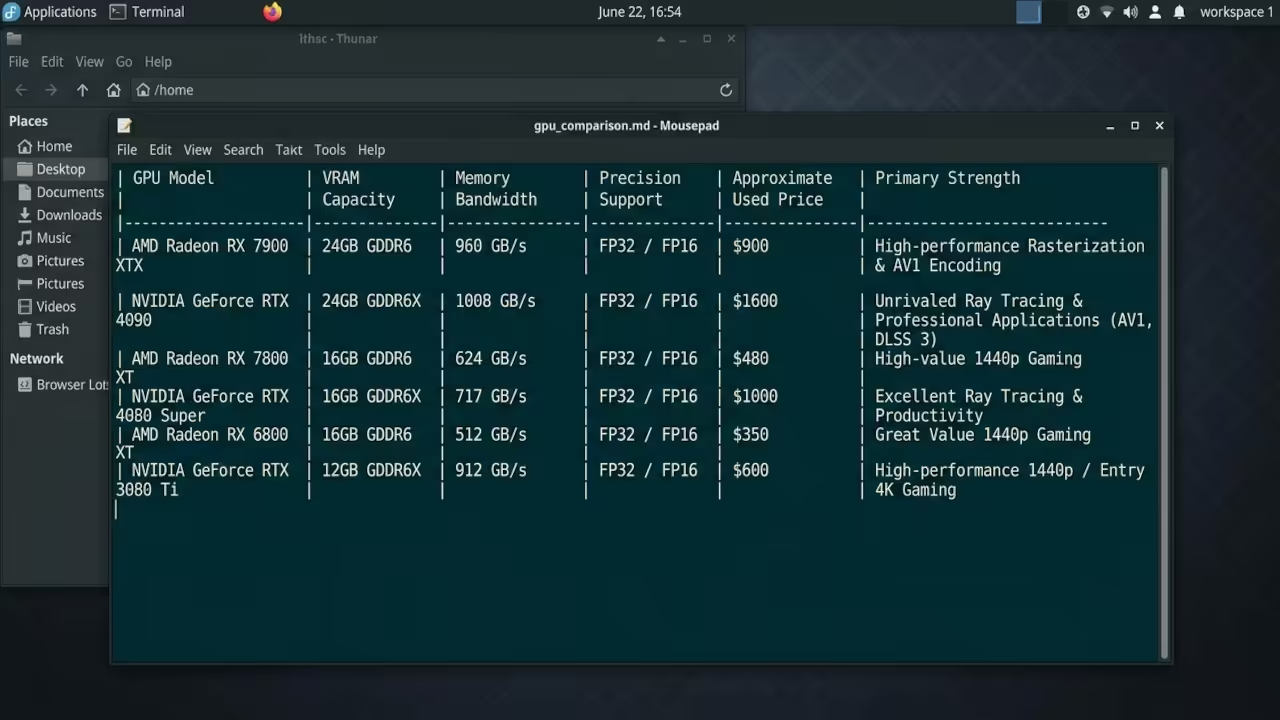
The hardware comparison reveals clear strengths and weaknesses for each category. Enterprise cards provide massive VRAM and memory bandwidth at the cost of gaming convenience. Consumer GPUs deliver plug and play gaming with respectable AI performance but hit VRAM walls. Used Nvidia enterprise cards bridge the gap with Tensor Core acceleration and professional memory configurations.
| GPU Model | VRAM Capacity | Memory Bandwidth | Precision Support | Approximate Used Price | Primary Strength |
|---|---|---|---|---|---|
| AMD Instinct MI60 | 32GB HBM2 | 1.02 TB/s | FP16 BF16 Software | 250 to 350 USD | Best VRAM per dollar ratio |
| Nvidia A100 40GB | 40GB HBM2e | 1.56 TB/s | FP16 BF16 TF32 | 5000 to 8000 USD | Tensor Core acceleration |
| Nvidia RTX A6000 | 48GB GDDR6 | 768 GB/s | FP16 BF16 | 3800 to 4500 USD | Professional workstation card |
| Nvidia L40S | 48GB GDDR6 | 960 GB/s | FP8 FP16 BF16 | 4000 to 6000 USD | Native FP8 support |
| Nvidia RTX 4090 | 24GB GDDR6X | 1.01 TB/s | FP8 FP16 BF16 | 1500 to 1800 USD | Gaming and AI hybrid |
| Nvidia RTX 5090 | 32GB GDDR7 | 1.80 TB/s | FP8 FP16 BF16 | 2000 to 2500 USD | Next generation consumer flagship |
| GPU Model | VRAM Capacity | Memory Bandwidth | Precision Support | Approximate Used Price | Primary Strength |
The MI60 remains the ultimate budget choice for enthusiasts who prioritize VRAM capacity above all else. Its thirty two gigabytes of HBM2 memory fits models that cannot load on smaller consumer cards. The technical configuration required for ROCm compatibility serves as a minor barrier for newcomers. However the performance per dollar ratio becomes impossible to ignore once the system is configured. This topic connects directly to previous deep dives on Vulkan compute optimization and ROCm kernel tuning.
Master The Professional Stack
Transform your hardware knowledge into production ready AI infrastructure with these architectural blueprints. Every configuration strategy and optimization technique builds upon proven enterprise grade methodologies.
- Books Technical and Creative: https://www.amazon.com/stores/Edward-Ojambo/author/B0D94QM76N
- Blueprints DIY Woodworking Projects: https://ojamboshop.com
- Tutorials Continuous Learning: https://ojambo.com/contact
- Consultations Custom Apps and Architecture: https://ojamboservices.com/contact
🚀 Recommended Resources
Disclosure: Some of the links above are referral links. I may earn a commission if you make a purchase at no extra cost to you.
Leave a Reply