
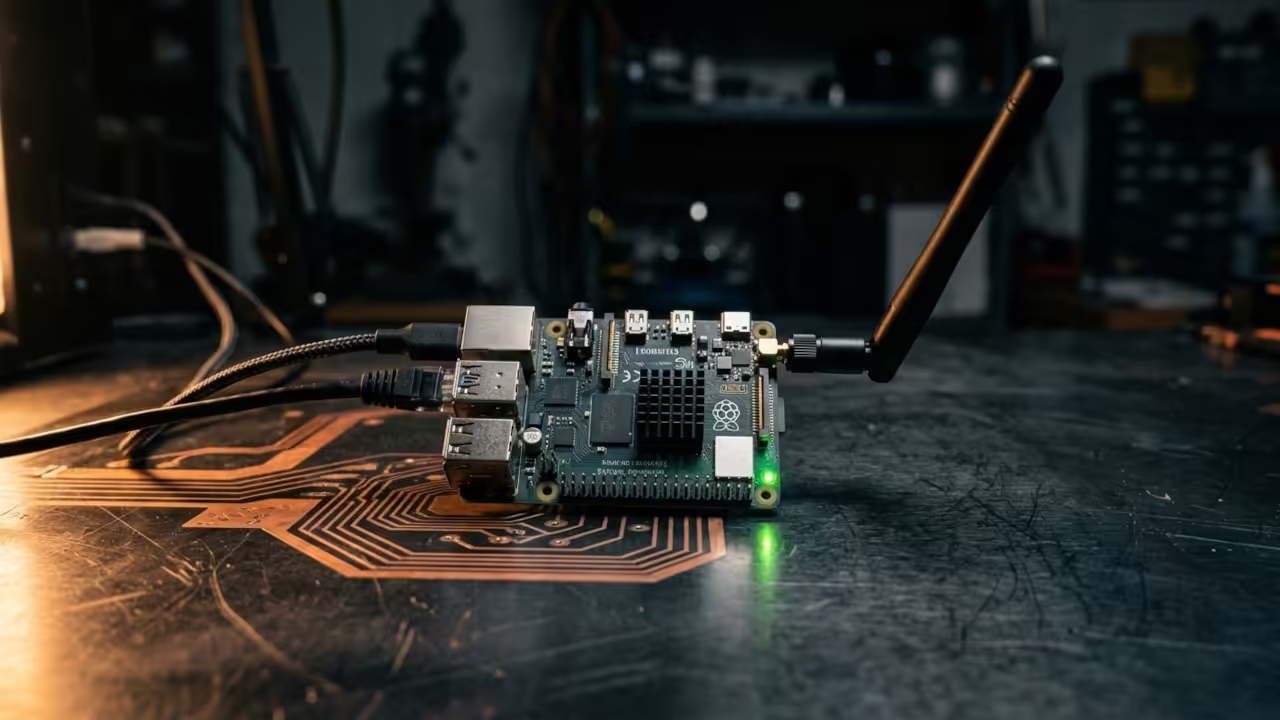
Self Hosted OpenTTD Dedicated Server On Raspberry Pi Zero W
The transport simulation community faces a brutal infrastructure problem. Most multiplayer servers demand expensive cloud hosting subscriptions. Your friends scatter across disconnected game instances every single night.
You deserve a persistent world that runs twenty four seven. A Raspberry Pi Zero W transforms into the perfect dedicated OpenTTD server. This tiny ARMv6 board costs less than fifteen dollars. It consumes barely two watts of power while hosting your entire transport empire.
The OpenTTD dedicated server builds cleanly from source on this hardware. Players connect through port 3979 without any cloud provider middleman. You gain complete sovereignty over your multiplayer transport simulation.
Compilation Strategy For ARMv6
Building the server demands a specific compilation strategy. The Pi Zero W carries only five hundred twelve megabytes of RAM. Cross compiling from your desktop machine prevents out of memory crashes during the build process.
The CMake flag OPTION_DEDICATED equals ON strips away all graphical dependencies. This produces a lean binary that fits comfortably on a four gigabyte SD card. The resulting server binary weighs under two megabytes. It handles multiple simultaneous players with zero frame drops.
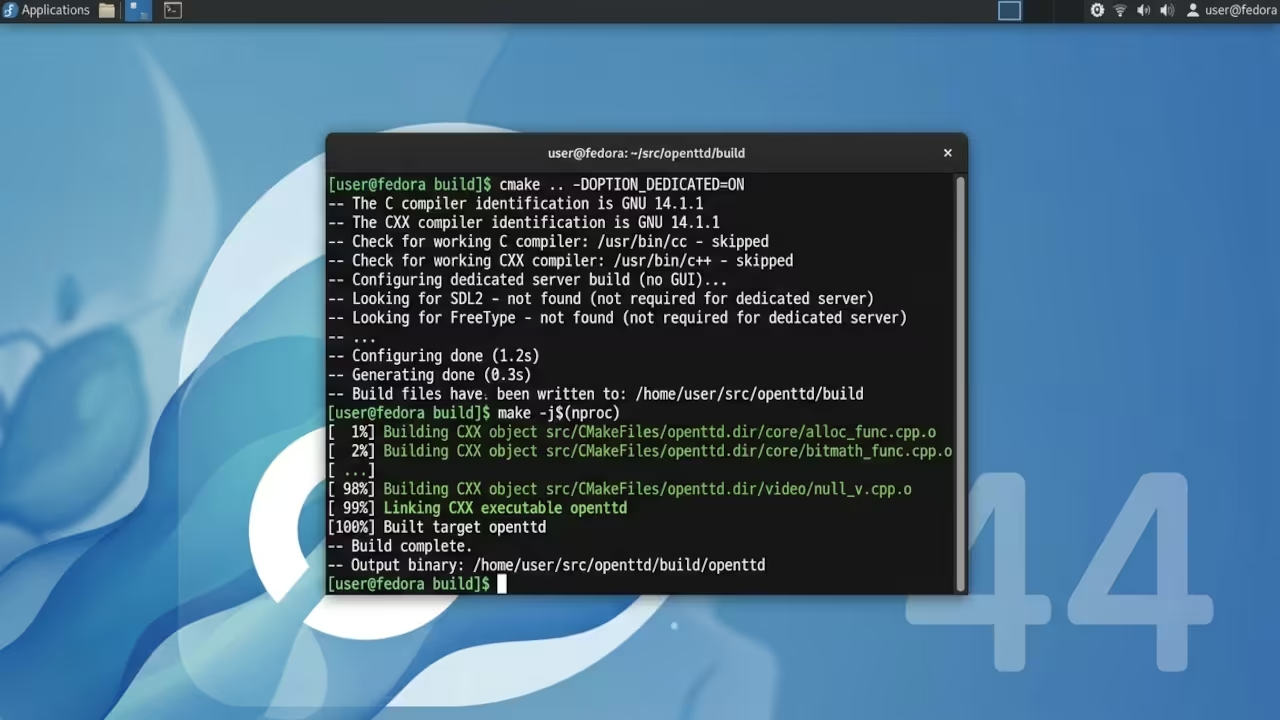
mkdir build && cd build
cmake -DCMAKE_TOOLCHAIN_FILE=raspberry-pi-zero.cmake -DOPTION_DEDICATED=ON ..
make -j4
Server Configuration
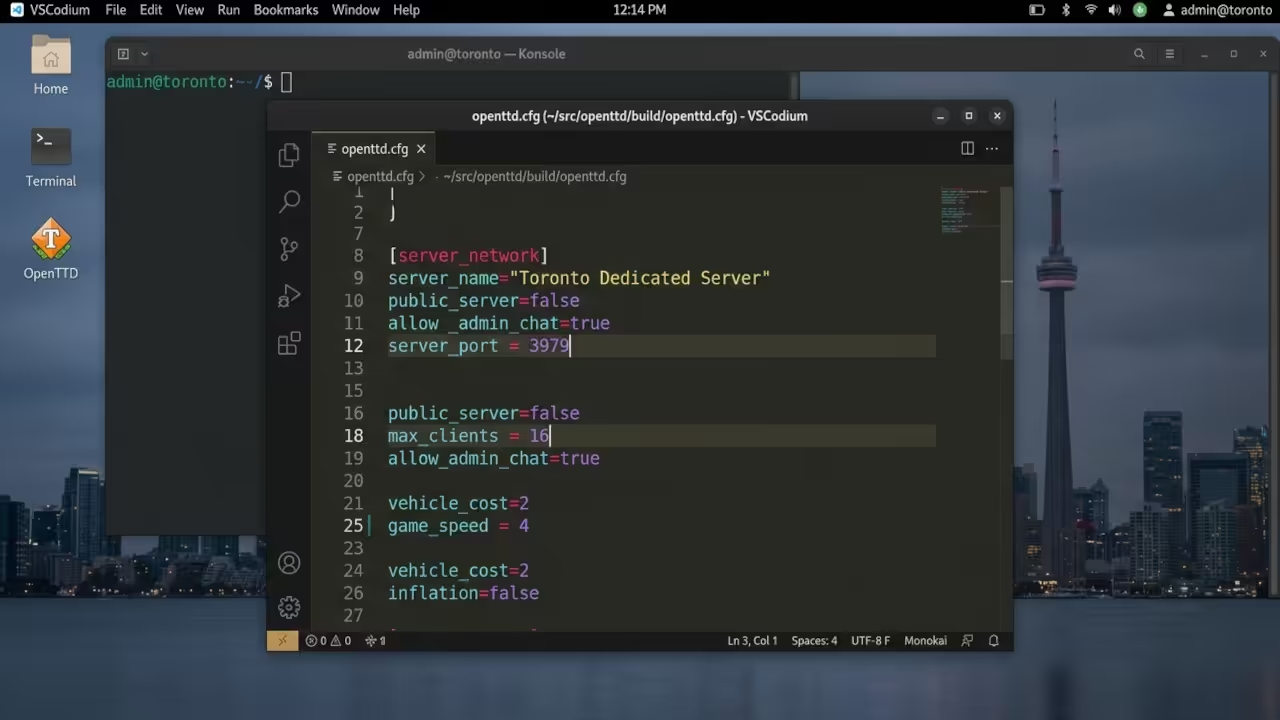
The openttd.cfg file controls every server parameter through simple key value pairs. Network settings determine how players discover and join your transport world. The server_port value defaults to 3979 for both TCP and UDP traffic.
Max_clients defines the maximum number of simultaneous companies on your server. Game_speed locks the simulation tick rate for consistent performance across all clients.
server_port=3979
max_clients=16
game_speed=4
reload_cfg=true
NewGRF Content Management
NewGRF configuration requires careful path management on the constrained Pi Zero W filesystem. Each content pack loads through the newgrf directory listing in openttd.cfg. The server validates every NewGRF MD5 checksum before allowing client connections.
Mismatched content packs trigger automatic download prompts for joining players. This ensures complete synchronization across your entire multiplayer transport network.
Systemd Service Configuration
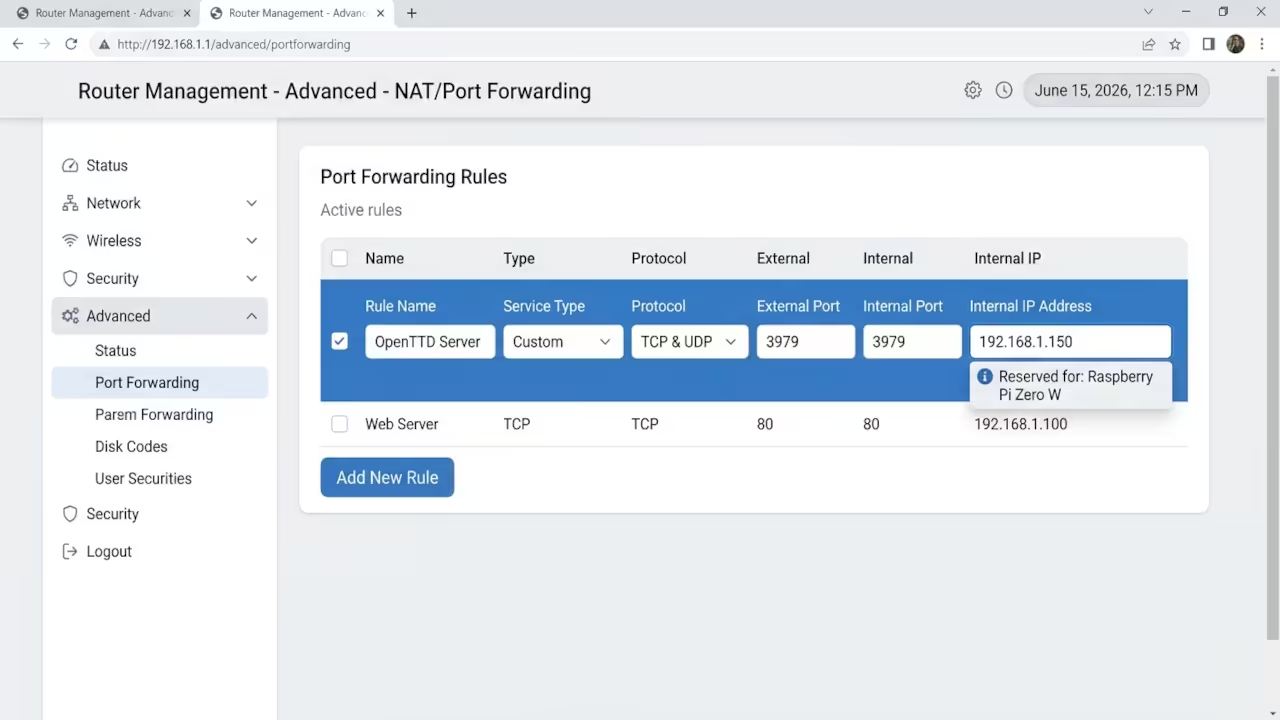
The firewall configuration demands explicit port rules for external player access. Both TCP and UDP traffic must flow through port 3979 on your router. Your router port forwarding settings map the external port to the Pi Zero W internal IP address.
The systemd service file ensures automatic server restart after any unexpected crash. This creates a truly hands off persistent multiplayer environment.
[Unit]
Description=OpenTTD Dedicated Server
After=network.target
[Service]
Type=simple
ExecStart=/usr/local/bin/openttd -D -g savegame.sav
Restart=always
WorkingDirectory=/home/pi/openttd
[Install]
WantedBy=multi-user.target
Cross Compilation Advantage
Cross compilation remains the single biggest time saver for Pi Zero W development. Your desktop Ryzen processor crushes through the build in minutes instead of hours. The CMake toolchain file points to the correct ARMv6 sysroot and compiler binaries.
This approach completely bypasses the five hundred twelve megabyte memory limitation. The compiled binary transfers via USB and runs natively on the Pi Zero W. You avoid installing a complete development toolchain on the constrained device.
| Device | RAM | Processor | Power Draw | Server Capacity | Cost |
|---|---|---|---|---|---|
| Raspberry Pi Zero W | 512MB | ARM11 1GHz | 2 watts | 16 clients | Under $15 |
| Raspberry Pi 4 Model B | 4GB | Cortex A72 1.5GHz | 4 watts | 32 clients | $35 |
| Cloud VPS Basic | 1GB | x86 Shared | N/A | 16 clients | $5 per month |
| Cloud VPS Premium | 4GB | x86 Dedicated | N/A | 64 clients | $20 per month |
| Device | RAM | Processor | Power Draw | Server Capacity | Cost |
Digital Sovereignty
Self hosting OpenTTD on the Raspberry Pi Zero W represents pure digital sovereignty. You control every aspect of your multiplayer transport simulation infrastructure. The fifteen dollar investment replaces monthly cloud hosting subscriptions permanently.
Your friends enjoy a persistent world that never demands payment renewal. The two watt power draw makes this the most efficient game server per client ratio available. This project connects directly to the self hosting philosophy explored in previous technical deep dives about infrastructure independence and personal server architecture.
Master The Professional Stack
Every infrastructure decision traces back to architectural principles documented in my technical books. These blueprints transform hobbyist setups into production grade self hosting environments.
- Books (Technical and Creative): https://www.amazon.com/stores/Edward-Ojambo/author/B0D94QM76N
- Blueprints (DIY Woodworking Projects): https://ojamboshop.com
- Tutorials (Continuous Learning): https://ojambo.com/contact
- Consultations (Custom Apps and Architecture): https://ojamboservices.com/contact
🚀 Recommended Resources
Disclosure: Some of the links above are referral links. I may earn a commission if you make a purchase at no extra cost to you.