
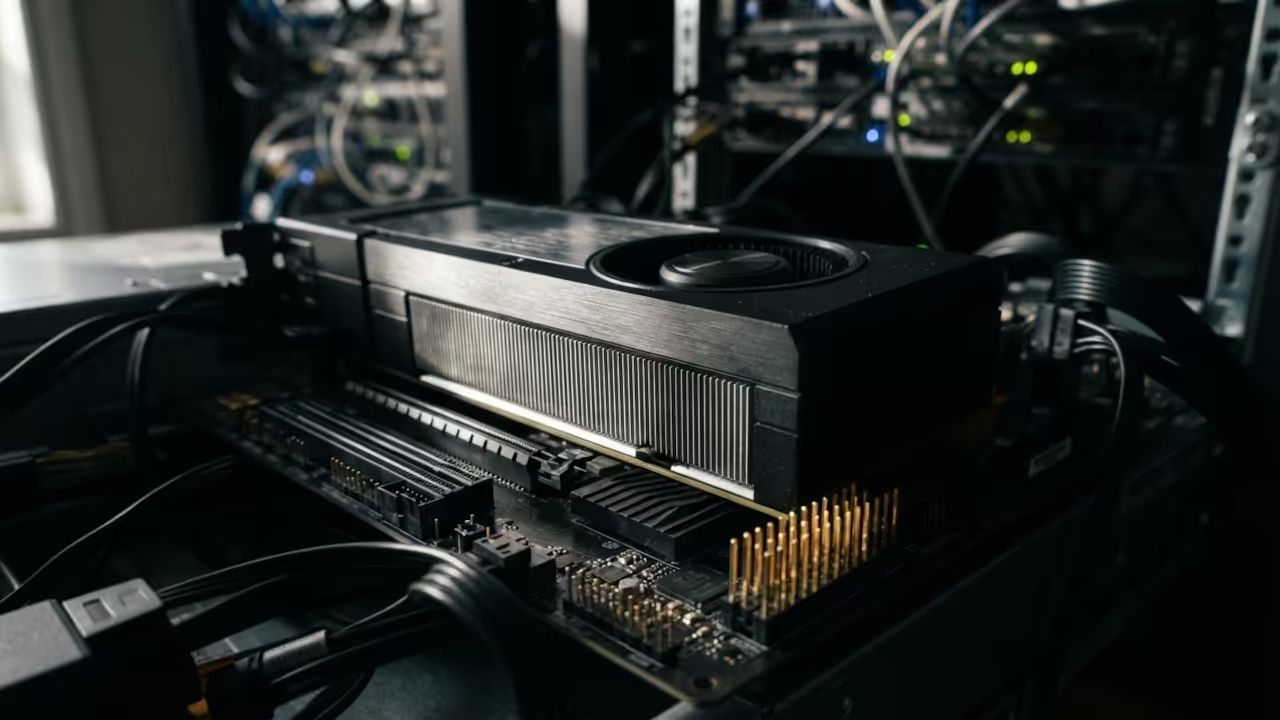
The VRAM Reality Check
You are burning through thousands of dollars on consumer graphics cards while a forgotten enterprise accelerator sits on the used market for a fraction of the price. The AMD Instinct MI60 carries thirty two gigabytes of HBM2 memory and delivers over one terabyte per second of memory bandwidth. Meanwhile the RTX 4090 offers only twenty four gigabytes and costs nearly five times as much on the secondary market.
This is not a hypothetical debate. This is a hardware reality that most tech enthusiasts completely overlook when building their next workstation.
Enterprise Architecture Meets Home Computing
The MI60 was designed for data centers and high performance computing clusters. It features four thousand ninety six stream processors running on the Vega twenty architecture with a base clock of one thousand two hundred megahertz and a boost clock reaching one thousand eight hundred megahertz. That massive memory pool becomes the decisive advantage when you need to load large language models entirely into GPU memory without spilling to system RAM.
Consumer cards simply cannot match that capacity at any reasonable price point.
Real World Implementation Experience
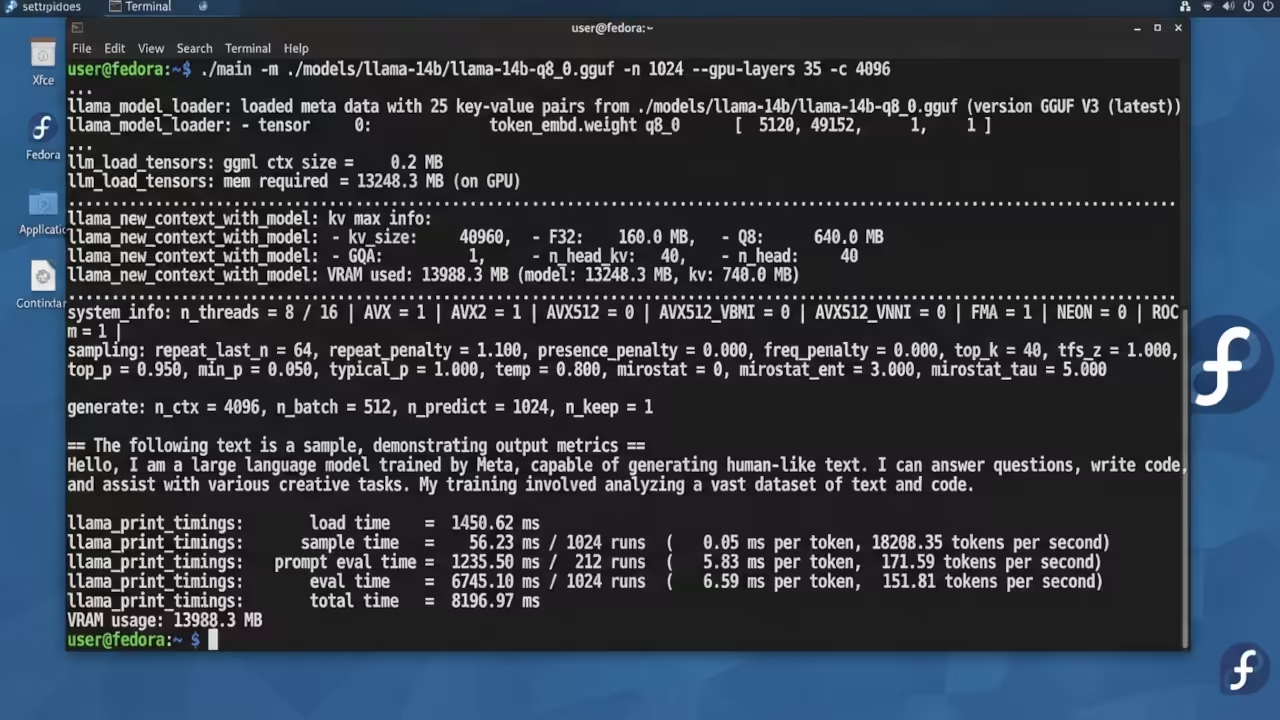
I have been running the MI60 on Fedora with Xfce and X11 for months now. The experience of watching a fourteen billion parameter model load entirely into GPU memory and respond at smooth token rates is genuinely transformative. You stop worrying about quantization levels that destroy model quality just to fit into twenty four gigabytes.
The card runs silently under a blower cooler designed for rack mount environments. My Ryzen five five thousand six hundred GT handles the display output through its integrated graphics while the MI60 focuses purely on compute workloads.
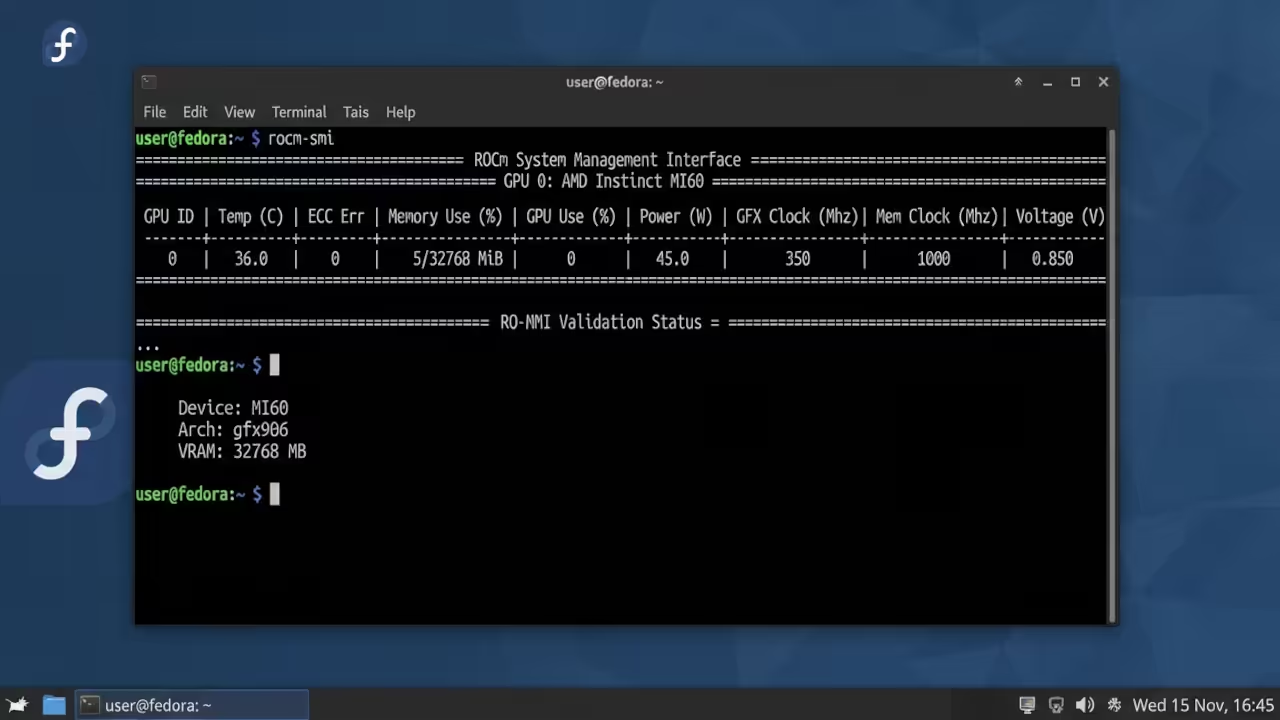
Hardware Comparison Breakdown
| Parameter | AMD Instinct MI60 | RTX 3090 | RTX 4090 |
|---|---|---|---|
| Memory | 32 GB HBM2 | 24 GB GDDR6X | 24 GB GDDR6X |
| Memory Bandwidth | 1 TB per second | 936 GB per second | 1008 GB per second |
| Stream Processors | 4096 | 10496 CUDA | 16384 CUDA |
| Display Outputs | None | HDMI and DisplayPort | HDMI and DisplayPort |
| TBP | 300 watts | 350 watts | 450 watts |
| Used Market Price | 200 to 400 dollars | 600 to 800 dollars | 1400 to 1600 dollars |
| Architecture | Vega 20 | Ampere | Ada Lovelace |
| ROCm Support | Native gfx906 | Limited | Limited |
| Parameter | AMD Instinct MI60 | RTX 3090 | RTX 4090 |
Gaming And Rendering Configuration
Gaming on the MI60 requires a specific architectural approach that most guides fail to mention. The card has zero display outputs so you must route your display through a secondary GPU or integrated graphics. Vulkan based applications can target the MI60 for rendering while your display adapter handles the output signal.
This configuration works surprisingly well for Blender rendering because Cycles supports HIP and Vulkan backends on AMD hardware. You gain access to thirty two gigabytes of VRAM for scene complexity that would crash a standard consumer card.
ROCm Build Configuration For LLM Inference
The insider detail that changes everything is the ROCm hipBLAS configuration for llama cpp inference. You need to compile llama cpp with ROCm support enabled and point the HIP_PLATFORM variable to amd before building. The command sequence requires setting the HIP_PATH to your ROCm installation directory and ensuring the amdgpu kernel module loads with the correct firmware for the gfx906 device. Raw code snippets for the build configuration belong in the technical breakdown section of this guide.
export HIP_PLATFORM=amd
export HIP_PATH=/opt/rocm
export HSA_OVERRIDE_GFX_VERSION=9.0.6
cmake -DGGML_HIP=ON -DAMDGPU_TARGETS=gfx906 ..
make -j$(nproc)
Blender Rendering Performance
The Blender rendering workflow benefits enormously from that massive HBM2 memory pool. Complex scenes with high resolution textures and dense geometry load entirely into VRAM without triggering system memory fallbacks. The memory bandwidth of one terabyte per second keeps the compute units fed with data during heavy ray tracing operations.
You will notice significantly faster render times on scenes that would bottleneck a consumer card with smaller memory capacity.
Local LLM Inference Workloads
Local LLM inference represents the strongest use case for the MI60 in a home lab environment. Models like Qwen two point five fourteen billion parameters or Meta Llama three point one eight billion parameters run comfortably in higher quantization formats. The Q8 format preserves model quality far better than the Q4 quantization you are forced to use on twenty four gigabyte cards.
Token generation speeds reach fifty eight tokens per second on the eight billion parameter models which is more than adequate for interactive chat applications.
Power And Thermal Considerations
The power consumption profile of the MI60 is also worth considering for home builds. At three hundred watts total board power it draws less than both the RTX 3090 and RTX 4090 under sustained workloads. The blower cooler moves heat directly out of the case which keeps your internal temperatures lower than dual or triple fan consumer cards.
This thermal advantage becomes important when you run inference sessions lasting several hours without interruption.
Master The Professional Stack
The architectural decisions behind enterprise GPU repurposing require deep technical blueprints that go far beyond basic hardware reviews. My published works break down the complete system integration strategies for ROCm stacks Vulkan rendering pipelines and local AI deployment at scale.
- Books Technical and Creative: https://www.amazon.com/stores/Edward-Ojambo/author/B0D94QM76N
- Blueprints DIY Woodworking Projects: https://ojamboshop.com
- Tutorials Continuous Learning: https://ojambo.com/contact
- Consultations Custom Apps and Architecture: https://ojamboservices.com/contact
🚀 Recommended Resources
Disclosure: Some of the links above are referral links. I may earn a commission if you make a purchase at no extra cost to you.