
The AI Video Generation Landscape Is Broken
Every cloud service demands monthly subscriptions that bleed your budget dry. Privacy concerns multiply with every prompt you submit to remote servers.
Hardware acceleration remains locked behind proprietary walled gardens that exclude AMD users entirely. You deserve better than renting compute power when your own GPU sits idle waiting for a breakthrough.
stable-diffusion.cpp delivers that breakthrough right now with native LTX 2.3 support running entirely on your local hardware.
The Experience Of Local AI Video Generation Is Liberating
I felt the moment my first LTX 2.3 video rendered completely on my AMD Instinct Mi60 with 32 gigabytes of VRAM. No waiting for cloud queues and no uploading sensitive prompts to third party servers.
The pure C slash C++ implementation of stable-diffusion.cpp processes diffusion models with efficiency that rivals proprietary solutions. Your creative workflow becomes instant and private.
The first time I generated a 33 frame video at 1280 by 720 resolution the result stunned me. Motion flowed naturally with synchronized audio emerging from the same model pass.
The Gemma 3 12B text encoder understood nuanced prompts with remarkable precision. Spatial latent upscaling doubled the resolution without losing temporal coherence.
Architectural Breakdown Of The LTX 2.3 Pipeline
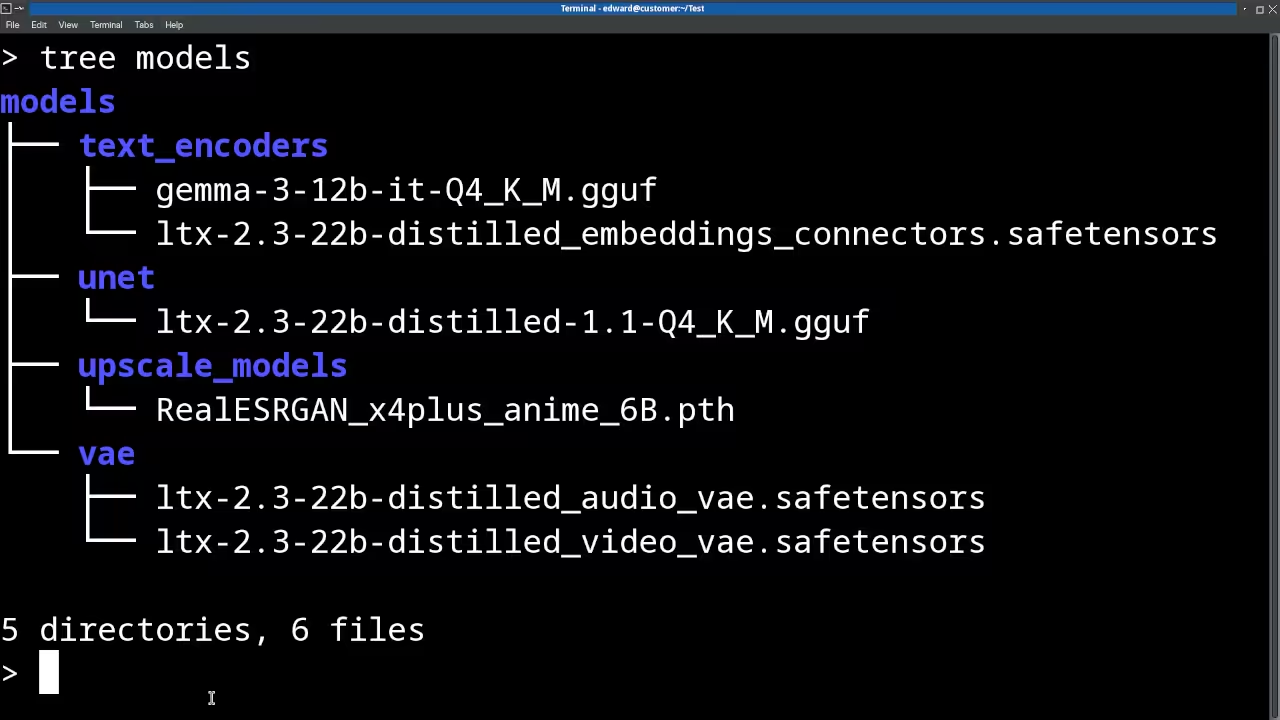
The model requires five distinct components working in harmony. The diffusion model handles the core video generation through quantized GGUF weights.
The video VAE decodes latent representations into pixel space frames. The audio VAE extracts synchronized audio from the same latent space.
The Gemma 3 12B text encoder transforms natural language prompts into embeddings. The embeddings connector bridges the text encoder output to the diffusion model input.
Text To Video Command
sd-cli -M vid_gen --diffusion-model ltx-2.3-22b-dev-UD-Q4_K_M.gguf --vae ltx-2.3-22b-dev_video_vae.safetensors --audio-vae ltx-2.3-22b-dev_audio_vae.safetensors --llm gemma-3-12b-it-qat-UD-Q4_K_XL.gguf --embeddings-connectors ltx-2.3-22b-dev_embeddings_connectors.safetensors -p "a lovely cat sitting on a windowsill watching rain" --cfg-scale 6.0 --sampling-method euler -v -n "worst quality, low quality, blurry, distorted, artifacts" -W 1280 -H 720 --diffusion-fa --offload-to-cpu --video-frames 33 --fps 24 -o output.webm
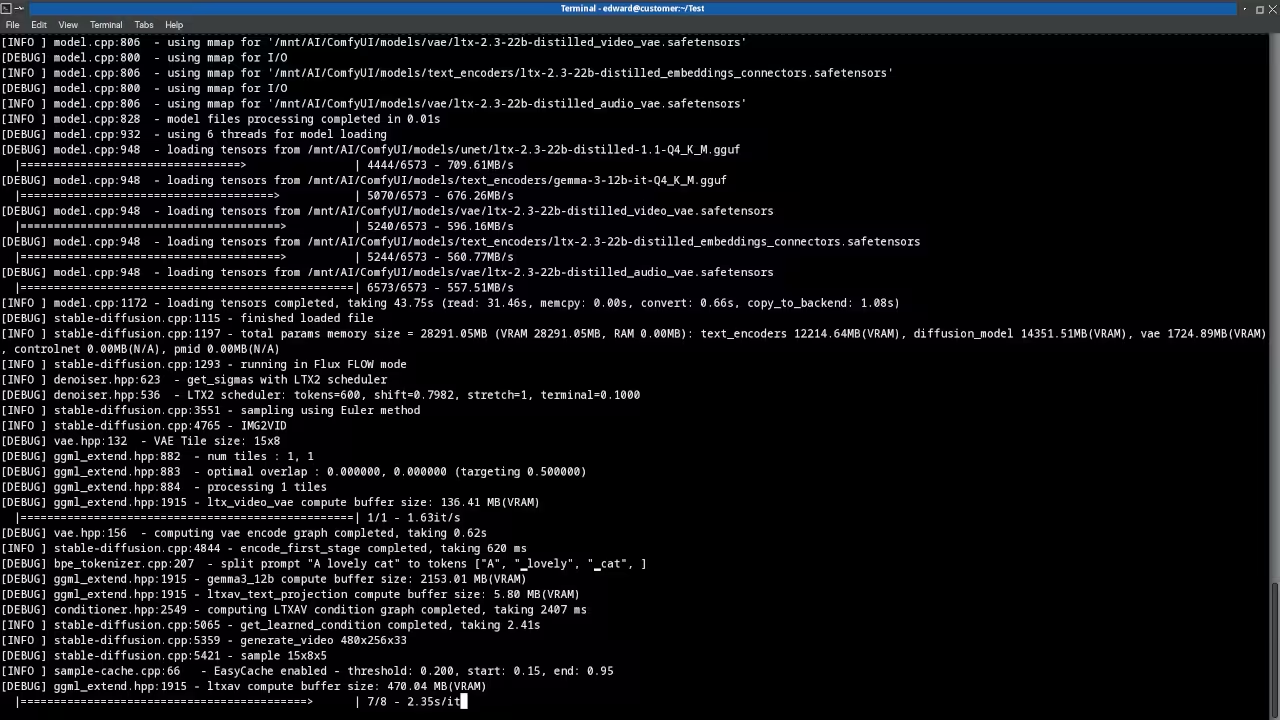
The insider secret that most tutorials miss involves the offload to CPU flag combined with diffusion fast attention. On systems with 32 gigabytes of VRAM like my AMD Instinct Mi60 this combination keeps the entire pipeline in GPU memory while still providing graceful fallback for the text encoder.
The Q4 quantization level strikes the perfect balance between quality and memory footprint. You get production quality video without needing 48 gigabytes of VRAM.
LTX Spatial Latent Upscale Changes Everything
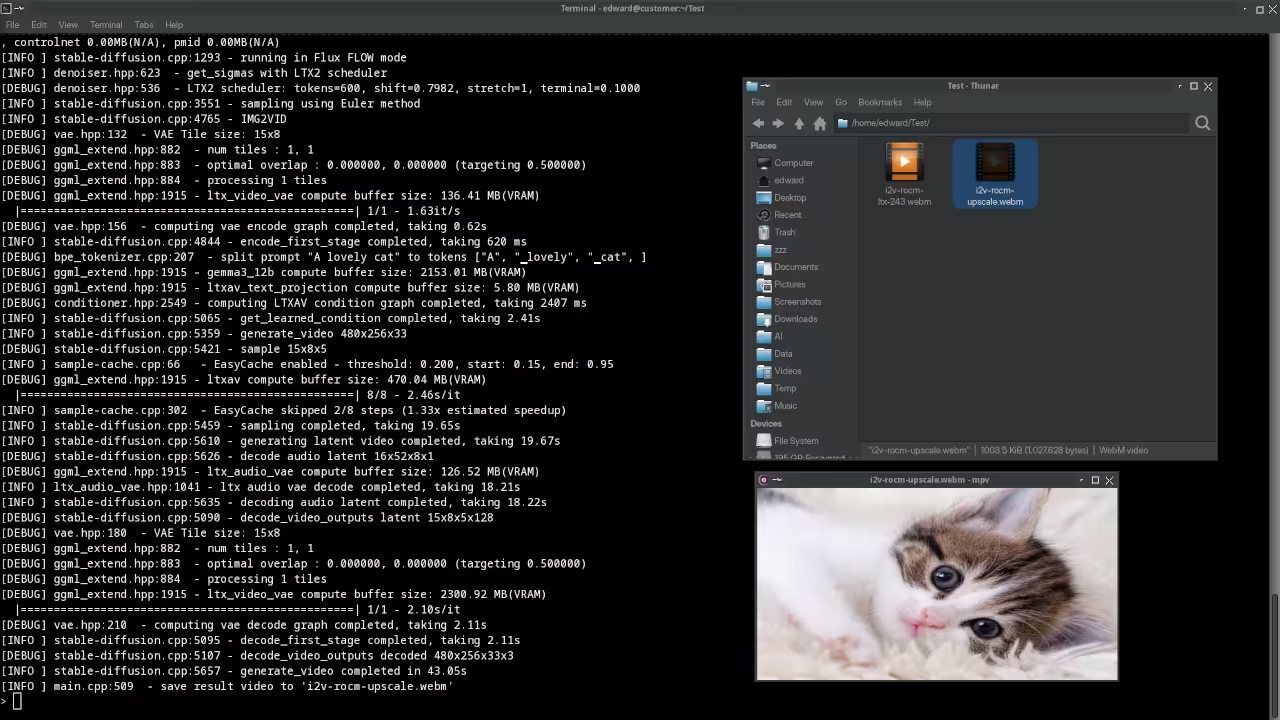
The two stage pipeline generates low resolution video first then upscales through a dedicated model backed upsampler. This approach produces results that rival single pass high resolution generation while using significantly less memory during the initial pass.
High Resolution Image To Video Command
sd-cli -M vid_gen --diffusion-model ltx-2.3-22b-dev-UD-Q4_K_M.gguf --vae ltx-2.3-22b-dev_video_vae.safetensors --audio-vae ltx-2.3-22b-dev_audio_vae.safetensors --llm gemma-3-12b-it-qat-UD-Q4_K_XL.gguf --embeddings-connectors ltx-2.3-22b-dev_embeddings_connectors.safetensors --hires-upscalers-dir latent_upscale_models --hires-upscaler ltx-2.3-spatial-upscaler-x2-1.1 --hires --hires-steps 4 -p "a cinematic drone shot over misty mountains at golden hour" --cfg-scale 6.0 --sampling-method euler -v -W 640 -H 360 --diffusion-fa --offload-to-cpu --video-frames 33 -i reference_image.png -o hires_i2v.webm
Notice how the width and height parameters specify the low resolution base while the spatial upsampler doubles the output to 1280 by 720. The hires steps parameter controls refinement quality with four steps providing excellent results without excessive compute time.
Hardware And Model Comparison Table
Understanding the resource requirements helps you plan your deployment strategy effectively. The Q4 quantization level works perfectly on 32 gigabyte VRAM cards like the AMD Instinct Mi60.
| Parameter | Description | Value |
|---|---|---|
| LTX 2.3 Diffusion Model Q4 | Core video generation GGUF weights | 14.2 GB |
| Gemma 3 12B Text Encoder Q4 | Natural language prompt processing | 7.1 GB |
| Video VAE | Latent to pixel space decoder | 2.8 GB |
| Audio VAE | Synchronized audio extraction | 1.4 GB |
| Embeddings Connector | Text to diffusion bridge | 0.3 GB |
| Spatial Upscaler | Resolution doubling model | 3.2 GB |
| Peak VRAM Usage Q4 | Maximum GPU memory during generation | 28.5 GB |
| Minimum System RAM | CPU offload buffer requirement | 32 GB |
| Peak VRAM Usage Q8 | Higher quality quantization level | 42.1 GB |
| Generation Speed 33 Frames | Mi60 GPU with Q4 quantization | 4 minutes |
| Parameter | Description | Value |
Systems with 16 gigabytes of VRAM can still run the pipeline with aggressive CPU offloading though generation times increase significantly. The Q8 quantization provides marginally better quality but demands substantially more memory.
Building Stable Diffusion CPP For AMD ROCm
The compilation process requires the ROCm toolkit installed on your Linux system. Clone the repository recursively to pull all necessary submodules.
git clone --recursive https://github.com/leejet/stable-diffusion.cpp
cd stable-diffusion.cpp
mkdir build && cd build
cmake .. -DGGML_HIPBLAS=ON
cmake --build . --config Release
The GGML HIPBLAS flag enables AMD GPU acceleration through the ROCm compute stack. The Release configuration optimizes the binary for maximum inference speed.
On Fedora 44 with XFCE and X11 the build completes without issues when ROCm headers are properly linked.
Performance Optimization Secrets For Production Workflows
The cfg scale parameter controls prompt adherence with values between 5.0 and 7.0 producing the best quality results. The euler sampling method delivers smooth motion while the ddim alternative provides slightly sharper individual frames.
Negative prompts dramatically improve output quality by filtering common degradation patterns. The video frames parameter should be set to 33 for standard 24 FPS output lasting approximately 1.4 seconds.
The key insight that separates amateur results from professional quality involves prompt engineering specific to video generation. Describe camera movement explicitly using terms like slow pan right or gentle zoom in.
Specify lighting conditions with cinematic language such as golden hour rim light or volumetric fog. Avoid abstract concepts that the model cannot visualize temporally.
LTX 2.3 Versus Wan 2.2 The Real World Comparison
Both models excel in different scenarios requiring honest assessment of your specific needs. Wan 2.2 produces slightly higher image quality for static scenes with exceptional prompt fidelity.
LTX 2.3 delivers faster generation speeds and includes native synchronized audio output. The portrait mode support in LTX 2.3 opens unique creative opportunities that Wan 2.2 cannot replicate.
For content creators prioritizing speed and audio synchronization LTX 2.3 is the clear winner. This topic connects directly to my previous deep dive on running Z Image Turbo locally with stable-diffusion.cpp where I demonstrated the architectural breakthrough of pure C slash C++ diffusion inference.
Master The Professional Stack
Every technical breakthrough deserves proper documentation and continuous learning resources. My architectural blueprints provide the theoretical foundation and practical implementation guides for mastering local AI deployment at scale.
- Books covering technical architecture and creative AI workflows are available at https://www.amazon.com/stores/Edward-Ojambo/author/B0D94QM76N
- DIY woodworking project blueprints for building custom GPU server racks live at https://ojamboshop.com
- Continuous learning tutorials and community resources connect at https://ojambo.com/contact
- Custom application development and system architecture consultations book at https://ojamboservices.com/contact
Running LTX 2.3 locally through stable-diffusion.cpp represents the future of creative AI. No cloud dependencies and no subscription traps.
Your GPU your data your creative freedom. The open source community continues pushing boundaries faster than any proprietary solution can respond.
🚀 Recommended Resources
Disclosure: Some of the links above are referral links. I may earn a commission if you make a purchase at no extra cost to you.