
Running Stable Diffusion cpp with Z Image Turbo Q3 K GGUF 6B on AMD Instinct MI60 Linux Guide
Stable Diffusion is a popular tool for local AI image generation. This beginner level guide explains how to configure stable diffusion cpp to run the Z Image Turbo Q3 K GGUF 6B model on a Linux system using the AMD Instinct MI60 GPU with 32GB HBM2 memory. This approach allows fast image generation while keeping full control of your data.
What Is Stable Diffusion cpp
Stable diffusion cpp is a lightweight C plus plus implementation of Stable Diffusion designed for efficiency and portability. It supports CPU and GPU acceleration and works well with modern Linux systems and AMD GPUs.
Is Stable Diffusion cpp Open Source
Yes. Stable diffusion cpp is open source software. It is commonly released under the MIT license which allows use modification and redistribution for personal or commercial projects with very few restrictions.
What Is Z Image Turbo Q3 K GGUF 6B
Z Image Turbo Q3 K GGUF 6B is a quantized image generation model stored in GGUF format. Quantization reduces memory usage and improves inference speed while maintaining good visual quality. This makes it suitable for local inference on GPUs such as the AMD Instinct MI60.
System Requirements
Hardware
- GPU AMD Instinct MI60 with 32GB HBM2 recommended
- CPU 8 core x86 64 processor or better
- System memory at least 32GB with 64GB recommended
- Storage at least 20GB of free disk space
Software
- Linux operating system such as Ubuntu 22.04
- ROCm compatible with AMD Instinct MI60
- GCC or Clang compiler
- CMake
- Git
Basic Configuration Overview
Below is a simple overview of the typical setup process.
rocminfo
git clone --recursive https://github.com/leejet/stable-diffusion.cpp
cd stable-diffusion.cpp
mkdir build && cd build
if command -v rocminfo; then export GFX_NAME=$(rocminfo | awk '/ *Name: +gfx[1-9]/ {print $2; exit}'); else echo "rocminfo missing!"; fi
if [ -z "${GFX_NAME}" ]; then echo "Error: Couldn't detect GPU!"; else echo "Building for GPU: ${GFX_NAME}"; fi
cmake .. -G "Ninja" -DCMAKE_C_COMPILER=clang -DCMAKE_CXX_COMPILER=clang++ -DSD_HIPBLAS=ON -DCMAKE_BUILD_TYPE=Release -DGPU_TARGETS=$GFX_NAME -DAMDGPU_TARGETS=$GFX_NAME -DCMAKE_BUILD_WITH_INSTALL_RPATH=ON -DCMAKE_POSITION_INDEPENDENT_CODE=ON
cmake --build . --config Release
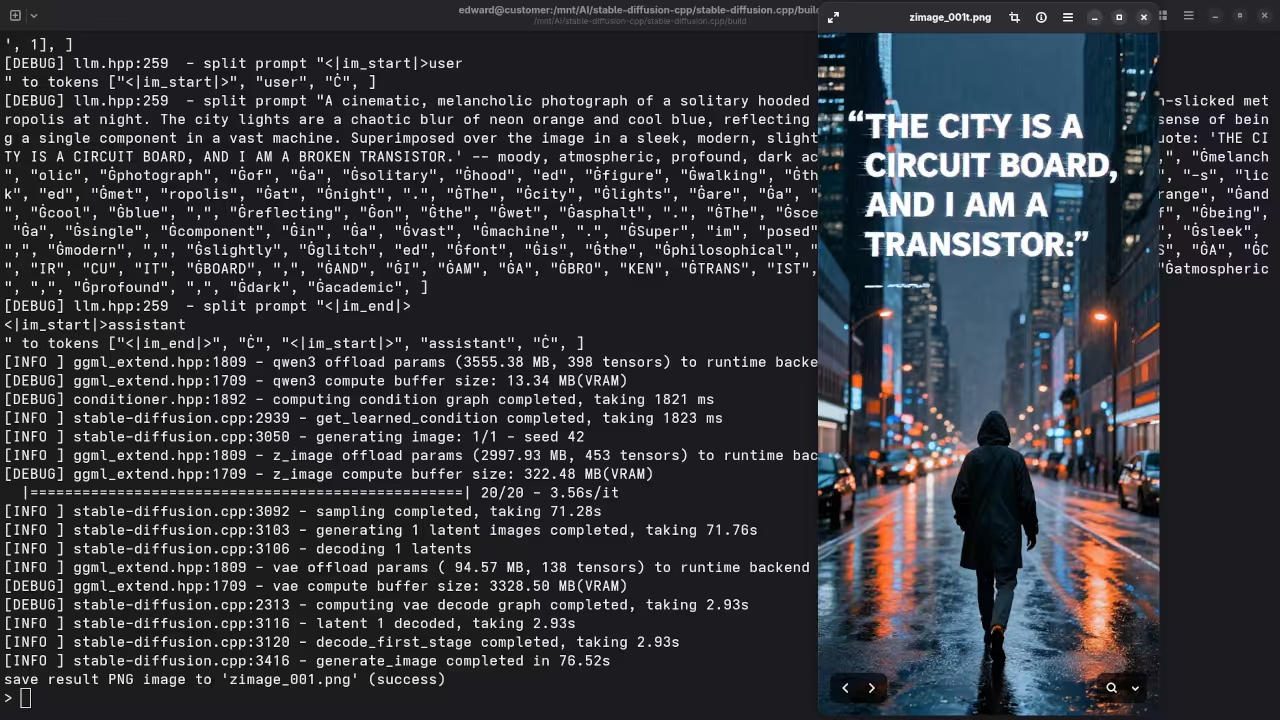
bin/sd --diffusion-model ../../ComfyUI/models/diffusion_models/z_image_turbo-Q3_K.gguf --vae ../../ComfyUI/models/vae/ae.safetensors --llm ../../ComfyUI/models/text_encoders/Qwen3-4B-Instruct-2507-Q4_K_M.gguf -p "A cinematic, melancholic photograph of a solitary hooded figure walking through a sprawling, rain-slicked metropolis at night. The city lights are a chaotic blur of neon orange and cool blue, reflecting on the wet asphalt. The scene evokes a sense of being a single component in a vast machine. Superimposed over the image in a sleek, modern, slightly glitched font is the philosophical quote: 'THE CITY IS A CIRCUIT BOARD, AND I AM A BROKEN TRANSISTOR.' -- moody, atmospheric, profound, dark academic" --cfg-scale 1.0 -v --offload-to-cpu --diffusion-fa -H 1024 -W 512 -o zimage_001.png License and Restrictions for Z Image Turbo Q3 K GGUF 6B
Z Image Turbo Q3 K GGUF 6B is released under the Apache 2.0 license.
- Commercial use is permitted
- Modification and redistribution are allowed
- Attribution and inclusion of the license notice are required
- The software is provided without warranty
Where to Place Your Models
| Model Type | Folder |
|---|---|
| Checkpoints (e.g. *.safetensors) | ComfyUI/models/checkpoints/ |
| LoRA models | ComfyUI/models/loras/ |
| VAEs | ComfyUI/models/vae/ |
| ControlNet | ComfyUI/models/controlnet/ |
Just drop your files into the appropriate folder and rerun stable-diffusion.cpp.
Test Tools
| Name | Description |
|---|---|
| CPU | AMD Ryzen 5 5600GT (6C/12T, 3.6GHz). |
| Memory | 32GB DDR4. |
| GPU | AMD Instinct MI60 (32GB HBM2). |
| Operating System | Fedora Linux Workstation 43. |
| Desktop Environment | Gnome 49. |
| Name | Description |
Screenshots and Screencast
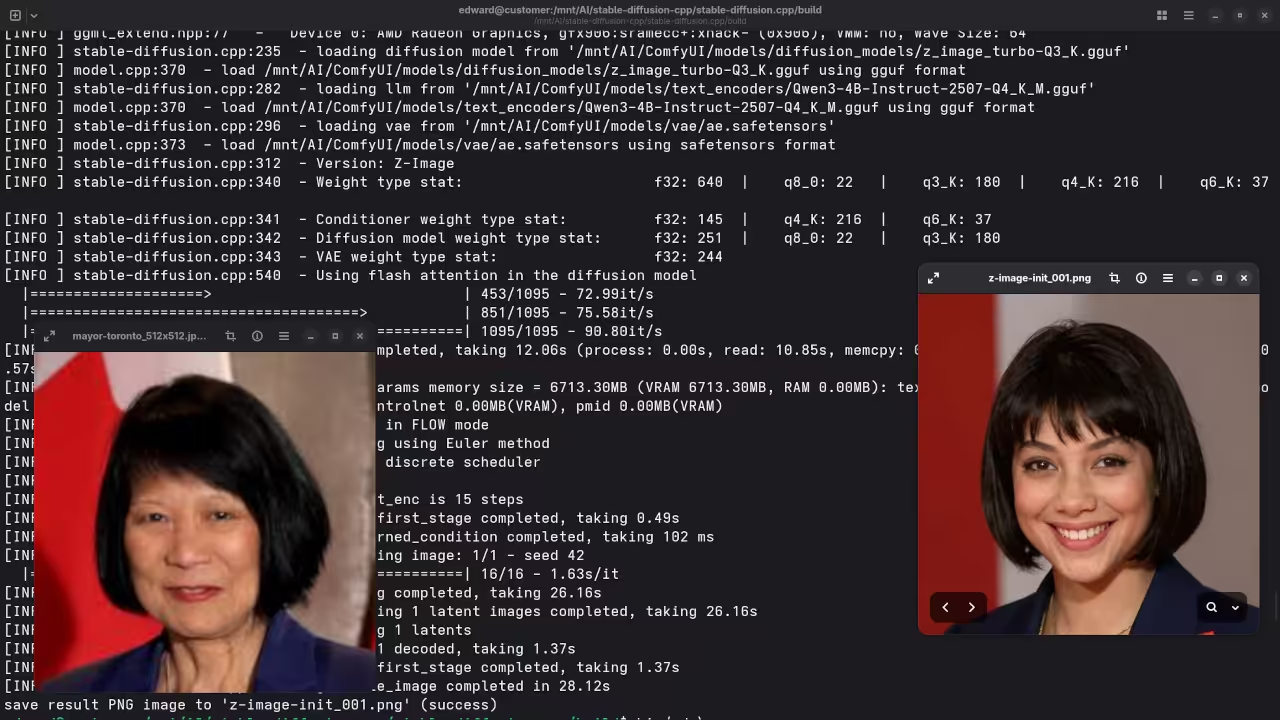
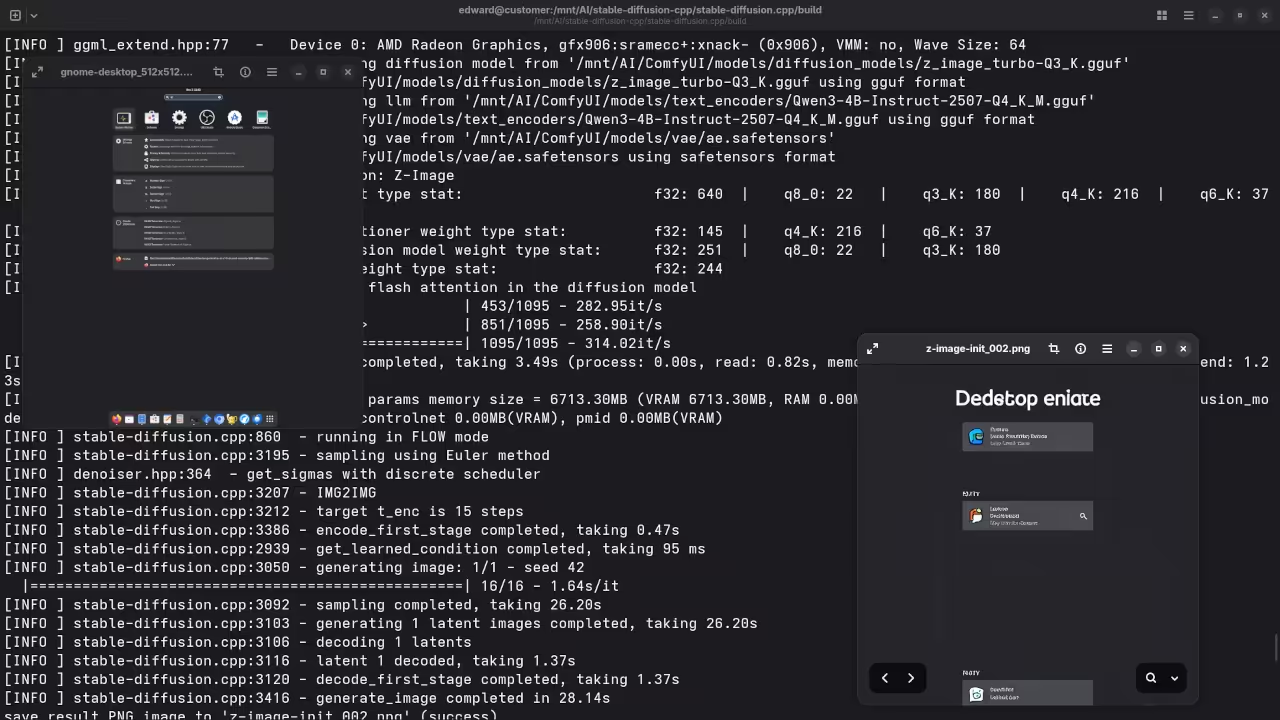
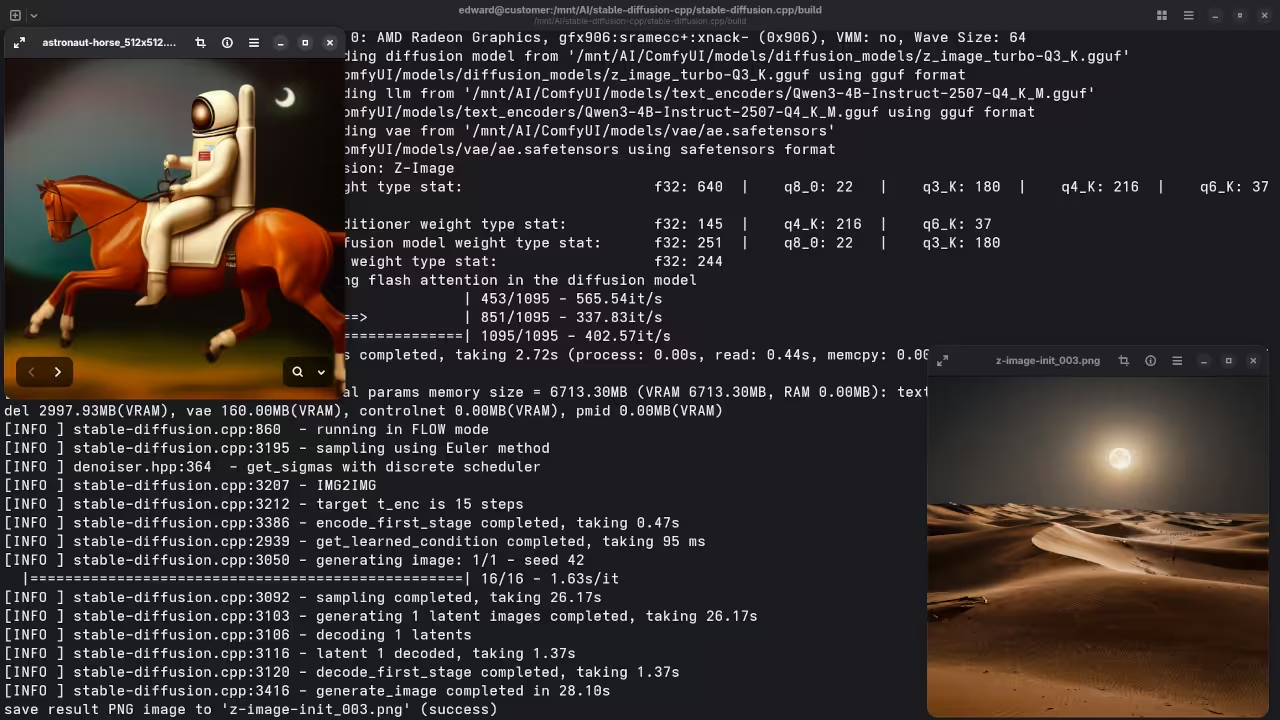
Here’s where you’ll find a visual walkthrough of setting up Z-Image-Turbo Q3_K GGUF 6B using stable-diffusion.cpp on your local system:
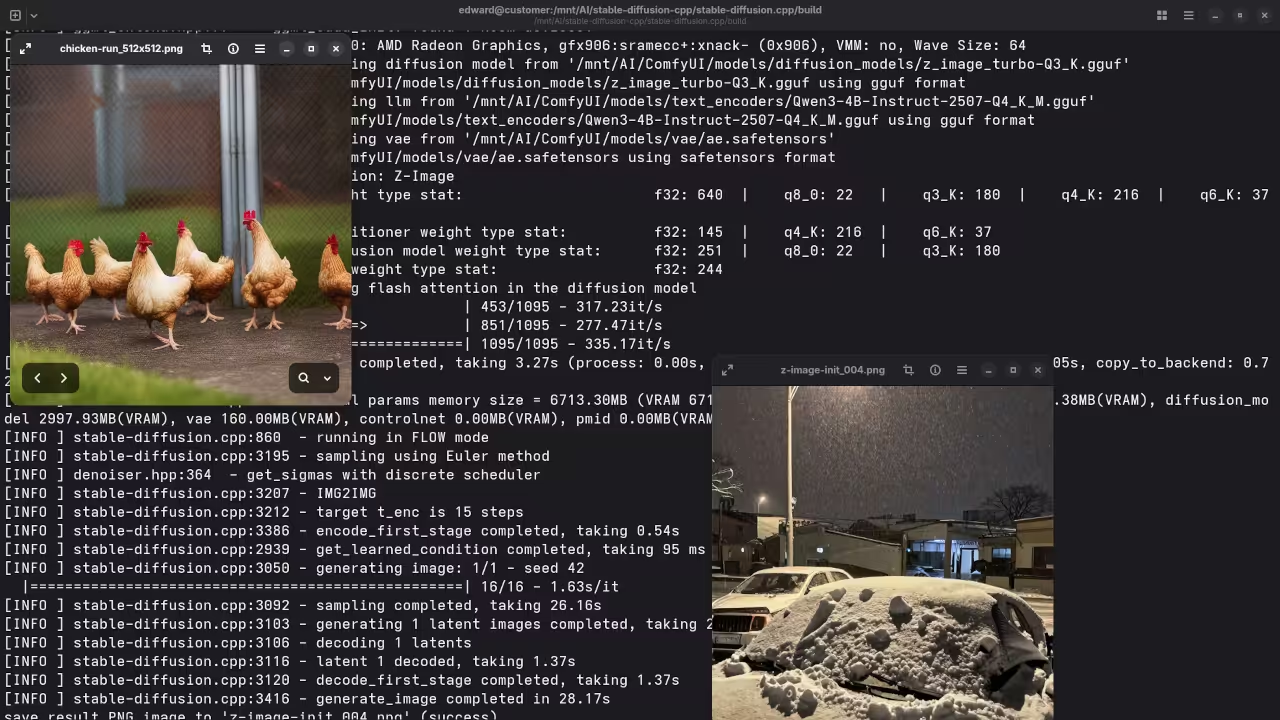
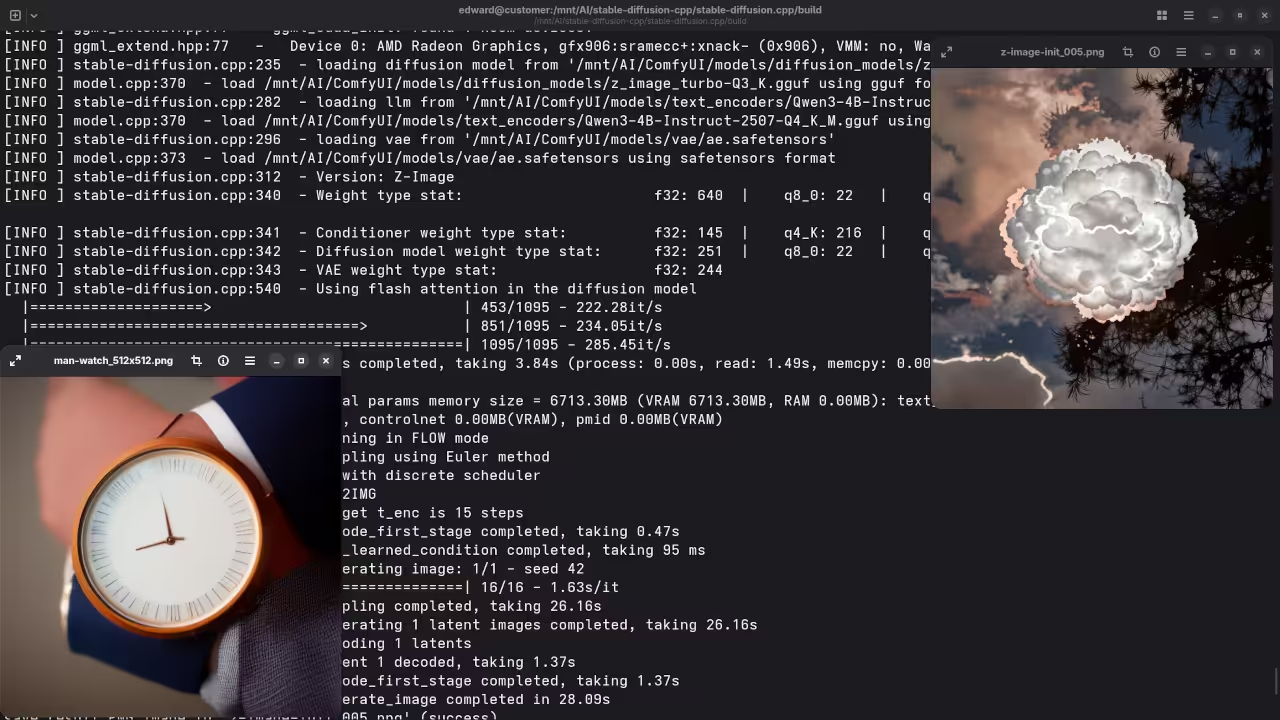
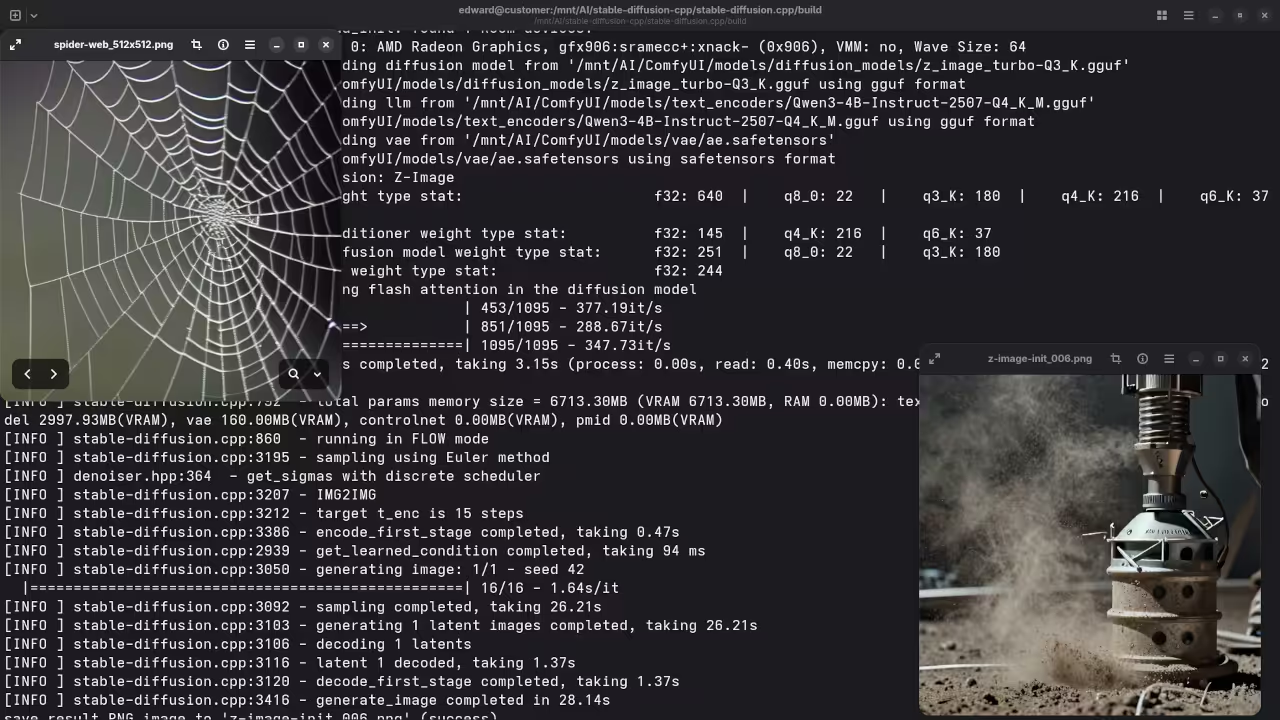
Results:
A photograph of the mayor of Toronto
De-aged mayor of Toronto.
A screenshot of the gnome desktop environment.
Reimagined a screenshot of an older version of the Gnome desktop environment.
A photograph of an astronaut riding a horse.
Accurately drew a desert for a photograph of an astronaut riding a horse.
A picture of a chicken run.
Accurately drew snow for a picture of a chicken run.
A picture of a man wearing a watch.
Accurately drew cloud for a picture of a man wearing a watch.
A picture of a spider web on sockets.
Accurately drew dust for a picture of a spider web on sockets.
Learn Python With My Book
If you want to learn Python for AI automation or general programming you can read my beginner friendly book.
Learning Python Course
I also offer a structured online course covering Python fundamentals and practical examples.
One on One Python Tutoring
I am available for personalized online Python tutoring sessions.
Contact Me for Python Tutoring
Z Image Turbo Installation and Migration Services
If you need help installing or migrating Z Image Turbo Q3 K GGUF 6B on your Linux system or GPU server I can assist.
Conclusion
Running Stable Diffusion locally with stable diffusion cpp and the AMD Instinct MI60 provides a powerful and flexible image generation environment. With the right hardware and configuration beginners can explore advanced AI workflows directly on Linux.
🚀 Recommended Resources
Disclosure: Some of the links above are referral links. I may earn a commission if you make a purchase at no extra cost to you.