
Most creators are currently wasting massive amounts of local VRAM or paying steep monthly fees for decent synthetic speech. The struggle to synchronize high quality audio with visual AI generations usually requires clunky external tools and complex timing. You are likely tired of robotic voices that ruin the immersive experience of your high end neural renders.
Experience the Future of Localized Audio Generation
Imagine hitting queue prompt and watching your character speak with perfect intonation just seconds after the pixels resolve. The feeling of a fully integrated pipeline where audio and video coexist in one workspace is truly a game changer. You gain total creative autonomy without ever leaving the node based environment that you have already mastered.
Why Kokoro 82M is the Definitive Choice
The Kokoro 82M model is a mathematical masterpiece because it delivers premium fidelity while occupying less than 100 megabytes. This efficiency allows you to run complex video diffusion models alongside the audio generation without triggering out of memory errors. It is the definitive secret for enthusiasts who want professional results on consumer grade hardware setups today.
Pro Configuration and Insider Details
To get the best results ensure you use the Espeak ng backend for phoneme processing within your ComfyUI environment. An insider tip is to adjust the speed parameter to 1.1 for a more natural conversational human cadence. This subtle tweak often removes the slight lingering pauses found in default settings for many open source TTS models.
| Parameter | Description | Value |
|---|---|---|
| Model Type | Architecture | Kokoro-82M |
| Model Size | Disk Space | 82 Million |
| VRAM Usage | Memory Footprint | Under 500MB |
| Audio Quality | Output Grade | Studio Grade |
| Parameter | Description | Value |
Master the Professional Stack
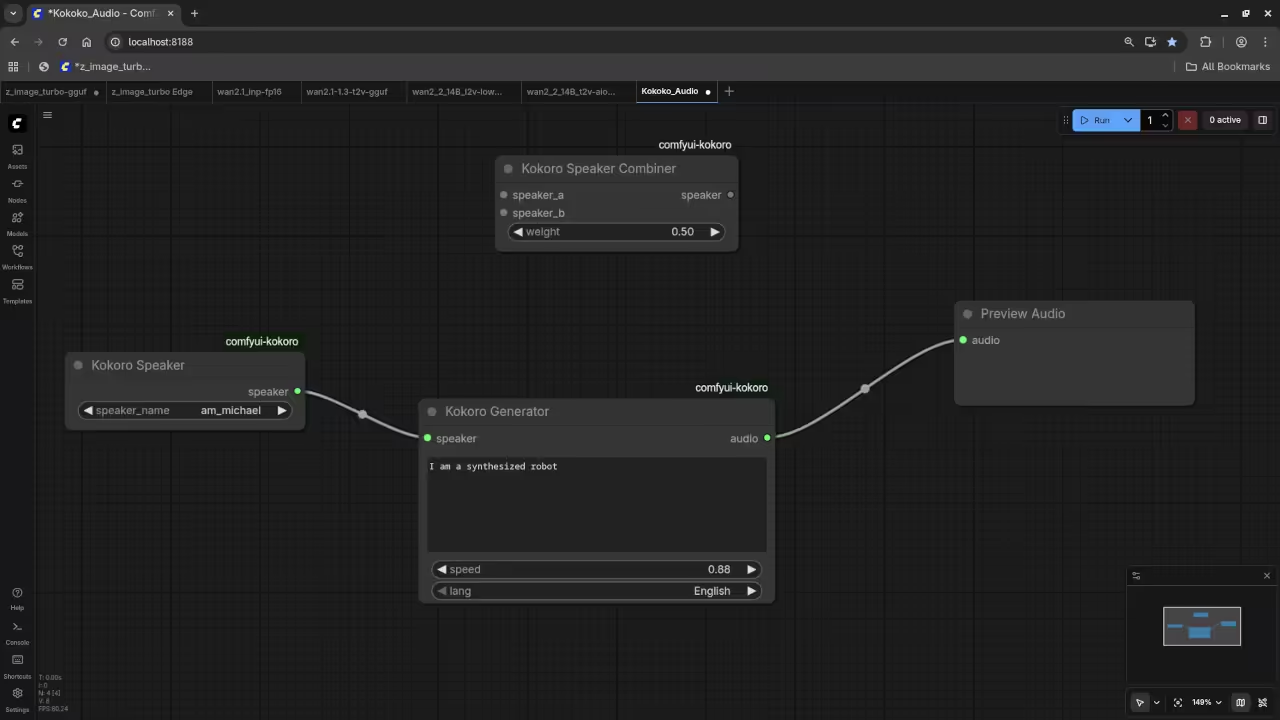
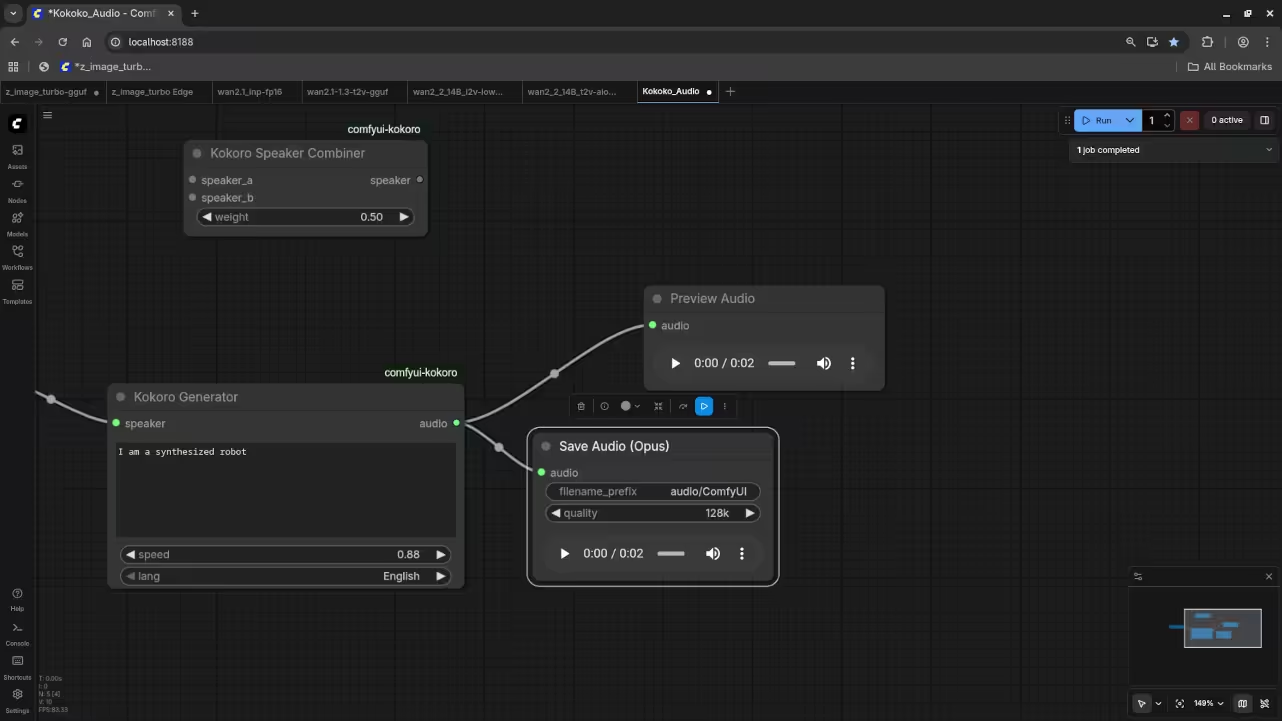
The integration process involves adding the specific Kokoro wrapper nodes which connect directly to your text sequences or scripts. You can even use a primitive node to feed the same seed into both your image and audio. This creates a cohesive output that feels intentional rather than a collection of random assets thrown together.
- Books: https://www.amazon.com/stores/Edward-Ojambo/author/B0D94QM76N
- Blueprints: https://ojamboshop.com
- Tutorials: https://ojambo.com/contact
- Consultations: https://ojamboservices.com/contact
Setting up the node structure requires a clear understanding of how tensors flow between the model and the waveform. Once you connect the output to a Save Audio node the local file generation is nearly instantaneous for users. This workflow represents the future of localized private and powerful creative production for every tech savvy professional.
🚀 Recommended Resources
Disclosure: Some of the links above are referral links. I may earn a commission if you make a purchase at no extra cost to you.