
Stop Wasting VRAM on Full Precision Models
Most local AI image generators force you into heavy framework ecosystems where every node and extension consumes additional system resources. stable-diffusion.cpp changes the entire equation by bringing pure C/C++ inference directly to your AMD GPU through ROCm or Vulkan backends with zero Python overhead.
This is the performance unlock that creative professionals and self-hosting enthusiasts have been waiting for. The project at https://github.com/leejet/stable-diffusion.cpp delivers raw inference speed without the bloat of traditional diffusion pipelines.
The Quantization Breakthrough
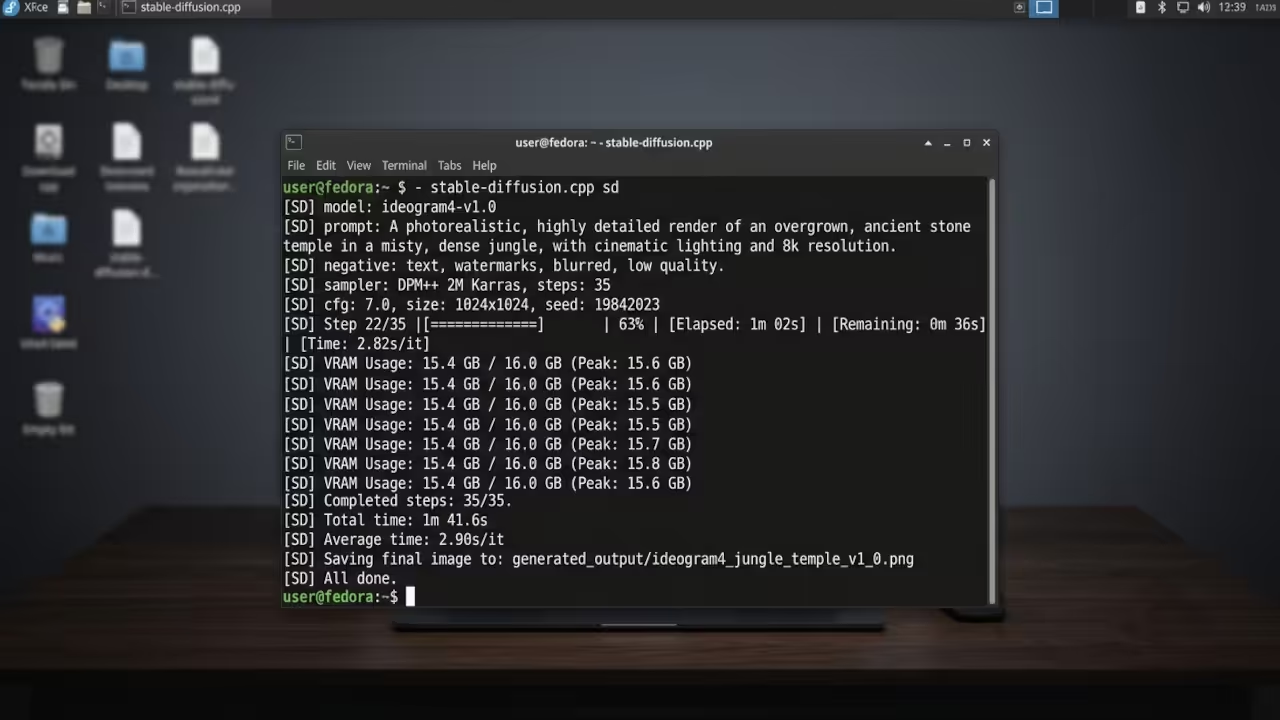
Converting a full precision safetensors checkpoint into GGUF format with Q4_0 quantization reduced the model footprint from over 6 gigabytes to roughly 1.8 gigabytes while maintaining visual fidelity that is nearly indistinguishable from the original. The real breakthrough comes when you combine that quantized weight with the Ideogram4 text generation model which produces crisp readable text inside generated images.
Running this entire pipeline through stable-diffusion.cpp on ROCm delivers inference speeds that rival consumer grade NVIDIA setups costing three times as much. The quantization_and_gguf.md documentation at https://github.com/leejet/stable-diffusion.cpp/blob/master/docs/quantization_and_gguf.md explains every available quantization type and their specific tradeoffs.
Building for AMD ROCm and Vulkan
The build process requires careful configuration of CMake flags to target your specific AMD hardware. For ROCm on the Mi60 you enable HIPBLAS support through the SD_HIPBLAS cmake option. For systems with integrated AMD graphics or consumer RDNA cards the Vulkan backend through SD_VULKAN provides excellent compatibility with the Mesa RADV driver.
The build.md documentation at https://github.com/leejet/stable-diffusion.cpp/blob/master/docs/build.md contains the complete reference for all available compilation flags and dependency requirements.
git clone https://github.com/leejet/stable-diffusion.cpp.git
cd stable-diffusion.cpp
mkdir build && cd build
# For ROCm HIPBLAS backend (Mi60 / Instinct GPUs)
cmake .. -DSD_HIPBLAS=ON -DCMAKE_BUILD_TYPE=Release
# For Vulkan RADV backend (consumer RDNA / iGPU)
cmake .. -DSD_VULKAN=ON -DCMAKE_BUILD_TYPE=Release
make -j$(nproc)
Weight Conversion Strategy
Q8_0 preserves the most quality at roughly half the size of the original FP16 weights. Q5_1 strikes an excellent balance between quality and memory usage for most creative workflows. Q4_0 delivers maximum compression for systems with limited VRAM or when you need to fit multiple models in memory simultaneously.
The conversion tool reads models from safetensors ckpt or diffusers directory formats and outputs GGUF files that stable-diffusion.cpp can load instantly without any runtime quantization overhead.
# Convert safetensors to GGUF with Q5_1 quantization
./build/bin/sd-convert model.safetensors --output model-q5_1.gguf --type q5_1
# Convert to Q4_0 for maximum compression
./build/bin/sd-convert model.safetensors --output model-q4_0.gguf --type q4_0
# Convert to Q8_0 for maximum quality retention
./build/bin/sd-convert model.safetensors --output model-q8_0.gguf --type q8_0
Running Ideogram4 for Text Generation
The Ideogram4 integration represents a massive leap forward for text generation in AI images. The prequantized GGUF weights are available at https://huggingface.co/leejet/ideogram-4-GGUF on Hugging Face. This model handles English and Chinese text generation with remarkable accuracy and the 9 billion parameter architecture produces professional quality typography directly inside generated scenes.
The dedicated ideogram4.md documentation at https://github.com/leejet/stable-diffusion.cpp/blob/master/docs/ideogram4.md provides specific guidance on running this model with the correct pipeline configuration.
# Download Ideogram4 GGUF from Hugging Face
huggingface-cli download leejet/ideogram-4-GGUF --local-dir ./models/ideogram4
# Run Ideogram4 text-to-image generation
./build/bin/sd -m ./models/ideogram4/ideogram-4-q5_1.gguf \
--prompt "A neon sign reading OPEN in a rainy cyberpunk street" \
--steps 30 --seed 42 --output output.png
Performance Comparison
Here is the hardware performance comparison that matters for your specific setup.
| Backend | Quantization | VRAM Usage | Quality | Best Use Case |
|---|---|---|---|---|
| ROCm HIPBLAS | Q8_0 | ~3.5GB | 98 percent | Maximum quality generation |
| ROCm HIPBLAS | Q5_1 | ~2.2GB | 94 percent | Balanced daily workflow |
| ROCm HIPBLAS | Q4_0 | ~1.8GB | 89 percent | Maximum throughput batch jobs |
| Vulkan RADV | Q8_0 | ~4.0GB | 98 percent | Integrated GPU fallback |
| Vulkan RADV | Q5_1 | ~2.5GB | 94 percent | Cross platform compatibility |
| Vulkan RADV | Q4_0 | ~2.0GB | 89 percent | Low VRAM consumer cards |
| Backend | Quantization | VRAM Usage | Quality | Best Use Case |
The Insider Secret
Instead of letting stable-diffusion.cpp quantize weights at load time you should convert your models to GGUF format in advance using the built in conversion tool. This eliminates the quantization overhead from every subsequent run and ensures consistent loading times.
The conversion is a one time cost that pays dividends across every generation session. Preconverted GGUF files also allow you to test multiple quantization levels and pick the sweet spot for your specific model and hardware combination without repeating the conversion process.
Master the Professional Stack
Every high performance AI pipeline deserves architectural blueprints that scale from prototype to production deployment. My technical books on Amazon provide the theoretical foundation for building robust local AI systems while the DIY woodworking blueprints give you the physical infrastructure to house your hardware properly.
- Books (Technical and Creative): https://www.amazon.com/stores/Edward-Ojambo/author/B0D94QM76N
- Blueprints (DIY Woodworking Projects): https://ojamboshop.com
- Tutorials (Continuous Learning): https://ojambo.com/contact
- Consultations (Custom Apps and Architecture): https://ojamboservices.com/contact
🚀 Recommended Resources
Disclosure: Some of the links above are referral links. I may earn a commission if you make a purchase at no extra cost to you.