
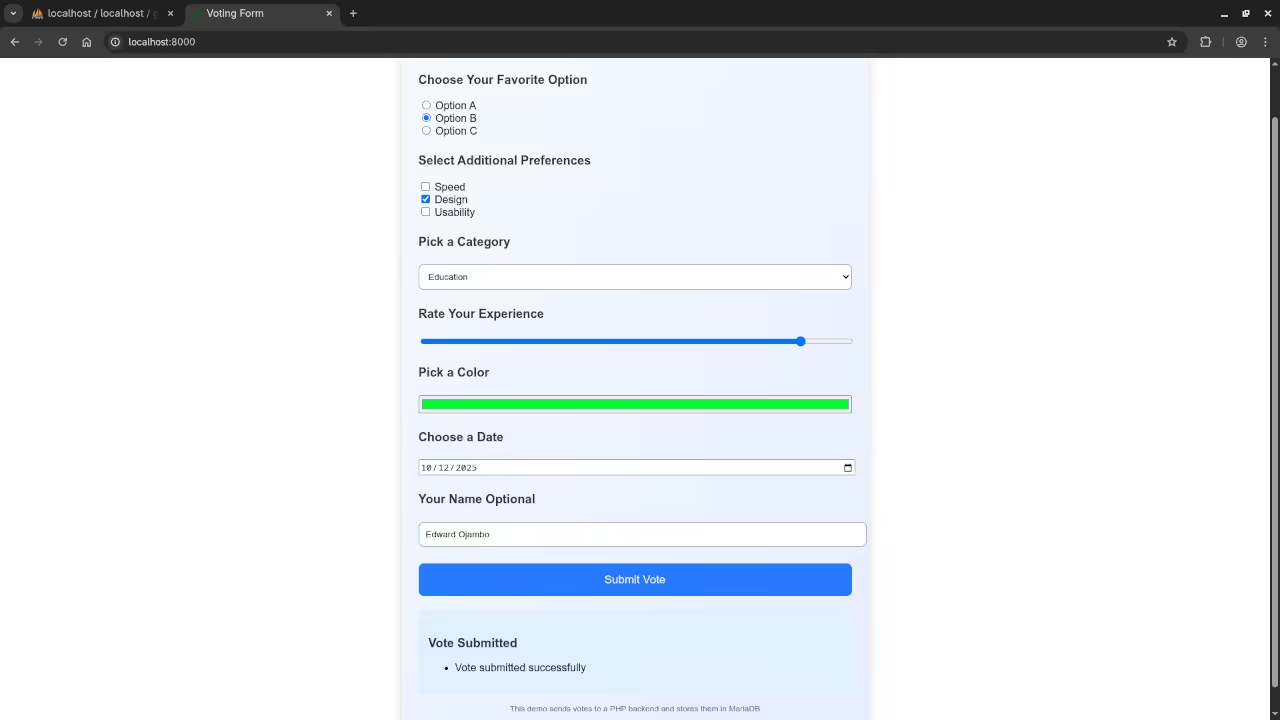
Build a PHP Backend for Your HTML5 Voting Form with MariaDB
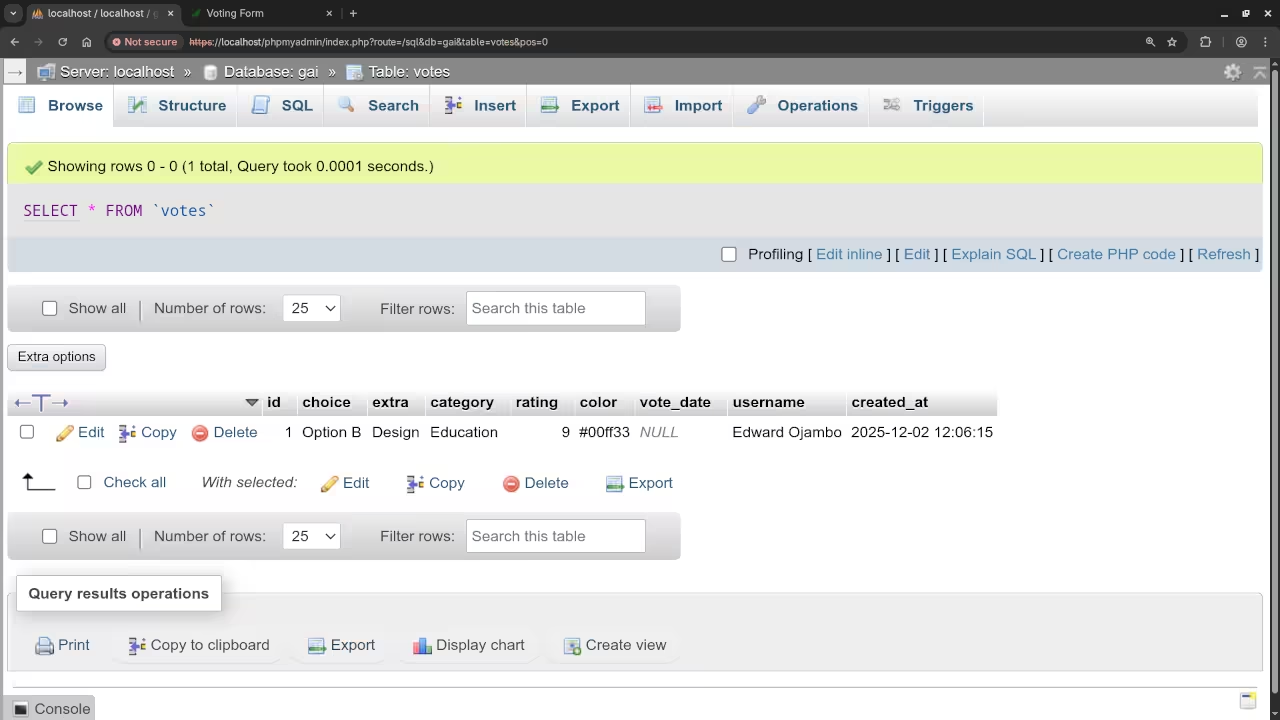
In this tutorial we take your HTML5 voting form to the next level by adding a PHP backend with MariaDB storage. Using the Fetch API we can send form submissions to the server and store votes in a database. This makes it possible to save and retrieve votes across different users and devices.
Database Setup
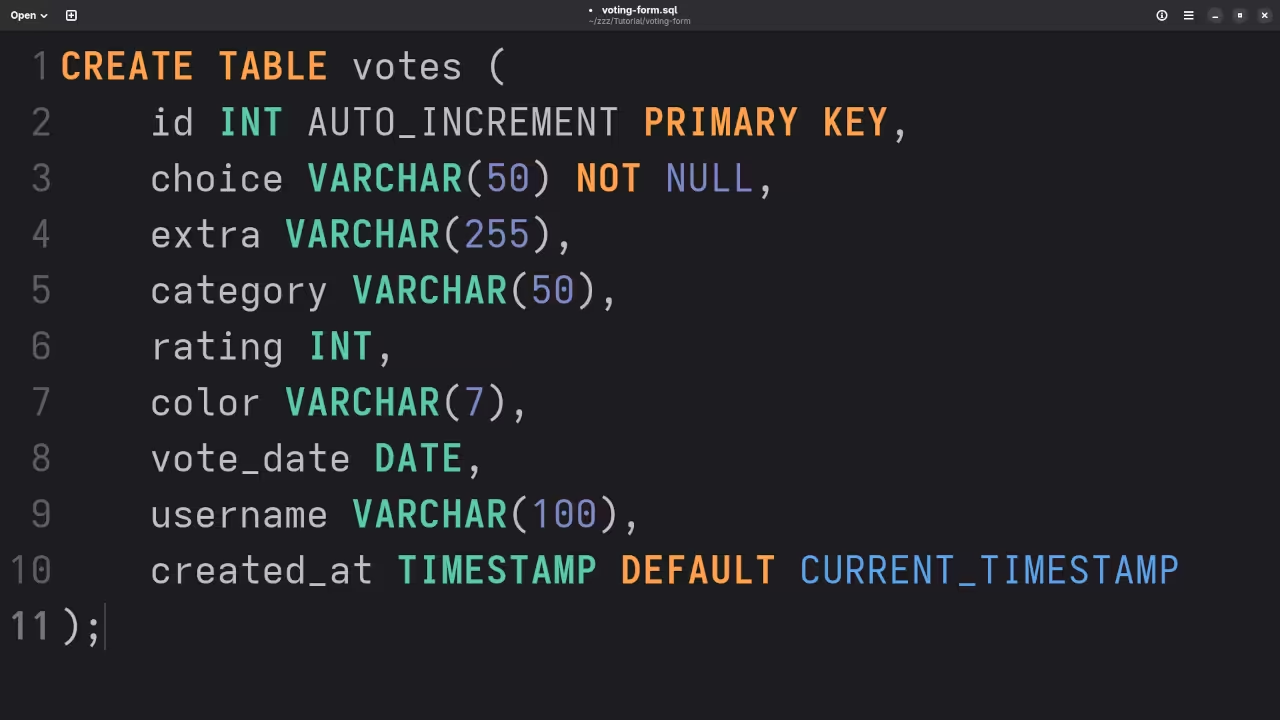
First create a MariaDB database and table to store votes. Here is an example SQL table
CREATE TABLE votes (
id INT AUTO_INCREMENT PRIMARY KEY,
choice VARCHAR(50) NOT NULL,
extra VARCHAR(255),
category VARCHAR(50),
rating INT,
color VARCHAR(7),
vote_date DATE,
username VARCHAR(100),
created_at TIMESTAMP DEFAULT CURRENT_TIMESTAMP
);
Front-End Updates
Update the HTML5 form to submit via JavaScript using the Fetch API
<style>
.votecontainer {
max-width: 650px;
margin: auto;
padding: 25px;
border-radius: 14px;
background: linear-gradient(135deg, #f6faff, #e5edff);
box-shadow: 0 4px 16px rgba(0,0,0,0.15);
font-family: Arial, sans-serif;
}
.votecontainer h2, .votecontainer h3 {
color: #222;
}
.votecontainer input[type=text],
.votecontainer select,
.votecontainer input[type=range],
.votecontainer input[type=color],
.votecontainer input[type=date] {
width: 100%;
padding: 10px;
border-radius: 8px;
border: 1px solid #999;
margin-top: 5px;
}
.votecontainer button {
margin-top: 20px;
width: 100%;
padding: 15px;
border: none;
border-radius: 8px;
background: #2979ff;
color: white;
font-size: 17px;
cursor: pointer;
}
.votecontainer button:hover {
background: #1a5adf;
}
.voteresults {
margin-top: 20px;
padding: 15px;
border-radius: 8px;
background: #e0f0ff;
}
</style>
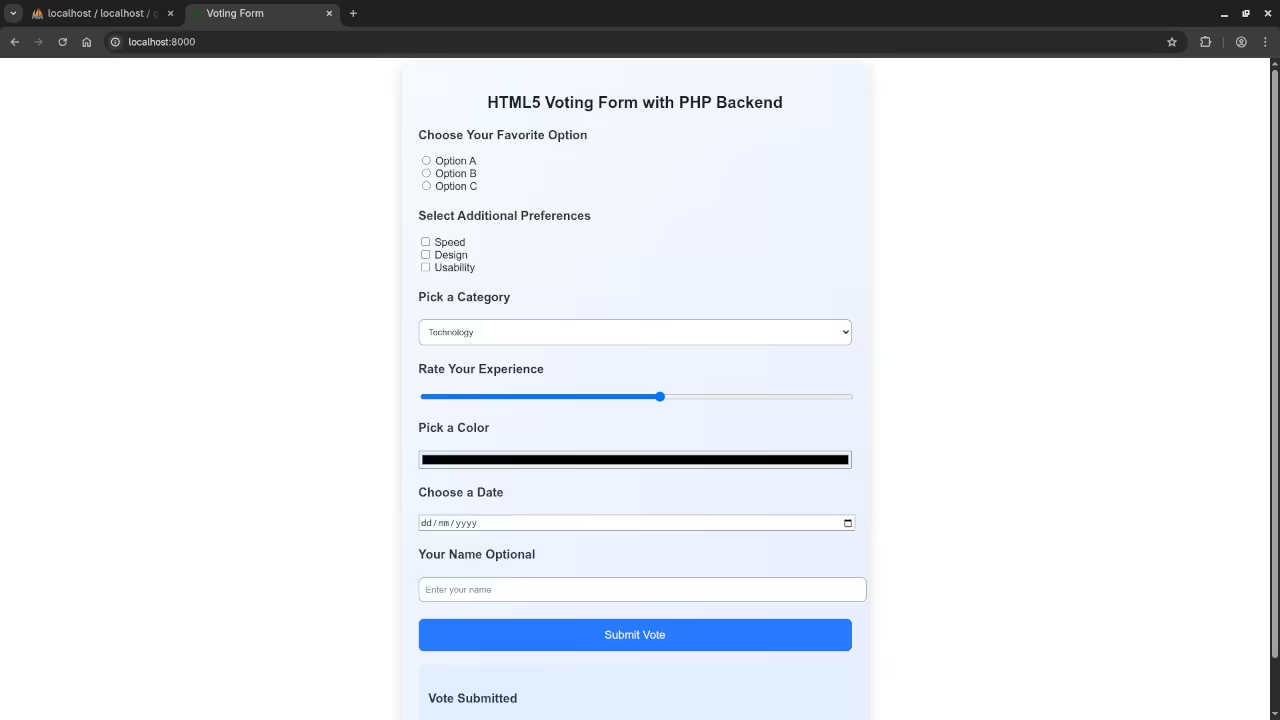
<div class="votecontainer">
<h2>HTML5 Voting Form with PHP Backend</h2>
<form id="votingForm">
<h3>Choose Your Favorite Option</h3>
<label><input type="radio" name="choice" value="Option A"> Option A</label><br>
<label><input type="radio" name="choice" value="Option B"> Option B</label><br>
<label><input type="radio" name="choice" value="Option C"> Option C</label><br>
<h3>Select Additional Preferences</h3>
<label><input type="checkbox" name="extra" value="Speed"> Speed</label><br>
<label><input type="checkbox" name="extra" value="Design"> Design</label><br>
<label><input type="checkbox" name="extra" value="Usability"> Usability</label><br>
<h3>Pick a Category</h3>
<select name="category">
<option>Technology</option>
<option>Education</option>
<option>Entertainment</option>
<option>Sports</option>
</select>
<h3>Rate Your Experience</h3>
<input type="range" min="1" max="10" name="rating">
<h3>Pick a Color</h3>
<input type="color" name="color">
<h3>Choose a Date</h3>
<input type="date" name="vote_date">
<h3>Your Name Optional</h3>
<input type="text" name="username" placeholder="Enter your name">
<button type="submit">Submit Vote</button>
</form>
<div class="voteresults" id="results">
<h3>Vote Submitted</h3>
<ul id="resultsList"></ul>
</div>
<p class="votenote">
This demo sends votes to a PHP backend and stores them in MariaDB
</p>
</div>
const form = document.getElementById('votingForm');
const resultsList = document.getElementById('resultsList');
form.addEventListener('submit', function(e){
e.preventDefault();
const formData = new FormData(form);
fetch('submit_vote.php', {
method: 'POST',
body: formData
})
.then(response => response.json())
.then(data => {
if(data.success){
resultsList.innerHTML = '<li>Vote submitted successfully</li>';
} else {
resultsList.innerHTML = '<li>Error submitting vote</li>';
}
})
.catch(error => {
resultsList.innerHTML = '<li>Error submitting vote</li>';
});
});
PHP Backend Code
Save this as submit_vote.php on your server
// submit_vote.php
// === Step 1: Database Connection Settings ===
$host = "localhost"; // Change if your DB is on another host
$dbname = "your_database"; // Replace with your database name
$user = "your_username"; // Replace with your database username
$pass = "your_password"; // Replace with your database password
// === Step 2: Connect to MariaDB using PDO ===
try {
$pdo = new PDO("mysql:host=$host;dbname=$dbname;charset=utf8", $user, $pass);
// Set error mode to exception
$pdo->setAttribute(PDO::ATTR_ERRMODE, PDO::ERRMODE_EXCEPTION);
} catch(PDOException $e) {
echo json_encode(['success' => false, 'error' => 'Database connection failed: ' . $e->getMessage()]);
exit;
}
// === Step 3: Retrieve POST Data from Fetch API ===
$choice = isset($_POST['choice']) ? $_POST['choice'] : '';
$extra = isset($_POST['extra']) ? $_POST['extra'] : '';
$category = isset($_POST['category']) ? $_POST['category'] : '';
$rating = isset($_POST['rating']) ? (int)$_POST['rating'] : null;
$color = isset($_POST['color']) ? $_POST['color'] : '';
$vote_date = isset($_POST['vote_date']) ? $_POST['vote_date'] : null;
$username = isset($_POST['username']) ? $_POST['username'] : '';
// === Step 4: Prepare and Execute the SQL Insert ===
try {
$stmt = $pdo->prepare("INSERT INTO votes (choice, extra, category, rating, color, vote_date, username)
VALUES (:choice, :extra, :category, :rating, :color, :vote_date, :username)");
$stmt->execute([
':choice' => $choice,
':extra' => $extra,
':category' => $category,
':rating' => $rating,
':color' => $color,
':vote_date' => $vote_date,
':username' => $username
]);
// === Step 5: Send JSON Response Back to Front-End ===
echo json_encode(['success' => true]);
} catch(PDOException $e) {
echo json_encode(['success' => false, 'error' => 'Database insert failed: ' . $e->getMessage()]);
}
Screenshots And Screencast
Learning Resources
For further learning in PHP check my book Learning PHP
Take my online course called Learning PHP
If you want private programming tutorials or help updating or migrating PHP applications contact me at Programming Tutorials
Final Thoughts
Adding a PHP backend with MariaDB and using the Fetch API makes your HTML5 voting form fully functional across users and devices. This beginner-friendly approach teaches you how to combine front-end and back-end development in a real project
🚀 Recommended Resources
Disclosure: Some of the links above are referral links. I may earn a commission if you make a purchase at no extra cost to you.