
Creating an HTML5 Voting Form Demo Demonstrating Client Side Storage Limits
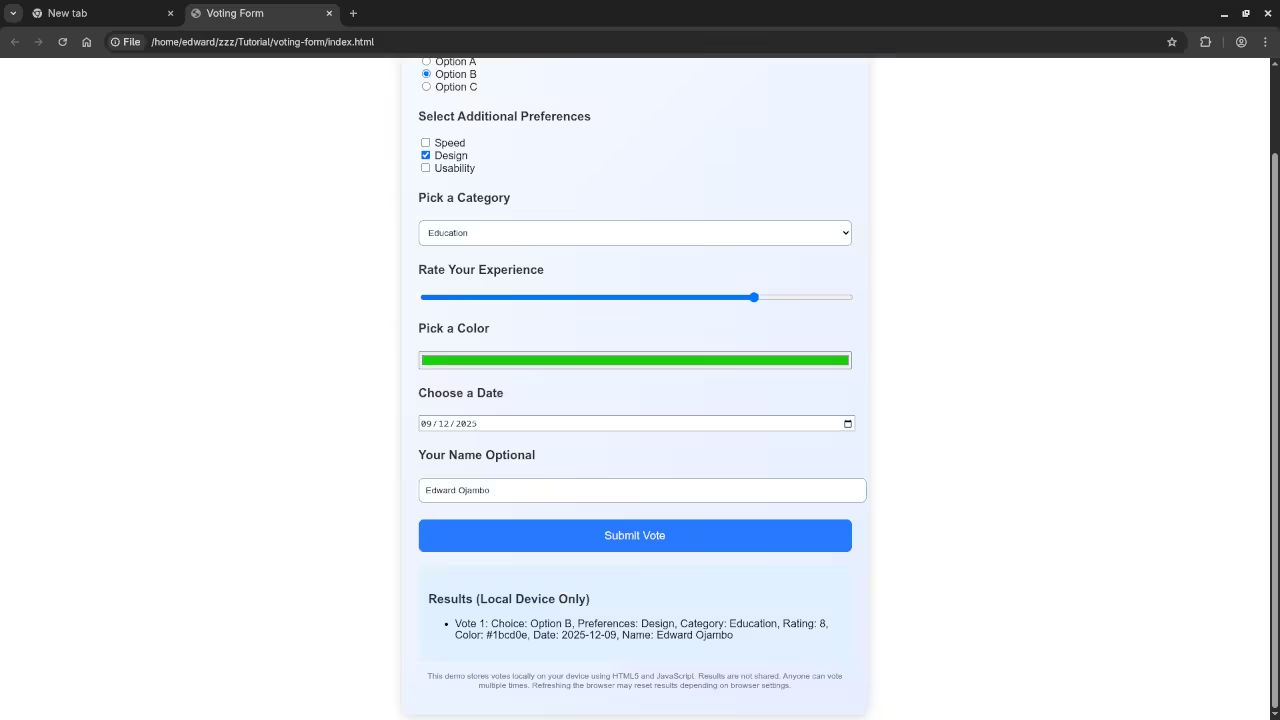
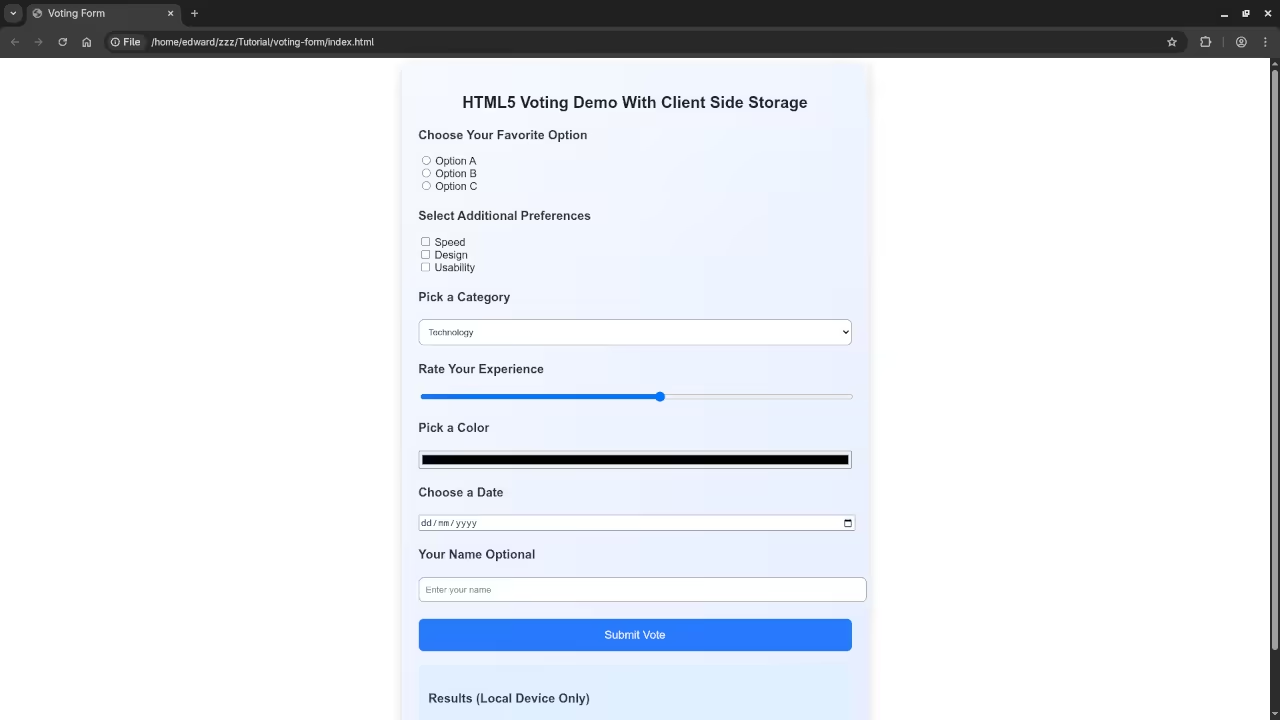
This post demonstrates a beginner friendly HTML5 voting form that saves results locally in the browser. The purpose is to show the limits of using only HTML5 with client side storage: votes are saved only on the device, anyone can vote multiple times, and results are not shared across devices. This helps beginners understand why JavaScript and backend systems are necessary for real voting applications.
Fancy HTML5 Voting Form Code
CSS Snippet
.votecontainer {
max-width: 650px;
margin: auto;
padding: 25px;
border-radius: 14px;
background: linear-gradient(135deg, #f6faff, #e5edff);
box-shadow: 0 4px 16px rgba(0,0,0,0.15);
font-family: Arial, sans-serif;
}
.votecontainer h2 {
text-align: center;
color: #222;
margin-bottom: 10px;
}
.votecontainer h3 {
color: #333;
margin-top: 25px;
font-size: 1.15em;
}
.votecontainer input[type=text],
.votecontainer select {
width: 100%;
padding: 10px;
border-radius: 8px;
border: 1px solid #999;
background: white;
margin-top: 5px;
}
.votecontainer input[type=range],
.votecontainer input[type=color],
.votecontainer input[type=date] {
width: 100%;
margin-top: 5px;
}
.votecontainer button {
margin-top: 25px;
width: 100%;
padding: 15px;
border: none;
border-radius: 8px;
background: #2979ff;
color: white;
font-size: 17px;
cursor: pointer;
}
.votecontainer button:hover {
background: #1a5adf;
}
.voteresults {
margin-top: 20px;
padding: 15px;
border-radius: 8px;
background: #e0f0ff;
}
.votenote {
font-size: 12px;
color: #666;
margin-top: 15px;
text-align: center;
}
HTML Snippet
<div class="votecontainer">
<h2>HTML5 Voting Demo With Client Side Storage</h2>
<form id="votingForm">
<h3>Choose Your Favorite Option</h3>
<label><input type="radio" name="choice" value="Option A"> Option A</label><br>
<label><input type="radio" name="choice" value="Option B"> Option B</label><br>
<label><input type="radio" name="choice" value="Option C"> Option C</label><br>
<h3>Select Additional Preferences</h3>
<label><input type="checkbox" name="extra" value="Speed"> Speed</label><br>
<label><input type="checkbox" name="extra" value="Design"> Design</label><br>
<label><input type="checkbox" name="extra" value="Usability"> Usability</label><br>
<h3>Pick a Category</h3>
<select name="category">
<option>Technology</option>
<option>Education</option>
<option>Entertainment</option>
<option>Sports</option>
</select>
<h3>Rate Your Experience</h3>
<input type="range" min="1" max="10" name="rating">
<h3>Pick a Color</h3>
<input type="color" name="color">
<h3>Choose a Date</h3>
<input type="date" name="date">
<h3>Your Name Optional</h3>
<input type="text" name="username" placeholder="Enter your name">
<button type="submit">Submit Vote</button>
</form>
<div class="voteresults" id="results">
<h3>Results (Local Device Only)</h3>
<ul id="resultsList"></ul>
</div>
<p class="votenote">
This demo stores votes locally on your device using HTML5 and JavaScript. Results are not shared. Anyone can vote multiple times. Refreshing the browser may reset results depending on browser settings.
</p>
</div>
JavaScript Snippet
const form = document.getElementById('votingForm');
const resultsList = document.getElementById('resultsList');
// Load saved votes
let votes = JSON.parse(localStorage.getItem('votes')) || [];
function displayVotes() {
resultsList.innerHTML = '';
votes.forEach((vote, index) => {
const li = document.createElement('li');
li.textContent = `Vote ${index + 1}: Choice: ${vote.choice}, Preferences: ${vote.extra.join(', ')}, Category: ${vote.category}, Rating: ${vote.rating}, Color: ${vote.color}, Date: ${vote.date}, Name: ${vote.username}`;
resultsList.appendChild(li);
});
}
form.addEventListener('submit', function(e){
e.preventDefault();
const formData = new FormData(form);
const vote = {
choice: formData.get('choice') || 'No choice',
extra: formData.getAll('extra'),
category: formData.get('category'),
rating: formData.get('rating'),
color: formData.get('color'),
date: formData.get('date'),
username: formData.get('username')
};
votes.push(vote);
localStorage.setItem('votes', JSON.stringify(votes));
displayVotes();
});
displayVotes();
Consolidated Demo
Screenshot
Live Screencast
Learning Resources
For further learning in JavaScript check my book Learning JavaScript.
Take my online course called Learning JavaScript.
If you want private programming tutoring including JavaScript lessons you can contact me at Programming Tutorials.
Final Thoughts
This demo shows a visually appealing HTML5 voting form with client side storage. Votes are saved only on your device, anyone can vote multiple times, and results are not shared. It demonstrates the limits of HTML5 alone while still allowing users to see votes locally.
🚀 Recommended Resources
Disclosure: Some of the links above are referral links. I may earn a commission if you make a purchase at no extra cost to you.