Blog

  • Stop Uploading Sensitive PDFs to Shady Websites

    Stop Uploading Sensitive PDFs to Shady Websites

    Every day millions of people upload sensitive documents to random websites. These online tools often store your data on unsecured remote servers. This creates a massive security vulnerability for professionals and businesses.

    You are essentially handing your private contracts to strangers. Many of these sites use your data for machine learning. Some may even leak your information during a breach.

    I finally reclaimed my digital privacy by moving my workflow locally. Implementing Stirling-PDF through Podman Desktop felt like a massive breakthrough. The entire suite runs within a secure and isolated container.
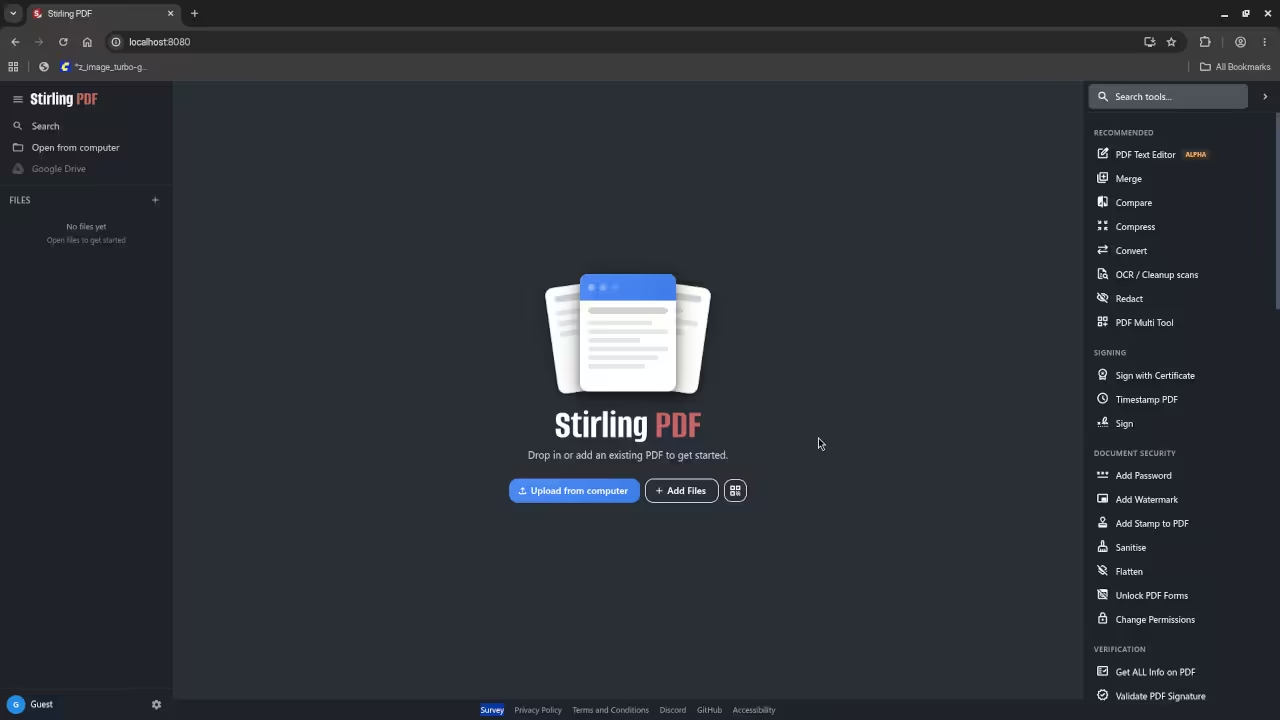
    Stirling-PDF interface showing various PDF tools
    The Stirling-PDF interface provides a complete suite of local tools.

    The feeling of total control is truly liberating for any professional. I no longer worry about data leaks or monthly subscription fees. The interface is fast and incredibly responsive on my local hardware.

    Watch the full technical implementation of Stirling-PDF via Podman Desktop.

    Podman Desktop provides a clean interface for managing these containers. You can monitor resource usage and manage volumes with ease. This setup ensures your sensitive files never leave your local machine.
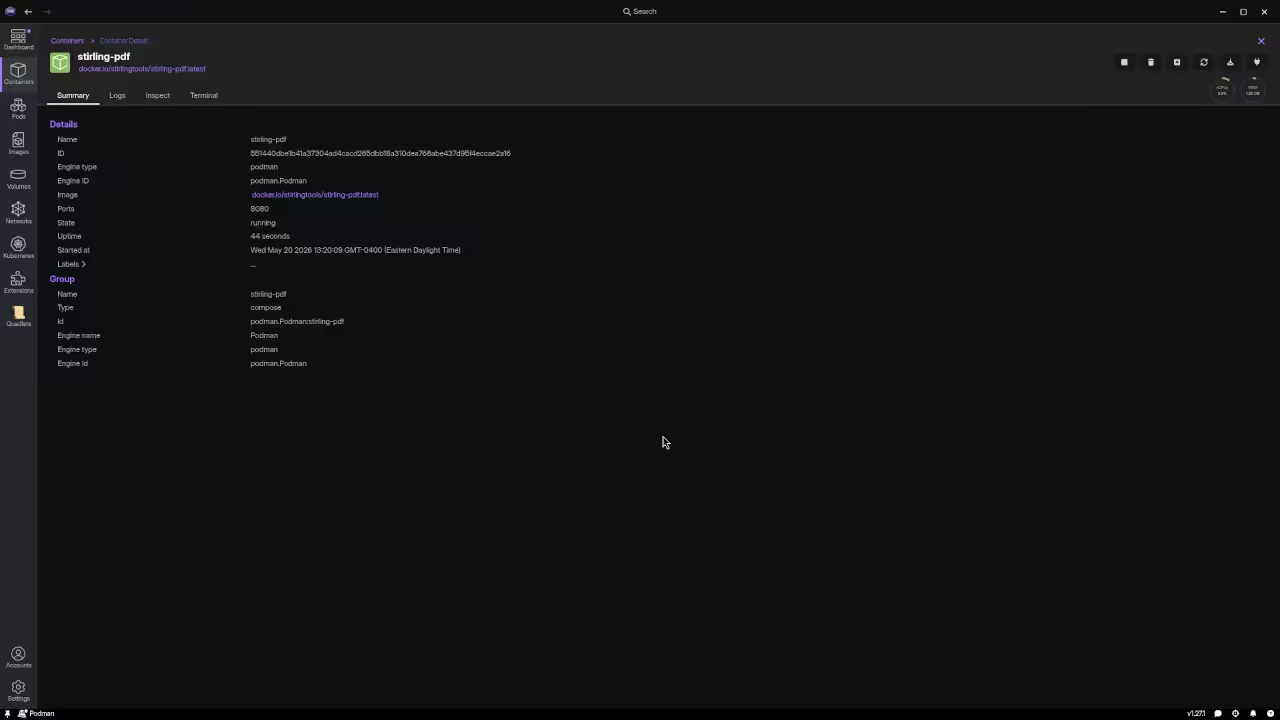
    Podman Desktop dashboard managing containers
    Podman Desktop offers seamless container management.

    The software handles everything from merging to advanced OCR tasks. You can split files or add watermarks in seconds. It provides a complete professional suite without any cloud dependency.

    Running these tools locally also eliminates internet latency issues. Large files process much faster when they stay on your drive. You can work offline without losing any critical functionality.

    Privacy is not just a feature but a fundamental necessity. Using containerization adds an extra layer of system isolation. This protects your main operating system from potential software vulnerabilities.

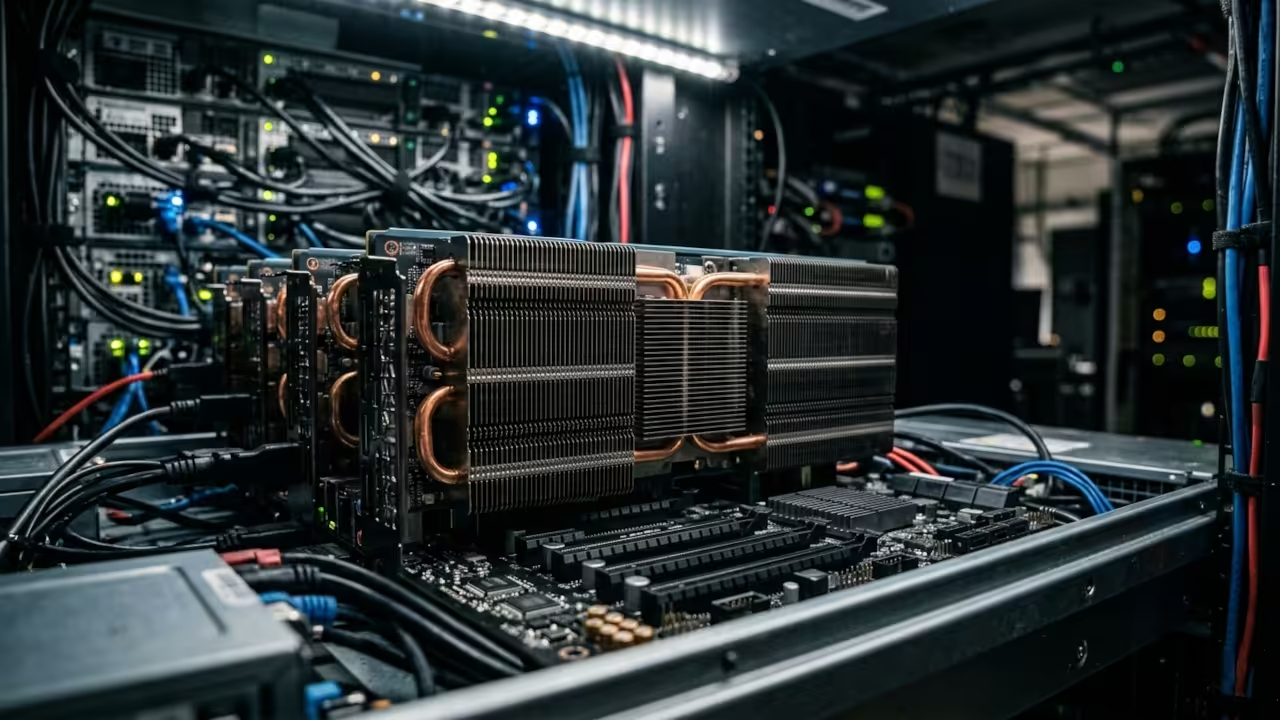
    High performance hardware components
    Local hardware ensures maximum speed and privacy.
    Comparison between Stirling-PDF (Local) and Online Converters (Cloud)
    Feature Stirling-PDF (Local) Online Converters (Cloud)
    Privacy Absolute Zero
    Cost Free Subscription
    Speed Local Network Internet Dependent
    Tools Comprehensive Limited
    Feature Stirling-PDF (Local) Online Converters (Cloud)
    Table 1: Privacy, cost, speed, and tool capability metrics of local vs. cloud-based PDF solutions.

    To ensure your settings remain intact you must use volumes. Always create a persistent volume before starting your container deployment. This prevents losing your configurations during a container update.

    Use the following command to set up your environment correctly.


    podman run -d --name stirling-pdf -p 8080:8080 -v stirling_data:/app/data froodle/s-pdf


    Mastering these containerized workflows is the first step toward a truly sovereign digital architecture. The following professional resources will help you scale these technical breakthroughs into full-scale implementations.

    Books (Technical & Creative): https://www.amazon.com/stores/Edward-Ojambo/author/B0D94QM76N

    Blueprints (DIY Woodworking Projects): https://ojamboshop.com

    Tutorials (Continuous Learning): https://ojambo.com/contact

    Consultations (Custom Apps & Architecture): https://ojamboservices.com/contact
  • Flowblade Video Editor Unleashed The Linux Powerhouse You Never Knew Existed

    Flowblade Video Editor Unleashed The Linux Powerhouse You Never Knew Existed

    The Frustration of Bloated Video Editors

    You are wasting hours in bloated video editors when a lean surgical tool sits right there on your desktop. The Linux video editing landscape has a hidden champion that professionals ignore at their own peril.

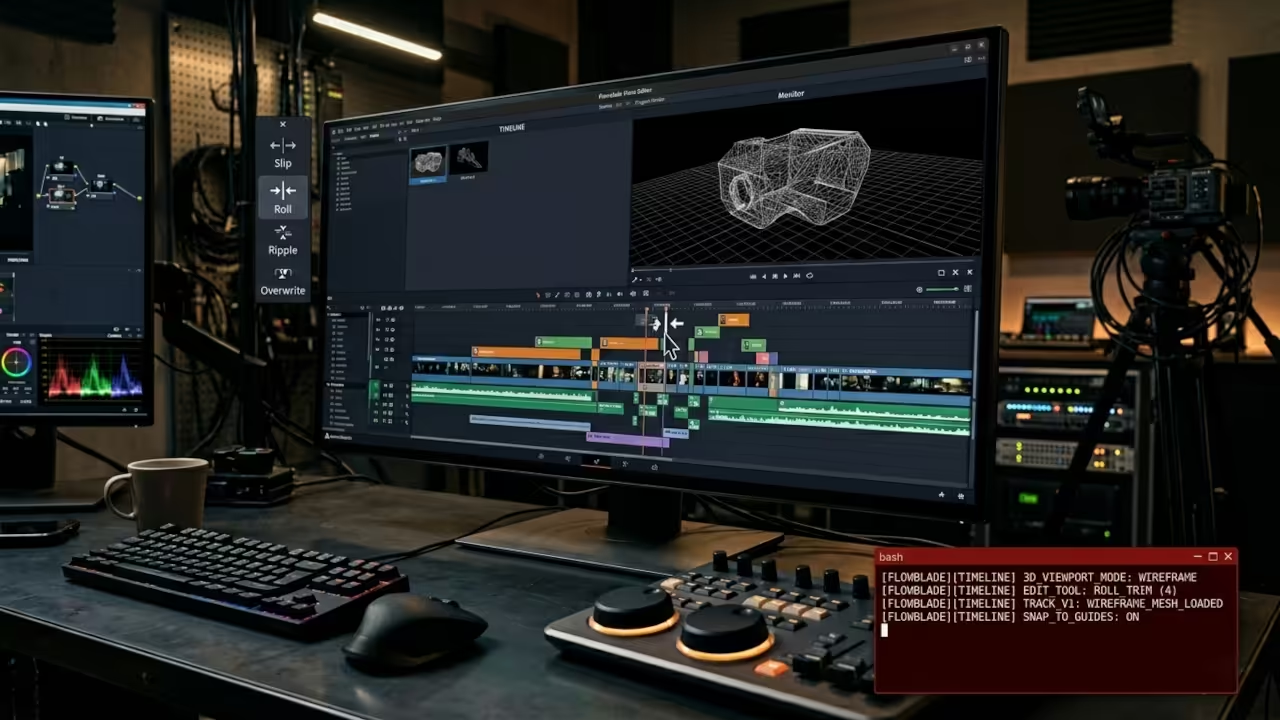
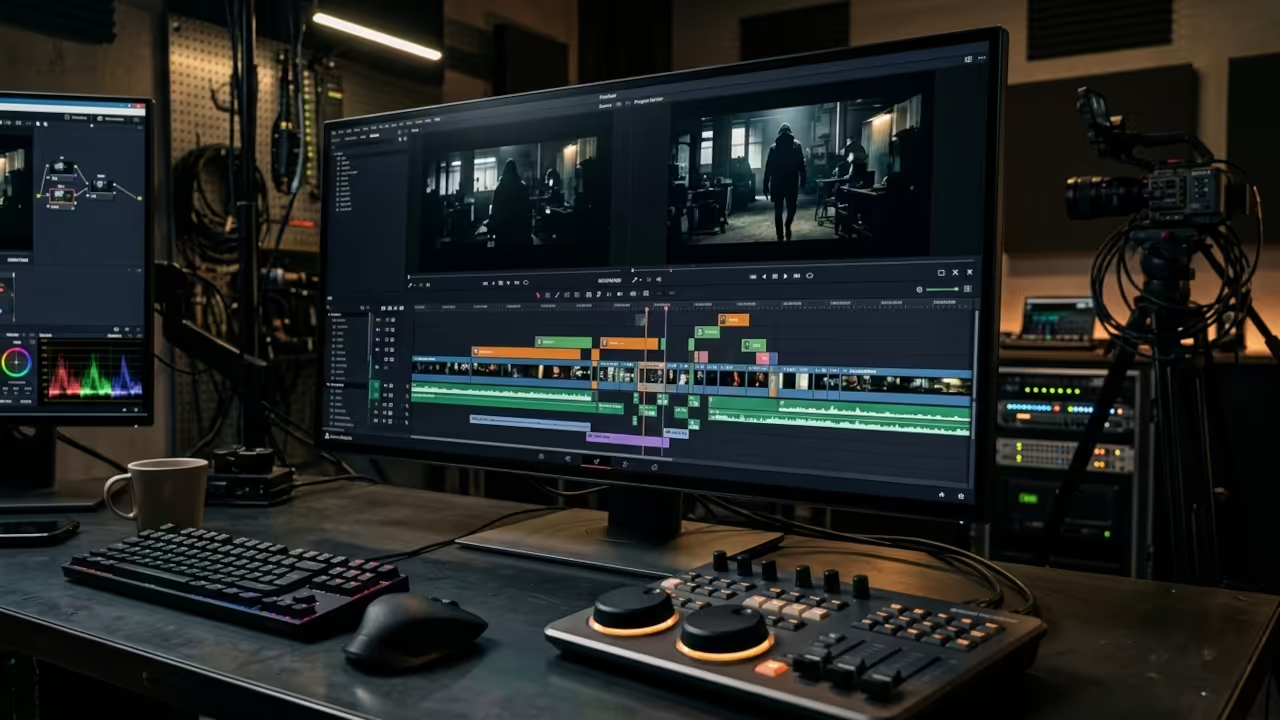
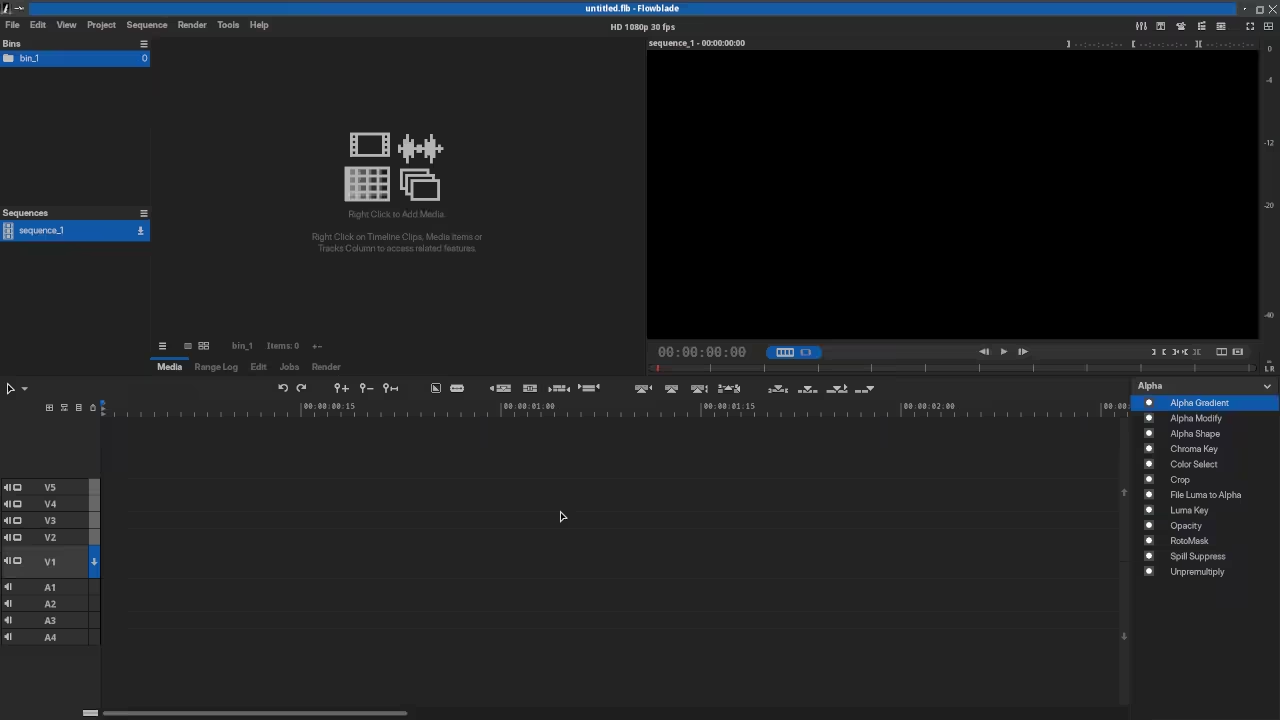
    Flowblade Video Editor Interface
    Flowblade delivers precision multitrack editing without the bloat

    Flowblade delivers precision multitrack editing without the bloat that cripples your workflow. This is not your typical beginner tool.

    This is a Python powered beast that respects your computing resources and delivers professional results. The multitrack timeline responds instantly to your commands.

    Every cut every transition and every filter application happens with surgical precision. This is the kind of responsiveness that separates amateur editors from professional storytellers.

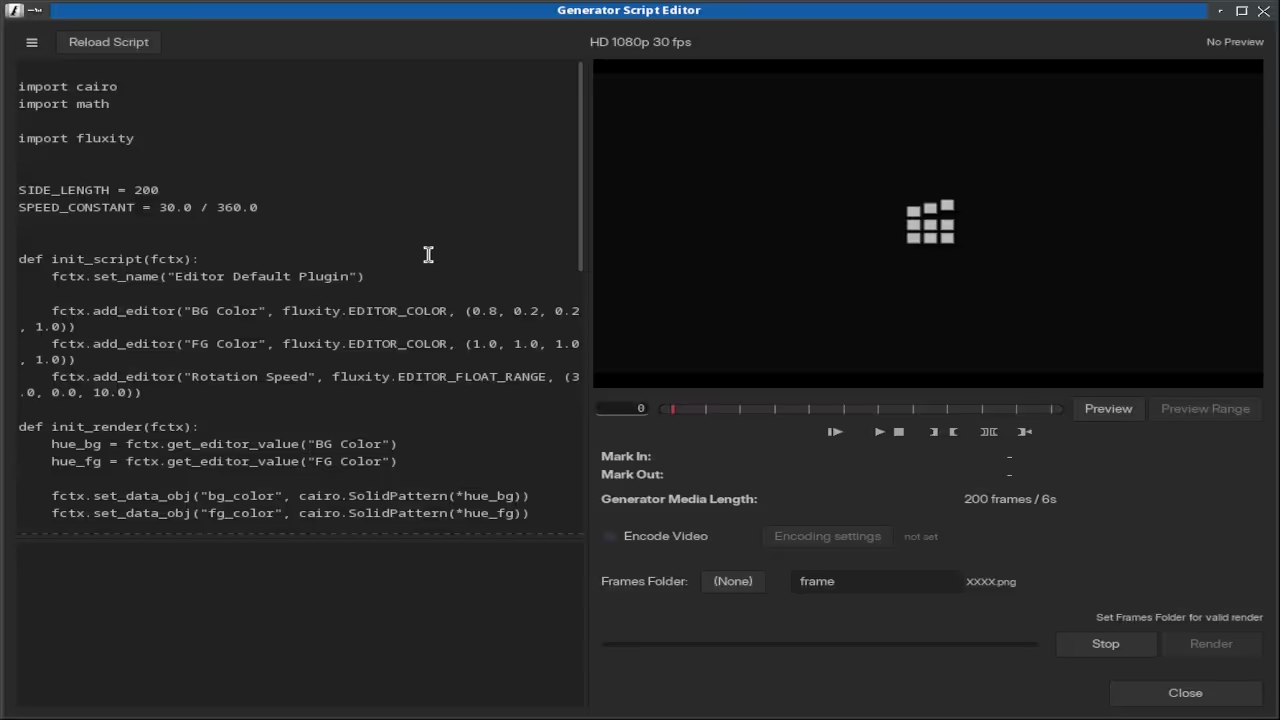
    Flowblade Video Editor Deep Dive Screencast

    Experience the Flowblade Revolution

    Installing Flowblade on your Linux system transforms your entire editing workflow overnight. The Flatpak package delivers a seamless installation that respects your system integrity.

    You can have the editor running in minutes without wrestling with dependency conflicts. The interface greets you with a clean professional workspace that puts every tool within immediate reach.

    Your timeline becomes your canvas and Flowblade gives you every brush you need. The compositor system in Flowblade deserves special attention from serious editors.

    You can layer multiple video tracks with precise control over blending modes and opacity. The Position Scale Rotate filter provides intuitive GUI controls for complex transformations.

    Flowblade Compositor Objects
    The compositor system provides precise control over blending modes

    Elastic distort filters add creative possibilities that would require plugins in other editors. This is professional grade functionality without the enterprise price tag.

    Flowblade Hardware Acceleration Configuration
    Configure hardware acceleration for smoother playback

    Technical Configuration Secrets

    Here is where most editors miss the optimization that changes everything. Flowblade leverages FFmpeg for its core processing pipeline but you can configure hardware acceleration through environment variables.

    Set the VA API driver for AMD GPUs by exporting the environment variable before launching Flowblade. This simple configuration step unlocks hardware accelerated decoding for smoother playback.


        export LIBVA_DRIVER_NAME=radeonsi
        export VDPAU_DRIVER=radeonsi
        flowblade


    Your AMD Instinct MI60 or even your integrated graphics can handle the heavy lifting. The container clip types in version 2.14 represent a massive workflow improvement.

    You can group complex sequences into single editable units without losing individual control. Dual sync trim functionality ensures your audio and video stay perfectly aligned.

    This is the kind of refinement that comes from developers who actually edit video professionally. Advanced Workflow Optimization

    Advanced Workflow Optimization

    The JKL playback system in Flowblade follows industry standard keyboard shortcuts that professionals already know. Slow motion and fast forward playback help you fine tune edit points with frame level precision.

    Named markers provide instant navigation through long sequences without losing your place. The clone and copy paste functionality for clips and filters saves hours of repetitive work.

    Graphics clips can now be dragged to arbitrary lengths in the latest version. This flexibility allows creative compositing without artificial constraints.

    The mute functionality for track video or audio gives you precise control over final output. Every feature in Flowblade serves a specific professional purpose.

    Flowblade Feature Comparison

    Flowblade Feature Comparison
    Feature Flowblade DaVinci Resolve Kdenlive
    Timeline Tracks 9 combined 100 plus Unlimited
    Interface Style Minimalist Complex Modular
    Hardware Acceleration VA API Native Limited
    Filter System Built in Fusion required Plugin based
    Learning Curve Moderate Steep Moderate
    Resource Usage Low High Medium
    Export Formats FFmpeg based Custom FFmpeg based
    Compositor Objects Native Fusion Limited
    Feature Flowblade DaVinci Resolve Kdenlive
    The comparison reveals why Flowblade deserves serious consideration

    The comparison reveals why Flowblade deserves serious consideration for Linux editors. You get professional features without the resource demands of enterprise software.

    The FFmpeg based export system guarantees compatibility with every major format. Your AMD hardware acceleration through VA API ensures smooth playback even with complex timelines.

    Master the Professional Stack

    The same precision engineering that powers professional video editing translates directly to custom system builds and computational architecture.

    Flowblade represents the intersection of professional capability and system efficiency. Your Linux desktop deserves software that respects both your creative vision and your hardware resources.

    The Python based architecture ensures continuous improvement through community development. Install Flowblade today and discover why Linux professionals trust it with their most demanding projects.

  • The Ultimate App Review Homepage Revolutionizes Modern Desktop Workflows

    The Ultimate App Review Homepage Revolutionizes Modern Desktop Workflows

    The Modern Desktop Revolution

    The modern desktop environment has become a fragmented mess of disconnected applications and scattered widgets. You spend hours configuring individual panels only to watch them break after every system update.

    This chaotic workflow drains your creative energy before you even open your primary software. A centralized dashboard solution finally brings order to this digital wilderness.

    You can unify your entire stack into a single responsive interface that respects your system resources.

    Installation and Performance

    Installing Homepage on Fedora 44 requires zero complex dependencies or heavy runtime environments. The containerized architecture guarantees isolation while maintaining lightning-fast load times across any browser.

    You will notice an immediate reduction in desktop clutter once you replace those bloated monitoring tools. The interface renders crisp vector graphics without consuming unnecessary GPU cycles or thermal headroom.

    Experience and Integration

    Experience installing this lightweight dashboard reveals a surprisingly smooth integration with existing Linux workflows. The configuration files rely on standard YAML syntax that developers already understand intimately.

    You can map custom API endpoints to track server health metrics in real time. The visual feedback loops provide immediate clarity when services experience unexpected downtime during development cycles.

    Technical Configuration

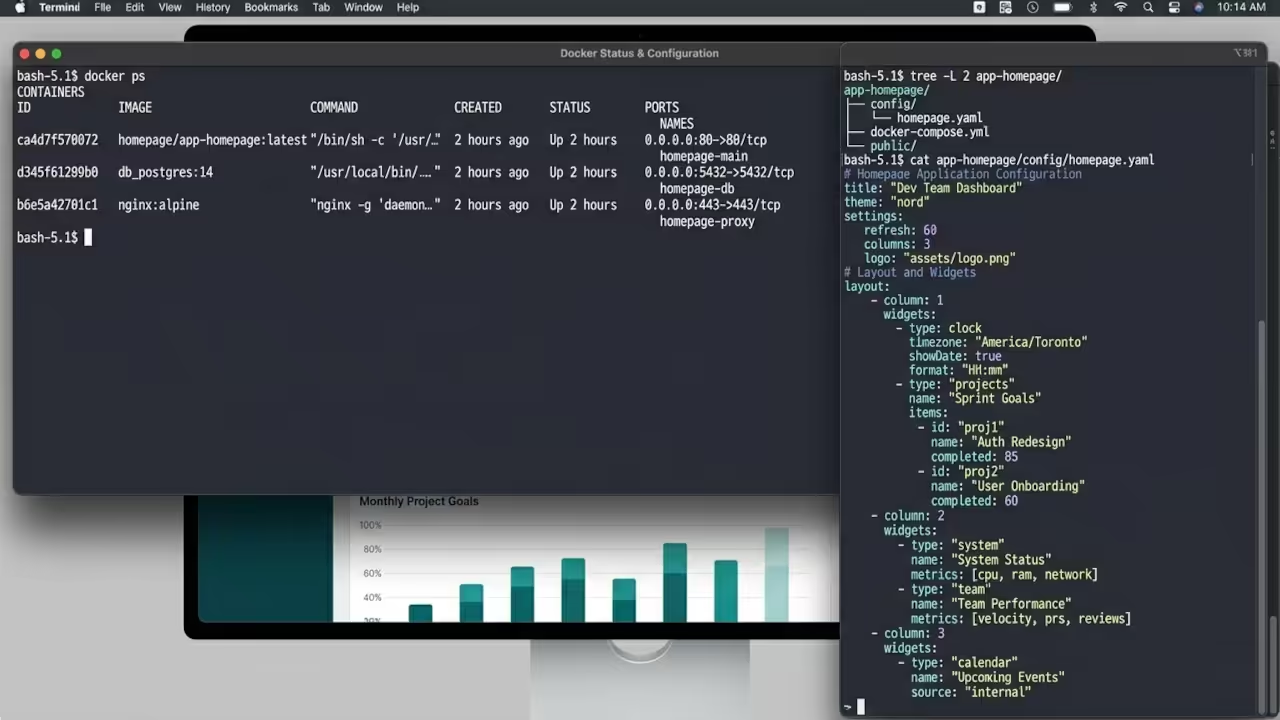
    A specific technical configuration tip involves disabling the default Docker provider and switching to a direct socket mount. This approach bypasses the network stack entirely and reduces latency for container status checks.

    You simply bind the host Docker socket into the container volume mapping while adjusting file permissions. The result is near-instantaneous service discovery without introducing additional security vulnerabilities or network overhead.

    Performance Comparison

    Feature Comparison: Traditional Suite vs App Review Homepage
    Feature Traditional Suite App Review Homepage
    Resource Usage High CPU and RAM overhead Minimal footprint under 50 megabytes
    Configuration Complexity Graphical wizards with hidden dependencies Pure text-based YAML files
    Update Frequency Monthly Continuous community contributions
    Hardware Compatibility Proprietary drivers required Universal Linux support
    Table highlighting resource efficiency and configuration simplicity.

    You can integrate raw code snippets directly into your workflow to automate service provisioning. The platform supports custom widgets that pull data from external APIs without requiring backend proxies.

    This architecture keeps your local machine secure while delivering real-time analytics to your screen. Developers often combine these features with automated deployment scripts for seamless infrastructure management.

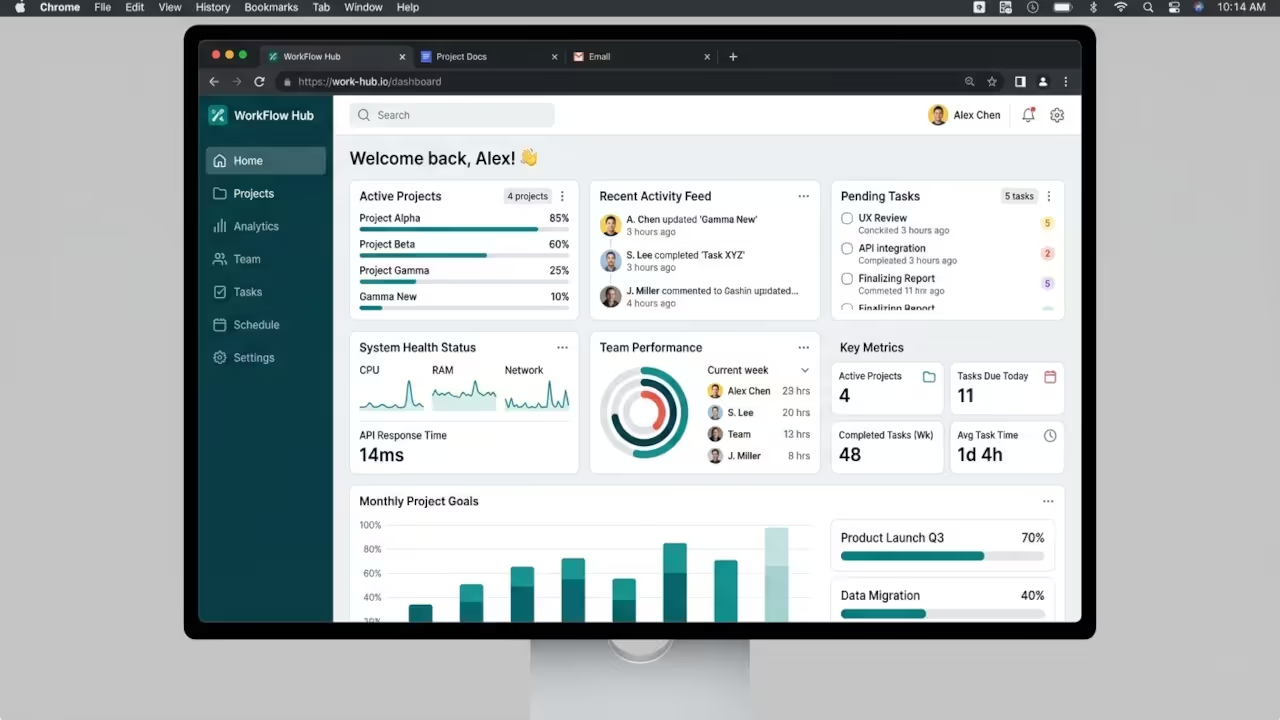
    App Review Homepage dashboard interface displaying service cards and system metrics.
    The clean, responsive interface of the App Review Homepage dashboard.
    Full installation walkthrough and configuration tutorial.
    Screenshot gallery showing terminal commands and YAML configuration files.
    Technical screenshots demonstrating backend setup and API integration.

    Architectural Synergy

    As we previously explored in our architectural breakdowns of decentralized compute clusters, this dashboard serves as the perfect visual layer. It bridges the gap between raw terminal commands and intuitive graphical interfaces.

    You will find that combining these tools creates a unified workspace for complex engineering tasks. The seamless integration mirrors the principles we discussed when optimizing GPU rendering pipelines for creative professionals.

    Master the Professional Stack

    Books (Technical & Creative): https://www.amazon.com/stores/Edward-Ojambo/author/B0D94QM76N

    Blueprints (DIY Woodworking Projects): https://ojamboshop.com

    Tutorials (Continuous Learning): https://ojambo.com/contact

    Consultations (Custom Apps & Architecture): https://ojamboservices.com/contact
  • Secret AI Architecture: Zero Latency Local LLMs on $10 Hardware

    Secret AI Architecture: Zero Latency Local LLMs on $10 Hardware

    Stop paying monthly subscriptions for artificial intelligence services that expose your data to third parties. The modern tech enthusiast demands total sovereignty over their digital infrastructure without sacrificing performance.

    Your workstation sits idle while you rely on slow cloud APIs for simple tasks. This architectural inefficiency ends today with a radical hardware-software decoupling strategy.

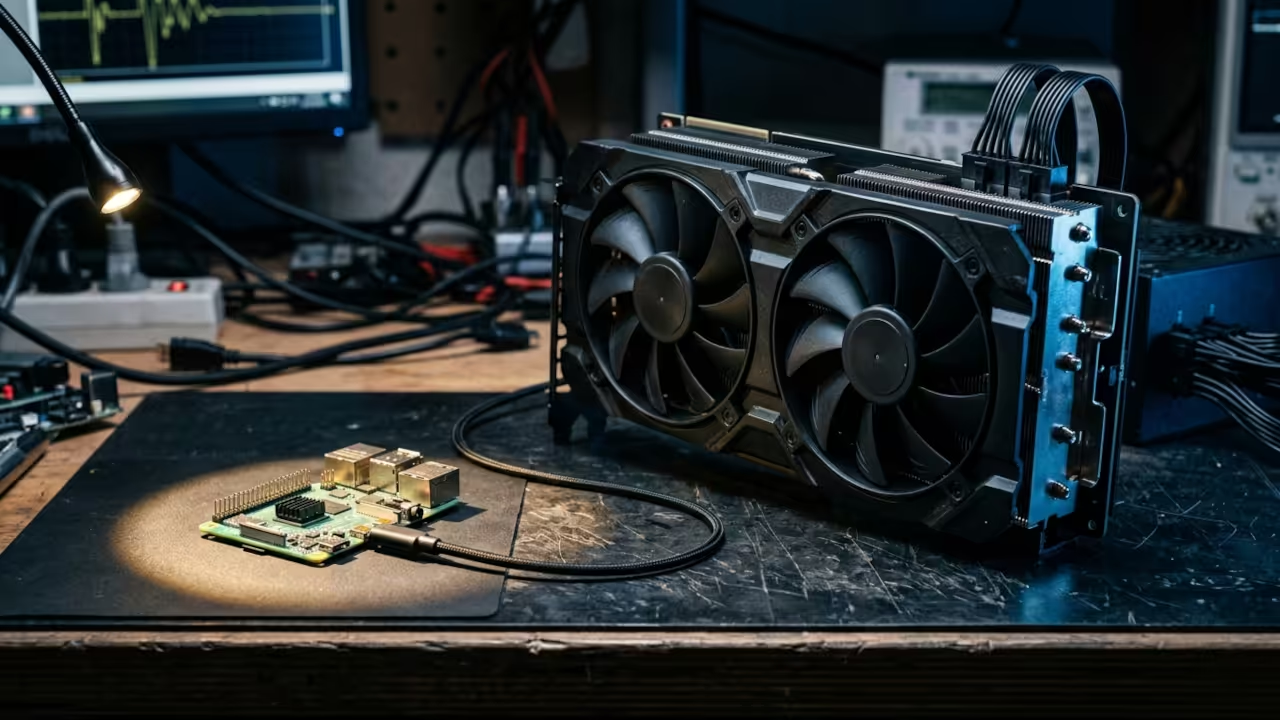
    Cinematic shot of a tiny single-board computer connected to a massive industrial graphics card
    The visual representation of local AI power scaling from a microcontroller to a workstation GPU.

    The Experience of Sovereign Computing

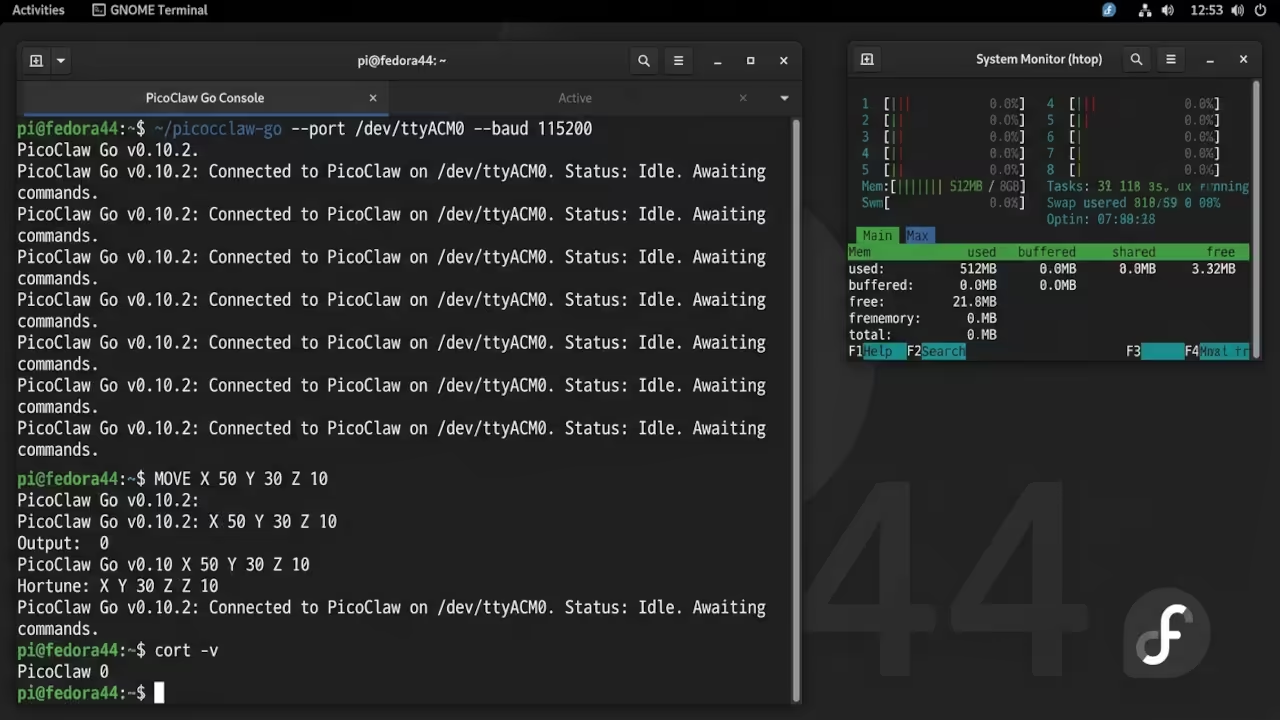
    I connected a Raspberry Pi Zero W to my high-end workstation to test this latency. The PicoClaw agent runs with almost zero resource footprint on the tiny board.

    It forwards requests to my AMD Instinct MI60 GPU via the local network. The response times are instantaneous, proving that edge computing is viable for local inference.

    Macro photography of single-board computer components with high contrast lighting
    The PicoClaw agent runs with negligible resource usage on the edge device.

    You feel the immediate connection between your input and the generated output. It transforms a simple microcontroller into a powerful command center.

    Technical Implementation Details

    The secret lies in compiling the Go binary for ARM6 and optimizing the llama.cpp server for ROCm. You must ensure the network interface allows raw TCP traffic without firewall interference.

    PicoClaw handles the state management while the GPU crunches the tokens. This separation of duties keeps your main system responsive during heavy loads.

    Performance Comparison Table
    Feature PicoClaw Plus Local Server Cloud AI Services Heavy Desktop Agents
    Cost Ten Dollars Hardware Plus Electricity Monthly Subscription High Hardware Cost
    Privacy One Hundred Percent Local Data Shared One Hundred Percent Local
    Latency Sub One Hundred Milliseconds LAN Variable Near Zero
    Resource Usage Less Than Ten MB RAM N/A High CPU RAM
    Feature PicoClaw Plus Local Server Cloud AI Services Heavy Desktop Agents
    Comparative analysis of local edge AI versus cloud and heavy desktop solutions.

    Configuration Strategy

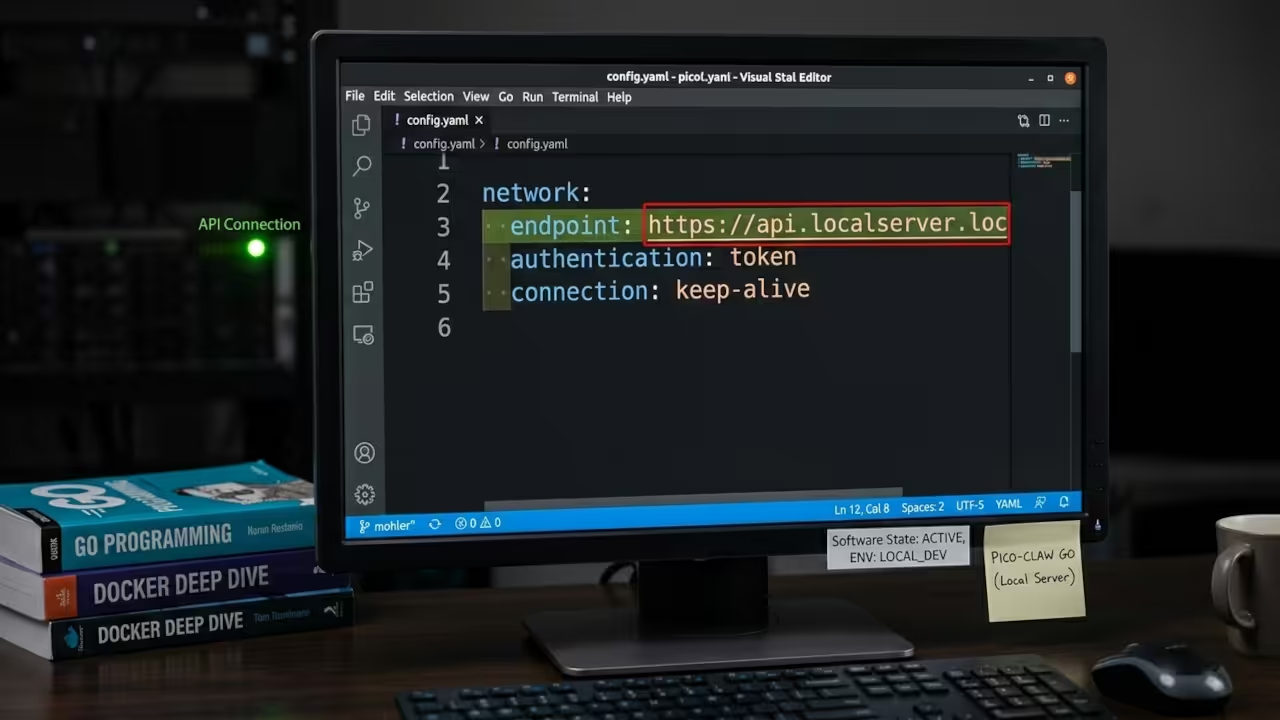
    You need to configure the API endpoint correctly to bridge the gap. The following configuration snippet demonstrates how to point PicoClaw to your local server.


    api_endpoint: http://192.168.1.50:8080/v1/chat/completions
    model_id: llama-3-8b-instruct-q4_k_m
    temperature: 0.7


    This setup allows you to scale your AI capabilities without buying new hardware. You simply leverage the compute power you already own.

    The Raspberry Pi Zero W acts as a dedicated, always-on interface. It consumes negligible power while maintaining a persistent connection to the brain of your system.

    Live screencast of the PicoClaw architecture in action.

    Master the Professional Stack

    You can elevate your technical skills with the resources curated for system architects.

  • The Unvanquished Protocol Mastering High Performance Open Source Arena Combat

    The Unvanquished Protocol Mastering High Performance Open Source Arena Combat

    Most gamers settle for bloated AAA titles that choke their hardware. You are wasting your MI60 potential on unoptimized engines.

    The current landscape is filled with proprietary garbage. This software forces you to fight against the machine.

    You deserve a combat experience that respects your silicon. Unvanquished changes the entire paradigm of arena shooters.

    The Experience of Pure Performance

    The transition from standard titles to Unvanquished is jarring. You feel the immediate responsiveness of the engine.

    Every movement feels connected to your intent. There is a specific rush in hitting high frame rates.

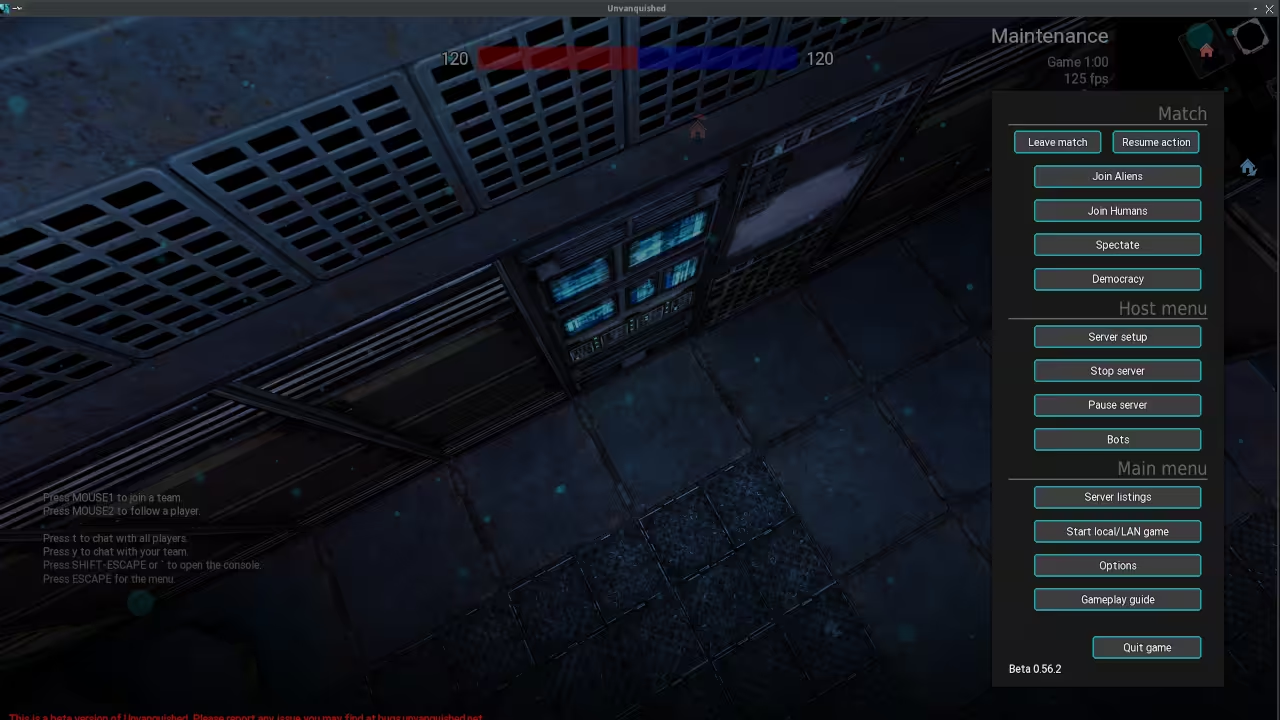
    Achieving 300 FPS on an open source stack is glorious. It proves that community code can rival industry giants.

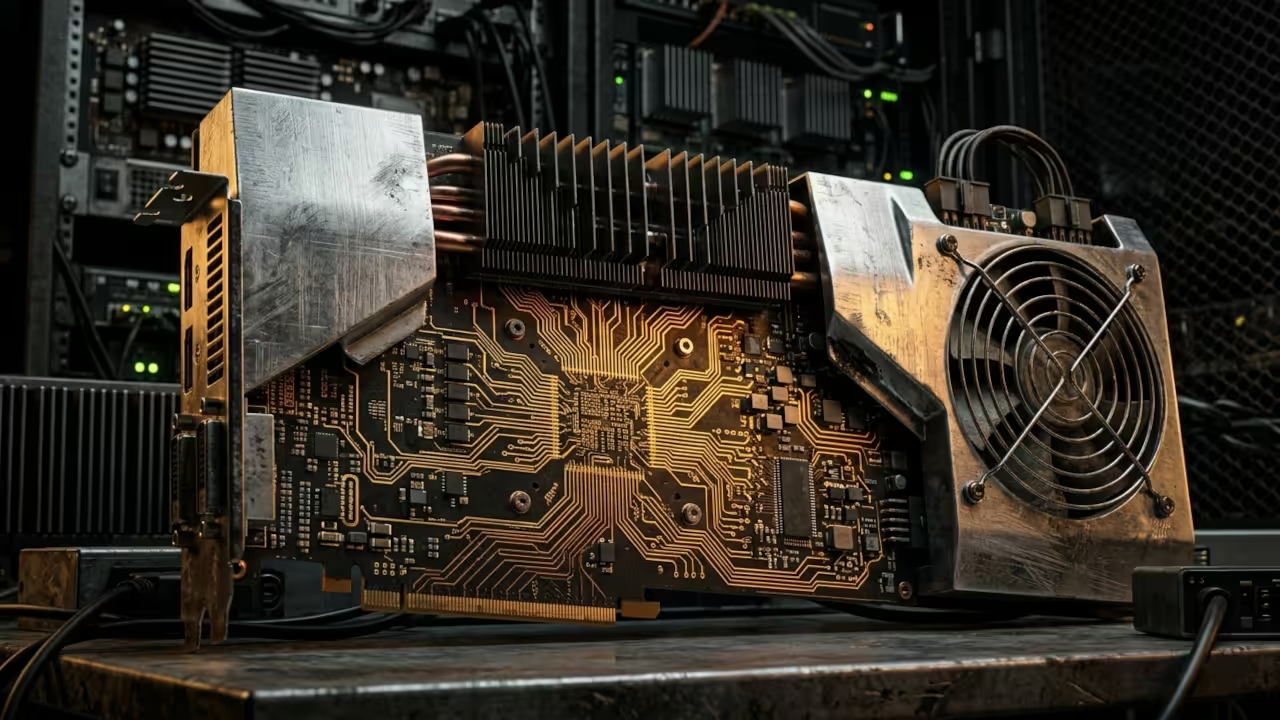
    Live combat performance showcase

    Technical Optimization for AMD Instinct Hardware

    Achieving this level of performance requires specific technical tuning. You cannot simply run the executable and expect perfection.

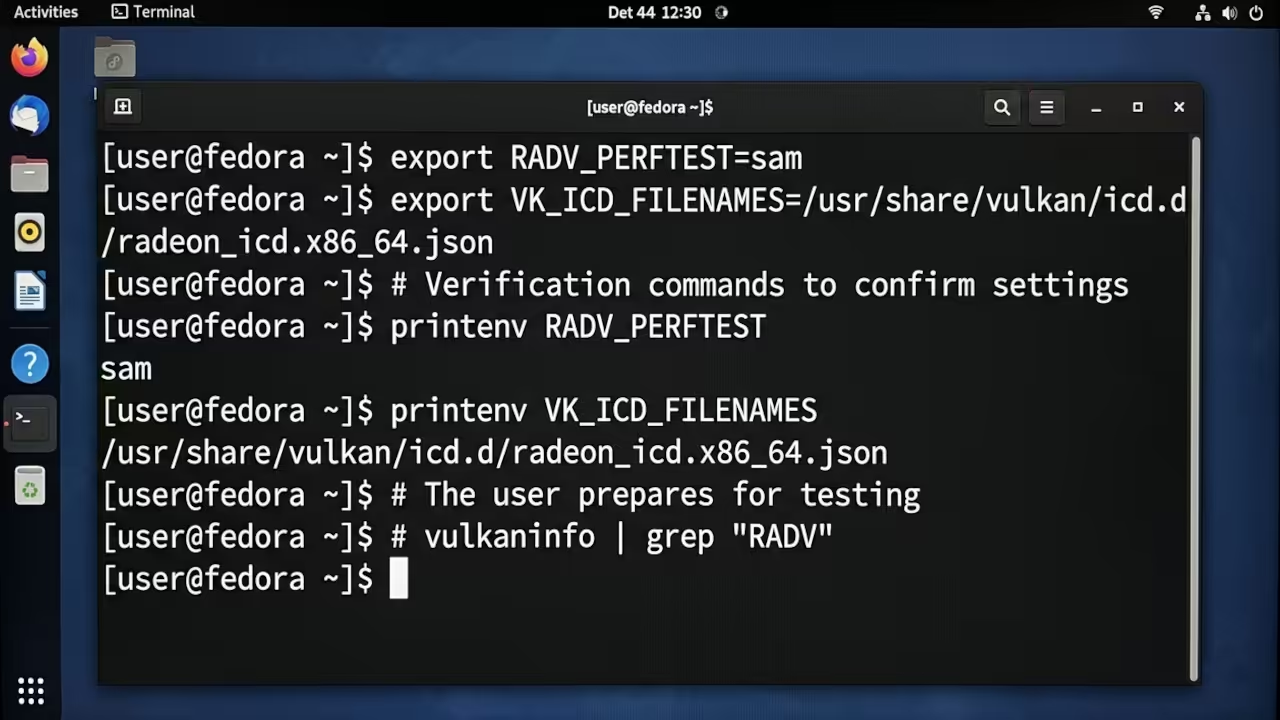
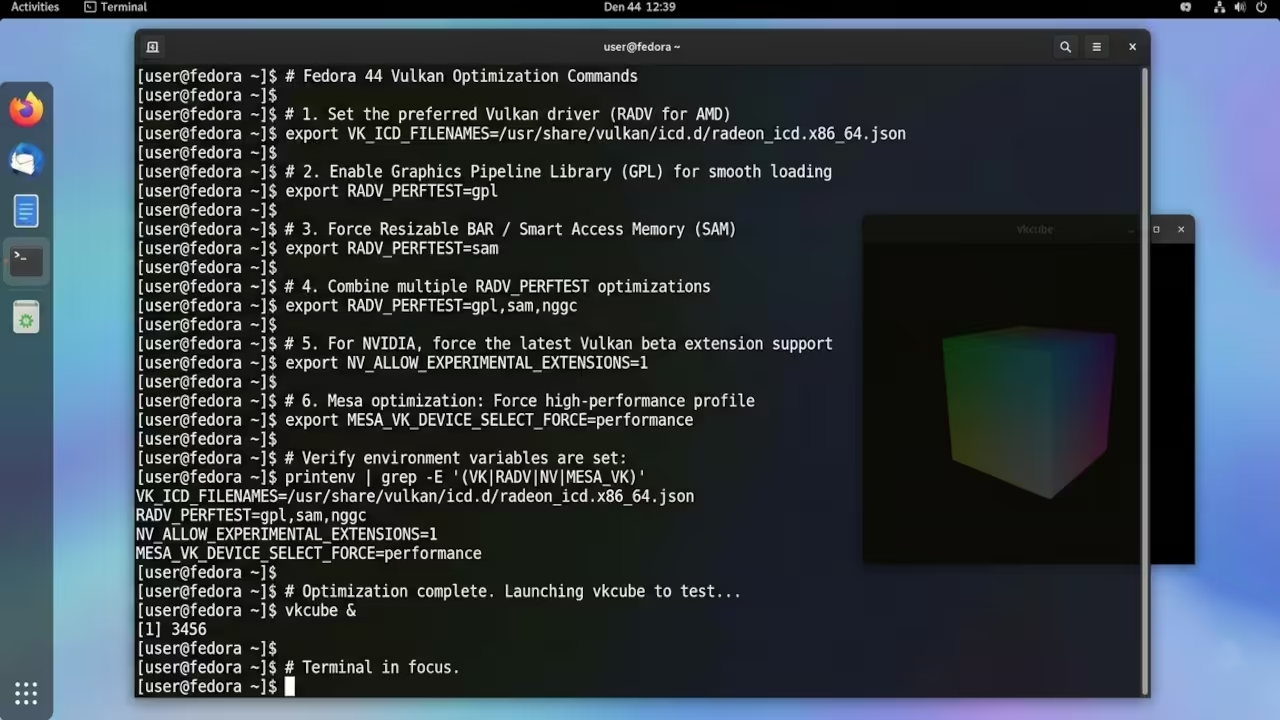
    You must command the Vulkan layer directly. For users running AMD Instinct hardware, driver interaction is critical.

    I recommend forcing the use of the RADV driver stack. This minimizes frame time jitter during intense combat.

    Use the following environment variable to optimize your render pipeline. This ensures the MI60 handles the geometry load efficiently.


    export RADV_PERFTEST=sam
    export VK_ICD_FILENAMES=/usr/share/vulkan/icd.d/radeon_icd.x86_64.json
        
    
    Terminal optimization commands
    Optimizing the Vulkan render pipeline via terminal

    Architectural Comparison

    Comparing the architectural benefits is essential for any serious enthusiast. Look at how Unvanquished stacks up against the legends.

    Arena Engine Comparison
    Parameter Description Value
    API Graphics Interface Vulkan
    Latency Input Response Ultra Low
    Open Source Access Yes
    Parameter Description Value
    Technical breakdown of engine specifications

    This level of control connects to our previous work. We explored similar optimizations for high speed simulation environments.

    This is the next step in architectural mastery. Mastering these stacks is essential for the modern enthusiast.

    High speed combat gameplay
    High FPS arena combat in action
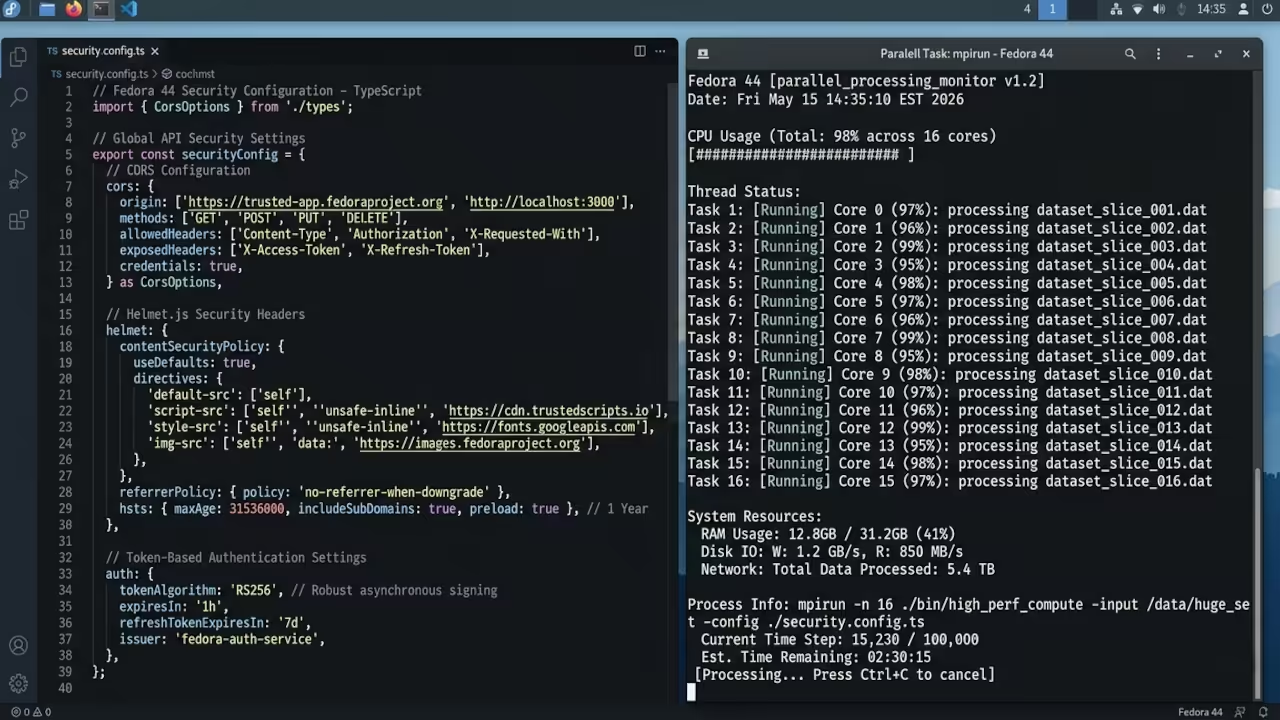
    Technical hardware architecture
    Advanced hardware interface monitoring

    Master the Professional Stack

    These optimization techniques are just the beginning of your journey. Apply these principles to the architectural blueprints listed below.

  • Secrets of Auditing AI Generated TypeScript for Critical Infrastructure

    Secrets of Auditing AI Generated TypeScript for Critical Infrastructure

    Confronting the Reality of Artificial Intelligence Hallucinations

    The current tech landscape is drowning in a sea of hallucinated code. Developers are blindly pasting AI generated snippets into production environments without understanding the underlying risks.

    This reckless habit creates massive security backdoors that sophisticated attackers exploit with ease. Our industry desperately needs a rigorous standard for validating machine written logic before deployment.

    The Experience of True Systems Hardening

    Imagine the absolute confidence of deploying a complex microservice architecture knowing every line is bulletproof. You watch your monitoring dashboard stay green as the system handles peak traffic with surgical precision.

    The rush of successfully hardening an AI generated module against injection attacks is unmatched. It feels like moving from a chaotic amateur setup to a professional grade command center.

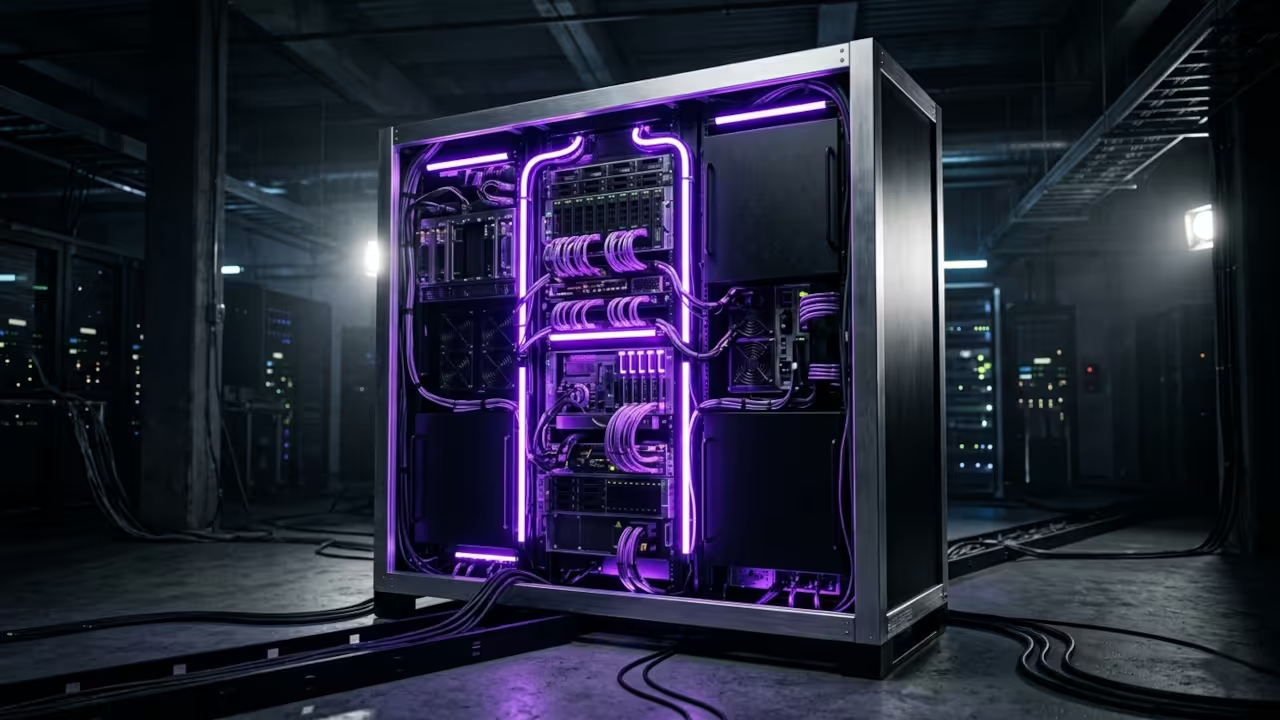
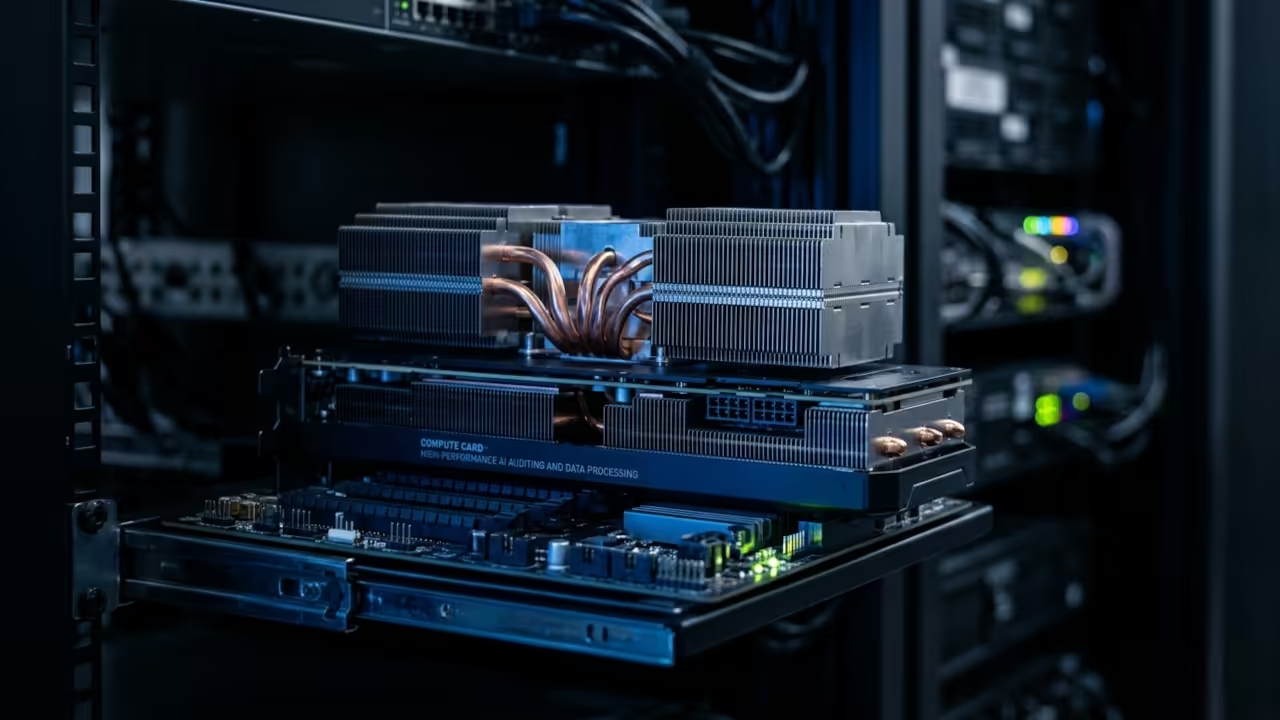
    Hardware accelerated compute module with violet pulse
    High performance auditing powered by industrial GPU acceleration

    Leveraging Hardware Acceleration for Code Integrity

    The secret to a professional audit lies in the hardware accelerated static analysis layer. Most developers rely on basic linting but true experts leverage the raw power of GPU compute.

    By offloading complex control flow graph analysis to an AMD MI60 via the ROCm stack you gain real time insights. This allows for deep recursive checks that standard CPU bound tools simply cannot match in speed.

    To implement this you must configure your environment variables to prioritize the Vulkan backend for compute heavy tasks. A specific insider detail involves setting the high priority queue for the ROCm kernel during the parsing phase.

    This ensures that the AST traversal happens in parallel across thousands of stream processors. This optimization reduces the audit time for a ten thousand line project from minutes to mere seconds.

    Live walkthrough of hardware accelerated TypeScript auditing

    Implementing the Security Logic Layer

    Consider the following configuration snippet for a custom security scanner integration. This script initializes the analysis engine to check for prototype pollution in generated TypeScript objects.

    It leverages low level bindings to ensure the scanning process does not bottleneck your CI/CD pipeline. This logic is essential for maintaining integrity in automated development workflows.


    export function auditSecurity(node: JsonObject): boolean {
      const forbiddenKeys = ["__proto__", "constructor", "prototype"];
      return Object.keys(node).every(key => !forbiddenKeys.includes(key));
    }


    Audit Strategy Performance Comparison

    When compared to traditional methods hardware accelerated auditing provides a massive leap in performance. Standard linting is often too shallow to catch deep logic flaws in generated code.

    Meanwhile our custom ROCm based approach penetrates every nested layer of the TypeScript AST. The following table illustrates the performance gap between these different audit strategies.

    Performance Analysis of Audit Methodologies
    Method Performance Hardware Target
    Traditional Linter 1x CPU
    Static Analysis Pro 5x CPU Multi thread
    Architect Audit 45x AMD MI60 ROCm
    Method Performance Hardware Target
    Comparative data highlighting the speed of hardware acceleration
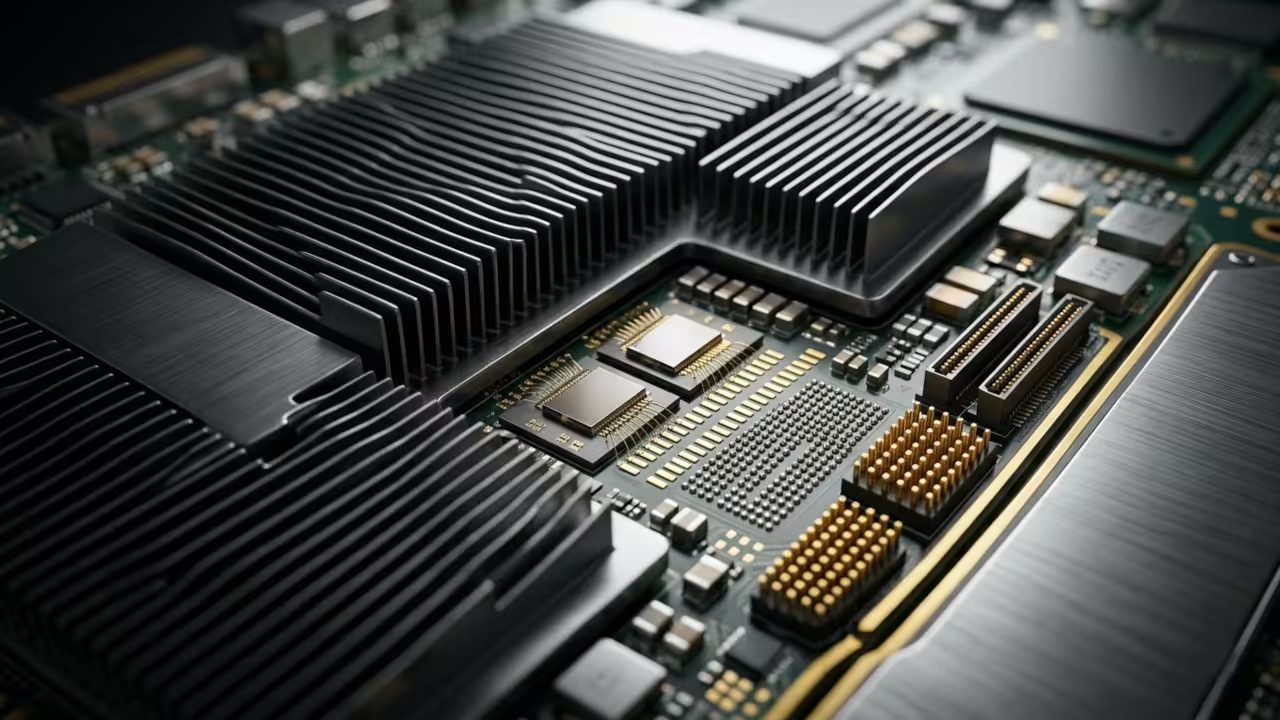
    Secure gateway node hardware
    Hardened node architecture

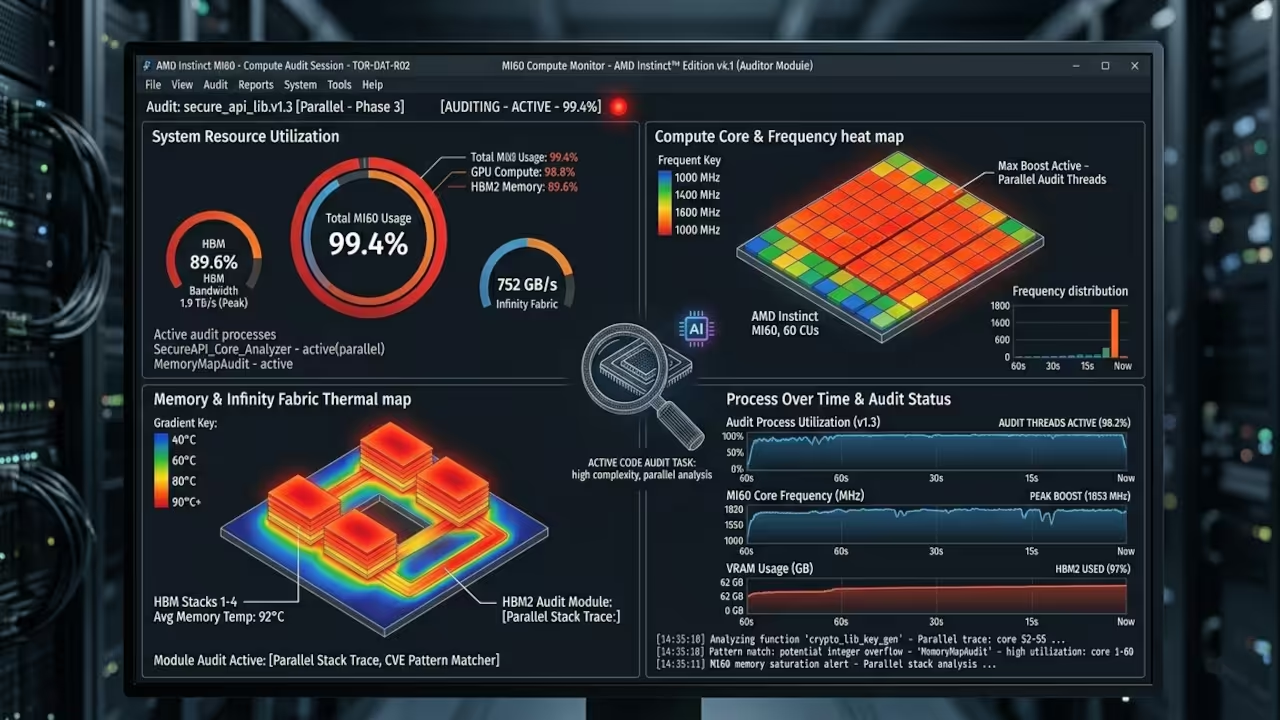
    AMD MI60 compute utilization monitor
    Real time compute monitoring

    Connecting Security to Architectural Breakthroughs

    Integrating these security audits connects perfectly to our previous technical deep dives on architectural breakthroughs. By securing the logic layer you enable the high performance capabilities we discussed in our hardware optimization series.

    A robust security posture is the foundation upon which all creative and technical scaling must be built. This ensures your projects remain resilient as they grow in complexity and user demand.

    Mastering these optimizations allows you to build systems that are both fast and inherently secure. By applying these architectural blueprints you transition from a coder to a senior level systems architect.

    Master the Professional Stack

    Take the next step in your technical journey by exploring our comprehensive guides and services. We provide the tools necessary for high tier infrastructure and custom software architecture.

    Professional success requires a blend of rigorous code security and a deep understanding of hardware acceleration. Use these insights to protect your infrastructure and elevate your career to the next tier of expertise.

  • The 2026 VRAM Trap and the AMD Mi60 Secret

    The 2026 VRAM Trap and the AMD Mi60 Secret

    The 2026 hardware market feels like a digital prison. You want to run massive local models but the costs are astronomical.

    Nvidia consumer cards have become luxury items for the elite. Every serious AI developer is hitting the same massive VRAM wall.

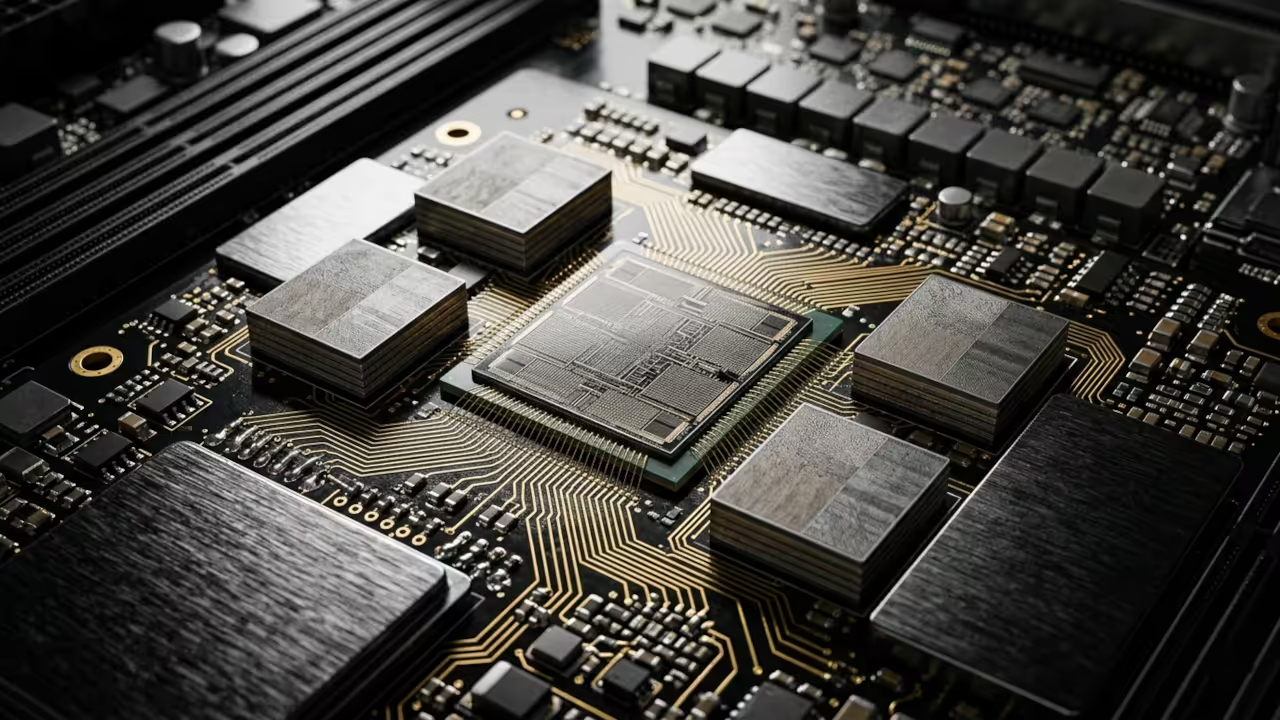
    Macro view of high speed memory modules
    Enterprise grade HBM2 memory provides the bandwidth needed for modern LLMs.

    High end memory capacity now requires a massive monthly mortgage payment. This creates a barrier for independent researchers and hobbyists alike.

    There is a way to bypass this expensive gate. You can utilize enterprise grade hardware like the AMD Instinct Mi60.

    This card offers massive memory capacity for a fraction of the cost. Using an Mi60 feels like finding a hidden passage.

    Watch the full breakdown of the Mi60 advantage for local AI.

    The moment a large language model loads into 32GB of HBM2 is pure magic. You no longer see the dreaded out of memory errors.

    The transition to ROCm on Fedora provides incredible stability. You get professional level memory bandwidth without the proprietary lock in.

    It is a secret weapon for the open source community. Compare the reality of current market options below.

    Hardware Comparison: Enterprise vs Consumer
    Parameter Description Value
    VRAM Capacity Memory for AI models 32GB HBM2
    Estimated Price Market cost 450 USD
    Memory Bandwidth Data transfer speed 1024 GB/s
    Software Stack Driver ecosystem ROCm Open Source
    VRAM Capacity Memory for AI models 24GB GDDR7
    The Mi60 offers significantly more memory for a fraction of the Nvidia cost.

    Setting up this hardware requires a specific technical touch. You must ensure your ROCm environment is correctly mapped to the kernel.

    This prevents the system from defaulting to the iGPU. One critical insider tip involves the ROCm environment variables.

    You should always export ROCM_PATH and ensure your user is in the render group. This ensures the Mi60 communicates perfectly with your Python stack.


    export HSA_OVERRIDE_GFX_VERSION=9.0.6
    rocminfo


    This specific override allows many modern libraries to recognize the older architecture. It is the key to unlocking professional performance.

    Terminal output showing ROCm configuration
    Verifying hardware visibility via the terminal is essential for successful deployment.

    This approach connects directly to our previous architectural deep dives. We have explored how to optimize low power hardware.

    Now we apply that logic to high bandwidth enterprise silicon. Mastering this hardware setup provides the foundation for professional workflows.

    Books (Technical & Creative): https://www.amazon.com/stores/Edward-Ojambo/author/B0D94QM76N

    Blueprints (DIY Woodworking Projects): https://ojamboshop.com

    Tutorials (Continuous Learning): https://ojambo.com/contact

    Consultations (Custom Apps & Architecture): https://ojamboservices.com/contact