
Every day millions of people upload sensitive documents to random websites. These online tools often store your data on unsecured remote servers. This creates a massive security vulnerability for professionals and businesses.
You are essentially handing your private contracts to strangers. Many of these sites use your data for machine learning. Some may even leak your information during a breach.
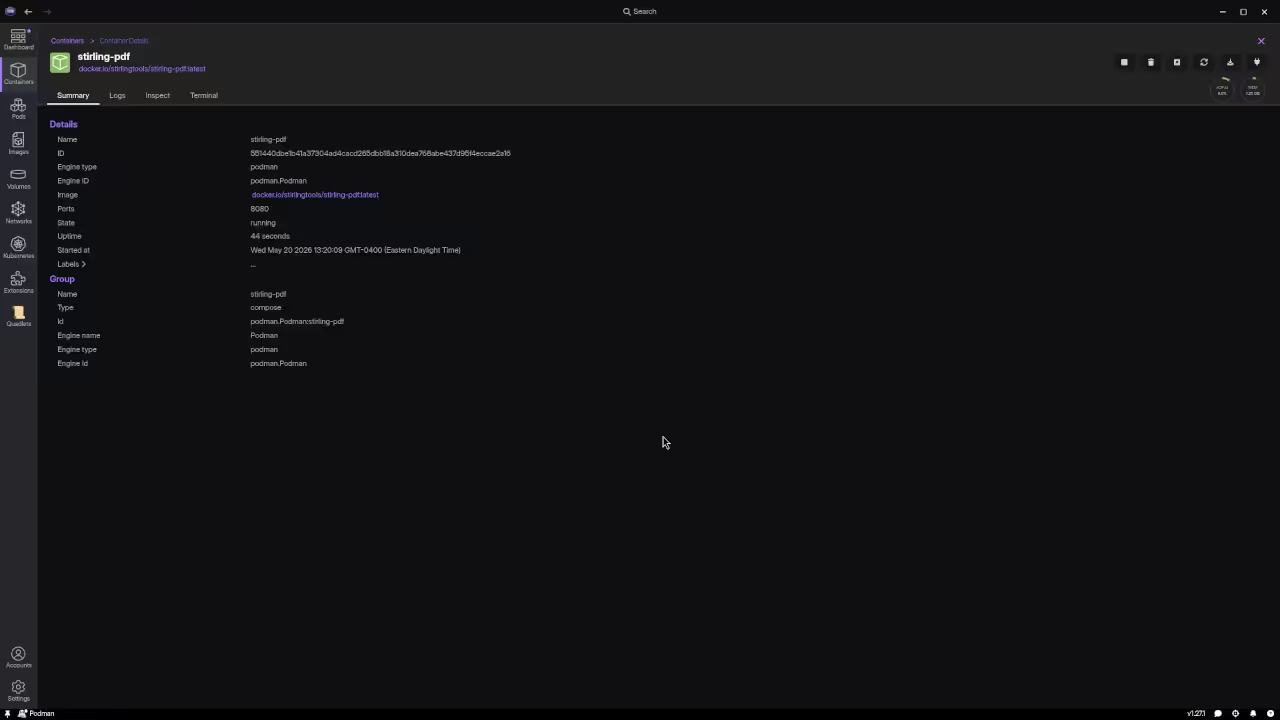
I finally reclaimed my digital privacy by moving my workflow locally. Implementing Stirling-PDF through Podman Desktop felt like a massive breakthrough. The entire suite runs within a secure and isolated container.
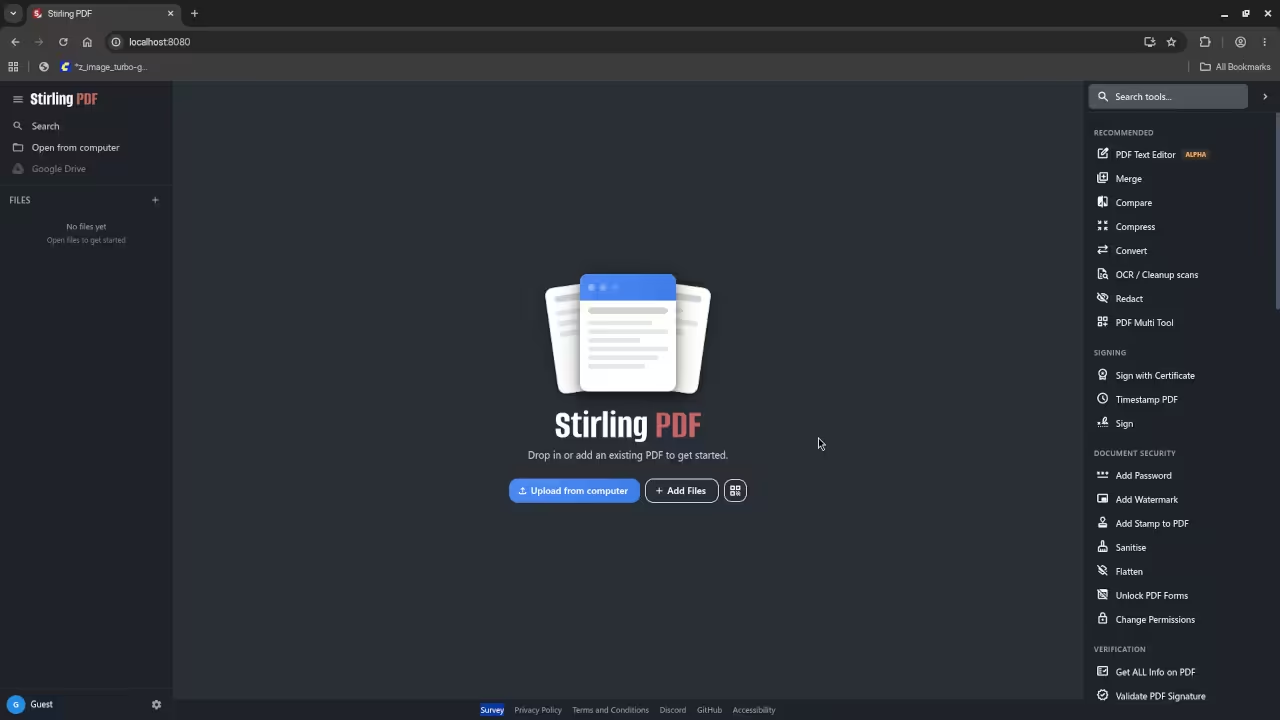
The feeling of total control is truly liberating for any professional. I no longer worry about data leaks or monthly subscription fees. The interface is fast and incredibly responsive on my local hardware.
Podman Desktop provides a clean interface for managing these containers. You can monitor resource usage and manage volumes with ease. This setup ensures your sensitive files never leave your local machine.
The software handles everything from merging to advanced OCR tasks. You can split files or add watermarks in seconds. It provides a complete professional suite without any cloud dependency.
Running these tools locally also eliminates internet latency issues. Large files process much faster when they stay on your drive. You can work offline without losing any critical functionality.
Privacy is not just a feature but a fundamental necessity. Using containerization adds an extra layer of system isolation. This protects your main operating system from potential software vulnerabilities.

| Feature | Stirling-PDF (Local) | Online Converters (Cloud) |
|---|---|---|
| Privacy | Absolute | Zero |
| Cost | Free | Subscription |
| Speed | Local Network | Internet Dependent |
| Tools | Comprehensive | Limited |
| Feature | Stirling-PDF (Local) | Online Converters (Cloud) |
To ensure your settings remain intact you must use volumes. Always create a persistent volume before starting your container deployment. This prevents losing your configurations during a container update.
Use the following command to set up your environment correctly.
podman run -d --name stirling-pdf -p 8080:8080 -v stirling_data:/app/data froodle/s-pdf
Mastering these containerized workflows is the first step toward a truly sovereign digital architecture. The following professional resources will help you scale these technical breakthroughs into full-scale implementations.
Books (Technical & Creative): https://www.amazon.com/stores/Edward-Ojambo/author/B0D94QM76N
Blueprints (DIY Woodworking Projects): https://ojamboshop.com
Tutorials (Continuous Learning): https://ojambo.com/contact
Consultations (Custom Apps & Architecture): https://ojamboservices.com/contact
🚀 Recommended Resources
Disclosure: Some of the links above are referral links. I may earn a commission if you make a purchase at no extra cost to you.