
Android Mirroring Tool On Your Desktop
Learn how to install SCRCPY (Screen Copy) application that allows you to mirror and control your Android device from your desktop computer.
SCRCPY is a free and open source application that connects to your Android device over a USB or TCP/IP connection. The application does not require root access or an app to be installed on the device. It is also cross-platform for Linux, Windows and macOS.
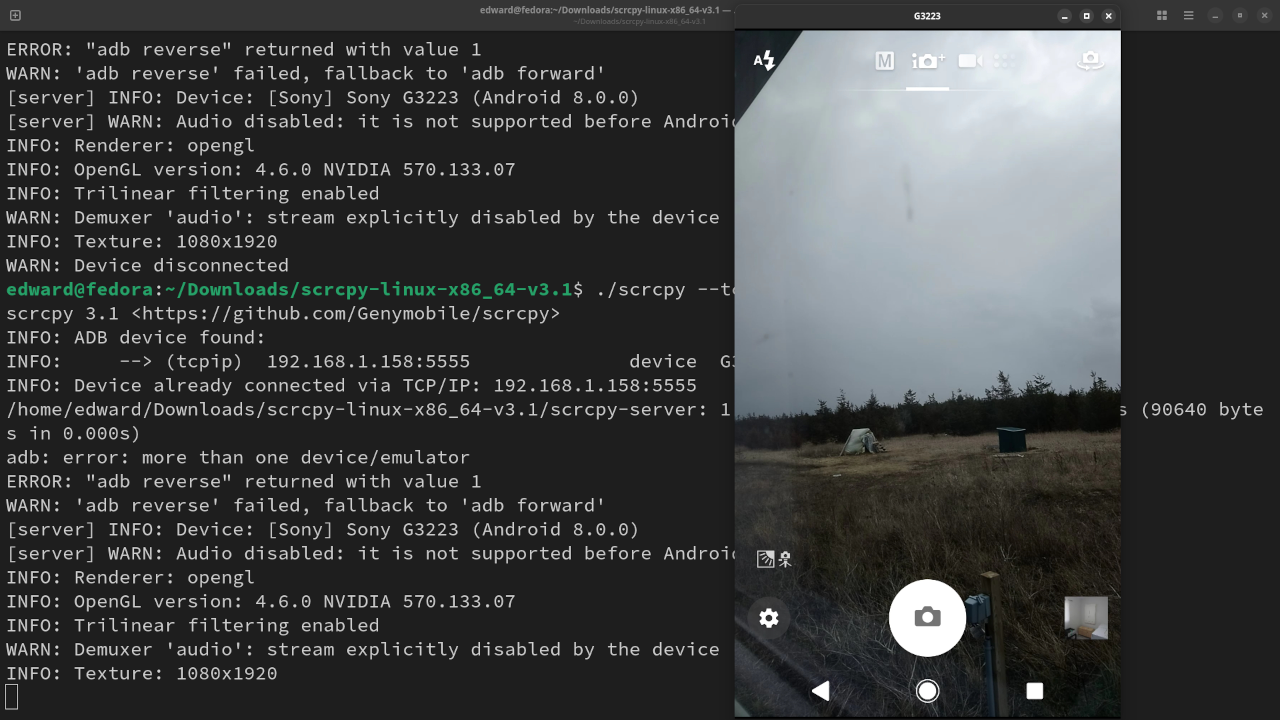
I require an easy way to use the phone camera in order to view the chicken coop. SCRCPY has more features such as controlling audio, capturing the screen in different video quality modes and even using gamepad controllers to control the device.
Requirements For SCRCPY
Glossary:
IP
Internet Protocol address is a numerical label that is assigned to a device connected to a computer network.
Wi-Fi
Wireless network protocols based on the IEEE 802.11 standards for local area networks.
WLAN
Wireless LAN is a computer network that links 2 or more devices.
TCP/IP
Transmission Control Protocol/Internet Protocol is a framework for computer networking.
Android Devices
| Name | Description | Recording | Power |
|---|---|---|---|
| Sony Xperia XA1 Ultra | Updated to Android 8.0 and lastest web browser. | Takes photos and videos on front and back cameras. | USB Type-C 2.0 10W charging |
| Samsung Galaxy S21 FE 5G | Updated to Android 14.0 and default camera application. | Takes photos and videos on front and back cameras. | USB Type-C 2.0 <25W charging |
| Name | Description | Example |
Download
SCRCPY can be downloaded from SCRCPY or from their SCRCPY Github page for other Linux versions. Then the downloaded file is extracted directly on the computer and the binary can be executed.
Wireless Connection
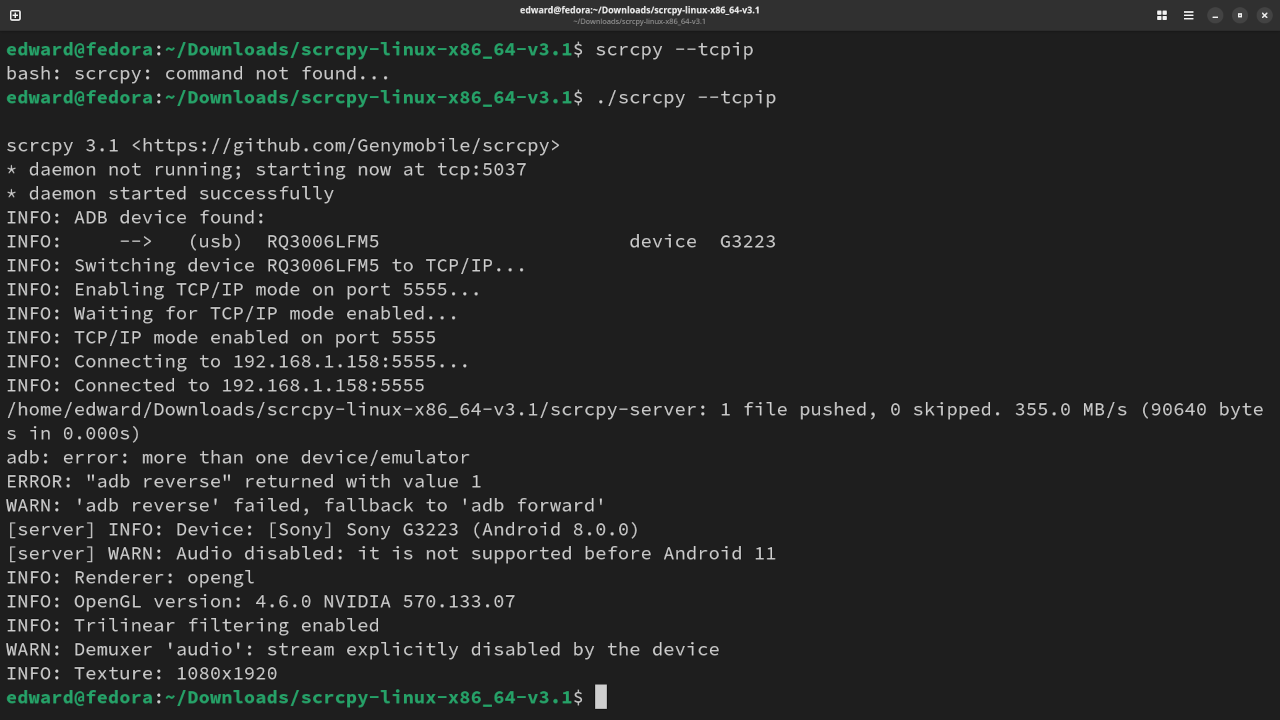
# If The Device IP Is Not Know #
scrcpy --tcpip
# If The Device IP Know (Replace Xs with IP) #
scrcpy --tcpip=xxx.xxx.x.xxx:5555
Conclusion:
SCRCPY is easy to use once you meet all the requirements for the application. Simply download the application and begin using it after the optional probing for the IP address if connected via TCP/IP.
If you enjoy this article, consider supporting me by purchasing one of my OjamboShop.com Online Programming Courses or publications at Edward Ojambo Programming Books or simply donate here Ojambo.com Donate
References:
- SCRCPY An Android Screen Mirroring Tool
- Customer Sets Price Plugin for WooCommerce on Ojambo.com
- Learning JavaScript Course on OjamboShop.com
- Learning Python Course on OjamboShop.com
- Learning PHP Course on OjamboShop.com
- Learning JavaScript Paperback on Amazon
- Learning JavaScript Ebook on Amazon
- Learning Python Ebook on Amazon
- Learning PHP Ebook on Amazon
- OjamboServices.com For Custom Websites, Applications & Tutorials
🚀 Recommended Resources
Disclosure: Some of the links above are referral links. I may earn a commission if you make a purchase at no extra cost to you.