
Introduction
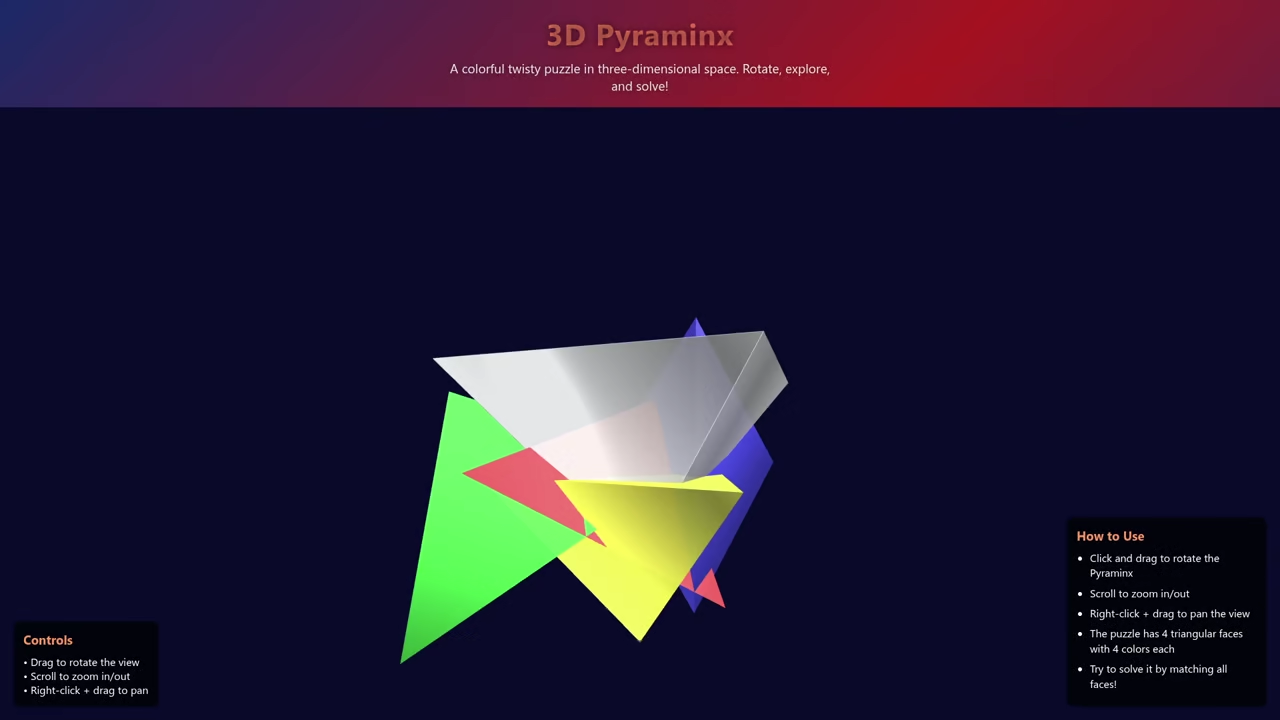
This tutorial builds a Pyraminx puzzle on Fedora 43. We use the Qwen3-Coder model for initial code generation.
Installation on Fedora Linux
Update your Fedora 43 system before you begin today. Type sudo dnf install llama-cpp to install the tools.
Support for Other Operating Systems
Ubuntu users must use the sudo apt install command. Windows users should utilize winget to install llama.cpp packages.
Mac users can install the software using the brew command. These steps ensure everyone can follow this technical guide.
Running the Local Model
Download the Qwen3-Coder model file from the official repo. Run the model using the llama-server command right away.
Input the prompt for a 3D HTML5 Pyraminx game. Watch the model generate the canvas and rotation logic.
Testing the Output
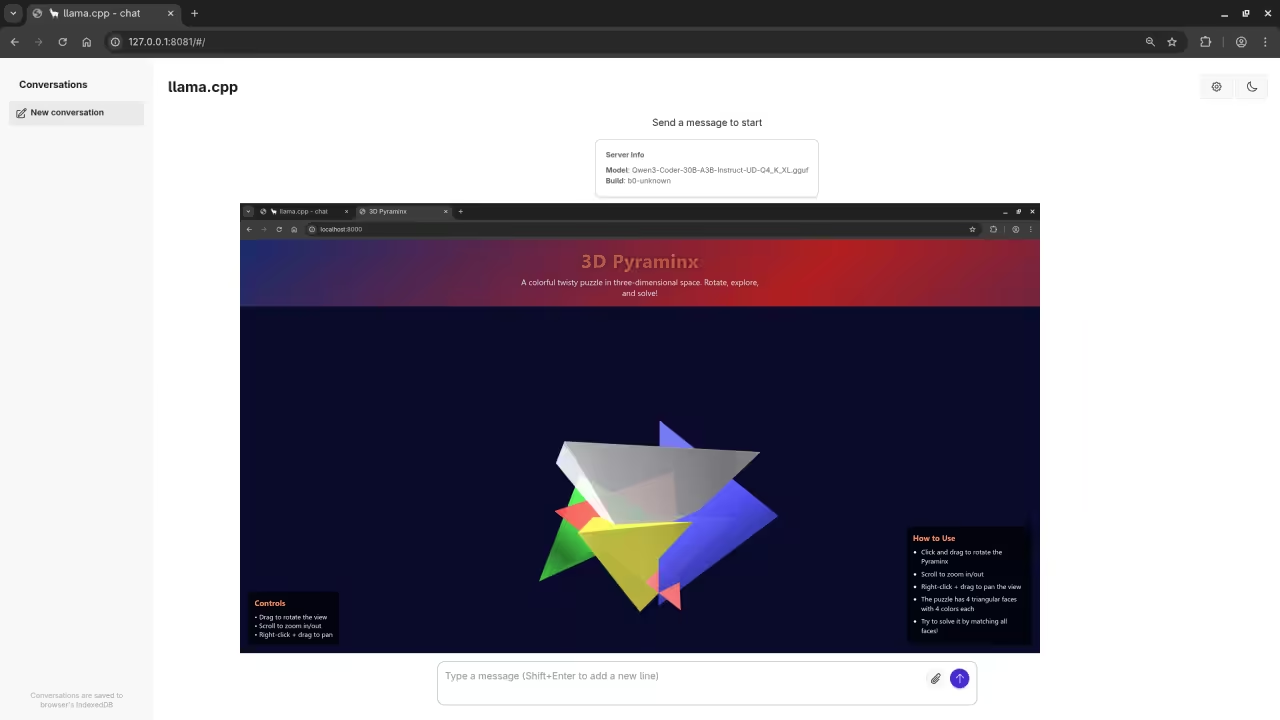
Paste the raw output into a new index.html file. Open this file in your favorite web browser immediately.
<script src="https://cdnjs.cloudflare.com/ajax/libs/three.js/r128/three.min.js"></script>
<script src="https://cdn.jsdelivr.net/npm/three@0.128.0/examples/js/controls/OrbitControls.min.js"></script>
<style>
* {
margin: 0;
padding: 0;
box-sizing: border-box;
}
body {
overflow: hidden;
background: linear-gradient(135deg, #1a2a6c, #b21f1f, #1a2a6c);
font-family: 'Segoe UI', Tahoma, Geneva, Verdana, sans-serif;
height: 100vh;
display: flex;
flex-direction: column;
}
.header {
text-align: center;
padding: 20px;
color: white;
text-shadow: 0 0 10px rgba(0, 0, 0, 0.5);
z-index: 10;
}
h1 {
font-size: 2.8rem;
margin-bottom: 10px;
background: linear-gradient(to right, #ff9966, #ff5858);
-webkit-background-clip: text;
-webkit-text-fill-color: transparent;
letter-spacing: 1px;
}
.subtitle {
font-size: 1.2rem;
max-width: 600px;
margin: 0 auto;
opacity: 0.9;
}
#pyraminx-container {
flex: 1;
position: relative;
}
.controls {
position: absolute;
bottom: 20px;
left: 20px;
background: rgba(0, 0, 0, 0.7);
padding: 15px;
border-radius: 10px;
color: white;
z-index: 10;
backdrop-filter: blur(5px);
}
.controls h3 {
margin-bottom: 10px;
color: #ff9966;
}
.instructions {
position: absolute;
bottom: 20px;
right: 20px;
background: rgba(0, 0, 0, 0.7);
padding: 15px;
border-radius: 10px;
color: white;
z-index: 10;
backdrop-filter: blur(5px);
max-width: 300px;
}
.instructions h3 {
margin-bottom: 10px;
color: #ff9966;
}
.instructions ul {
padding-left: 20px;
}
.instructions li {
margin-bottom: 8px;
line-height: 1.4;
}
.footer {
text-align: center;
padding: 15px;
color: rgba(255, 255, 255, 0.7);
font-size: 0.9rem;
z-index: 10;
}
@media (max-width: 768px) {
.header h1 {
font-size: 2rem;
}
.subtitle {
font-size: 1rem;
}
.controls, .instructions {
position: relative;
max-width: 90%;
margin: 15px auto;
bottom: auto;
right: auto;
left: auto;
}
}
</style>
<div class="header">
<h1>3D Pyraminx</h1>
<p class="subtitle">A colorful twisty puzzle in three-dimensional space. Rotate, explore, and solve!</p>
</div>
<div id="pyraminx-container"></div>
<div class="controls">
<h3>Controls</h3>
<p>• Drag to rotate the view</p>
<p>• Scroll to zoom in/out</p>
<p>• Right-click + drag to pan</p>
</div>
<div class="instructions">
<h3>How to Use</h3>
<ul>
<li>Click and drag to rotate the Pyraminx</li>
<li>Scroll to zoom in/out</li>
<li>Right-click + drag to pan the view</li>
<li>The puzzle has 4 triangular faces with 4 colors each</li>
<li>Try to solve it by matching all faces!</li>
</ul>
</div>
<div class="footer">
<p>Created with Three.js | Pyraminx Puzzle Simulation</p>
</div>
<script>
// Main variables
let scene, camera, renderer, controls;
let pyraminx, pyramidGroup;
let clock = new THREE.Clock();
// Initialize the scene
function init() {
// Create scene
scene = new THREE.Scene();
scene.background = new THREE.Color(0x0a0a2a);
scene.fog = new THREE.Fog(0x0a0a2a, 15, 30);
// Create camera
camera = new THREE.PerspectiveCamera(75, window.innerWidth / window.innerHeight, 0.1, 1000);
camera.position.set(0, 0, 10);
// Create renderer
renderer = new THREE.WebGLRenderer({ antialias: true });
renderer.setSize(window.innerWidth, window.innerHeight);
renderer.setPixelRatio(window.devicePixelRatio);
document.getElementById('pyraminx-container').appendChild(renderer.domElement);
// Add lighting
const ambientLight = new THREE.AmbientLight(0xffffff, 0.5);
scene.add(ambientLight);
const directionalLight = new THREE.DirectionalLight(0xffffff, 1);
directionalLight.position.set(5, 5, 5);
scene.add(directionalLight);
const backLight = new THREE.DirectionalLight(0xffffff, 0.8);
backLight.position.set(-5, -5, -5);
scene.add(backLight);
// Create the Pyraminx
createPyraminx();
// Add orbit controls
controls = new THREE.OrbitControls(camera, renderer.domElement);
controls.enableDamping = true;
controls.dampingFactor = 0.05;
// Handle window resize
window.addEventListener('resize', onWindowResize, false);
// Start animation loop
animate();
}
// Create the Pyraminx structure
function createPyraminx() {
pyramidGroup = new THREE.Group();
scene.add(pyramidGroup);
// Define colors for the pyraminx faces
const colors = [
0xff5555, // Red
0x55ff55, // Green
0x5555ff, // Blue
0xffff55 // Yellow
];
// Create the main pyramid structure
const size = 4;
const geometry = new THREE.ConeGeometry(size, size, 4);
const material = new THREE.MeshPhongMaterial({
color: 0xffffff,
transparent: true,
opacity: 0.9,
shininess: 80,
wireframe: false
});
// Create the base pyramid
const pyramid = new THREE.Mesh(geometry, material);
pyramid.rotation.x = Math.PI;
pyramidGroup.add(pyramid);
// Create the four triangular faces with different colors
for (let i = 0; i < 4; i++) {
const faceGeometry = new THREE.ConeGeometry(size * 0.9, size * 0.9, 3);
const faceMaterial = new THREE.MeshPhongMaterial({
color: colors[i],
transparent: true,
opacity: 0.95,
shininess: 70
});
const face = new THREE.Mesh(faceGeometry, faceMaterial);
// Position each face
switch(i) {
case 0: // Front
face.rotation.z = Math.PI / 6;
face.position.set(0, 0, size * 0.3);
break;
case 1: // Right
face.rotation.z = -Math.PI / 6;
face.position.set(size * 0.7, 0, size * 0.3);
break;
case 2: // Left
face.rotation.z = Math.PI / 2;
face.position.set(-size * 0.7, 0, size * 0.3);
break;
case 3: // Bottom
face.rotation.x = Math.PI;
face.position.set(0, -size * 0.5, 0);
break;
}
pyramidGroup.add(face);
}
// Add wireframe edges for better visualization
const wireframe = new THREE.WireframeGeometry(geometry);
const line = new THREE.LineSegments(wireframe);
line.material.color.set(0xffffff);
line.material.opacity = 0.3;
line.material.transparent = true;
pyramid.add(line);
}
// Handle window resize
function onWindowResize() {
camera.aspect = window.innerWidth / window.innerHeight;
camera.updateProjectionMatrix();
renderer.setSize(window.innerWidth, window.innerHeight);
}
// Animation loop
function animate() {
requestAnimationFrame(animate);
const delta = clock.getDelta();
const elapsedTime = clock.getElapsedTime();
// Rotate the pyraminx slowly
if (pyramidGroup) {
pyramidGroup.rotation.y += 0.005;
pyramidGroup.rotation.x = Math.sin(elapsedTime * 0.2) * 0.1;
}
controls.update();
renderer.render(scene, camera);
}
// Initialize the application
init();
</script>
Final Results and Logic
The triangle faces require specific 3D coordinate math. Qwen3 handles these complex geometric transformations quite well.
You now have a functional 3D puzzle game. This method shows the power of local AI models.
Consolidated Demo
Screenshot
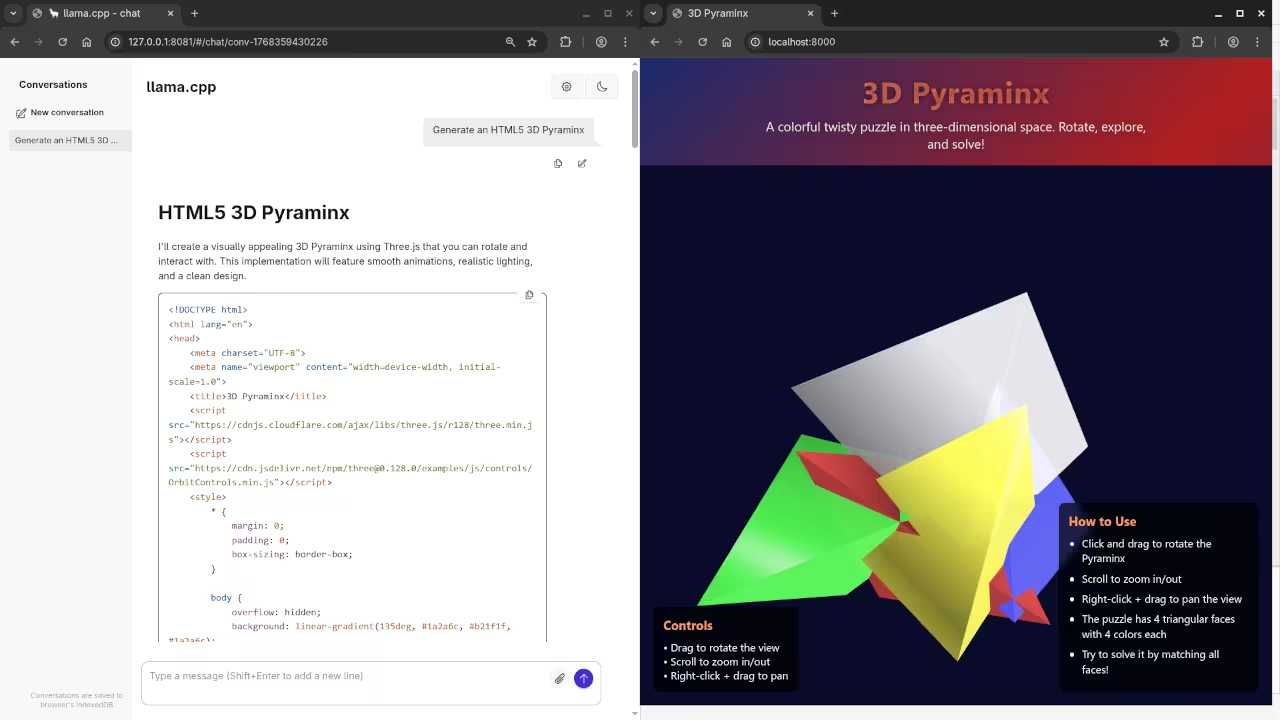
Live Screencast
Take Your Skills Further
- Books: https://www.amazon.com/stores/Edward-Ojambo/author/B0D94QM76N
- Courses: https://ojamboshop.com/product-category/course
- Tutorials: https://ojambo.com/contact
- Consultations: https://ojamboservices.com/contact
🚀 Recommended Resources
Disclosure: Some of the links above are referral links. I may earn a commission if you make a purchase at no extra cost to you.