

The Architecture of Modern Support Systems
The struggle of managing legacy PHP ticket systems often leads to absolute deployment nightmares. Most businesses get trapped in the Docker Desktop licensing loop or massive resource bloat.
This setup leverages Podman Desktop to run Docker workflows with a lean experience.
Expert Implementation and Automation
Deploying a support system should not feel like a full time job for you. You deal with database errors and permissions conflicts for hours on end.
Professional implementation is the only way to ensure your business stays online.
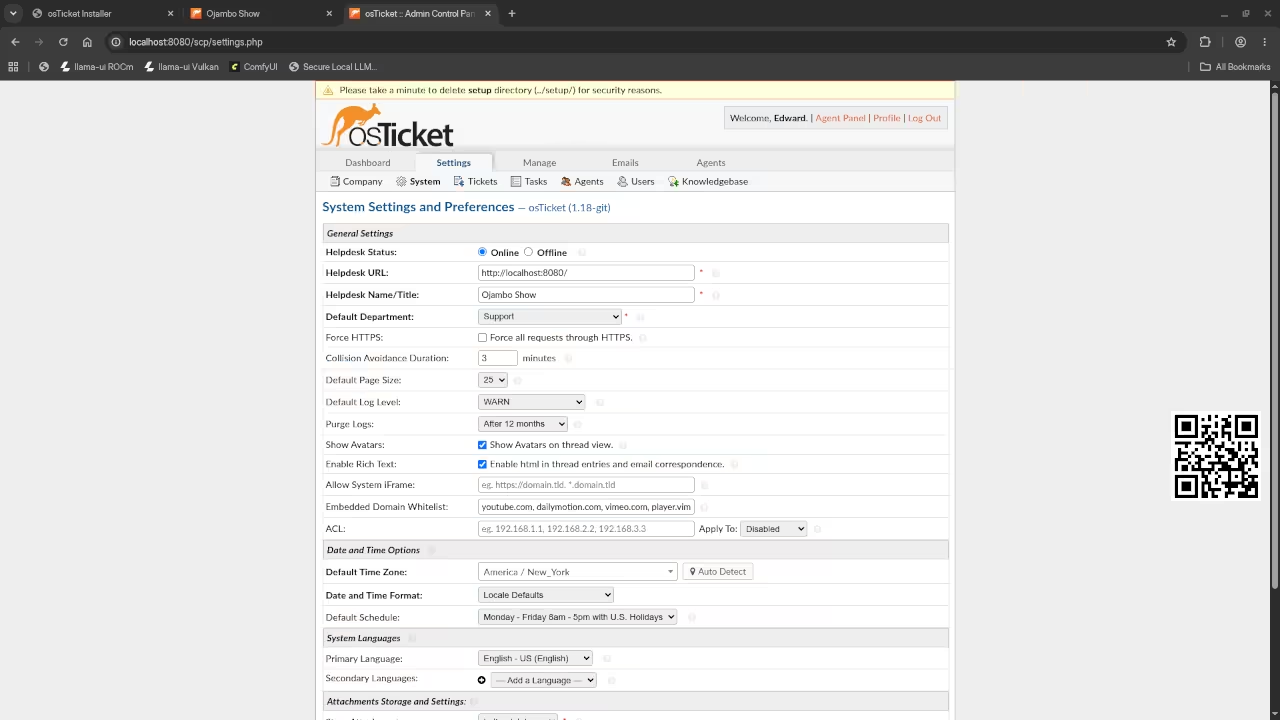
Seeing the osTicket dashboard load for the first time is pure technical bliss. The system feels snappy and the resource usage remains incredibly low.
You can achieve this professional result by hiring the experts at https://ojamboservices.com/contact now.
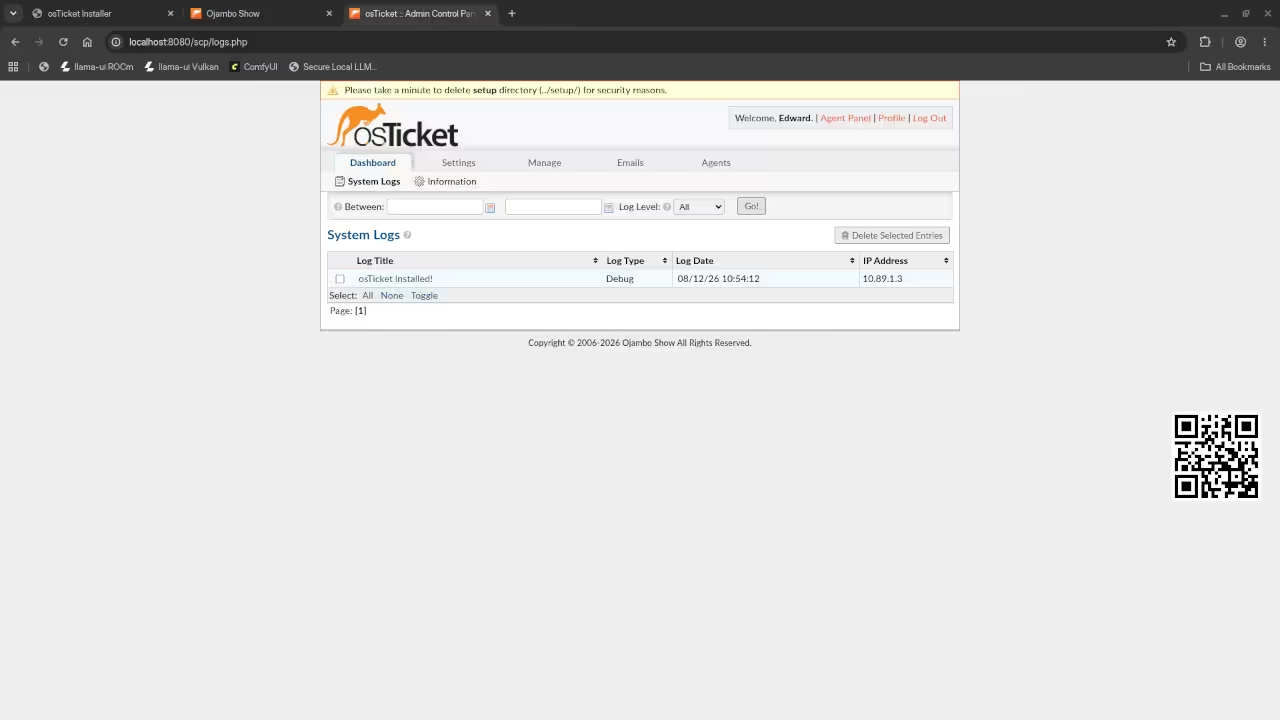
You will notice that the interface responds instantly to every single click. The deployment process feels invisible because the containers handle everything in the background.
Stop wasting your time and let the pros handle your automation at https://ojamboservices.com/contact.
The Secret of Socket Mapping
The real secret lies in the system socket mapping within Podman Desktop. By redirecting the Docker socket to Podman you fool legacy scripts into working.
This allows you to use standard Compose files while keeping rootless security.
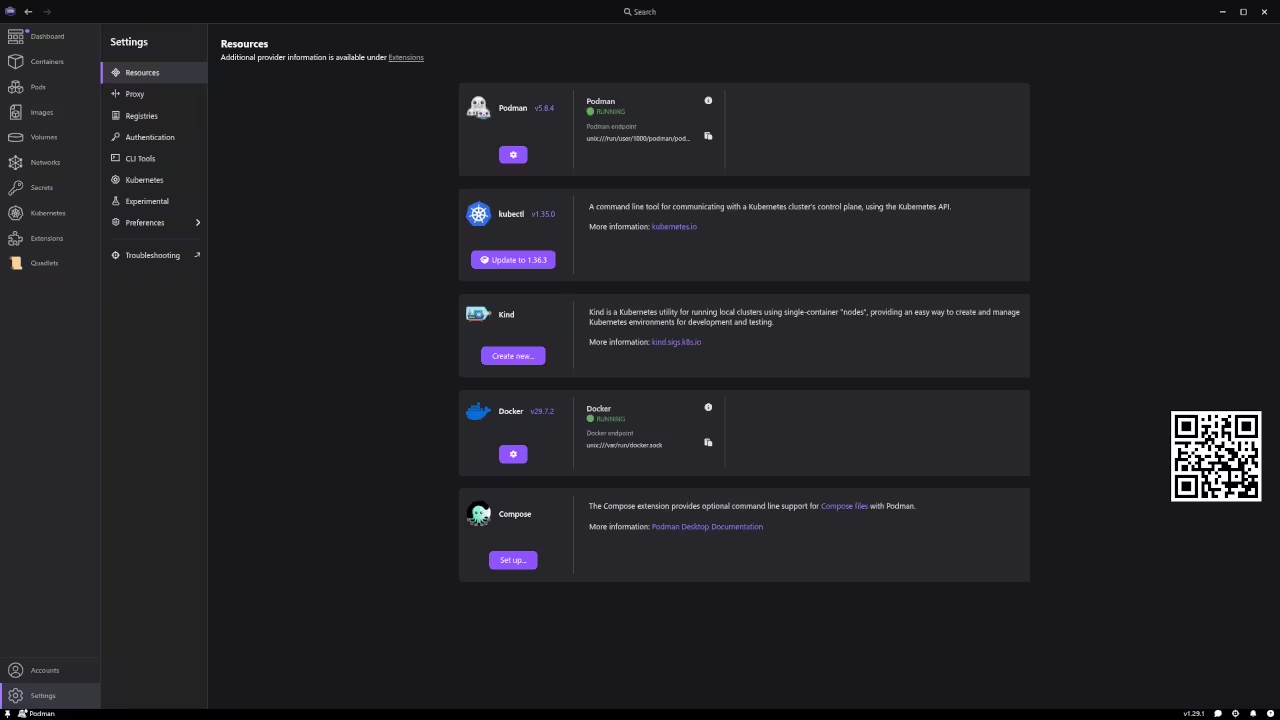
To start you must enable the Docker compatibility mode in the settings menu. This creates a bridge between your existing tools and the Podman engine.
You can now launch osTicket without rewriting a single line of configuration.
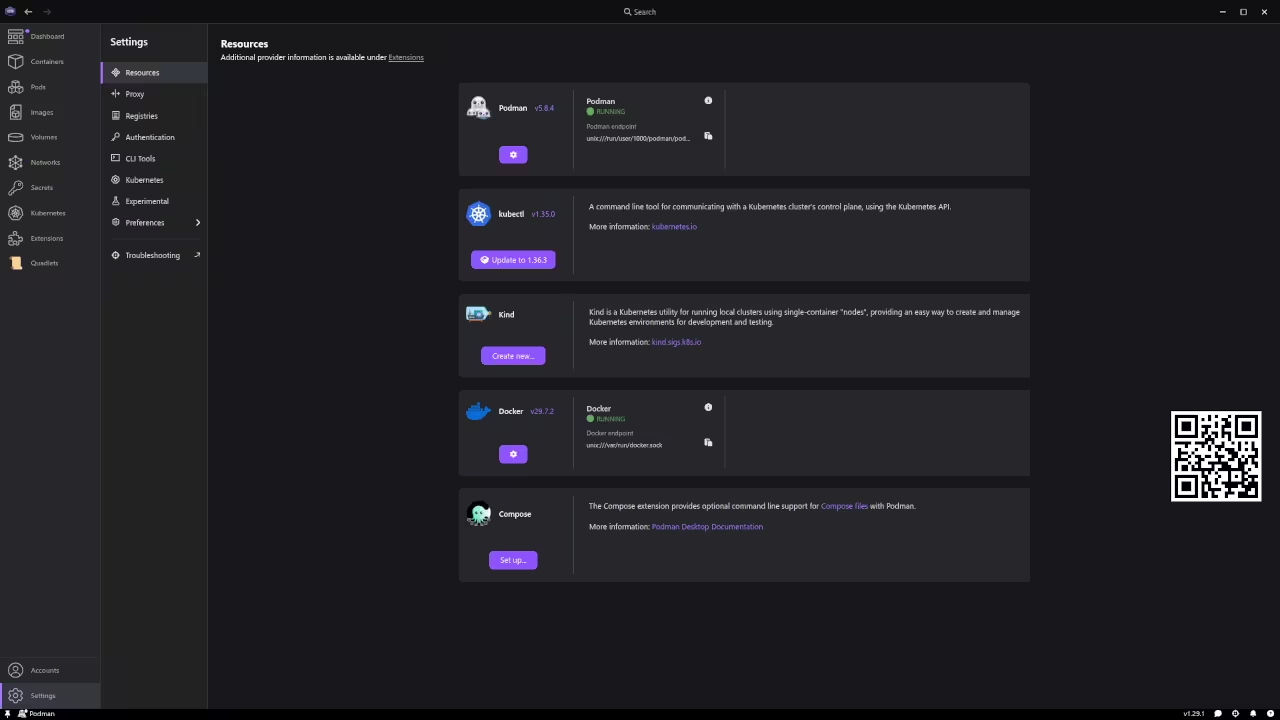
Security and Performance Optimizations
Ensure you use a rootless pod to isolate the database from the web server. This prevents potential security leaks and keeps your host system completely clean.
It is the ultimate insurance policy for your sensitive client data.
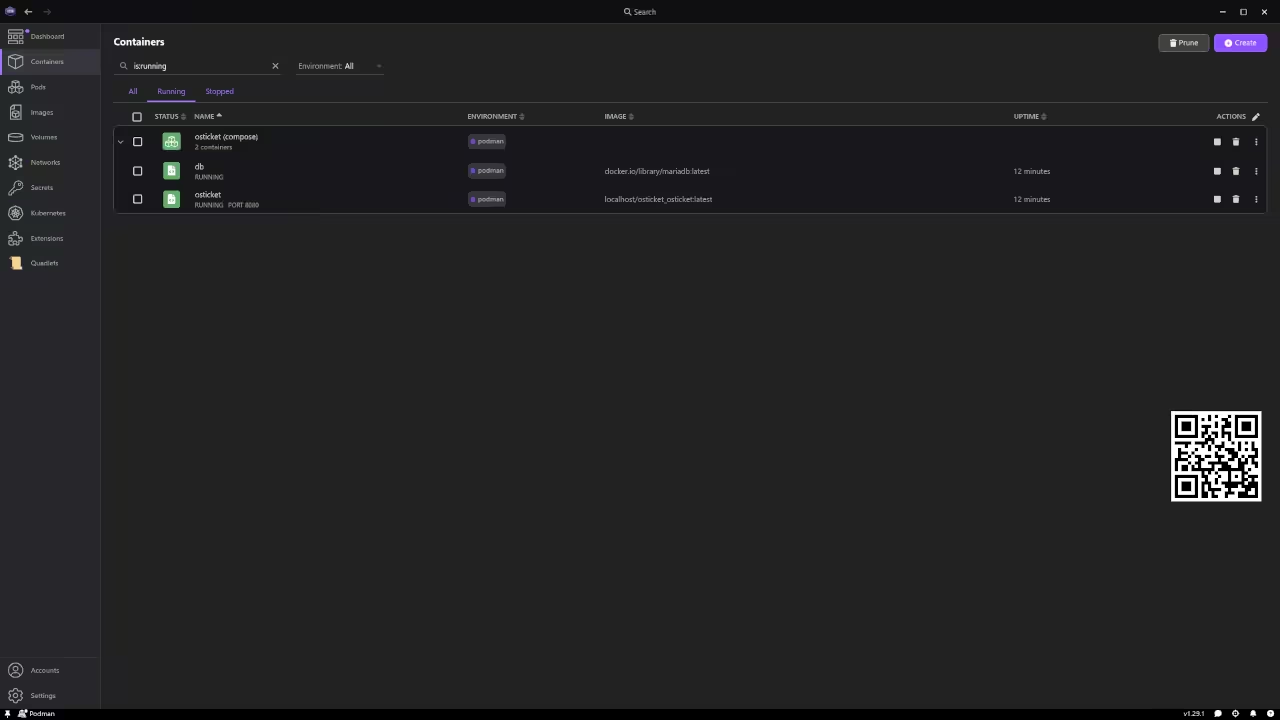
You should use a lightweight MariaDB image to keep the memory footprint small. This ensures that your system remains stable even during peak traffic spikes.
Most people overlook this and waste gigabytes of precious system RAM.
| Parameter | Docker Desktop | Podman Desktop |
|---|---|---|
| Architecture | Hypervisor | Rootless Pods |
| Licensing | Paid for Business | Open Source |
| Resource Use | High | Low |
| Security | Root privileges | User Namespace |
| Parameter | Docker Desktop | Podman Desktop |
Network Configuration and Deployment
The networking configuration requires a specific port mapping for the web interface. Map port 80 to 8080 to avoid conflicts with other local services.
This simple change prevents the common port already in use error.
services:
osticket:
image: osticket/osticket
ports:
- 8080:80
depends_on:
- db
db:
image: mariadb:latest
environment:
MYSQL_ROOT_PASSWORD: rootpassword
Once the containers are running you must complete the web based installation. Follow the prompts to link the database and set your admin credentials.
The process takes less than five minutes to finish completely.
Scaling and Operational Mobility
This architectural breakthrough allows you to scale your support operations effortlessly. You can migrate your entire setup to a different server in seconds.
This mobility is a game changer for any growing technical service.
Learning and Support
Reach out for personalized technical help to optimize your container stack. Dive deeper into these architectural breakthroughs with our online tutorials.
Online Tutorials and Technical Help: https://ojambo.com/contact
🚀 Recommended Resources
Disclosure: Some of the links above are referral links. I may earn a commission if you make a purchase at no extra cost to you.
Leave a Reply