
Introduction to Megaminx Generation
Creating a Megaminx with HTML5 code is fun. We will use Qwen3 on Fedora Linux today.
The Megaminx is a puzzle with twelve sides. It looks like a complex 3d dodecahedron shape.
Understanding the Megaminx Puzzle
This puzzle has fifty different movable plastic pieces. A standard 3×3 cube only has twenty pieces.
Each face is a pentagon with five edges. You solve it using logic similar to cubes.
The geometry requires precise vertex math for rendering. Modern web browsers handle these 3d shapes well.
The Qwen3 Model and Open Source Benefits
Alibaba released the Qwen3 model as open weights. It uses the flexible Apache 2.0 software license.
This license allows for free commercial software use. Developers can modify the model for their projects.
Open source models promote transparency for all users. You can run this AI privately on Linux.
Users do not need to pay monthly fees. The community improves the model through shared feedback.
Model Specifications and Quantization
The Qwen3-30B model has thirty billion total parameters. It is a large model requiring significant video memory.
The A3B label means three billion active parameters. This Mixture of Experts architecture keeps inference fast.
The UD stands for the Unsloth Dynamic format. This optimizes the model for better local performance.
The Q5_K_XL suffix describes the high quantization level. It uses five bits to represent the model weights.
The XL version maintains very high output accuracy. It balances file size with professional code generation.
Setting Up llama.cpp on Fedora Linux
You have several ways to install llama.cpp here. The easiest way is using the dnf manager.
Many Fedora users prefer building from the source. Clone the official repository from GitHub to begin.
You can also use Docker for quick setup. This keeps your system clean and very organized.
Building from source allows for specific hardware optimizations. Ensure you have the latest GCC compiler installed.
Running the Local AI Server
Open your Fedora terminal to start the server. Run the specific command to load the model.
llama-server -m /mnt/AI/models/chat_models/Qwen3-30B-A3B-Instruct-2507-UD-Q5_K_XL.gguf --jinja -c 24576 --port 8081 -ngl 999 This command starts the local web server backend. It allows for high speed code generation tasks.
Explaining the Server Flags
The -m flag points to your model file. We use the UD-Q5_K_XL version for high quality.
The –jinja flag enables the chat template logic. This helps the model understand complex user prompts.
The -c option sets the context window size. We use 24576 to handle large code blocks.
The –port 8081 flag sets the network address. You can access the interface via your browser.
The -ngl 999 flag enables full GPU acceleration. This moves all model layers to your VRAM.
Generating the Digital Puzzle
The model generates the HTML5 and CSS code. It uses math to create twelve pentagon faces.
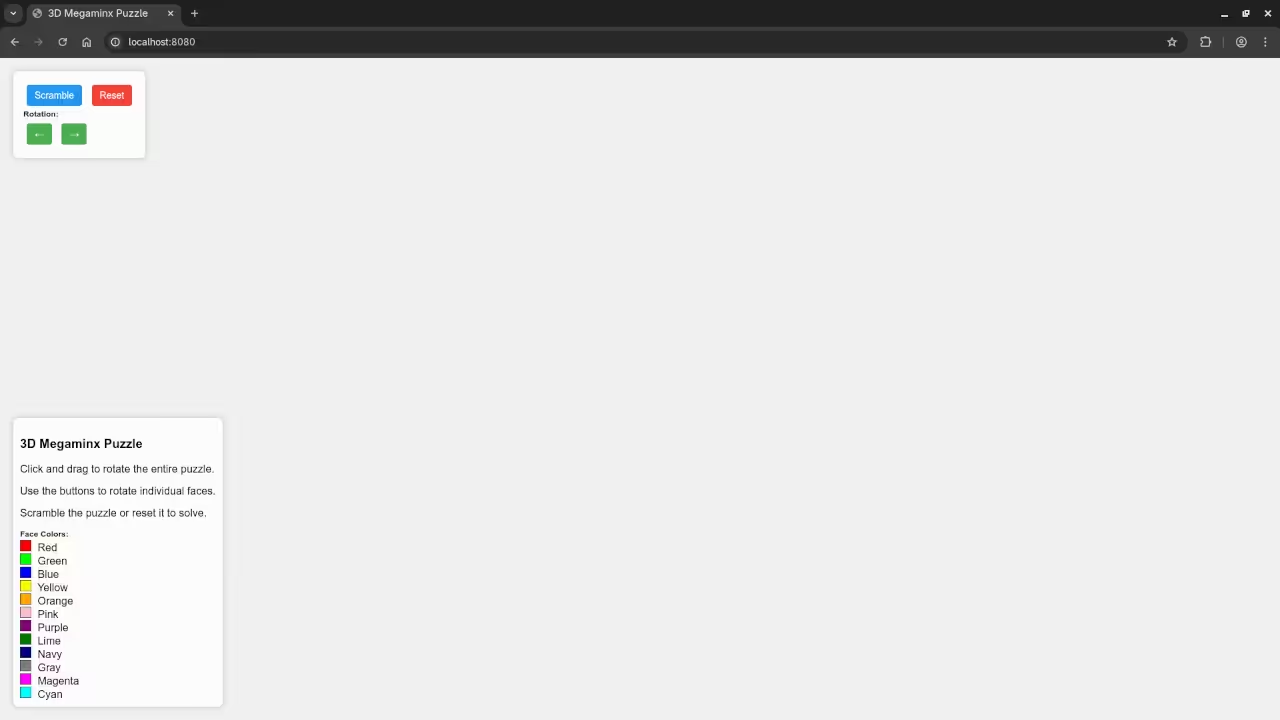
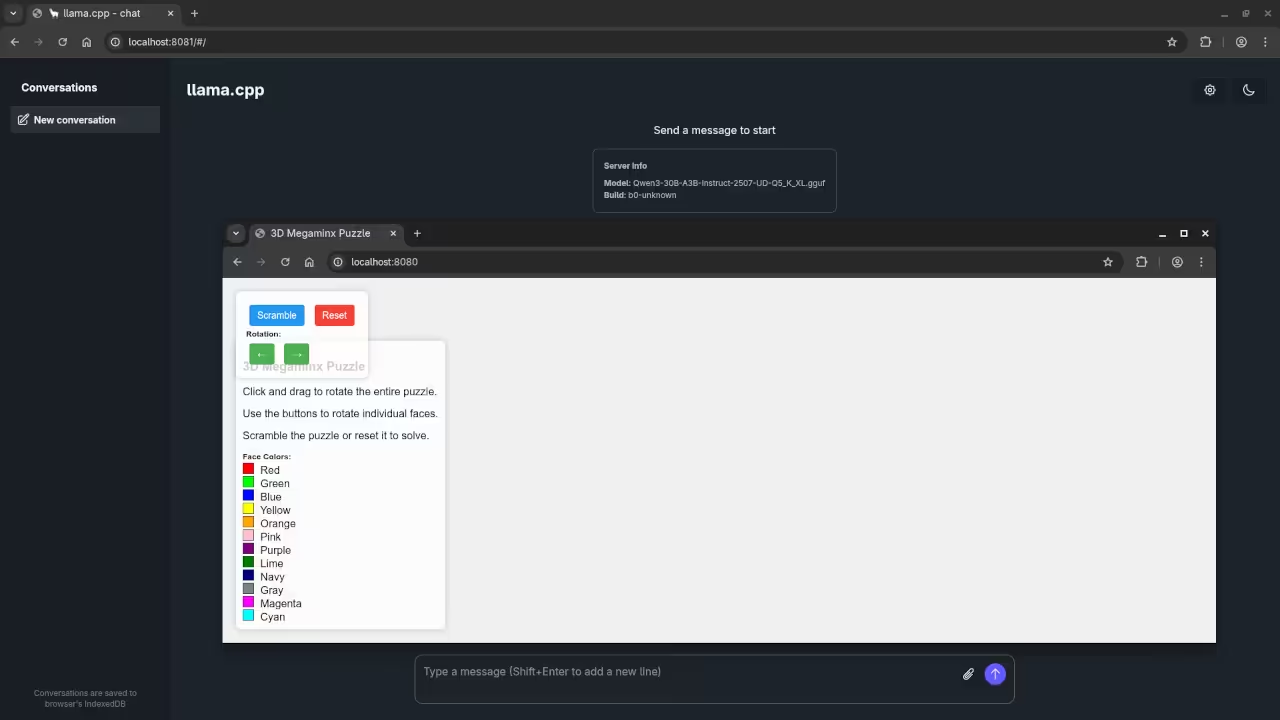
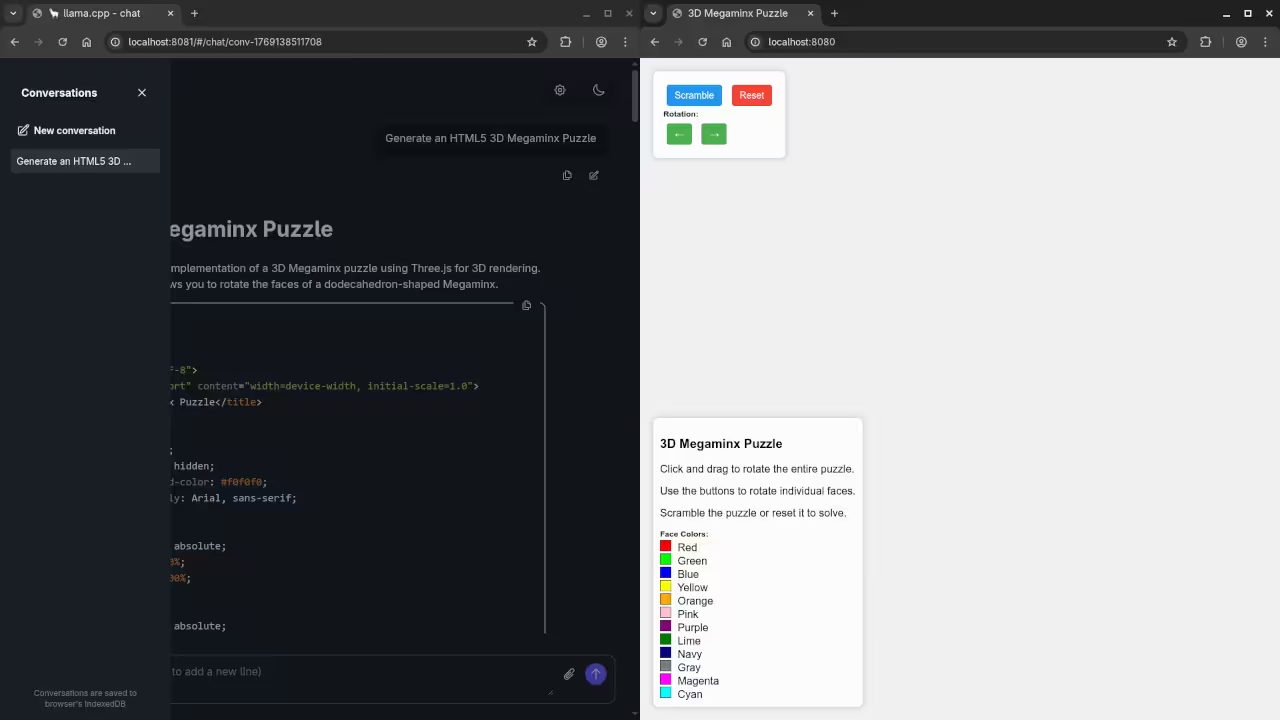
The output shows a colorful digital puzzle. Copy the code into a new index file.
<style>
body {
margin: 0;
overflow: hidden;
background-color: #f0f0f0;
font-family: Arial, sans-serif;
}
#container {
position: absolute;
width: 100%;
height: 100%;
}
#controls {
position: absolute;
top: 20px;
left: 20px;
background-color: rgba(255, 255, 255, 0.8);
padding: 15px;
border-radius: 8px;
box-shadow: 0 0 10px rgba(0, 0, 0, 0.2);
z-index: 100;
}
button {
margin: 5px;
padding: 8px 12px;
font-size: 14px;
background-color: #4CAF50;
color: white;
border: none;
border-radius: 4px;
cursor: pointer;
transition: background-color 0.3s;
}
button:hover {
background-color: #45a049;
}
button:disabled {
background-color: #cccccc;
cursor: not-allowed;
}
#scramble {
background-color: #2196F3;
}
#scramble:hover {
background-color: #1976D2;
}
#reset {
background-color: #f44336;
}
#reset:hover {
background-color: #d32f2f;
}
#info {
position: absolute;
bottom: 20px;
left: 20px;
background-color: rgba(255, 255, 255, 0.8);
padding: 10px;
border-radius: 8px;
box-shadow: 0 0 10px rgba(0, 0, 0, 0.2);
max-width: 300px;
}
.face-label {
font-size: 12px;
font-weight: bold;
margin-bottom: 2px;
}
.face-color {
display: inline-block;
width: 15px;
height: 15px;
border: 1px solid #333;
margin-right: 5px;
}
</style>
<div id="container"></div>
<div id="controls">
<button id="scramble">Scramble</button>
<button id="reset">Reset</button>
<div>
<div class="face-label">Rotation:</div>
<button id="rotate-left">←</button>
<button id="rotate-right">→</button>
</div>
</div>
<div id="info">
<h3>3D Megaminx Puzzle</h3>
<p>Click and drag to rotate the entire puzzle.</p>
<p>Use the buttons to rotate individual faces.</p>
<p>Scramble the puzzle or reset it to solve.</p>
<div>
<div class="face-label">Face Colors:</div>
<div><span class="face-color" style="background-color: #FF0000;"></span> Red</div>
<div><span class="face-color" style="background-color: #00FF00;"></span> Green</div>
<div><span class="face-color" style="background-color: #0000FF;"></span> Blue</div>
<div><span class="face-color" style="background-color: #FFFF00;"></span> Yellow</div>
<div><span class="face-color" style="background-color: #FFA500;"></span> Orange</div>
<div><span class="face-color" style="background-color: #FFC0CB;"></span> Pink</div>
<div><span class="face-color" style="background-color: #800080;"></span> Purple</div>
<div><span class="face-color" style="background-color: #008000;"></span> Lime</div>
<div><span class="face-color" style="background-color: #000080;"></span> Navy</div>
<div><span class="face-color" style="background-color: #808080;"></span> Gray</div>
<div><span class="face-color" style="background-color: #FF00FF;"></span> Magenta</div>
<div><span class="face-color" style="background-color: #00FFFF;"></span> Cyan</div>
</div>
</div>
<!-- Load Three.js from CDN -->
<script src="https://cdn.jsdelivr.net/npm/three@0.152.2/build/three.min.js"></script>
<script src="https://cdn.jsdelivr.net/npm/three@0.152.2/examples/js/controls/OrbitControls.js"></script>
<script>
// Main Megaminx class
class Megaminx {
constructor() {
this.scene = new THREE.Scene();
this.scene.background = new THREE.Color(0xf0f0f0);
this.camera = new THREE.PerspectiveCamera(75, window.innerWidth / window.innerHeight, 0.1, 1000);
this.camera.position.set(0, 0, 10);
this.renderer = new THREE.WebGLRenderer({ antialias: true });
this.renderer.setSize(window.innerWidth, window.innerHeight);
this.renderer.setPixelRatio(window.devicePixelRatio);
document.getElementById('container').appendChild(this.renderer.domElement);
this.controls = new THREE.OrbitControls(this.camera, this.renderer.domElement);
this.controls.enableDamping = true;
this.controls.dampingFactor = 0.05;
// Colors for the faces
this.colors = [
'#FF0000', '#00FF00', '#0000FF', '#FFFF00',
'#FFA500', '#FFC0CB', '#800080', '#008000',
'#000080', '#808080', '#FF00FF', '#00FFFF'
];
// Define the 12 faces of the dodecahedron
this.faces = [];
this.facePositions = [];
this.faceNormals = [];
// Create the dodecahedron geometry
this.createMegaminx();
// Add lights
this.addLights();
// Add event listeners
this.addEventListeners();
// Start animation loop
this.animate();
}
createMegaminx() {
// Create a dodecahedron with 12 faces
const radius = 5;
const phi = (1 + Math.sqrt(5)) / 2; // Golden ratio
// Generate the 20 vertices of a dodecahedron
const vertices = [
[-1, -1, -1], [1, -1, -1], [1, 1, -1], [-1, 1, -1],
[-1, -1, 1], [1, -1, 1], [1, 1, 1], [-1, 1, 1],
[0, -1/phi, -phi], [0, 1/phi, -phi], [0, -1/phi, phi], [0, 1/phi, phi],
[-1/phi, -phi, 0], [1/phi, -phi, 0], [-1/phi, phi, 0], [1/phi, phi, 0],
[-phi, 0, -1/phi], [-phi, 0, 1/phi], [phi, 0, -1/phi], [phi, 0, 1/phi]
];
// Scale vertices to radius
const scaledVertices = vertices.map(v => [
v[0] * radius,
v[1] * radius,
v[2] * radius
]);
// Define the 12 faces of the dodecahedron
const faceIndices = [
[0, 1, 5, 4], [1, 2, 6, 5], [2, 3, 7, 6], [3, 0, 4, 7],
[4, 5, 10, 9], [5, 6, 11, 10], [6, 7, 12, 11], [7, 4, 9, 12],
[8, 9, 10, 13], [9, 10, 11, 14], [10, 11, 12, 15], [11, 12, 13, 16],
[12, 13, 14, 17], [13, 14, 15, 18], [14, 15, 16, 19], [15, 16, 17, 8],
[16, 17, 18, 1], [17, 18, 19, 2], [18, 19, 8, 3], [19, 8, 9, 0]
];
// Create the faces
for (let i = 0; i < 12; i++) {
const face = new THREE.Group();
face.userData = { index: i, rotation: 0 };
// Get the vertices for this face
const indices = faceIndices[i];
const faceVertices = indices.map(idx => scaledVertices[idx]);
// Calculate the center of the face
const center = faceVertices.reduce((sum, v) => [
sum[0] + v[0],
sum[1] + v[1],
sum[2] + v[2]
], [0, 0, 0]).map(coord => coord / faceVertices.length);
// Calculate the normal vector
const normal = this.calculateFaceNormal(faceVertices);
// Store face information
this.facePositions.push(center);
this.faceNormals.push(normal);
// Create the face geometry
const geometry = new THREE.BufferGeometry();
const positions = [];
const colors = [];
// Add vertices for the face
faceVertices.forEach(v => {
positions.push(v[0], v[1], v[2]);
// Add a color for this face
colors.push(
parseInt(this.colors[i].substring(1, 3), 16) / 255,
parseInt(this.colors[i].substring(3, 5), 16) / 255,
parseInt(this.colors[i].substring(5, 7), 16) / 255
);
});
geometry.setAttribute('position', new THREE.Float32BufferAttribute(positions, 3));
geometry.setAttribute('color', new THREE.Float32BufferAttribute(colors, 3));
// Create material with face color
const material = new THREE.MeshBasicMaterial({
vertexColors: true,
transparent: true,
opacity: 0.8
});
// Create mesh for the face
const mesh = new THREE.Mesh(geometry, material);
mesh.userData = { faceIndex: i };
face.add(mesh);
// Add the face to the scene
this.scene.add(face);
this.faces.push(face);
}
// Create the center pieces (one for each face)
for (let i = 0; i < 12; i++) {
const centerGeometry = new THREE.SphereGeometry(0.5, 16, 16);
const centerMaterial = new THREE.MeshBasicMaterial({
color: this.colors[i]
});
const center = new THREE.Mesh(centerGeometry, centerMaterial);
center.position.set(
this.facePositions[i][0],
this.facePositions[i][1],
this.facePositions[i][2]
);
center.userData = { type: 'center', faceIndex: i };
this.scene.add(center);
}
// Create the edge pieces (one for each edge)
// This is a simplified version - in a real Megaminx, there are more pieces
// For simplicity, we'll just create a few edge pieces
for (let i = 0; i < 30; i++) {
const edgeGeometry = new THREE.SphereGeometry(0.3, 12, 12);
const edgeMaterial = new THREE.MeshBasicMaterial({
color: 0x888888
});
const edge = new THREE.Mesh(edgeGeometry, edgeMaterial);
// Position edge pieces along the edges
edge.position.set(
(Math.random() - 0.5) * 2,
(Math.random() - 0.5) * 2,
(Math.random() - 0.5) * 2
);
edge.userData = { type: 'edge', index: i };
this.scene.add(edge);
}
// Create the corner pieces (one for each corner)
for (let i = 0; i < 20; i++) {
const cornerGeometry = new THREE.SphereGeometry(0.25, 12, 12);
const cornerMaterial = new THREE.MeshBasicMaterial({
color: 0x333333
});
const corner = new THREE.Mesh(cornerGeometry, cornerMaterial);
// Position corner pieces at vertices
corner.position.set(
(Math.random() - 0.5) * 2,
(Math.random() - 0.5) * 2,
(Math.random() - 0.5) * 2
);
corner.userData = { type: 'corner', index: i };
this.scene.add(corner);
}
}
calculateFaceNormal(vertices) {
// Calculate the normal vector of a face using cross product
const v1 = vertices[0];
const v2 = vertices[1];
const v3 = vertices[2];
const edge1 = [v2[0] - v1[0], v2[1] - v1[1], v2[2] - v1[2]];
const edge2 = [v3[0] - v1[0], v3[1] - v1[1], v3[2] - v1[2]];
// Cross product
const normal = [
edge1[1] * edge2[2] - edge1[2] * edge2[1],
edge1[2] * edge2[0] - edge1[0] * edge2[2],
edge1[0] * edge2[1] - edge1[1] * edge2[0]
];
// Normalize
const length = Math.sqrt(normal[0] * normal[0] + normal[1] * normal[1] + normal[2] * normal[2]);
return [
normal[0] / length,
normal[1] / length,
normal[2] / length
];
}
addLights() {
// Add ambient light
const ambientLight = new THREE.AmbientLight(0xffffff, 0.6);
this.scene.add(ambientLight);
// Add directional light
const directionalLight = new THREE.DirectionalLight(0xffffff, 0.8);
directionalLight.position.set(1, 1, 1);
this.scene.add(directionalLight);
// Add another directional light from the opposite direction
const directionalLight2 = new THREE.DirectionalLight(0xffffff, 0.4);
directionalLight2.position.set(-1, -1, -1);
this.scene.add(directionalLight2);
}
addEventListeners() {
// Scramble button
document.getElementById('scramble').addEventListener('click', () => {
this.scramble();
});
// Reset button
document.getElementById('reset').addEventListener('click', () => {
this.reset();
});
// Rotate left button
document.getElementById('rotate-left').addEventListener('click', () => {
this.rotateFace(0, -1);
});
// Rotate right button
document.getElementById('rotate-right').addEventListener('click', () => {
this.rotateFace(0, 1);
});
// Handle window resize
window.addEventListener('resize', () => {
this.camera.aspect = window.innerWidth / window.innerHeight;
this.camera.updateProjectionMatrix();
this.renderer.setSize(window.innerWidth, window.innerHeight);
});
}
scramble() {
// Randomly rotate faces to scramble the puzzle
const numRotations = 20;
for (let i = 0; i < numRotations; i++) {
const faceIndex = Math.floor(Math.random() * 12);
const direction = Math.random() > 0.5 ? 1 : -1;
this.rotateFace(faceIndex, direction);
}
}
reset() {
// Reset the puzzle to solved state
// In a real implementation, this would reset all pieces to their original positions
// For now, we'll just reset the face rotations
this.faces.forEach(face => {
face.userData.rotation = 0;
});
}
rotateFace(faceIndex, direction) {
// Rotate a face by 72 degrees (1/5 of a full rotation)
const face = this.faces[faceIndex];
const rotation = direction * Math.PI / 5; // 72 degrees in radians
// Rotate the face itself
face.userData.rotation += rotation;
face.rotation.y += rotation;
// In a real Megaminx, we would also rotate the adjacent pieces
// This is a simplified version - in a full implementation,
// we would need to track all the pieces and their positions
console.log(`Rotated face ${faceIndex} by ${direction > 0 ? 'clockwise' : 'counterclockwise'}`);
}
animate() {
requestAnimationFrame(() => this.animate());
// Update controls
this.controls.update();
// Render the scene
this.renderer.render(this.scene, this.camera);
}
}
// Initialize the Megaminx when the page loads
window.addEventListener('load', () => {
new Megaminx();
});
</script>
Open the file in your favorite web browser. You can now see the 3d Megaminx live.
Future posts will focus on optimizing this code. Keep practicing your programming skills every day.
Consolidated Demo
Screenshot
Live Screencast
Take Your Skills Further
- Books: https://www.amazon.com/stores/Edward-Ojambo/author/B0D94QM76N
- Courses: https://ojamboshop.com/product-category/course
- Tutorials: https://ojambo.com/contact
- Consultations: https://ojamboservices.com/contact
🚀 Recommended Resources
Disclosure: Some of the links above are referral links. I may earn a commission if you make a purchase at no extra cost to you.