

How to Compile Stable-Diffusion.cpp on Linux with AMD Instinct Mi60 GPU (Using Vulkan)
Introduction
In this tutorial, I’ll walk you through how to compile and run stable-diffusion.cpp on a Linux system using an AMD Instinct Mi60 32GB HBM2 GPU. We’ll use Vulkan for GPU acceleration since the latest update to Fedora 43 with ROCm 6.4 has unfortunately caused the AMD Instinct Mi60 to no longer be supported by ROCm. I’ll explain the system requirements, how Vulkan differs from ROCm and OpenCL, and show you how to generate images using the v1-5-pruned-emaonly-fp16.safetensors model. I will also provide additional information about resources like my “Learning Python” book and course, and my one-on-one Python tutorials.
System Requirements
To follow along with this tutorial, you will need the following:
- Operating System: Linux (I’m using Fedora 43)
- CPU: A modern x86_64 processor (Intel or AMD)
- GPU: AMD Instinct Mi60 (32GB HBM2)
- Vulkan: Vulkan-compatible GPU driver (since ROCm is no longer supported for Mi60)
- Memory: At least 8GB RAM (16GB recommended)
- Disk Space: 10GB free for installation
- Dependencies:
- CMake (to build the project)
- Vulkan SDK
- Clang++ or GCC (for compilation)
- libvulkan library
- Model File: Download the v1-5-pruned-emaonly-fp16.safetensors model (for generating images).
Is stable-diffusion.cpp Open Source?
Yes! stable-diffusion.cpp is an open-source project that allows you to run Stable Diffusion models using C++ and Vulkan for faster execution on supported GPUs. The project is hosted on GitHub, and you can find the repository here.
License and Restrictions for v1-5-pruned-emaonly-fp16.safetensors
The v1-5-pruned-emaonly-fp16.safetensors file is available under the CreativeML Open RAIL-M license, which is a permissive license designed to allow use in research and commercial applications. However, you must ensure that your usage complies with all applicable laws and ethical guidelines, especially when generating or distributing images. Be sure to review the full license before use.
How to Compile stable-diffusion.cpp with Vulkan
Since ROCm 6.4 dropped support for the AMD Instinct Mi60, I’ve opted to compile stable-diffusion.cpp with Vulkan for GPU acceleration. Below are the steps to compile it:
1. Clone the Repository:
git clone https://github.com/leejet/stable-diffusion.cpp
cd stable-diffusion.cpp
2. Install Dependencies:
For Fedora (adjust for your distro):
sudo dnf install cmake vulkan vulkan-devel clang++ libvulkan
3. Build the Project:
From within the <strong>stable-diffusion.cpp</strong> directory, create the build directory and compile:
mkdir build
cd build
cmake ..
make
4. Set Vulkan as the Backend:
If Vulkan is correctly installed, it will be detected automatically. If not, make sure you have the Vulkan SDK installed and your GPU drivers support Vulkan.
5. Run the Program:
Once compiled, you can use the following command to generate an image with the <strong>v1-5-pruned-emaonly-fp16.safetensors</strong> model:
./stable-diffusion -i "A beautiful landscape" -m /path/to/v1-5-pruned-emaonly-fp16.safetensors
Adjust the prompt and model path as necessary. What are ROCm, Vulkan, and OpenCL?
- ROCm (Radeon Open Compute) is a software stack that provides a set of tools and libraries for high-performance computing on AMD GPUs. ROCm typically provides better integration with deep learning frameworks and libraries.
- Vulkan is a low-level, cross-platform graphics API that provides efficient access to modern GPUs. It’s highly flexible and allows direct control of GPU resources, making it ideal for tasks like real-time graphics rendering or AI model inference, as in this case.
- OpenCL (Open Computing Language) is an older, open standard for parallel computing. It works on both CPUs and GPUs and is used for a wide range of tasks, including image processing and machine learning. Unlike Vulkan, OpenCL is more generalized but can be less efficient for certain tasks.
Where to Place Your Models
| Model Type | Folder |
|---|---|
| Checkpoints (e.g. *.safetensors) | ComfyUI/models/checkpoints/ |
| LoRA models | ComfyUI/models/loras/ |
| VAEs | ComfyUI/models/vae/ |
| ControlNet | ComfyUI/models/controlnet/ |
Just drop your files into the appropriate folder and rerun stable-diffusion.cpp.
Test Tools
| Name | Description |
|---|---|
| CPU | AMD Ryzen 5 5600GT (6C/12T, 3.6GHz). |
| Memory | 32GB DDR4. |
| GPU | AMD Instinct MI60 (32GB HBM2). |
| Operating System | Fedora Linux Workstation 43. |
| Desktop Environment | Gnome 49. |
| Name | Description |
Screenshots and Screencast
Here’s where you’ll find a visual walkthrough of setting up v1-5-pruned-emaonly-fp16.safetensors using stable-diffusion.cpp on your local system:
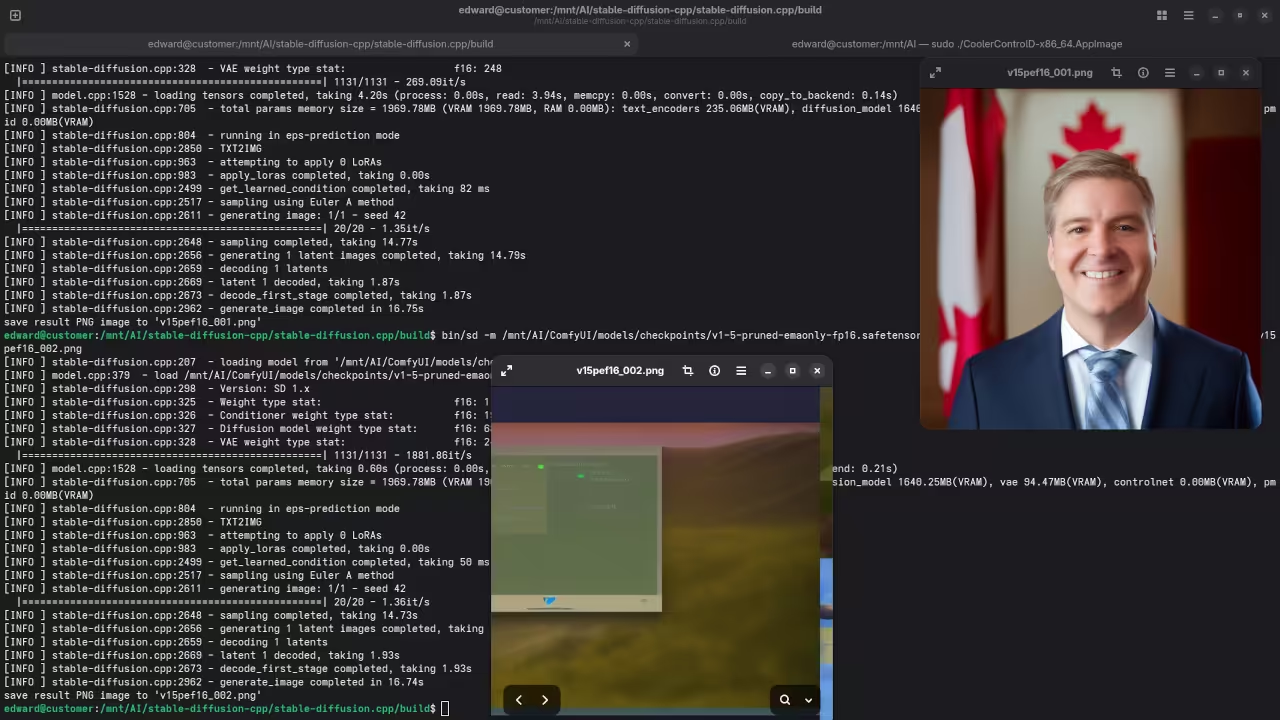
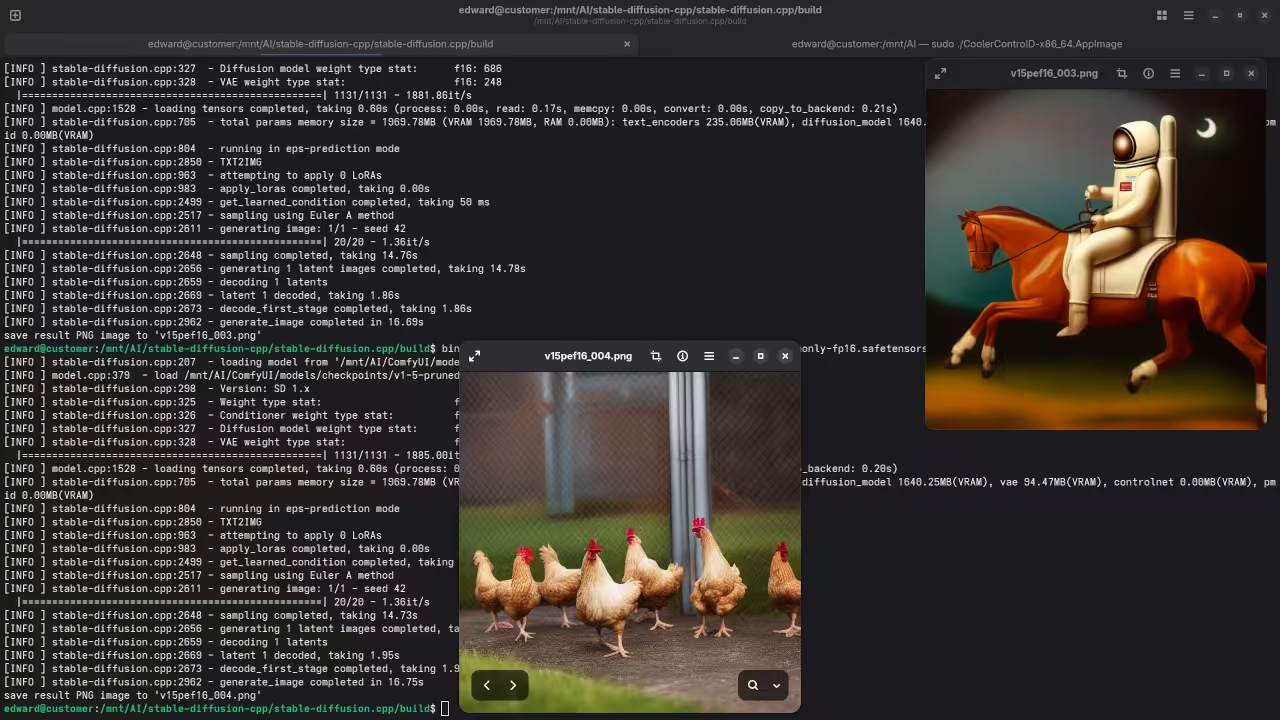
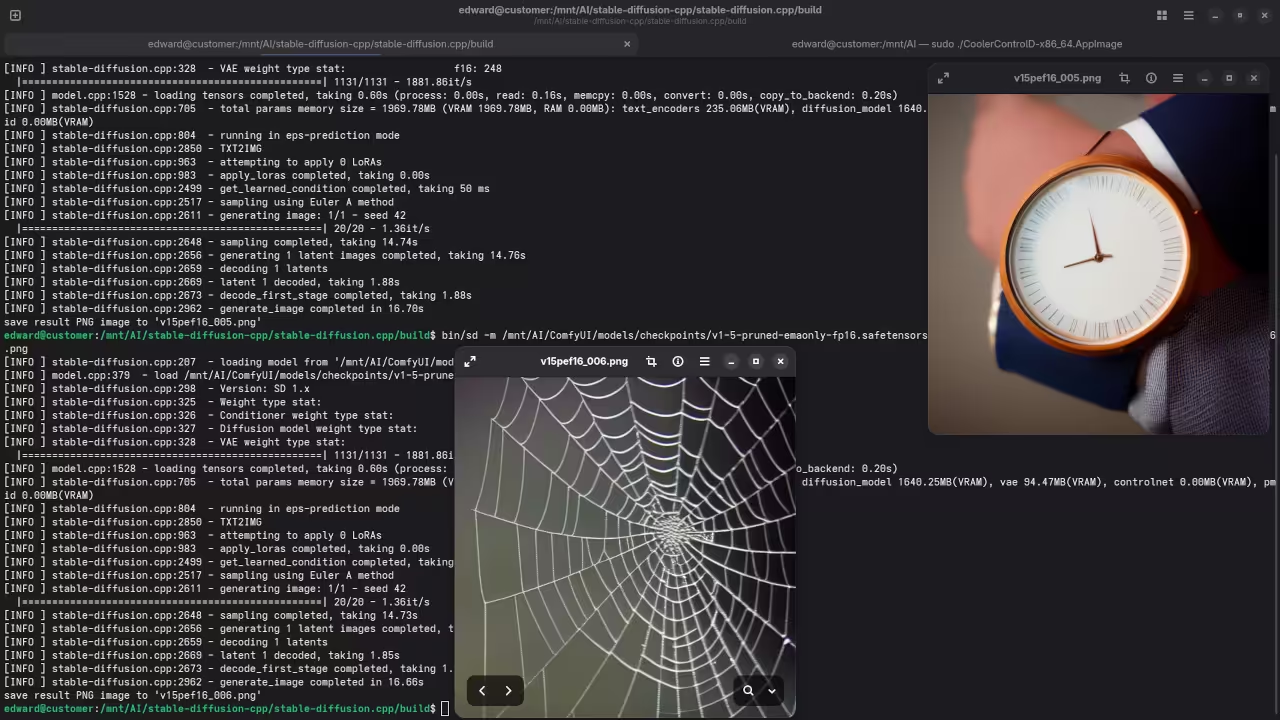
Results:
A photograph of the mayor of Toronto
Accurately drew a photograph mishmash of past mayors of Toronto.
A screenshot of the gnome desktop environment.
Accurately drew a screenshot of an older version of the Gnome desktop environment.
A photograph of an astronaut riding a horse.
Accurately drew a photograph of an astronaut riding a horse.
A picture of a chicken run.
Accurately drew a picture of a chicken run.
A picture of a man wearing a watch.
Accurately drew a picture of a man wearing a watch.
A picture of a spider web on sockets.
Accurately drew a picture of a spider web on sockets.
Additional Resources
- Learning Python (Book): If you’re looking to learn Python programming, check out my book on Amazon.
- Learning Python (Course): You can also take my Learning Python course, which covers everything you need to get started with Python programming.
- One-on-One Python Tutorials: I offer personalized, one-on-one online Python tutorials. Whether you’re a beginner or advanced, I can guide you step-by-step.
- v1-5-pruned-emaonly-fp16.safetensors Installation: Need help installing or migrating the v1-5-pruned-emaonly-fp16.safetensors model? I can assist with that too.
🚀 Recommended Resources
Disclosure: Some of the links above are referral links. I may earn a commission if you make a purchase at no extra cost to you.