
The VectorCraft Performance Revolution
The creative industry is currently trapped in a cycle of expensive monthly subscriptions and bloated software. Designers face laggy interfaces and predatory pricing models that kill true artistic freedom.
VectorCraft solves this crisis by bringing the raw power of the Rust language to vector design. It eliminates the overhead of legacy codebases to provide a lean and mean illustration engine.
Disclaimer: I may earn a commission from purchases made through these links at no extra cost to you.


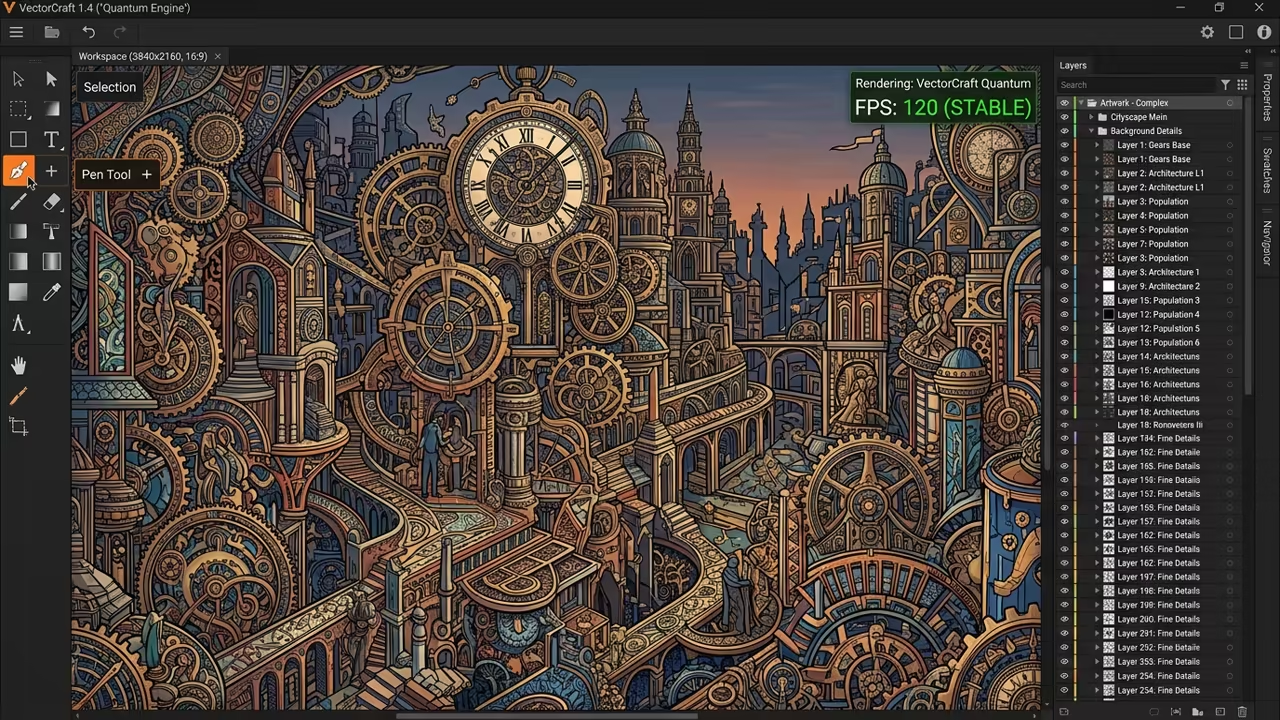
Implementing VectorCraft feels like unlocking a hidden superpower for your digital workstation. The fluid one hundred twenty frames per second motion makes every anchor point snap with precision.
You will notice an immediate difference when handling complex paths with thousands of individual shapes. The interface responds instantly without the stuttering common in traditional heavy design suites.
Architectural Secrets of Rust Rendering
The secret to this performance lies in multithreaded SIMD rendering built from the ground up. This architectural choice allows the app to render twenty thousand shapes in twenty seven milliseconds.
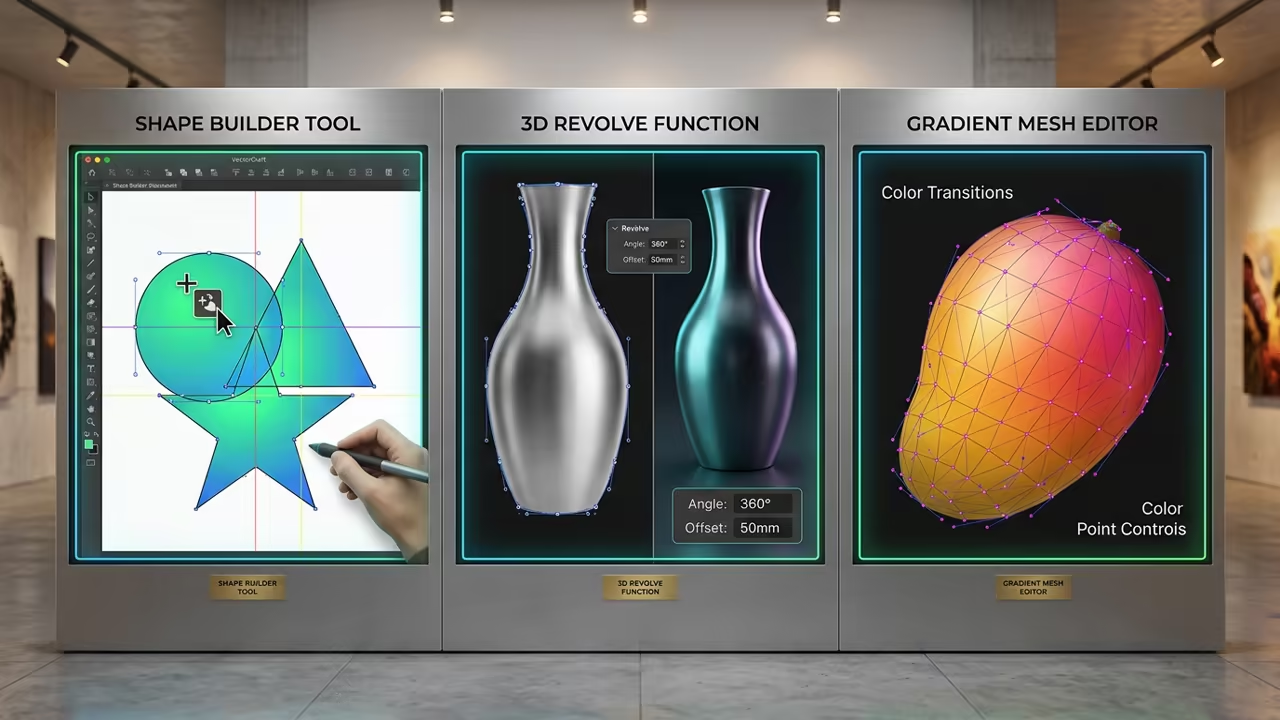
Professional designers can transition easily because the workflow mirrors the industry standard tools perfectly. You get the pen tool and shape builder exactly where you expect them to be.
AI Agent Integration and Automation
The most disruptive feature is the integrated Model Context Protocol server for AI agent connectivity. This allows AI agents like Claude to draw and edit vector art directly on the canvas.
You can send a JSON command to the control channel to automate repetitive design tasks instantly. This turns the canvas into a programmable environment for high speed asset generation.
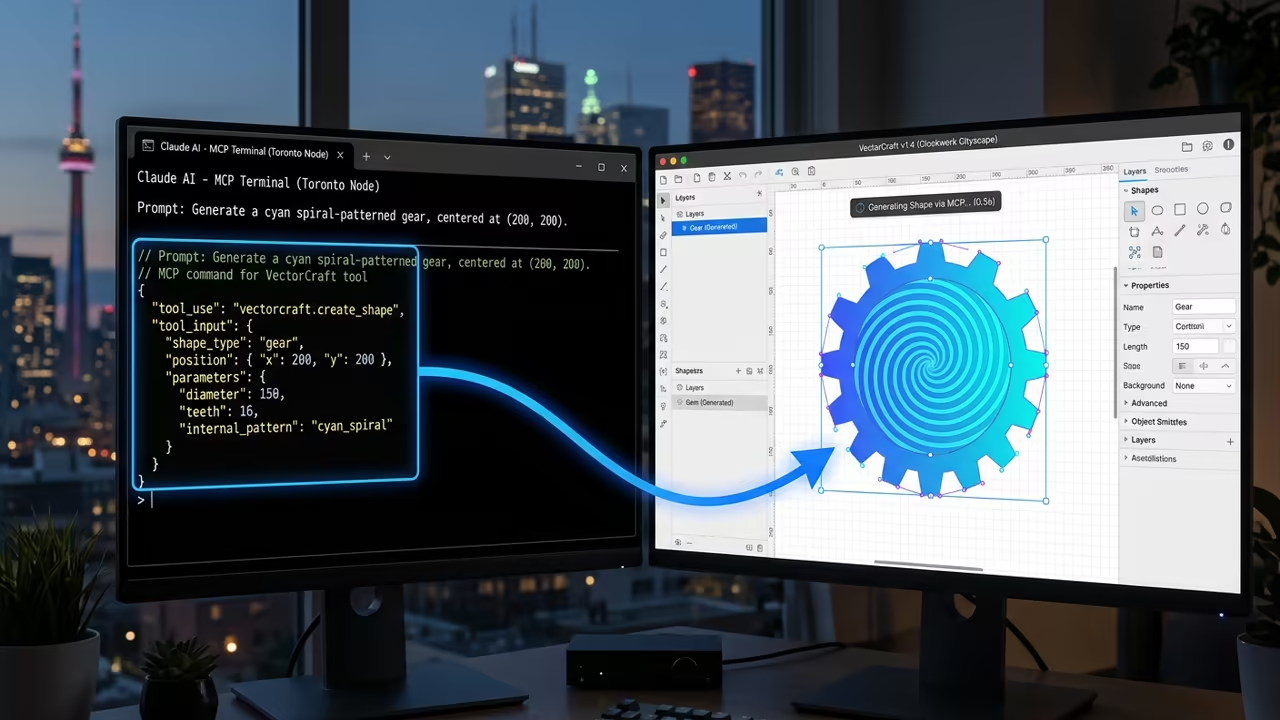
To optimize the AI workflow, you can configure the MCP server to handle batch exports. Use the following command structure to interface with the internal JSON control channel for automation.
{ "command": "create_shape", "type": "path", "points": [[0,0], [10,0], [10,10]], "stroke": "#FF0000" } This level of integration is unheard of in closed source commercial illustration software today. It transforms the designer from a manual operator into a high level technical director.
Deployment and System Optimization
While the app is in alpha, the performance gains outweigh the early development rough edges. You might encounter minor UI quirks in the export dialogs during complex file saves.
Linux users should run the application through XWayland to ensure full drawing tablet pressure sensitivity. This simple configuration ensures that your stylus behaves with professional grade accuracy.
| Parameter | Description | Value |
|---|---|---|
| Performance | Rust SIMD Engine | 120 FPS |
| Pricing | MIT License | Free |
| AI Support | MCP Server | Native |
| Platform | OS Compatibility | Cross Platform |
The ability to import Affinity Designer documents makes it a versatile hub for open source projects. You can migrate your existing work without losing the core structural integrity of your art.
This software represents a massive architectural breakthrough for the open source creative community. It proves that native performance can beat bloated web based wrappers every single time.
Learning and Support
Reach out for personalized technical help to optimize your open source creative stack. Dive deeper into these architectural breakthroughs with our comprehensive online tutorials.
Online Tutorials and Technical Help
🚀 Recommended Resources
Disclosure: Some of the links above are referral links. I may earn a commission if you make a purchase at no extra cost to you.
Leave a Reply