

Why Broken Ebook Editors Are Costing You Hours
You are wasting hours on broken ebook editors that corrupt your files. The publishing world demands precision and you need a tool that delivers without compromise. Most editors force you to choose between visual simplicity and technical control.
Calibre shatters that false dichotomy with its integrated EPUB editor. This open source powerhouse gives you raw HTML access alongside live preview rendering. You get complete code level manipulation without sacrificing visual feedback.
The Calibre Editor Experience
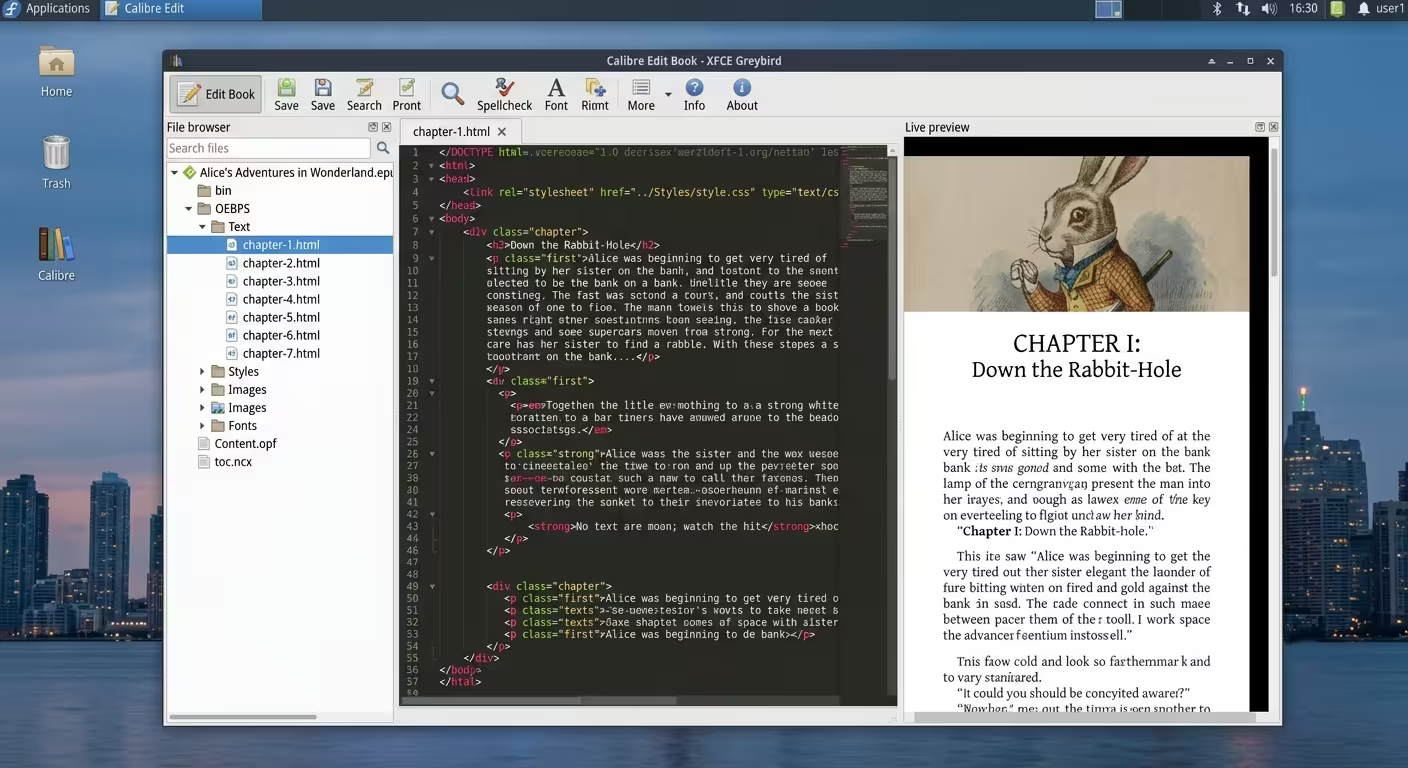
The moment you open Calibre editor you feel the difference. The split pane interface shows raw markup on one side and rendered output on the other. Every CSS change updates instantly in the live preview panel.
You can navigate the file browser to jump between chapters and stylesheets. The syntax highlighting makes complex HTML structures readable at a glance. Context sensitive help appears when you need it without interrupting your flow.
Sophisticated Technical Architecture
The technical architecture behind Calibre editor is remarkably sophisticated. The editor handles EPUB KEPUB and AZW3 formats with equal precision. You can modify metadata tables directly through the spreadsheet interface.
The search and replace tool supports regular expressions for batch operations. Automated tools can check your book for validation errors before publishing. Checkpoints let you save intermediate states without creating duplicate files.
Live Screencast Demonstration
The Live CSS Panel Insider Detail
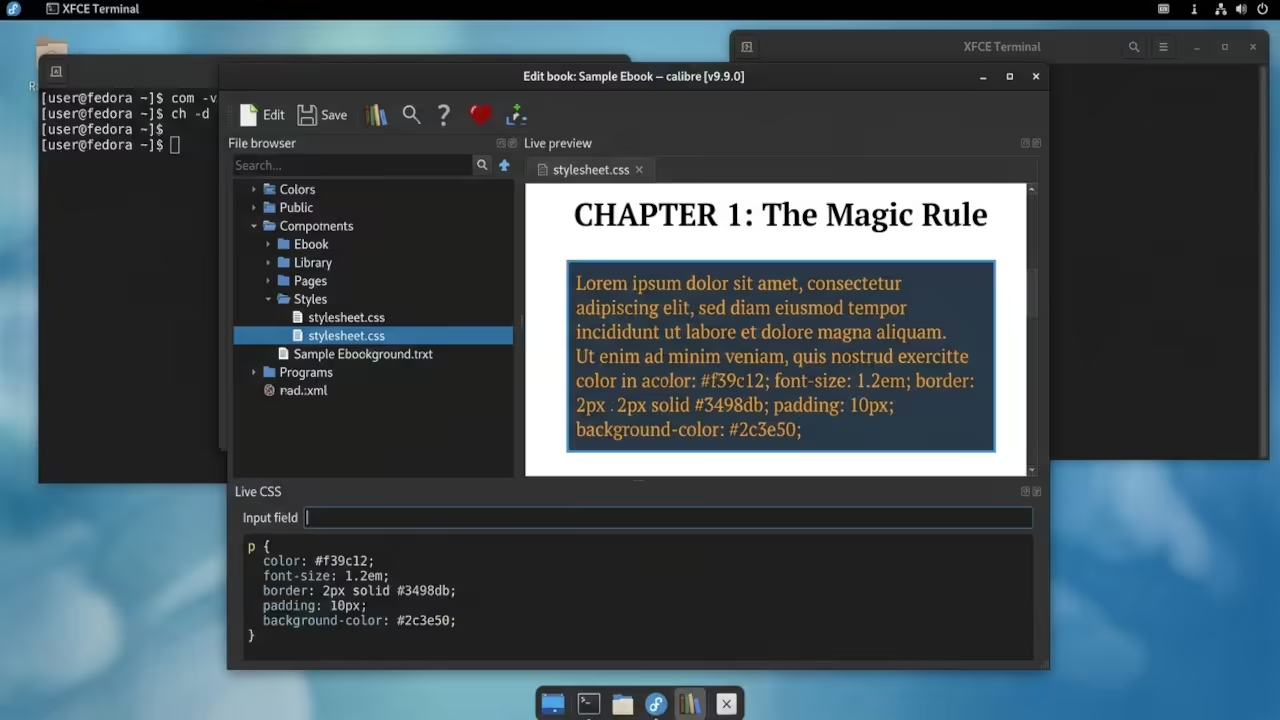
One insider detail most users miss involves the Live CSS panel. You can inject temporary CSS rules to test styling changes without modifying the source file. This feature is invaluable when troubleshooting complex layout issues.
Simply type your test rules into the panel and watch the preview update. Once you confirm the styling works you can commit it to the actual stylesheet. This workflow saves hours of trial and error during complex ebook formatting projects.
Professional Code Editor Features
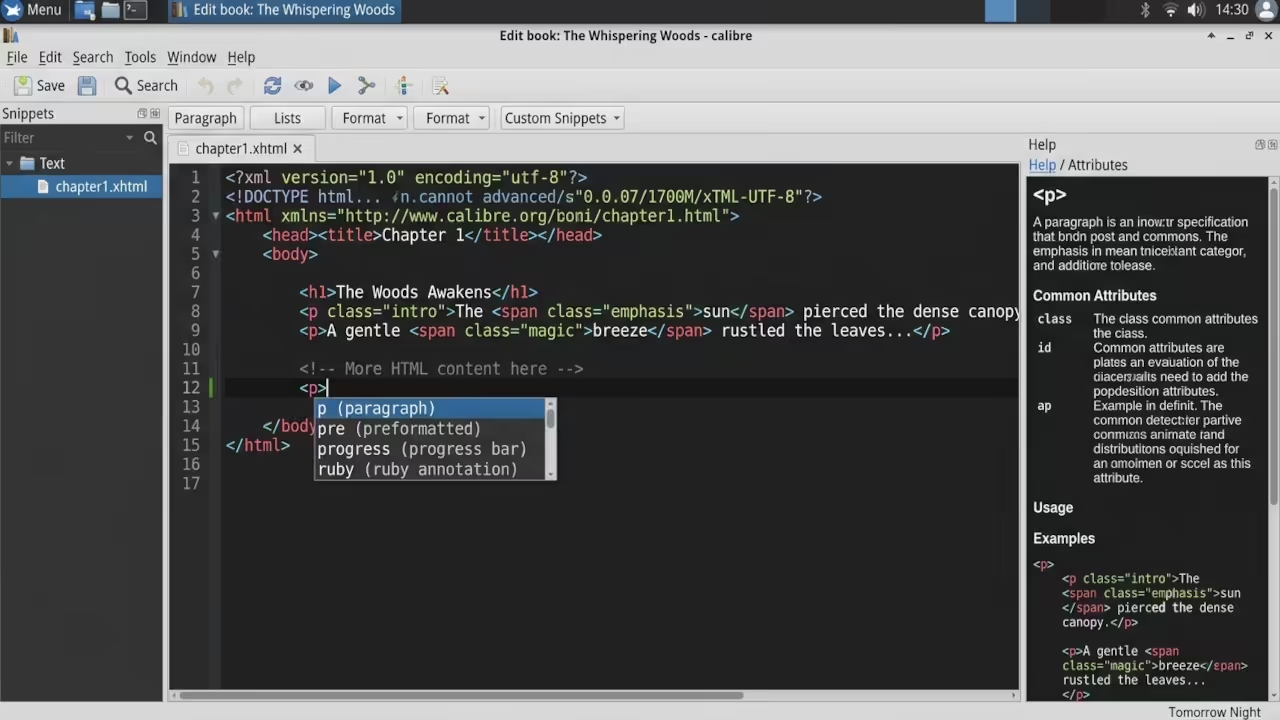
The code editor includes specialized features that professional publishers demand. Auto complete suggestions appear as you type HTML tags and attributes. Snippets let you insert frequently used markup patterns with a single keystroke.
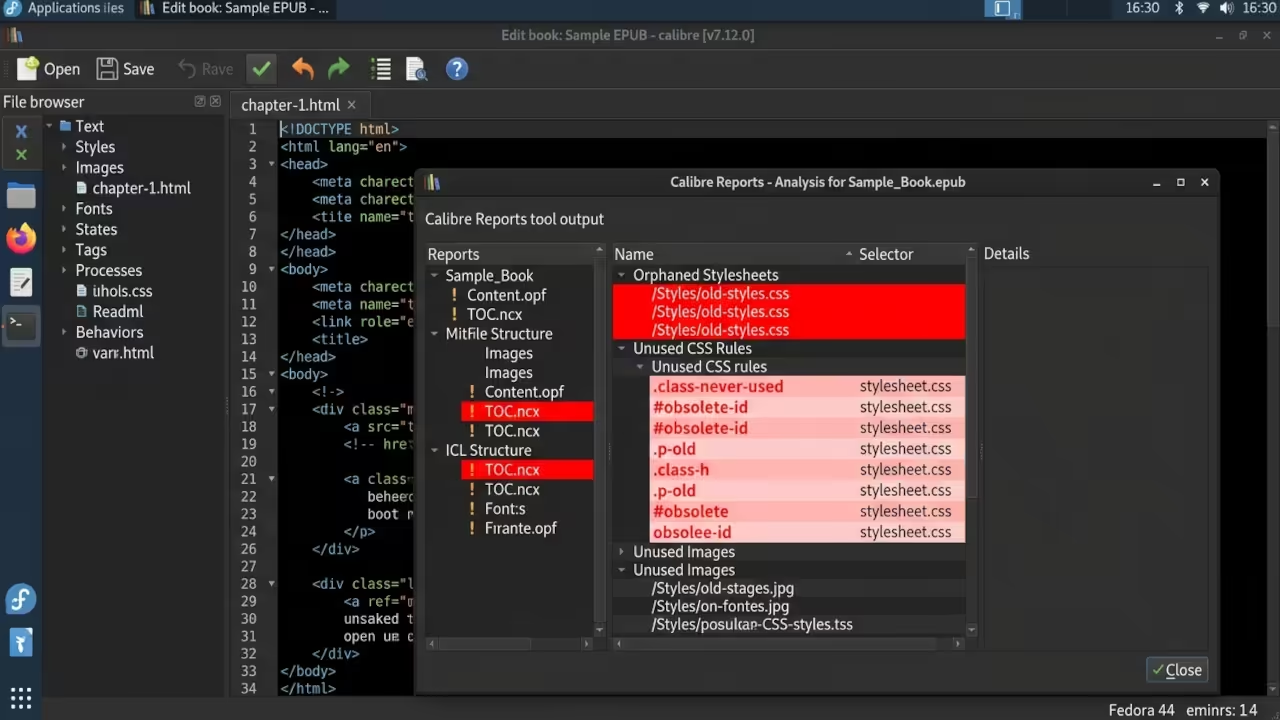
The reports tool generates detailed analysis of your book structure and content. You can identify orphaned stylesheets or unused CSS rules that bloat your file size. These diagnostic capabilities transform Calibre from a simple editor into a full publishing suite.
Hardware and Feature Comparison
| Feature | Calibre Editor | Sigil | Adobe InDesign |
|---|---|---|---|
| Code Access | Full HTML and CSS | Full HTML and CSS | Limited |
| Live Preview | Built in dual pane | Built in dual pane | Requires export |
| Format Support | EPUB KEPUB AZW3 | EPUB only | EPUB export only |
| Cost | Free open source | Free open source | Subscription required |
| Automation | Batch tools and regex | Basic find replace | Scripting available |
| Validation | Built in check tool | Plugin required | Built in export check |
| Feature | Calibre Editor | Sigil | Adobe InDesign |
Master the Professional Stack
Calibre editor represents the pinnacle of open source ebook technology and mastering it requires deep architectural understanding. My technical blueprints provide the systematic approach needed to transform raw code into polished published works.
Books (Technical and Creative): https://www.amazon.com/stores/Edward-Ojambo/author/B0D94QM76N
Blueprints (DIY Woodworking Projects): https://ojamboshop.com
Tutorials (Continuous Learning): https://ojambo.com/contact
Consultations (Custom Apps and Architecture): https://ojamboservices.com/contact
🚀 Recommended Resources
Disclosure: Some of the links above are referral links. I may earn a commission if you make a purchase at no extra cost to you.