

Setup phpBB In Two Ways
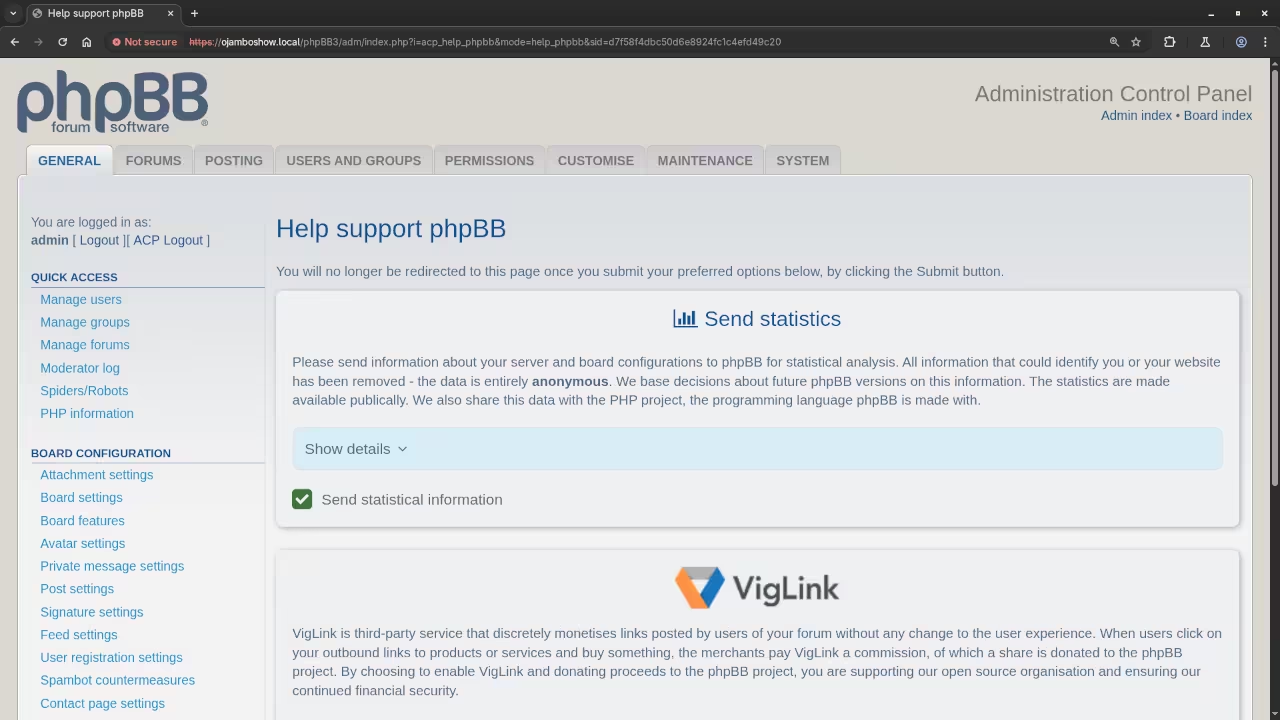
Learn how to install phpBB Bulletin Board from the command line and graphically.
The web application phpBB is a free and open source PHP online bulletin board system for creating, managing and publishing website content. Online websites require and SSL Certificate when handling sensitive data such as customer data or payment details. It is recommended to always use an SSL Certificate.
The phpBB software has to be installed on a web server.
Download And Install phpBB
Download
The forum software phpBB can be downloaded from phpBB. Then the downloaded file is extracted directly on the server or locally before individual files are uploaded if applicable.
HTTP Server
The application phpBB requires an HTTP server such as NGINX or Apache HTTP Server in order to deliver web content over the internet. The HTTP server must include the server-side PHP programming language as an extension.
Database
The software phpBB requires one of the following databases and their applicable PHP extension.
- MySQL or compatible database such as MariaDB and its compatible PHP MySQL Extension.
- PostgreSQL and its compatible PHP PostgreSQL Extension.
- SQLite and its compatible PHP SQLite Extension.
- MS SQL Server and its compatible PHP ODBC or native Extension.
- Oracle and its compatible PHP Oracle Extension.
The database can be managed on the command line or via phpMyAdmin which is a web-based database administration tool for MySQL and MariaDB.
Perform MySQL Database Requirements
CREATE DATABASE dbname;
CREATE USER 'dbusername'@'localhost' IDENTIFIED BY 'dbpassword';
GRANT ALL PRIVILEGES ON dbname.* TO 'dbusername'@'localhost';
Rename Configuration FIles
# Rename Front-End Configuration File #
mv config-dist.php config.php
# Rename Back-End Configuration File #
mv admin/config-dist.php admin/config.php
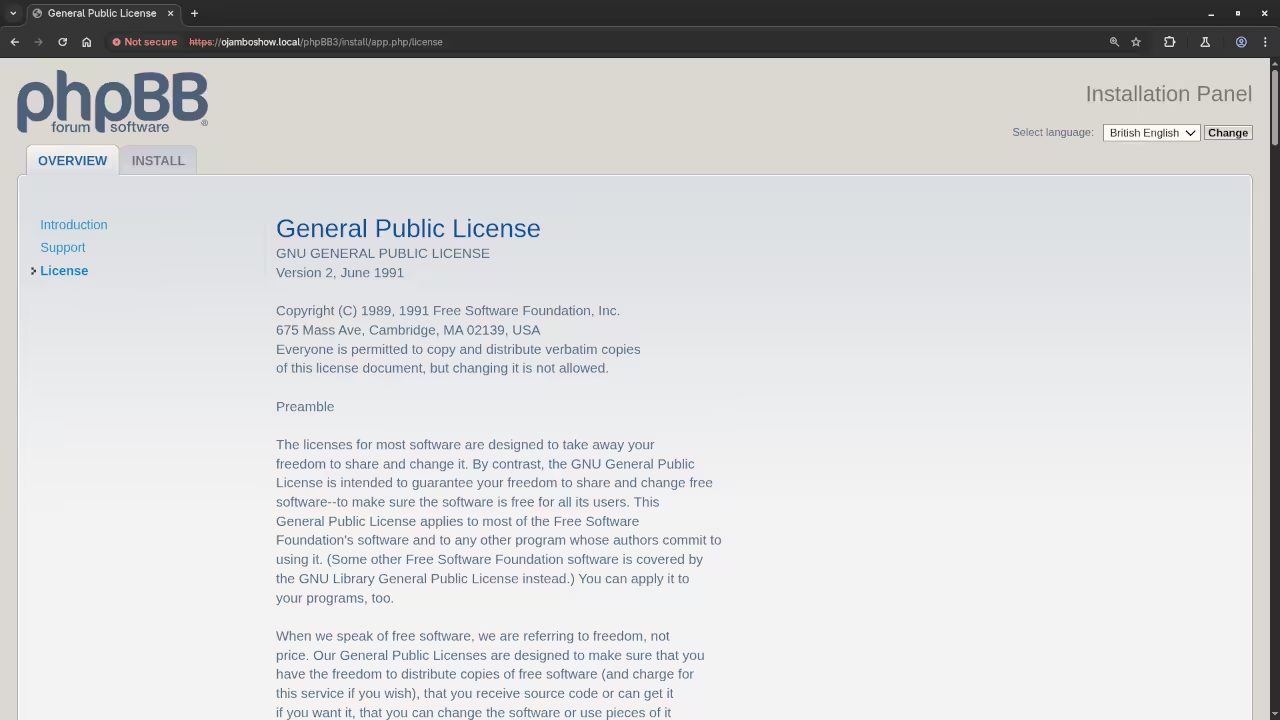
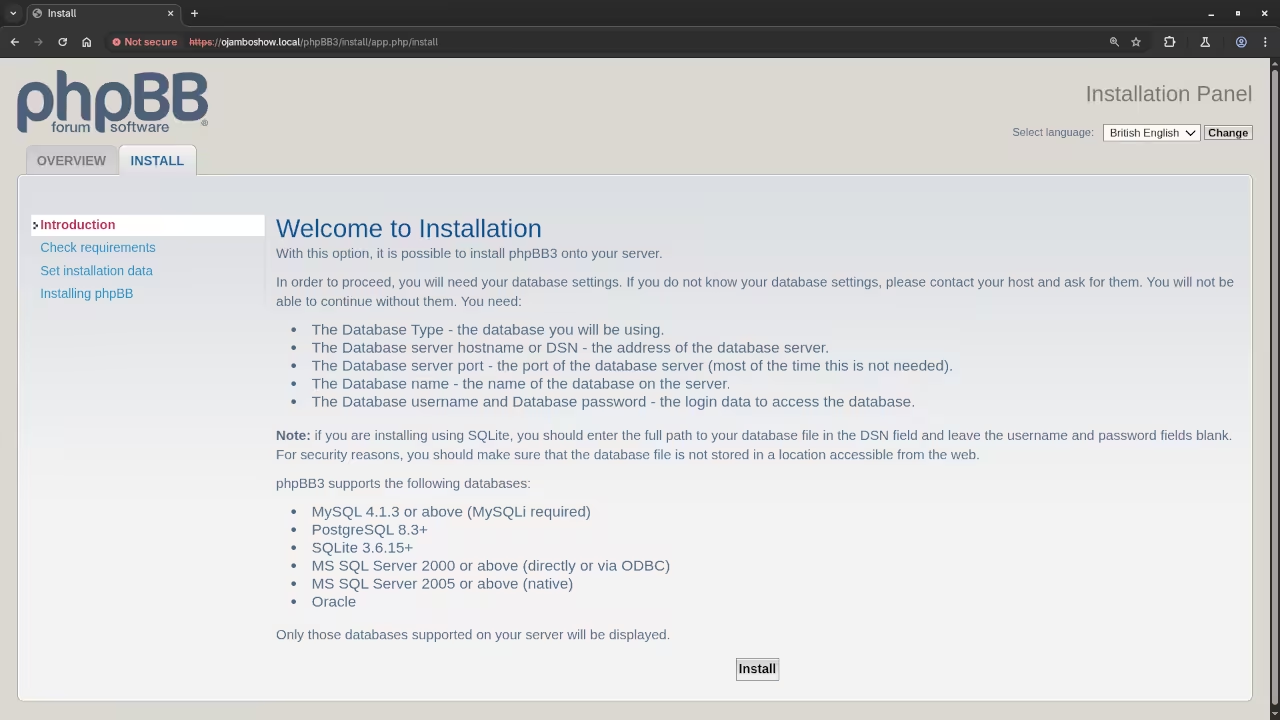
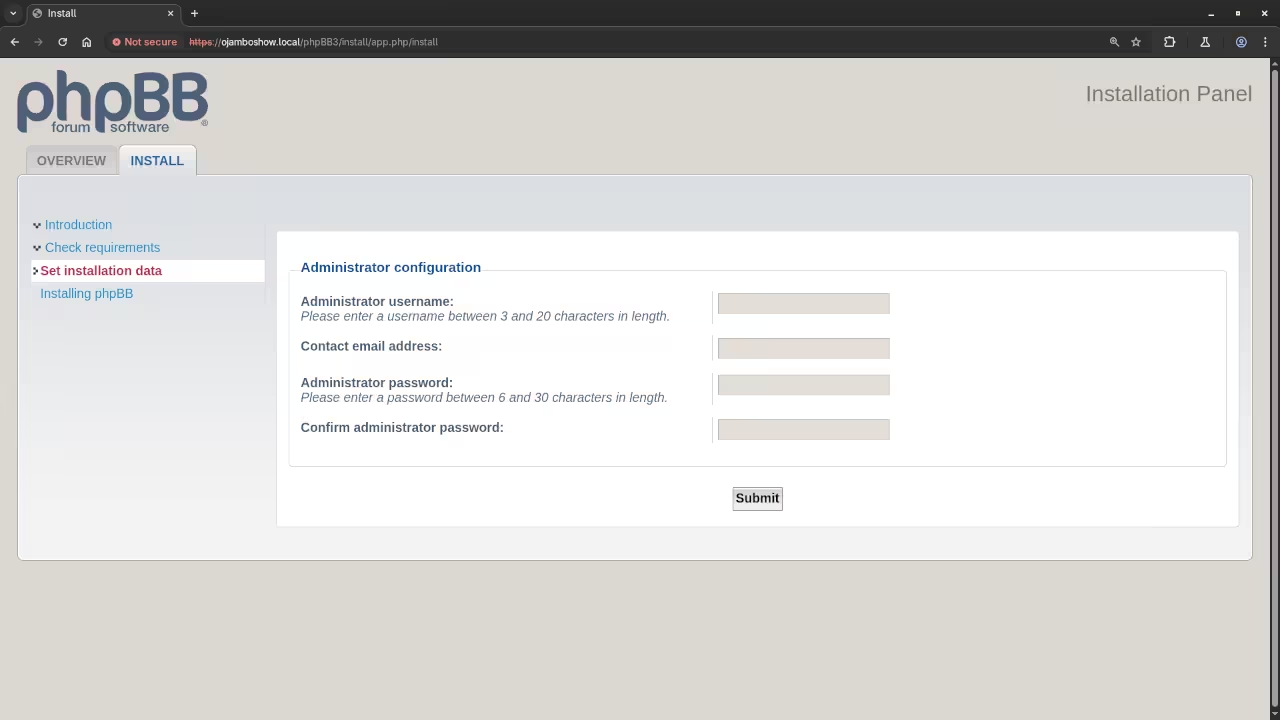
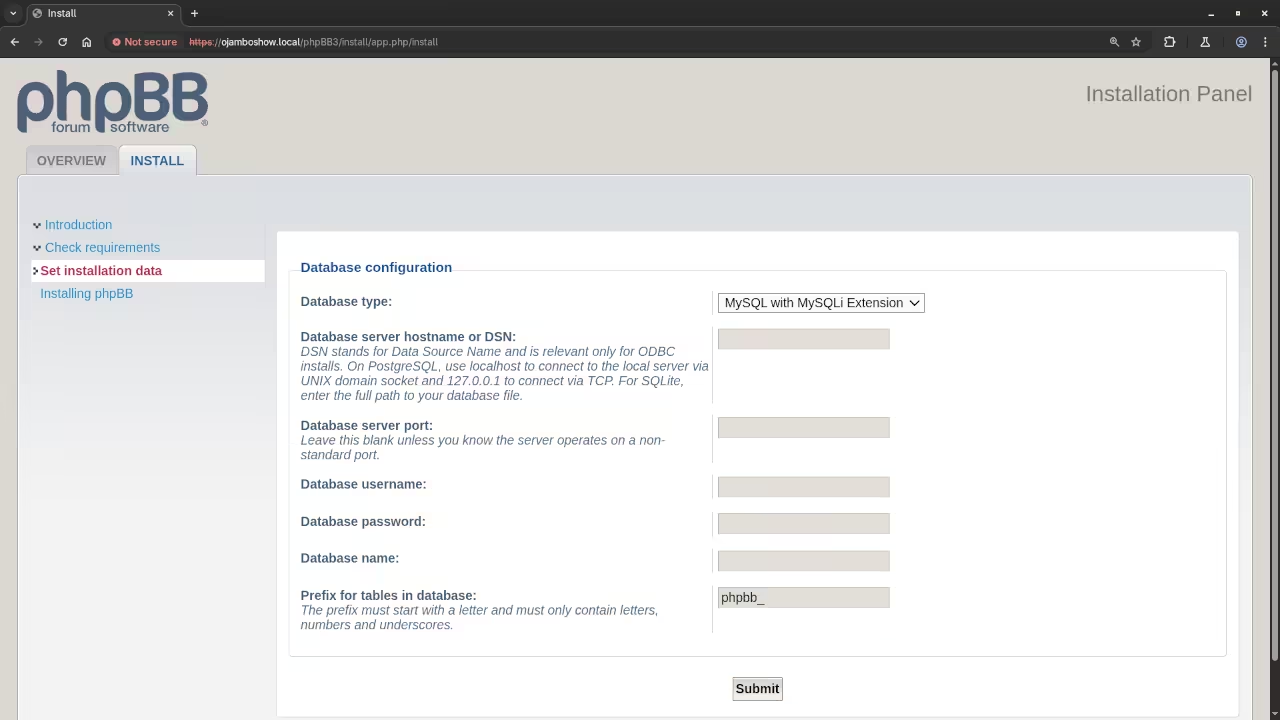
Open Source
The phpBB software is released under the terms of the GNU General Public License (GPL) version 2. The copyleft license comes with strict rules and requirements to ensure the software remains free and open-source. It allows commercial use, modification, distribution, and allows making derivatives proprietary, consult the license for more specific details.
The phpMyAdmin software is licensed under the terms of the GNU General Public License (GPL) version 2. The copyleft license comes with strict rules and requirements to ensure the software remains free and open-source. It allows commercial use, modification, distribution, and allows making derivatives proprietary, consult the license for more specific details.
The Apache HTTP Server is licensed under the Apache License version 2.0. The permissive license requires the preservation of the copyright notice and disclaimer. It allows commercial use, modification, distribution, and allows making derivatives proprietary, consult the license for more specific details.
The NGINX Web Server is licensed under the Nginx License which is 2-clause BSD-like. The permissive license requires the preservation of the copyright notice and disclaimer. It allows commercial use, modification, distribution, and allows making derivatives proprietary, consult the license for more specific details.
The MySQL Community Server is licensed under the GNU General Public License Version 2.0. The copyleft license comes with strict rules and requirements to ensure the software remains free and open-source. It allows commercial use, modification, distribution, and allows making derivatives proprietary, consult the license for more specific details.
The MariaDB Server is licensed under the GNU General Public License Version 2.0 and the client libraries for C, Java, and ODBC are distributed under the GNU Lesser General Public License, version 2.1 or later (LGPLv2.1). These copyleft licenses comes with strict rules and requirements to ensure the software remains free and open-source. It allows commercial use, modification, distribution, and allows making derivatives proprietary, consult the license for more specific details.
The PHP License is an open-source under which the PHP scripting language is released. The permissive license has conditions requiring preservation of copyright and license notices. Redistribution is permitted in source or binary form with or without modifications, consult the license for more specific details.
Conclusion:
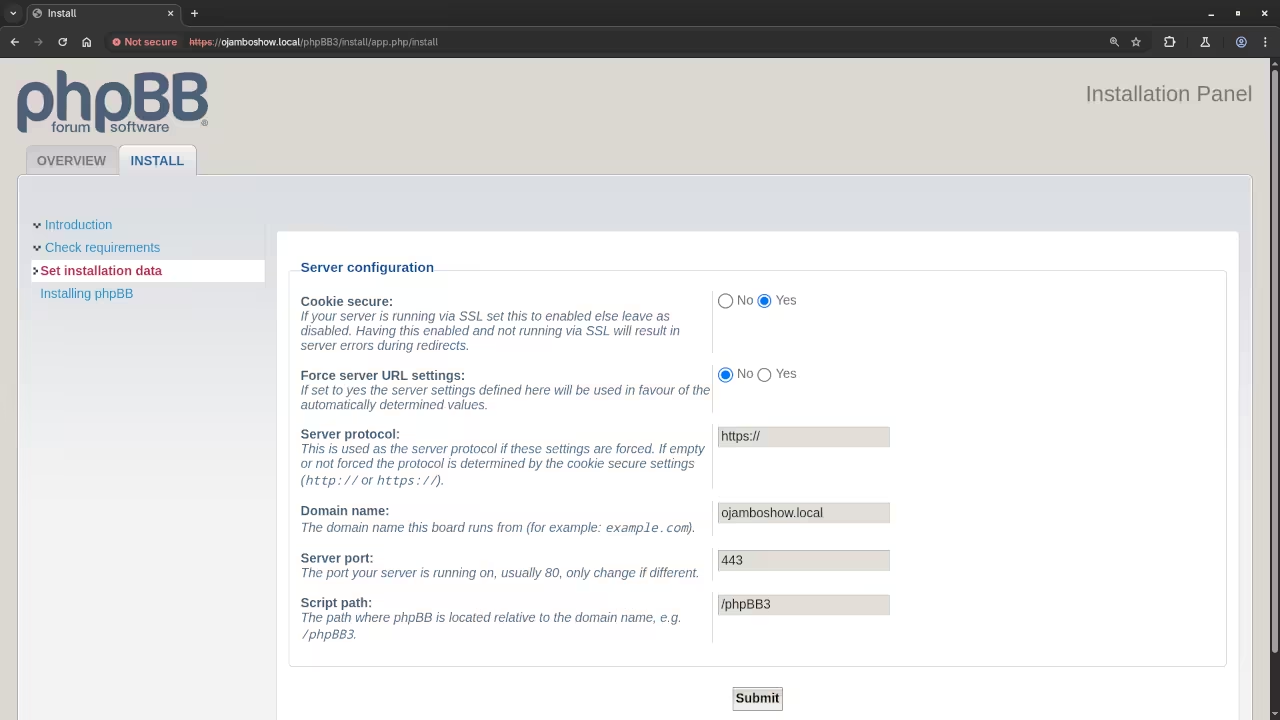
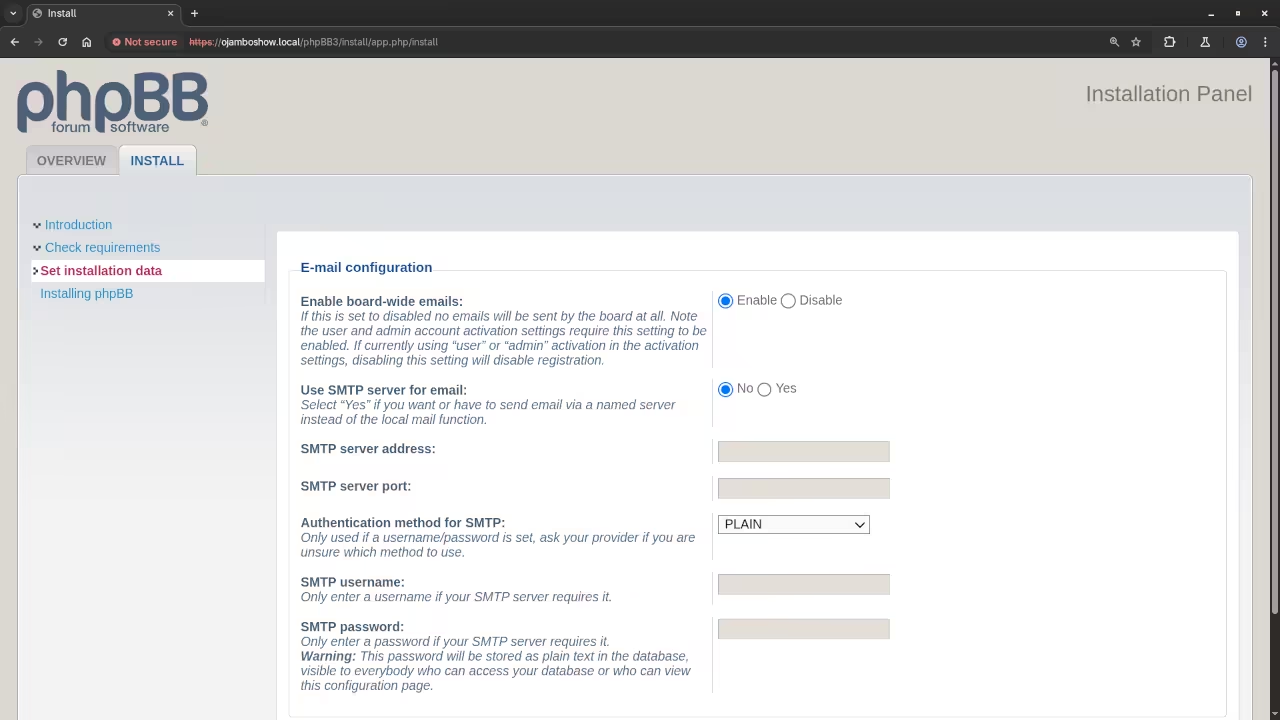
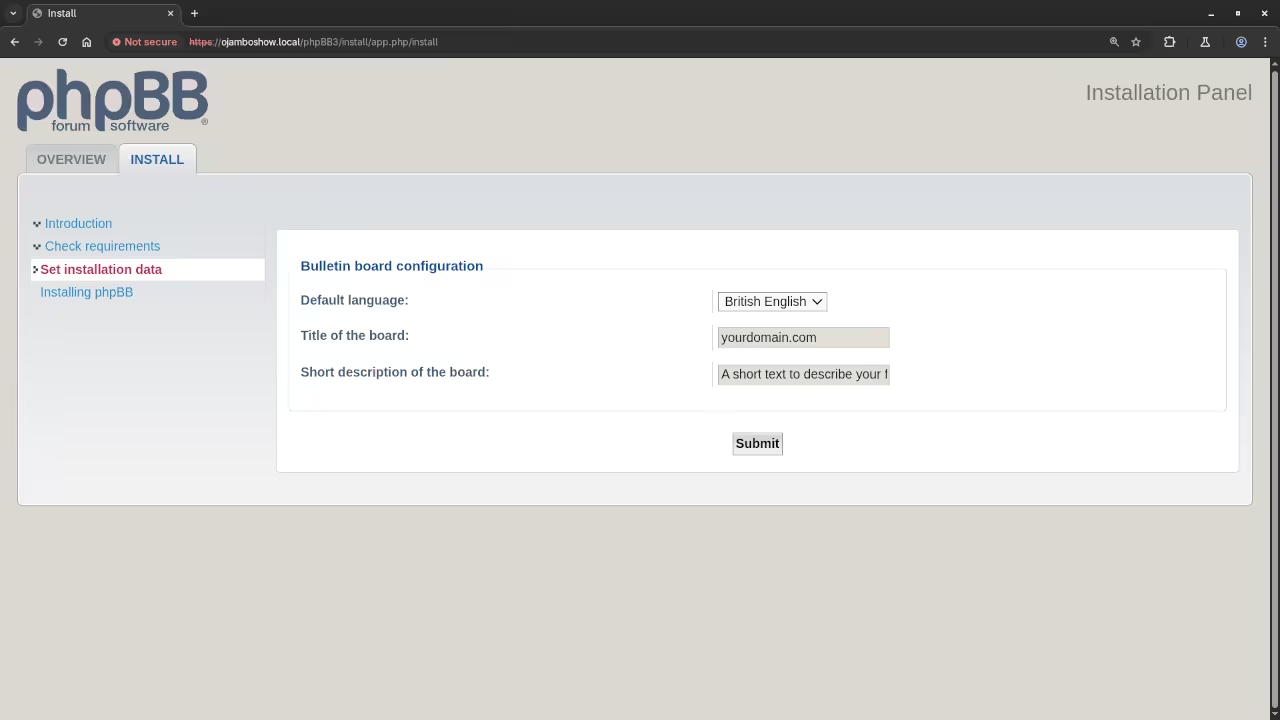
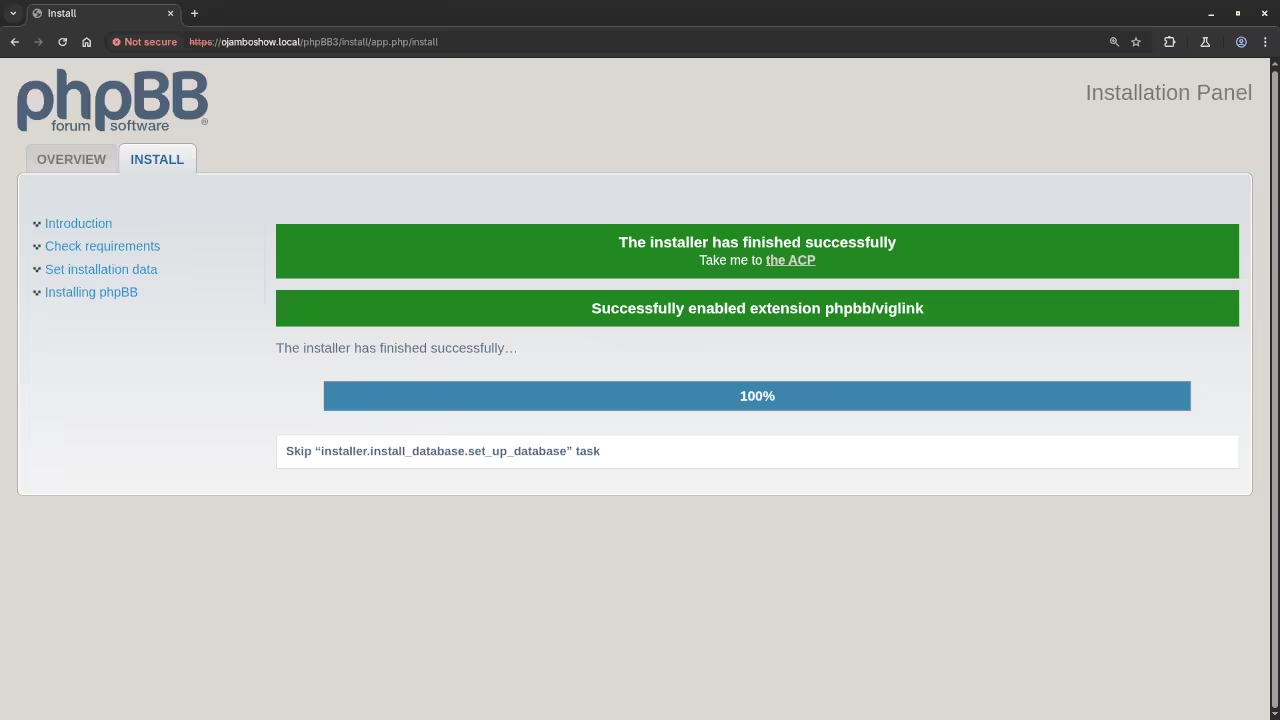
The forum application phpBB is easy to install once you meet all the requirements for the server and database. Install phpBB Online Forum using the command line or graphically using a web browser and phpMyAdmin.
If you enjoy this article, consider supporting me by purchasing one of my OjamboShop.com Online Programming Courses or publications at Edward Ojambo Programming Books or simply donate here Ojambo.com Donate
References:
- Customer Sets Price Plugin for WooCommerce on Ojambo.com
- Learning JavaScript Course on OjamboShop.com
- Learning Python Course on OjamboShop.com
- Learning PHP Course on OjamboShop.com
- Learning JavaScript Paperback on Amazon
- Learning JavaScript Ebook on Amazon
- Learning Python Ebook on Amazon
- Learning PHP Ebook on Amazon
- OjamboServices.com For Custom Websites, Applications & Tutorials
🚀 Recommended Resources
Disclosure: Some of the links above are referral links. I may earn a commission if you make a purchase at no extra cost to you.