
Your Manuscript Is Trapped Inside Expensive Software
You are drowning in subscription fees. Every writing app demands monthly payments for features you barely use.
Scrivener promises organization but delivers confusion. Atticus charges premium prices for basic formatting tools. The publishing industry built this dependency on purpose. You have been played.
LibreOffice Writer has been sitting on your desktop waiting to liberate your books.
The Workflow That Produces Real Published Books
I write and edit every single book in my catalog using LibreOffice. All my published works are available on Amazon right now.
Visit https://www.amazon.com/stores/Edward-Ojambo/author/B0D94QM76N to browse the complete author page. This is not theory. This is the exact workflow producing real published books.
The Export Engine Changes Everything
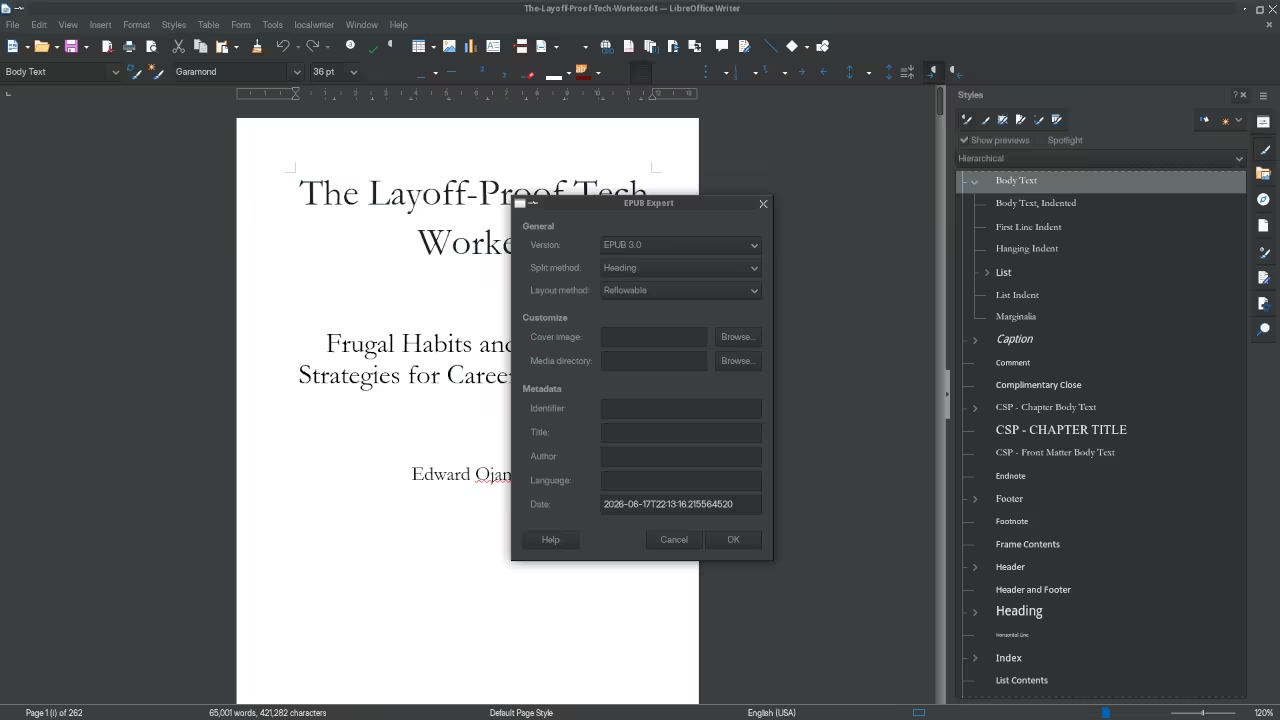
The export engine inside LibreOffice changes everything once you see it working. EPUB files emerge with perfect chapter structure and navigation.
PDF output matches professional printing standards down to the bookmark. The realization that you have been overpaying hits like a physical blow. Professional publishing quality from completely free software rewires your entire workflow.
Critical Configuration Settings Most Authors Miss
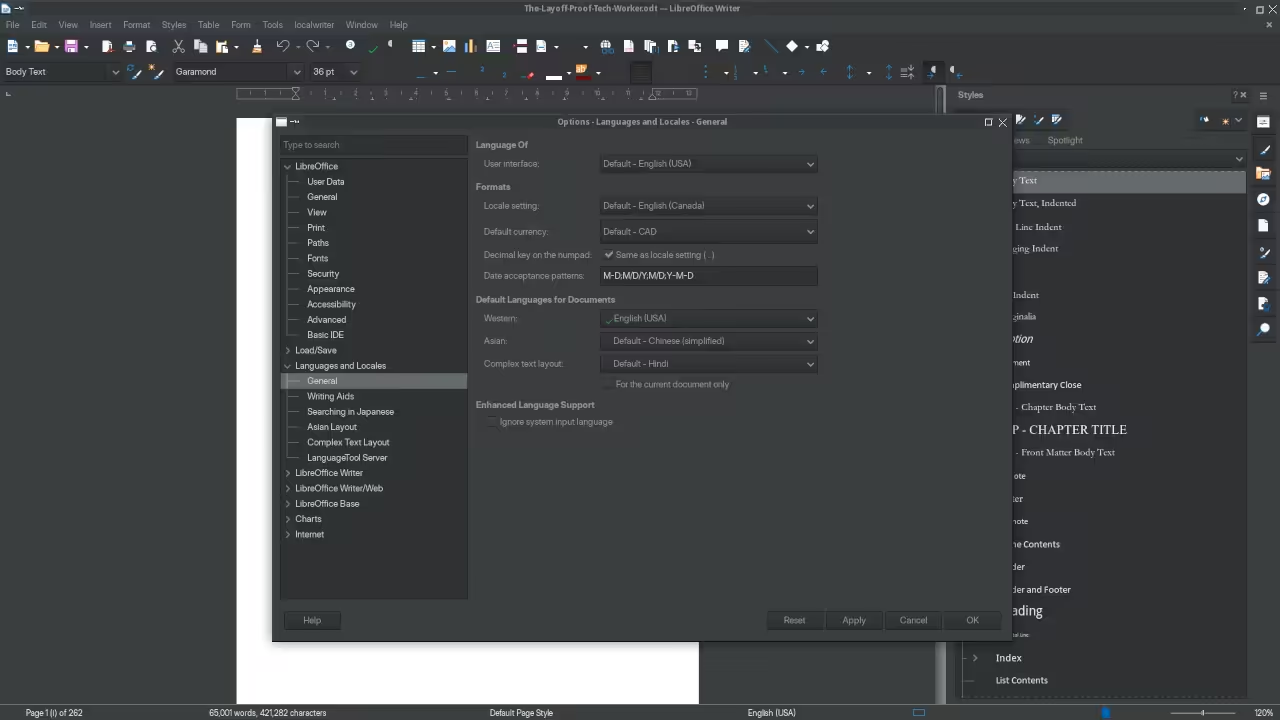
Open Tools then Options and navigate to Language Settings immediately. Select Languages and set the default content language to match your manuscript.
This configuration prevents font embedding failures during PDF export. Authors who skip this step receive broken characters in their final files. The fix takes ten seconds but saves hours of troubleshooting.
Move to Load Save then General in the same Options window. Enable the setting to always convert ODF documents to standard formats on export.
Amazon KDP and every major platform accepts these formats without complaint. Mysterious formatting shifts disappear from your publishing workflow entirely.
EPUB Export Requires Proper Paragraph Style Setup
EPUB export demands proper paragraph style setup before you begin. Create a style called Chapter Heading and assign it to outline level 1.
Every chapter title must use this style for the EPUB engine to recognize structure. Device readers then generate clickable chapter navigation automatically. Your readers thank you for the professional experience.
Body text works best with a custom style based on Default Paragraph Style. Choose Libre Baskerville or DejaVu Serif at 12 points for readability.
Enable justified alignment with automatic hyphenation for that printed book look. The combination creates comfortable reading across every device and screen size.
PDF Export Demands Advanced Dialog Settings
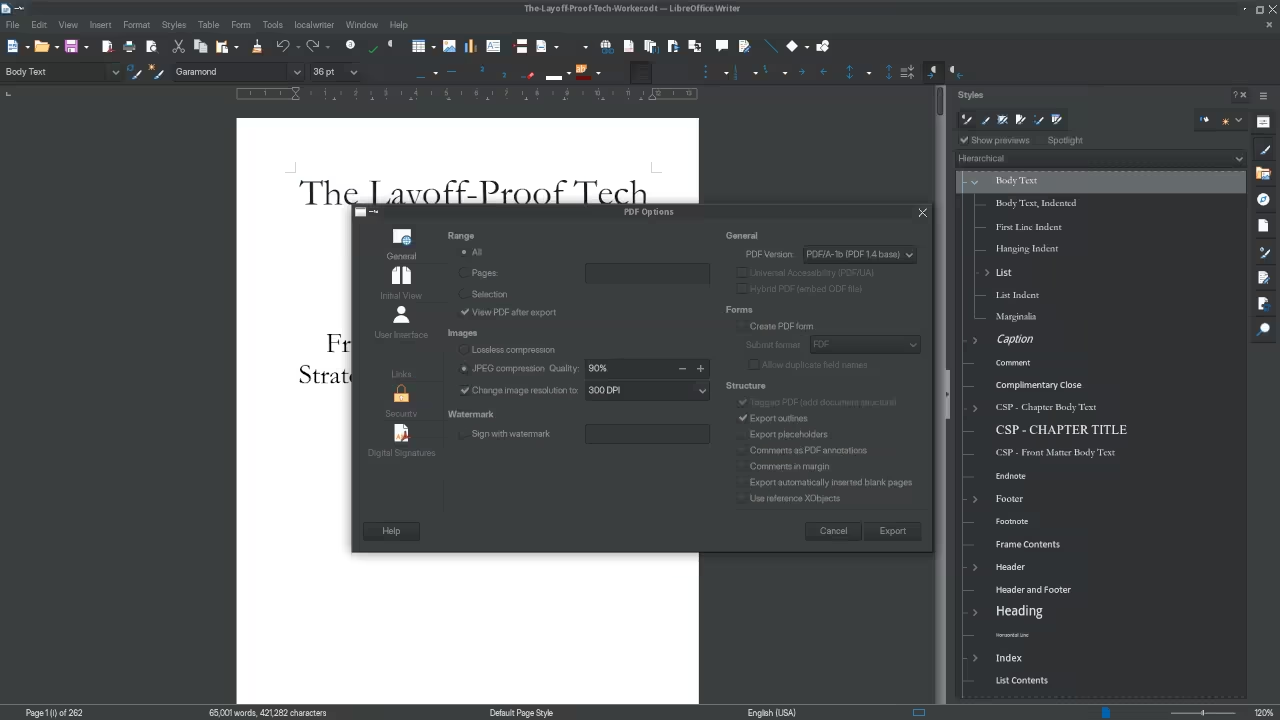
PDF export requires the advanced dialog settings most authors never open. Click Export as PDF and select the Options button before saving.
Enable Create PDF Bookmarks linked to your document outline levels. The resulting PDF contains a fully navigable structure that professional publishers demand.
| Feature | LibreOffice Writer | Scrivener | Atticus | Reedsy |
|---|---|---|---|---|
| Platform Cost | Free Forever | 59.99 USD | 147 USD | Free with limitations |
| EPUB Export | Native with full structure | Requires compilation | Built in | Limited formatting control |
| PDF Export | Professional with bookmarks | Export only | Print ready | Basic output only |
| Font Embedding | Full control in export dialog | Automatic limited | Automatic | Restricted selection |
| Chapter Navigation | Outline based bookmarks | Scene based | Chapter based | Table of contents only |
| Cross Platform | Linux Windows macOS | Windows macOS | Web based | Web based |
| Offline Access | Complete | Complete | Limited | Browser required |
| Feature | LibreOffice Writer | Scrivener | Atticus | Reedsy |
The Secret PDF Compression Configuration
The secret configuration most authors never discover lives in the PDF Images tab. Set JPEG compression quality to 85 percent for the perfect size versus quality balance.
Lower resolution to 150 DPI for digital reading or 300 DPI for print. Your file size drops by over 60 percent while maintaining visual perfection.
Master the Professional Stack
Every serious author needs the complete architectural blueprint for their publishing workflow. My books on Amazon provide the theoretical foundation for professional self-publishing success.
Visit https://www.amazon.com/stores/Edward-Ojambo/author/B0D94QM76N for the complete collection.
Technical blueprints and woodworking projects require different tools entirely. Explore custom designs at https://ojamboshop.com for hands-on implementation guides.
Continuous learning happens through detailed tutorials at https://ojambo.com/contact.
Custom applications and system architecture demand expert consultation. Scale your technical projects with senior architect services at https://ojamboservices.com/contact.
🚀 Recommended Resources
Disclosure: Some of the links above are referral links. I may earn a commission if you make a purchase at no extra cost to you.